Wordpad Remove Line Spacing How To Change Line Spacing In WordPad YouTube How To Remove Blank Lines From A File How To Change To Single Spacing In Wordpad Microsoft Community How To Draw A Vertical Line In Wordpad Design Talk How To Double Space In Microsoft Word In this tutorial we will be discussing about Line Spacing in WordPad wordpad wordpadtutorial wordpadwindows10Learn the basics of using WordPad including h
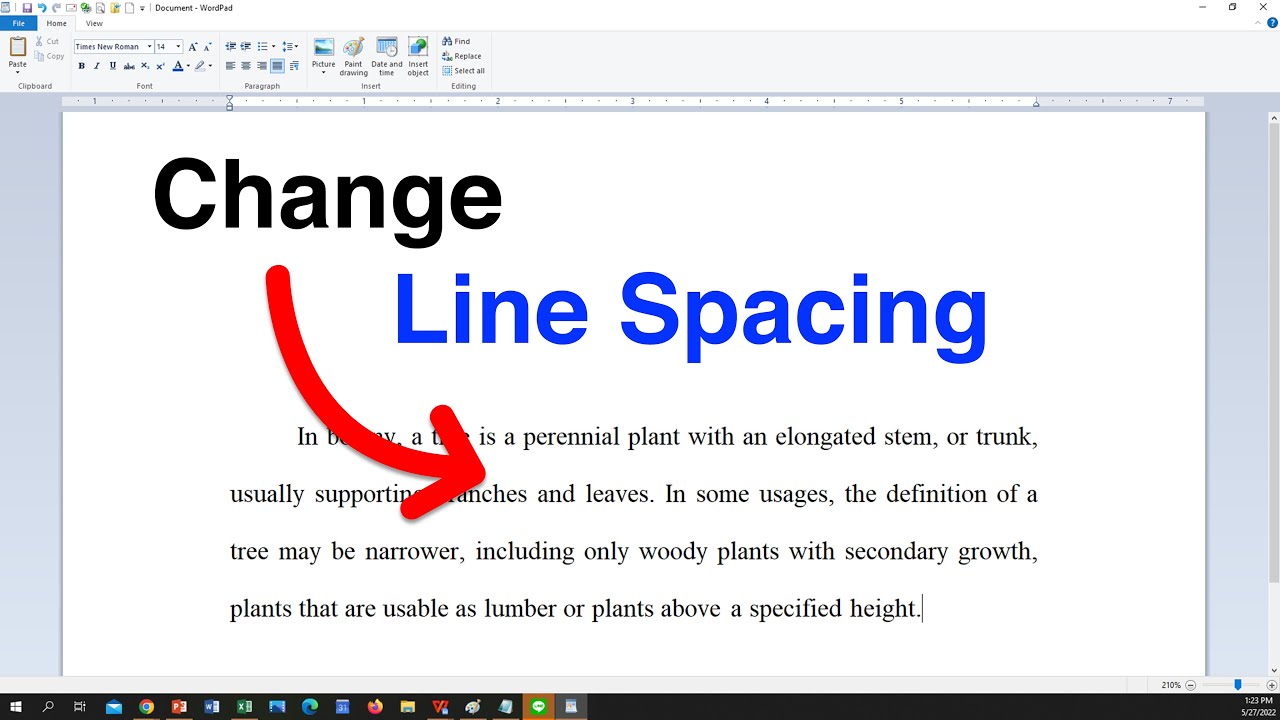
1 Step by step to the correct line spacing in WordPad 1 Start WordPad on Windows 11 10 and open or create a document 2 Press Ctrl A to select the entire document or click and drag to select only part of the document 3 In the Home group at the top of the WordPad window click the section icon Paragraph 4 Press this to set single line spacing Ctrl 2 You can use this shortcut key to set double line spacing Ctrl 5 This will set the line spacing to 1 5 Ctrl A Used for selecting all the text and elements in your Wordpad document Ctrl B Used to make selected text bold Ctrl C Copy a selection to the Clipboard Ctrl D Insert a
How To Double Space In Microsoft Word HTML How To Remove Line Spacing Between HTML Heading Elements YouTube IT P2 Pertemuan 8 Tema Line Spacing Dengan WordPad YouTube Wordpad Line Spacing Wordpad Tutorial In Hindi YouTube Learn Wordpad Paragraph Idient Line Spacing Paragraph Spacing WordPad Class 03 Indent Start A List Line Spacing YouTube Part 7 Wordpad Inserting Date Time And Using Line Spacing Option Lab2 Changing Line Spacing In WordPad PDF Menu Computing How To Remove Line Spacing In Ms Word YouTube
Wordpad Remove Line Spacing
 Wordpad Remove Line Spacing
https://i.ytimg.com/vi/wUDPPWmEfQU/maxresdefault.jpg
Now to answer your question yes there is a way to fix this quirk The trick is to first click at the top to select the Home tab before clicking the Line spacing icon that s the one with five horizontal lines alongside the up and down arrows That opens a little menu and there you need to click to remove the tick from the
Templates are pre-designed files or files that can be utilized for numerous purposes. They can save time and effort by offering a ready-made format and layout for creating different type of content. Templates can be utilized for individual or expert projects, such as resumes, invitations, flyers, newsletters, reports, discussions, and more.
Wordpad Remove Line Spacing

About Paragraph In WordPad Alignment Increase Indent Line Spacing
HTML How To Remove Line Spacing Between HTML Heading Elements YouTube

IT P2 Pertemuan 8 Tema Line Spacing Dengan WordPad YouTube

Wordpad Line Spacing Wordpad Tutorial In Hindi YouTube

WordPad Class 03 Indent Start A List Line Spacing YouTube

Part 7 Wordpad Inserting Date Time And Using Line Spacing Option
Windows macOS Web Select the paragraph you want to change or press Ctrl A to select all text Go to Home Line and Paragraph Spacing Select the line spacing you want The default spacing is 1 15 lines which gives you a bit more room between lines and 10 points of spacing after each paragraph for better readability
Watch in this video How to Change Line Spacing In Wordpad You can increase or decrease and adjust line spacing in Wordpad to 1 1 15 1 5 or 2 Join this Yo

How to Reduce the Space Between Lines in Wordpad on Windows 10 2019 YouTube 2023 Google LLC How do I get Wordpad to single space in Window 10 How to change default on Wordpad to
Line spacing in WordPad to change in 3 steps Click on the icon line spacing see image to open the Drop Down menu Here you can select the desired line spacing Possible values are 1 0 1 15 1 5 or 2 In addition you can also select whether a paragraph a 10 point gap is to be inserted Line spacing in WordPad to change

1 Left click the Start Menu Then scroll down the Start Menu items and expand Windows Accessories Finally on the Windows Accessories group click WordPad How To Open WordPad In Windows 10 From Run This is the final method in this section You can also open WordPad via Run Here are the steps Right click Start Menu and click Run
Press Ctrl A to select all Go to Home Line and Paragraph Spacing Select Line Spacing Options and choose an option in the Line spacing box Adjust the Before and After settings to change spacing between paragraphs Select OK For more info see Adjust indents and spacing Need more help Want more options Discover Community Line spacing is the amount of white space between two lines of text Paragraph spacing is the amount of white space between two paragraphs And like using the right font or proper margins controlling spacing is an important part of document formatting Related How to Embed Fonts in a Microsoft Word Document
Annoying double spacing of sentences when pressing Enter key in Software I m not that proficient when using Wordpad When typing sentences and hitting the Enter key Wordpad double spaces down 1 5 or whatever before the next sentence starts This happens even when I copy sentences with single spacing as the original text