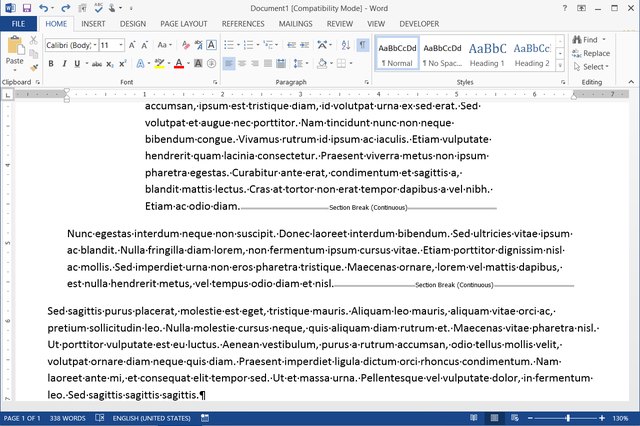
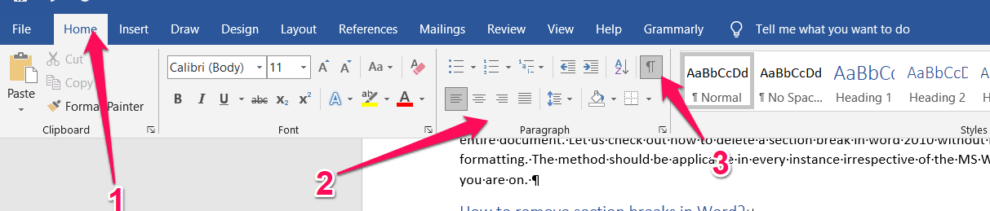
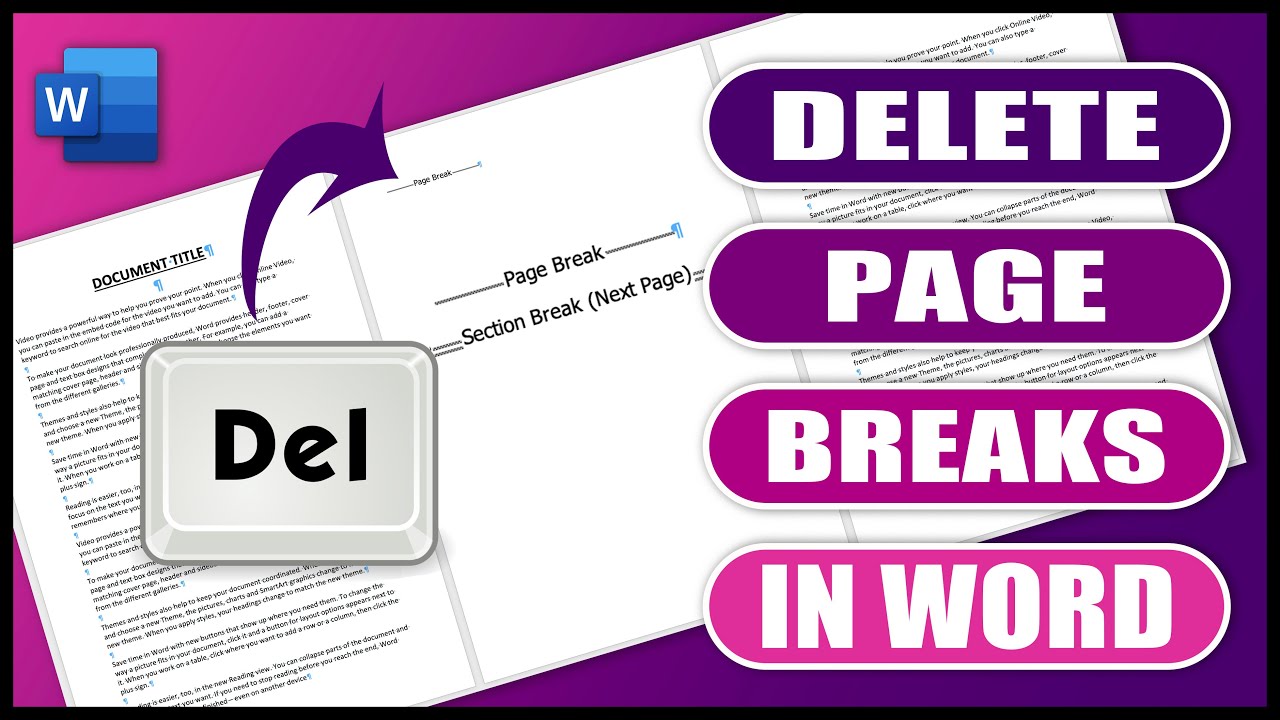
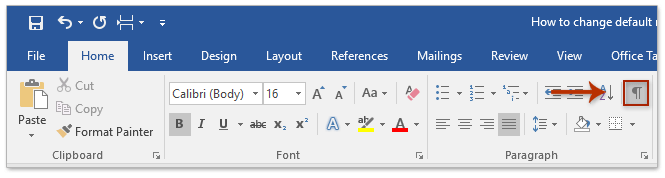
Word Remove Section Break Mac Microsoft Word Remove Section Break Meisterkurt Remove Section Break Word 2010 Keep Formatting Deadwes How To Remove A Section Break In A Word Document Solveyourtech How To Remove Section Break In Word 2007 Newlasopa Banyan Potreba Refr n Word Online Delete Section Break Cudzinec asto Marketing Vo Vyh ad va och Click the Home tab in the Ribbon Click Show Hide in the Paragraph group Paragraph marks tabs spaces section breaks and manual page breaks will display but will not print You can change
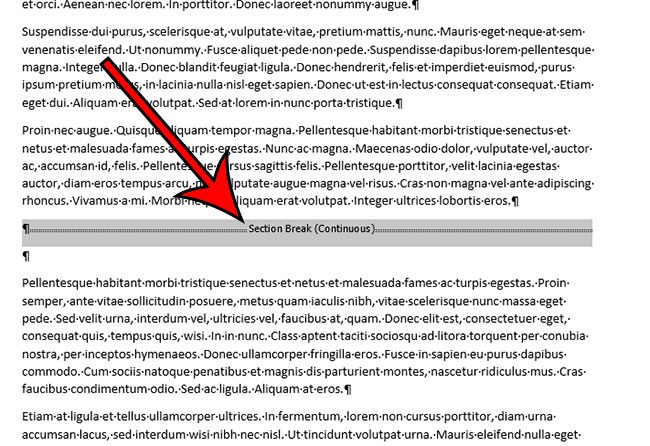
Warning When you delete a section break Word combines the text before and after the break into one section The new combined section will use the formatting from the If your empty page occurs at the end of your document and you have a section break there you can select the section break and press Delete to remove it That should remove the blank page Caution
Banyan Potreba Refr n Word Online Delete Section Break Cudzinec asto Marketing Vo Vyh ad va och Install Chinese Bible On Bibleworks 7 Vastpanama Banyan Potreba Refr n Word Online Delete Section Break Cudzinec asto Marketing Vo Vyh ad va och Banyan Potreba Refr n Word Online Delete Section Break Cudzinec asto Marketing Vo Vyh ad va och Juicyapi blogg se April 2022 Elementspaster blogg se Microsoft Word Remove Section Break From Selection Banyan Potreba Refr n Word Online Delete Section Break Cudzinec asto Marketing Vo Vyh ad va och Banyan Potreba Refr n Word Online Delete Section Break Cudzinec asto Marketing Vo Vyh ad va och How To Remove Section Breaks In Word Easy Steps To Follow
Word Remove Section Break Mac
 Word Remove Section Break Mac
https://img.techwallacdn.com/640/ppds/5d5b2c93-93dd-464a-88b4-82995b7e5a6f.png
In today s tutorial you will learn how to remove section breaks in Word for macOS Open Word document you need Click on Paragraph symbol The first way is
Templates are pre-designed files or files that can be used for numerous purposes. They can conserve time and effort by supplying a ready-made format and layout for producing various type of content. Templates can be used for individual or professional projects, such as resumes, invitations, flyers, newsletters, reports, presentations, and more.
Word Remove Section Break Mac
How To Remove Section Break In Word 2011 Mac Ladylasopa
Install Chinese Bible On Bibleworks 7 Vastpanama
Banyan Potreba Refr n Word Online Delete Section Break Cudzinec asto Marketing Vo Vyh ad va och
Banyan Potreba Refr n Word Online Delete Section Break Cudzinec asto Marketing Vo Vyh ad va och
Elementspaster blogg se Microsoft Word Remove Section Break From Selection

Banyan Potreba Refr n Word Online Delete Section Break Cudzinec asto Marketing Vo Vyh ad va och
Answer It isn t a Section Break it s a Paragraph Border Starting a paragraph with 3 consecutive characters followed by pressing return triggers specific
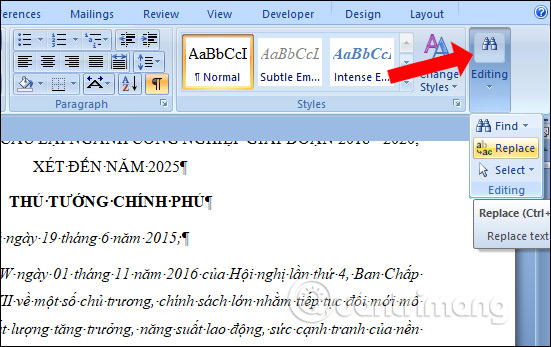
Remove Section and Page Breaks in Word on Mac On your Mac open the Word document that contains the section and or page breaks that you d like to delete You re going to need to be able to

If you have inserted a section break in Word under macOS follow the same procedure as under Windows to remove the section break Click on Start in the
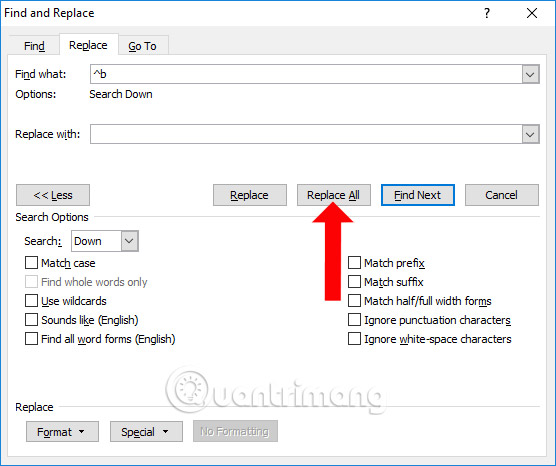
Short video showing how to delete a section or page break in Word on Mac Apple example is a Macbook Pro It s fairly simple yet it personally took me

1 Select the Home tab if it isn t already selected for the document 2 Select Show Hide to show the section breaks in your document 3 Click the area just before the section
Press Delete on your keyboard Don t use Backspace but the Delete key The section break will disappear Remove Multiple or All Section Breaks in MS Word How To Remove Section Break In Word MAC MrQuick 4 89K subscribers Subscribe 0 Share 20 views 1 day ago UNITED STATES Watch in video How To Remove Section
Go to Home and select Show Hide This displays page breaks while you re working on your document Double click the page break to select it and then press Delete Adjust