Word Remove Blank Spaces How To Remove A Page Break In Word And Get Rid Of Useless Blank Spaces 5 Ways To Find And Remove Blank Spaces In Exce Solved How To Remove Blank Spaces From Form Document Adobe Community How To Remove Spaces Between Words In Pdf File Philmouse Ms Word Remove Space Between Lines Lasopalottery Steps to Find and Replace Extra Spaces in Word Press Ctrl H to open the Find and Replace window Under Find What enter 2 By running this quick command you basically ask Word to identify double spaces between words Then in the Replace with field add 1 This solution allows you to quickly find and replace double spaces in
To remove or delete blank spaces in Word you can use different methods One of them is to use the search and replace function To do this you must follow the following steps 1 Open the Word document in which you want to remove white space 2 Click the Home tab on the Word toolbar 3 Select the lines that contain spaces you want to delete and center the lines by pressing Ctrl E or clicking the Center button in the Paragraph section of the Home tab Notice that the spaces on the lines are now gone Now you can format the lines the way you want without the extra spaces Here we left aligned the selected lines and now they
Ms Word Remove Space Between Lines Lasopalottery Civil lbum Insatisfactorio Remove Gaps In Excel Casete Querer Polilla Eliminate Spaces Excel Hot Sex Picture C Program To Remove Characters In A String Except Alphabets Riset How To Remove Extra Spaces In Excel With Trim Formula Trailing Spaces Civil lbum Insatisfactorio Remove Gaps In Excel Casete Querer Polilla Word Remove Space Between Lines Bankhopde How To Remove Leading And Trailing Spaces On Lines In Microsoft Word Delete Blank Pages In The Word Step By Step Instructions
Word Remove Blank Spaces
 Word Remove Blank Spaces
https://www.businessinsider.in/photo/82318035/how-to-remove-a-page-break-in-word-and-get-rid-of-useless-blank-spaces.jpg?imgsize=86257
In this video I look at removing unwanted spaces in Microsoft Word 1 Extra spaces between words or at the end of sentences2 Unwanted spaces at the beginni
Pre-crafted templates use a time-saving option for developing a varied variety of files and files. These pre-designed formats and layouts can be used for different personal and expert projects, consisting of resumes, invites, flyers, newsletters, reports, discussions, and more, streamlining the material production process.
Word Remove Blank Spaces

Cara Menghapus Lembar Word Yang Kosong Toko Rifqi
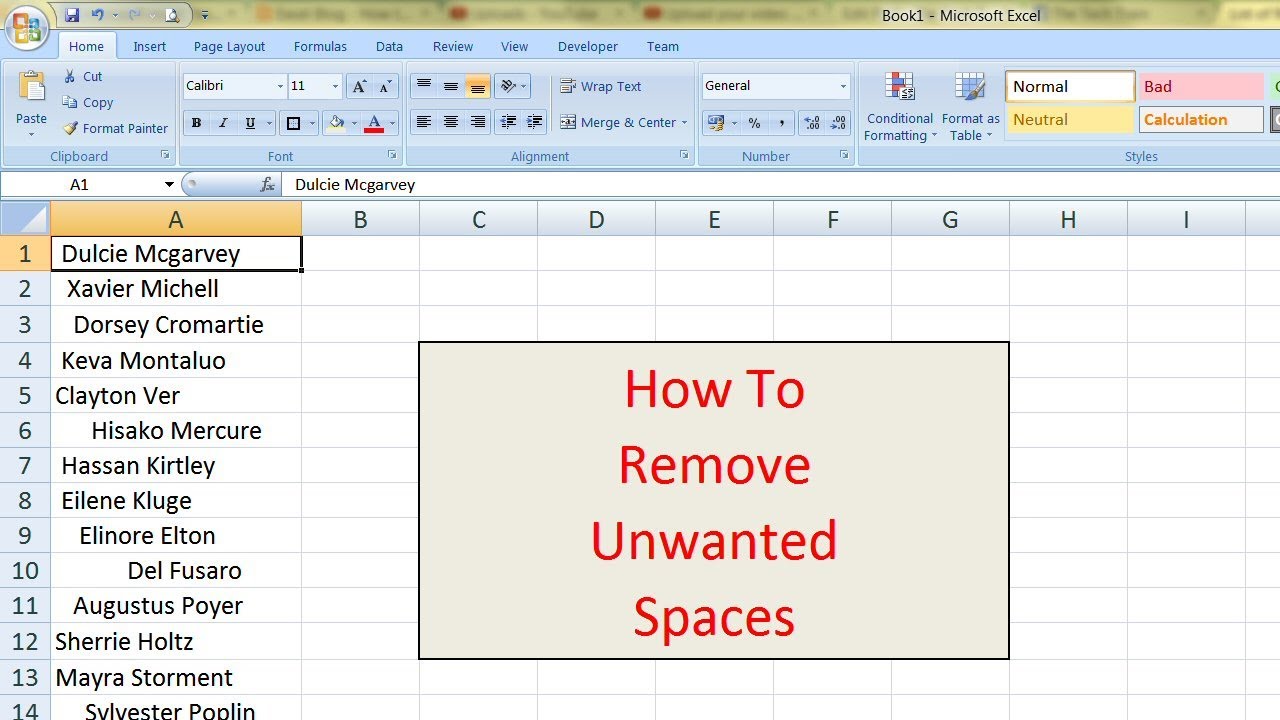
Civil lbum Insatisfactorio Remove Gaps In Excel Casete Querer Polilla
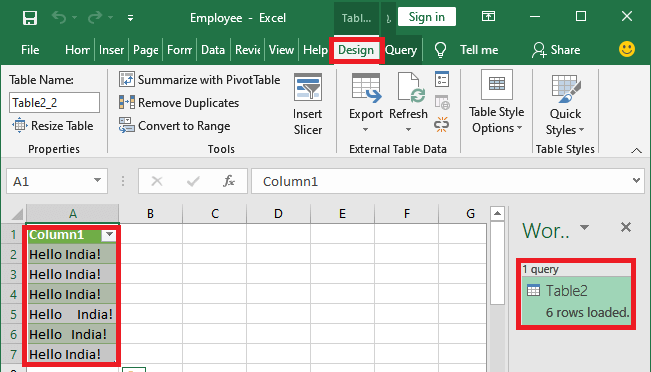
Eliminate Spaces Excel Hot Sex Picture
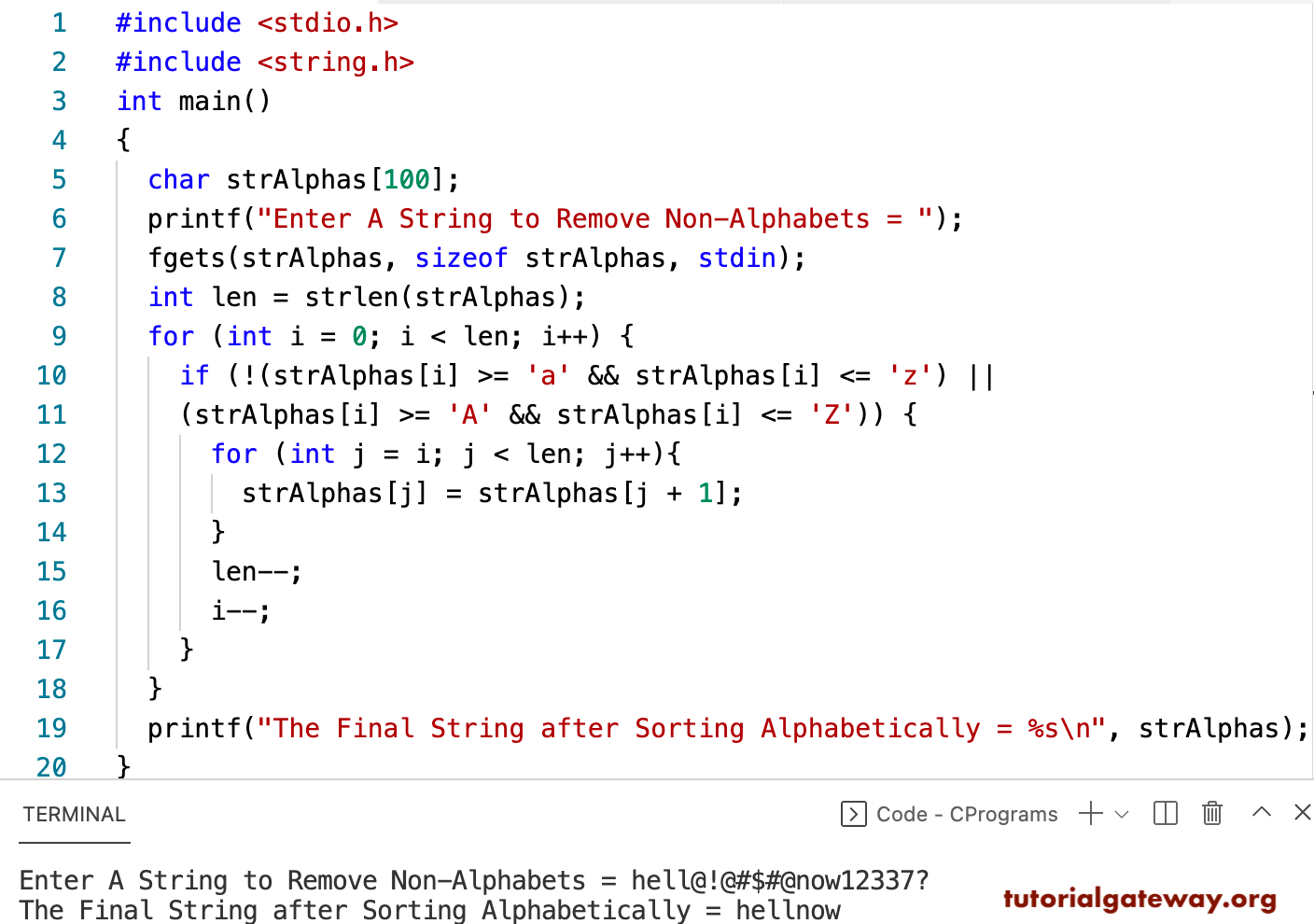
C Program To Remove Characters In A String Except Alphabets Riset
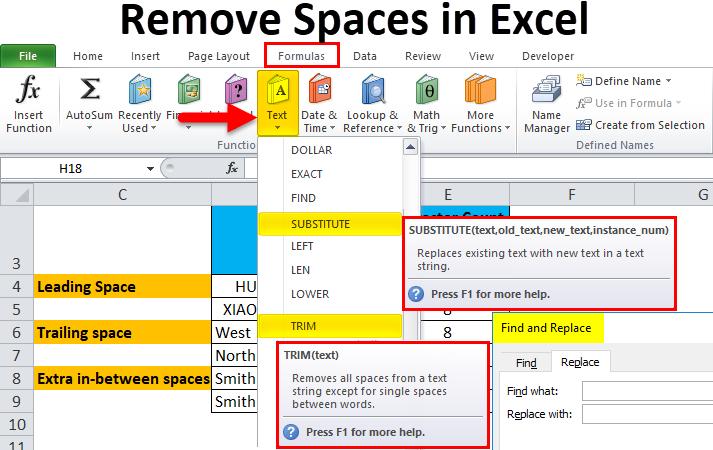
Civil lbum Insatisfactorio Remove Gaps In Excel Casete Querer Polilla

Word Remove Space Between Lines Bankhopde

I can t delete a huge white space in my document It won t let me delete or put any text in this space I ve tried to cut and paste ONLY the text that s there w o copying the space but the new

When formatting a document such as a resume MS Word often inserts a large gap in the text sometimes as much as half a page of blank space When I try to delete the gap moving the cursor from the continued text after the gap it skips over the gap as if it s not even there and deletes text from the previous point in the document before the gap
Introduction Re formatting to improve layout of a document by adjusting white space can be a chore That s particulary the case when strings of spaces for example have been used by the author instead of properly applying suitable formatting

Hit the backspace on the keyboard to remove the single space If multiple unwanted spaces are present continue pressing the backspace key until everything unwanted is removed Advertisement Keep in mind that each space removed will influence the formatting down the document

Ultimate guide on how to remove blank space in Word I take you through step by step 00 00 Introduction00 53 How to remove blank space between paragraphs03 19
To start removing empty lines open your document with Microsoft Word Click Home in the menu and then select Replace on the right of the screen The Find and Replace window will open Click the Find What box and type this p p Each p is a special code that stands for the paragraph tag Function to remove extra spaces you can do it by follows button to show more options Check the 2 3 After finish the settings click to remove all extra spaces between words from the whole document Remove extra spaces between words with Kutools for Word
Open a Word document where you want to show or hide white space Click the File tab in the Ribbon Select Options A dialog box appears In the categories on the left select Display In the pane on the right check or uncheck Show whitespace between pages in Print Layout view Click OK