Word Document Keeps Changing Format Nice Transmitter TX2 Micro Changing Format YouTube How To Change Paragraph Spacing In Word YouTube How To Fix Excel Dates That Won t Change Format Date Formatting Won t How To Change The Language Settings In Microsoft Word 2019 Changing How To Convert Word File Into PDF Word To PDF Without Losing Change the default character spacing Changing the default character spacing in any template means that the settings for scale spacing position kerning and other typographic features are used in every new document that is based on that template For example the character spacing for new blank documents is based on the Normal template
Select the Protect Document button Figure 3 Protect Document button Select Restrict Editing in the drop down menu Figure 4 Restrict Editing menu option Check Limit formatting to a selection of styles in the Restrict Editing task pane Figure 5 Limit formatting to a selection of styles option Format your Word document You can use Word on your Android tablet iPad or Windows tablet to select and format text change line and paragraph spacing change indentation and add lists You can also use the edit menu to cut copy paste and delete text that you select
How To Convert Word File Into PDF Word To PDF Without Losing How To Edit PDF File In Ms Word Without Changing Format Step by Step How To Get Back Missing Toolbar Ribbon Tabs Of MS Word Excel PPT How To Convert PDF To Word Without Losing Format Quick Way YouTube Bird Prince On Twitter This Is Basically The Plot Of SVSSS How To Fix If Layout Tab Is Missing In Microsoft Word YouTube Change Date Format In Excel Without Double Infoupdate Interactions Content Organization
Word Document Keeps Changing Format
 Word Document Keeps Changing Format
https://i.ytimg.com/vi/Y72NpiWmPi4/maxresdefault.jpg
This function helps to remove oddities ranging from unnecessary indentations to strange spacing between lines Select the passage of text that you wish to fix hit CTRL Q and voil CTRL SHIFT N Consider this your reset button This function will return a selected highlighted passage to normal formatting
Pre-crafted templates provide a time-saving service for creating a diverse series of files and files. These pre-designed formats and designs can be utilized for various individual and expert jobs, including resumes, invitations, flyers, newsletters, reports, presentations, and more, enhancing the content creation procedure.
Word Document Keeps Changing Format
Fix MSWORD Page Border Is Cut In Printing YouTube

How To Edit PDF File In Ms Word Without Changing Format Step by Step

How To Get Back Missing Toolbar Ribbon Tabs Of MS Word Excel PPT
How To Convert PDF To Word Without Losing Format Quick Way YouTube
How To Fix If Layout Tab Is Missing In Microsoft Word YouTube
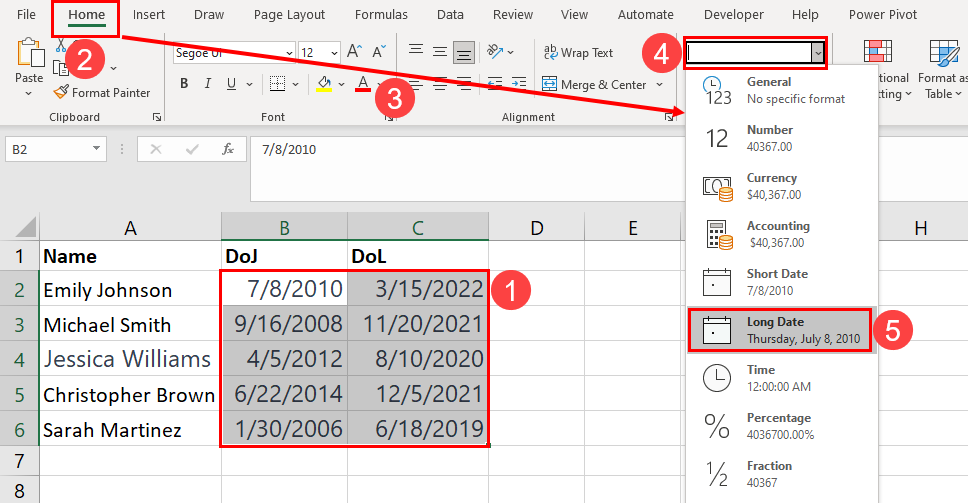
Change Date Format In Excel Without Double Infoupdate

Word Documents suddenly changed format Microsoft Community Ask a new question TP Tom Perkins 105155 Created on April 8 2021 Word Documents suddenly changed format I use Mac 11 2 3 Big Sur I suspect hope there will be an easy solution for this Out of nowhere my Word Document format changed I will attach what it looks like now
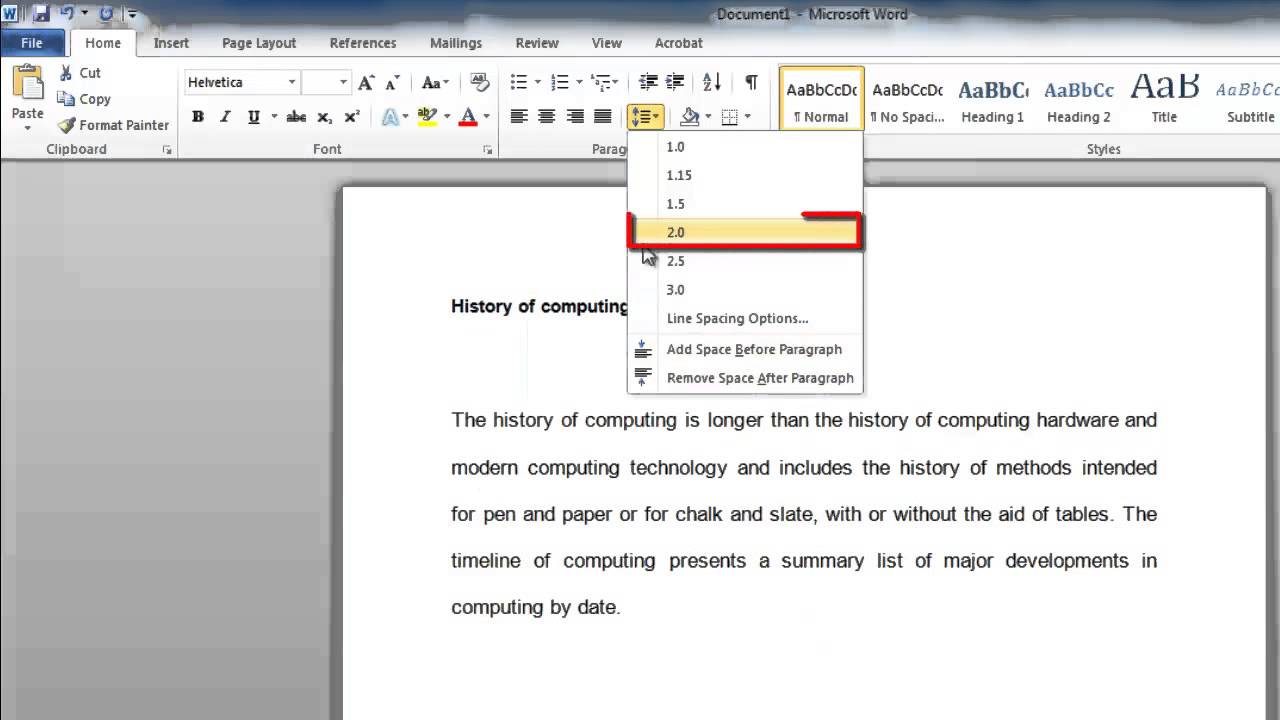
Madkiwi 1 Oct 19 2021 8 50 PM I m running Office 2019 and word is randomly it seems reformatting my document I have the document setup with Header 3 headings and everything else No Space The document is over 280 pages at present Every now and then I can t see why word decides to change all the No Space format to Heading 2

Word displays the Styles window Hover the mouse pointer over a style name in the Styles window You should see a down arrow appear at the right side of the style name Click the down arrow and select Modify Word displays the Modify Style dialog box See Figure 1 Figure 1 The Modify Style dialog box
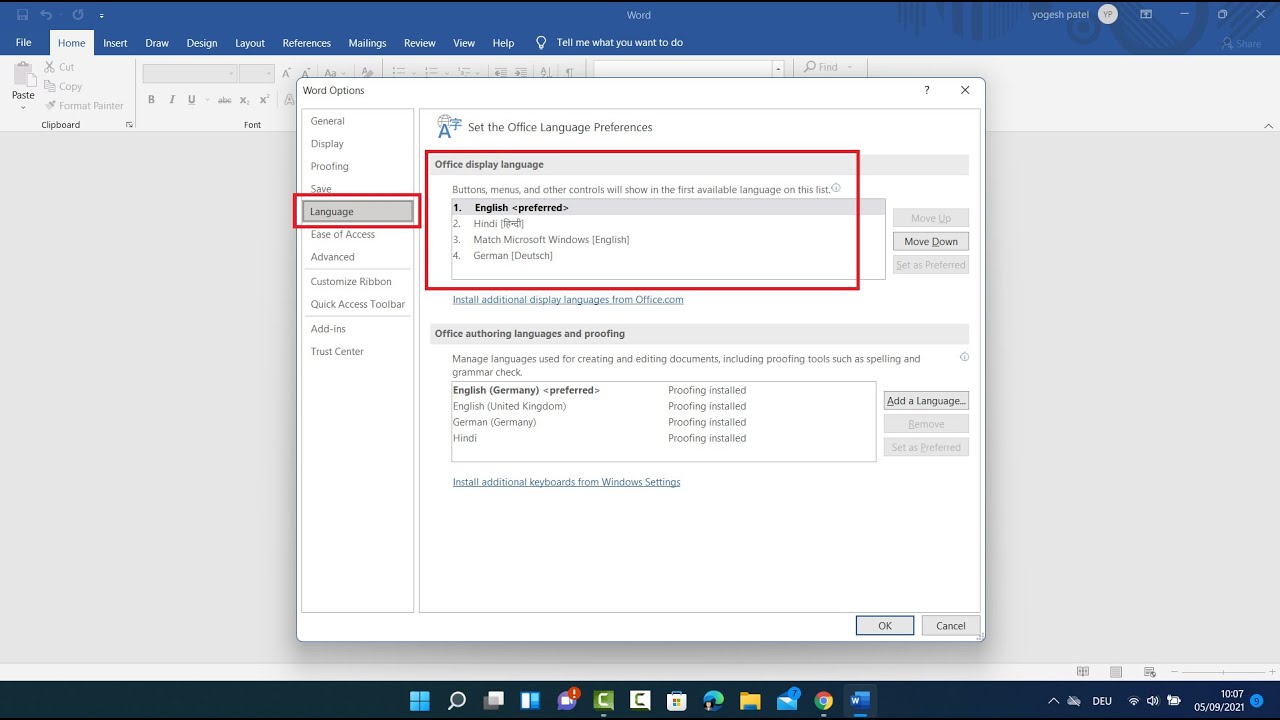
In Word click the File menu and then Options at the lower left Click on Proofing in the resulting left hand pane Click on AutoCorrect Options near the top Microsoft Word proofing options Click for larger image Screenshot askleo The AutoCorrect dialogue box has several tabs Screenshot askleo

Word document formatting is not retained when document is inserted as a file Microsoft Support Method 2 If the source document contains headers or footers Describes a problem in which a source document takes on the formatting of the destination document even if you insert a section break Provides several workarounds
To create a new copy of the document in Word 2016 or Word 2013 mode select Save As and then choose the location and the folder where you want to save the new copy Type a new name for the document in the File name box and then select Word Document in the Save as type list Make sure the box next to Maintain compatibility with previous versions of Word is cleared 1 Correct answer Test Screen Name LEGEND Jul 22 2018 InDesign doesn t change layouts but with practice and experiment you should be able to get the layout you want from Word This is probably more of a question for a Word forum it s not Adobe software that reflows What do you get if you print the Word document to paper Upvote Translate
Hover the mouse pointer over the style that is selected in the pane and click the down arrow at its right side Click on Modify Word displays the Modify Style dialog box See Figure 1 Figure 1 The Modify Style dialog box Take a good look at the dialog box