Windows Wsl Docker Is Not Running Docker WSL 2 The Future Of Docker Desktop For Windows Docker Introducing The Docker Desktop WSL 2 Backend Docker WSL Microsoft Learn Running Docker Desktop With The New WSL 2 Backend WSL2 Running Docker 6 Answers Sorted by 4 Please try sudo it worked for me curl s https laravel build meta app sudo bash Share Follow edited Feb 10 2022 at 23 27 Karl Hill
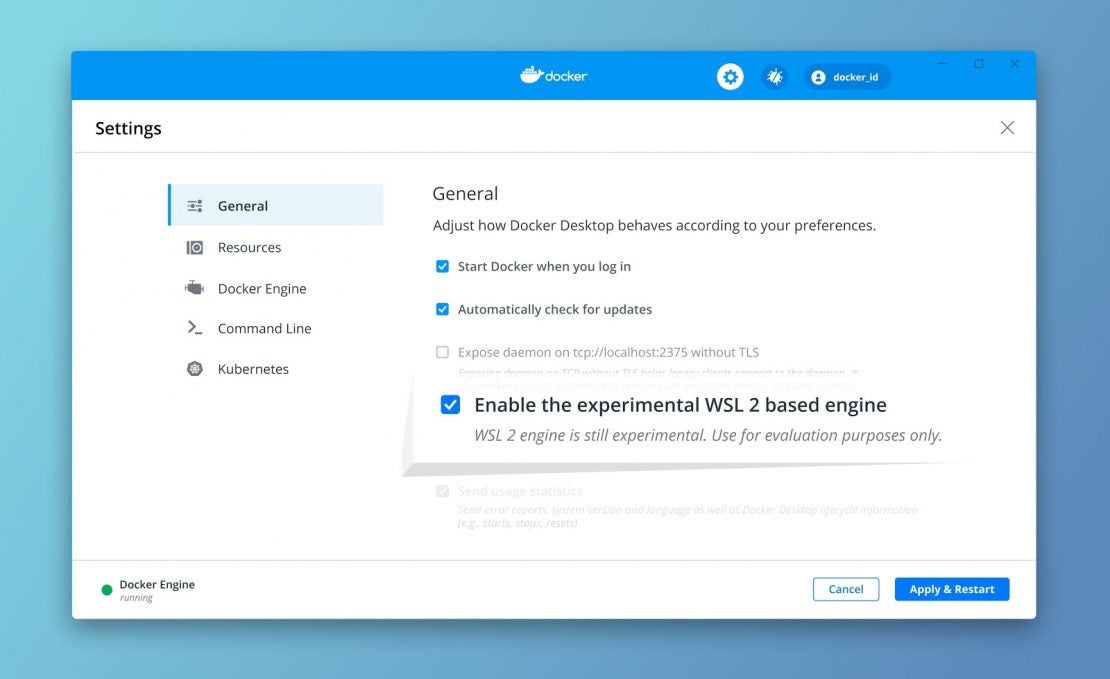
This step by step guide will help you get started developing with remote containers by setting up Docker Desktop for Windows with WSL 2 Windows Subsystem for Linux version 2 Docker Desktop for Windows provides a development environment for building shipping and running dockerized apps In WSL 2 mode you can configure which WSL 2 distributions will have the Docker WSL integration By default the integration is enabled on your default WSL distribution To change your default WSL distro run wsl set default distro name For example to set Ubuntu as your default WSL distro run wsl set default ubuntu
WSL2 Running Docker Windows WSL Docker New WSL Docker Microsoft Learn How To Start Docker Daemon Wsl2 About Dock Photos Mtgimage Org Build Docker Is Not Running In Ubuntu WSL Windows Subsytem For Linux Issue Migrating Docker Desktop To WSL2 Azure Readiness Starts Here Linux Development In Windows 10 With Docker And WSL 2 End Point Dev Docker In WSL How To Develop A Docker Application On Windows Using WSL Visual Studio
Windows Wsl Docker Is Not Running
 Windows Wsl Docker Is Not Running
https://www.docker.com/wp-content/uploads/engineering/2019/06/wsl2_1.png
11 Im trying to start docker in the brand new WSL2 with the following command sudo service docker start then sudo service docker status result Docker is running BUT on running the test container with sudo docker run hello world Error docker Cannot connect to the Docker daemon at unix var run docker sock Is the docker daemon running
Templates are pre-designed files or files that can be used for various functions. They can conserve time and effort by supplying a ready-made format and design for creating different kinds of material. Templates can be utilized for individual or expert jobs, such as resumes, invitations, flyers, newsletters, reports, presentations, and more.
Windows Wsl Docker Is Not Running

Why Does It Tell Me This Docker Is Not Running Docker Desktop

Windows WSL Docker New
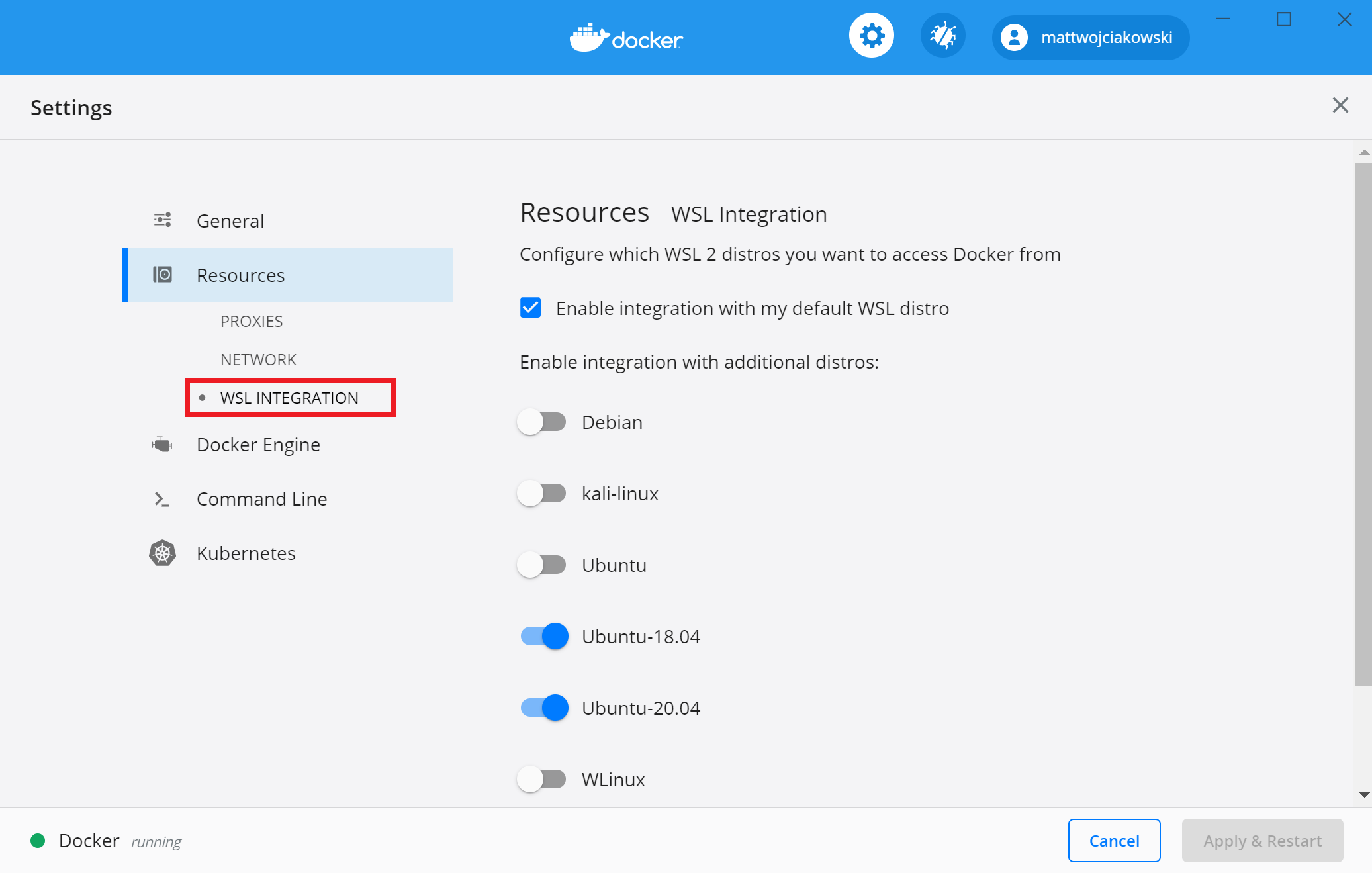
WSL Docker Microsoft Learn

How To Start Docker Daemon Wsl2 About Dock Photos Mtgimage Org Build
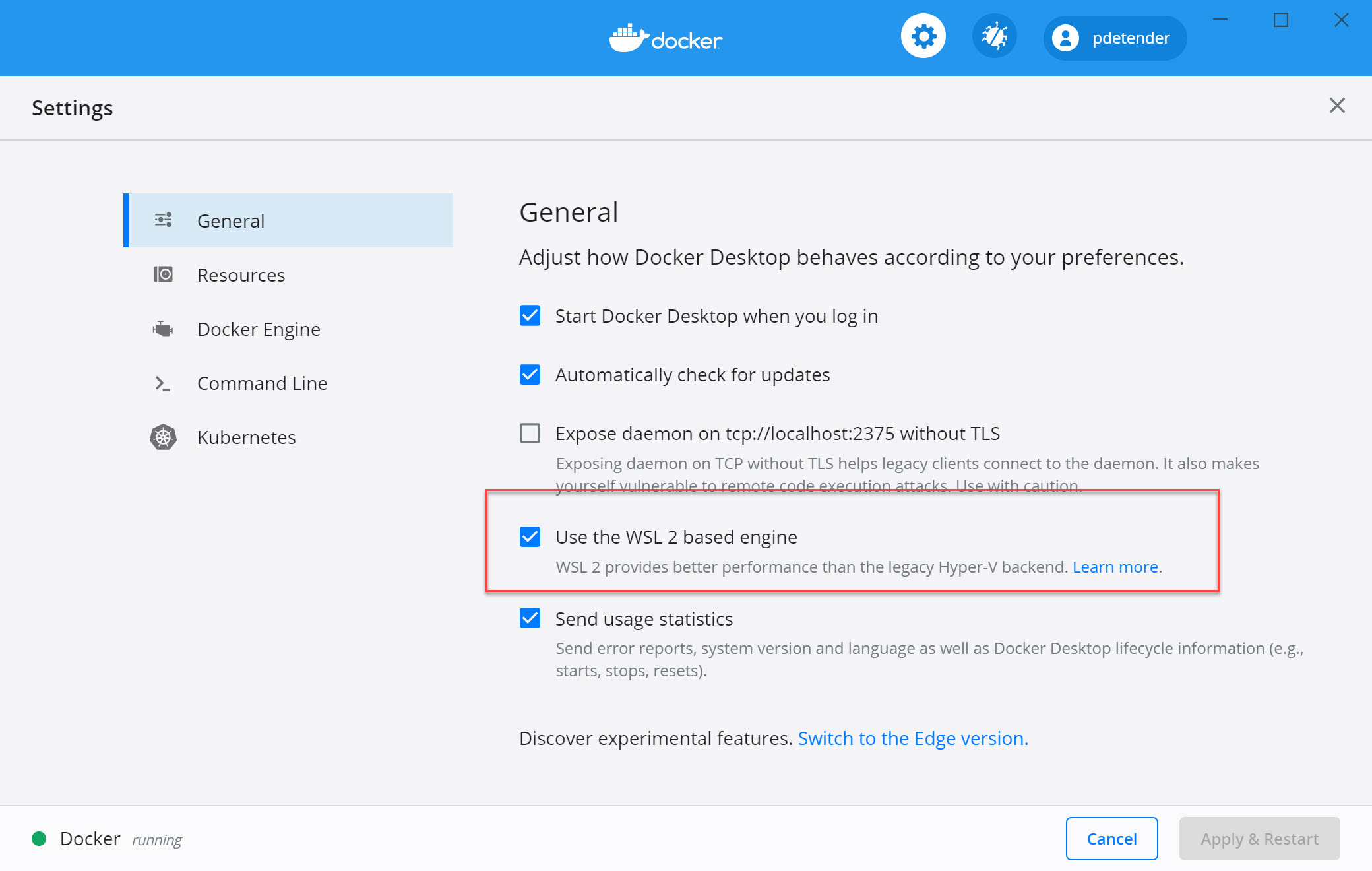
Migrating Docker Desktop To WSL2 Azure Readiness Starts Here
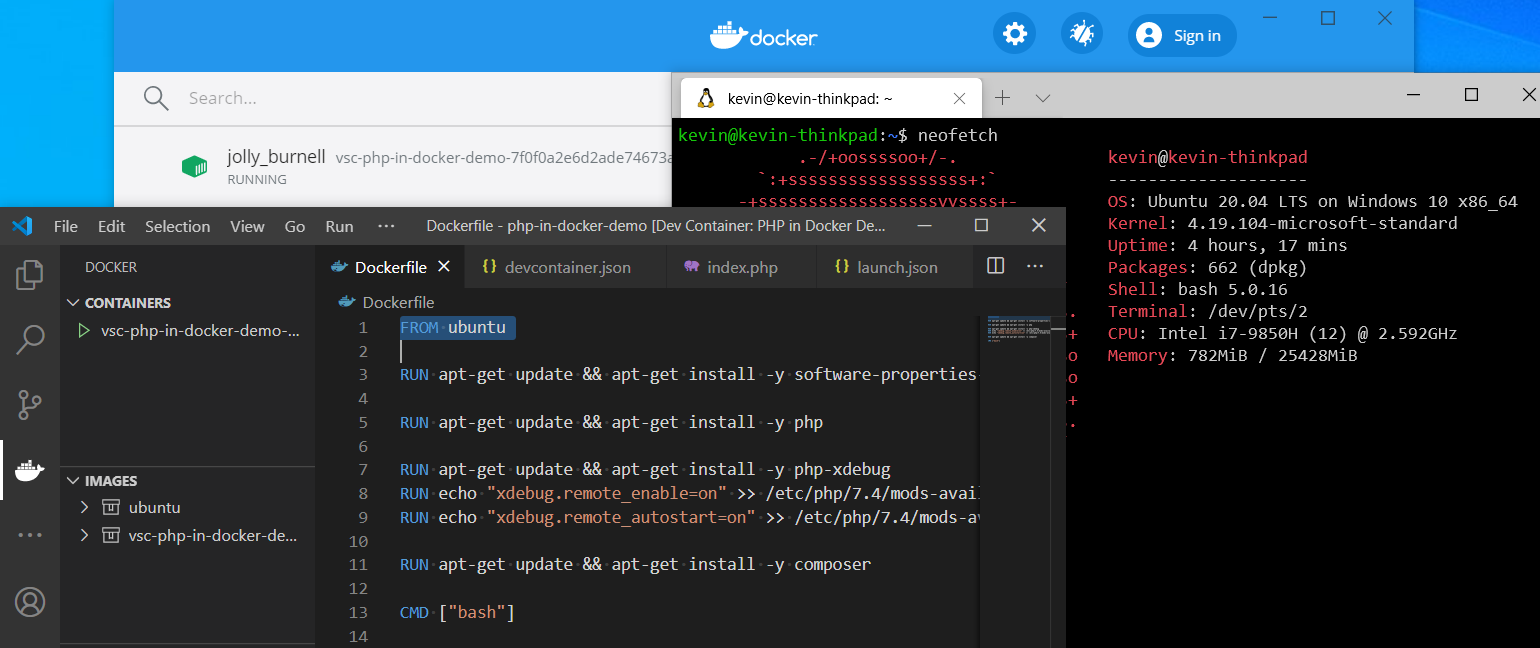
Linux Development In Windows 10 With Docker And WSL 2 End Point Dev
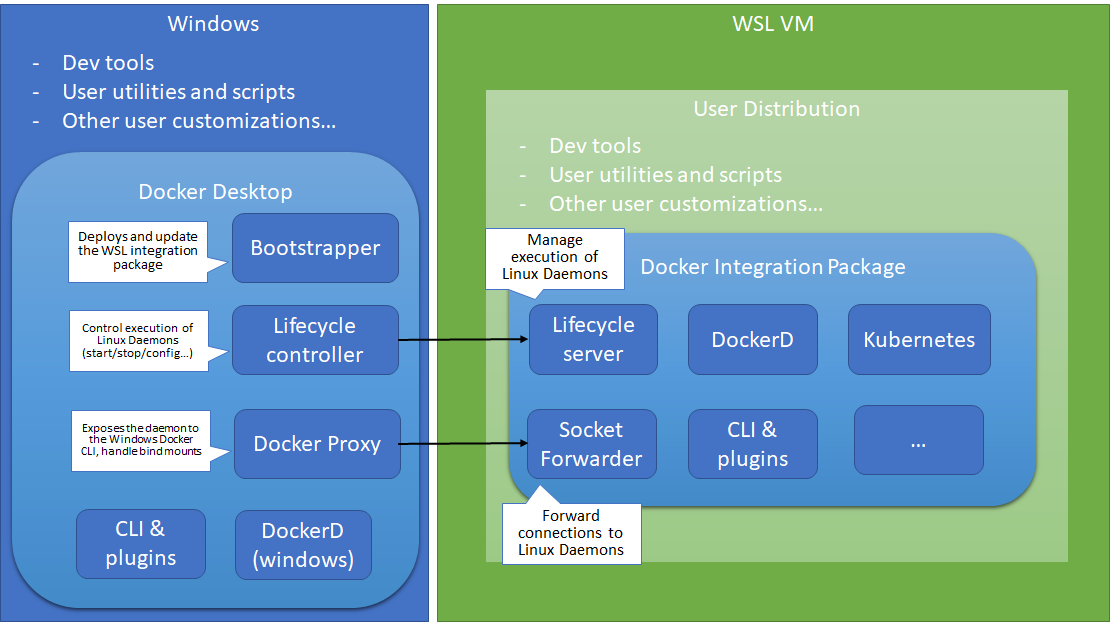
36 I have tried a lot of steps based on the error below can t initialize iptables table nat Table does not exist do you need to insmod Perhaps iptables or your kernel needs to be upgraded exit status 3 But Starting Terminal as administrator worked Even though you run sudo service docker start The Terminal should be launched as Admin Share
8 Answers Sorted by 29 Try running either of these commands on Powershell or cmd if docker is installed you should get a error free response docker version OR docker compose version OR docker ps Share Follow edited Feb 9 at 17 11 KyleMit 32 3k 68 469 671 answered Jul 19 2019 at 8 20 ABusy developerT
Prerequisites Before you turn on the Docker Desktop WSL 2 feature ensure you have At a minimum WSL version 1 1 3 0 but ideally the latest version of WSL to avoid Docker Desktop not working as expected Windows 10 version 21H2 or later or Windows 11 version 21H2 or later For more information see System requirements open in new

The WSL team is working with the Docker Desktop team to address this issue To work around the issue use the host s networking namespace in the Docker container Set the network type via the network host option used in the docker run command Some distributions available in Microsoft Store are yet not fully compatible to run

Docker daemon is not running Stack Overflow Newbie in this area I have installed the new version of Docker in my windows PC I am using windows 10 Pro I have tried the very basic docker command but it is not working I have also run the do Stack Overflow About Products For Teams Stack OverflowPublic questions answers
Install Docker Desktop on Windows Install from the command line Double click Docker Desktop Installer exe to run the installer When prompted ensure the Use WSL 2 instead of Hyper V option on the Configuration page is selected or not depending on your choice of backend The first and most important best practice we want to share is to fully embrace WSL 2 Your project files should be stored within your WSL 2 distro of choice you should run the docker CLI from this distro and you should avoid accessing files stored on the Windows host as much as possible For backward compatibility reasons we kept the
Quick Jump Configure Docker for Windows Docker Desktop Install Docker and Docker Compose within WSL Configure WSL to Connect to Docker for Windows Ensure Volume Mounts Work This post only applies to WSL 1 Check out the WSL 2 Post