Windows Update Proxy Settings How To Prevent Users From Changing Proxy Settings In Windows 11 Or 10 How To Setup A Proxy In Windows 10 HydraProxy How To Windows Update With CCProxy Error Writing Proxy Settings Access Is Denied In Windows 11 10 IMP How To Configure Proxy Settings In Windows 10 Razorproxy WEB Now run Netsh winhttp import proxy source ie command in the administrative Command Prompt to export the settings you ve configured to work for Windows Update
WEB Jul 14 2022 nbsp 0183 32 To set up proxy server settings manually on Windows 11 use these steps Open Settings Click on Network amp Internet Click the Proxy tab Under the Manual proxy setup section click the Set up WEB Dec 26 2023 nbsp 0183 32 How to configure proxy server settings in Internet Explorer or by using Group Policy If you prefer to statically configure client computers with their Internet proxy
How To Configure Proxy Settings In Windows 10 Razorproxy and IT Works Windows 10 Proxy Server Settings Disabling Proxy Settings Bryztech Cannot Change The Manual Proxy Setting In Windows 10 Microsoft Community How To Manage Proxy Settings In Windows 10 Proxy Settings In Windows 10 Tutorial TeachUcomp Inc Proxy Ip Tracking How To Disable Proxy Settings In Windows 10 Permanently Windows 10 Home Manual Proxy Settings Are Not Retained Getting
Windows Update Proxy Settings
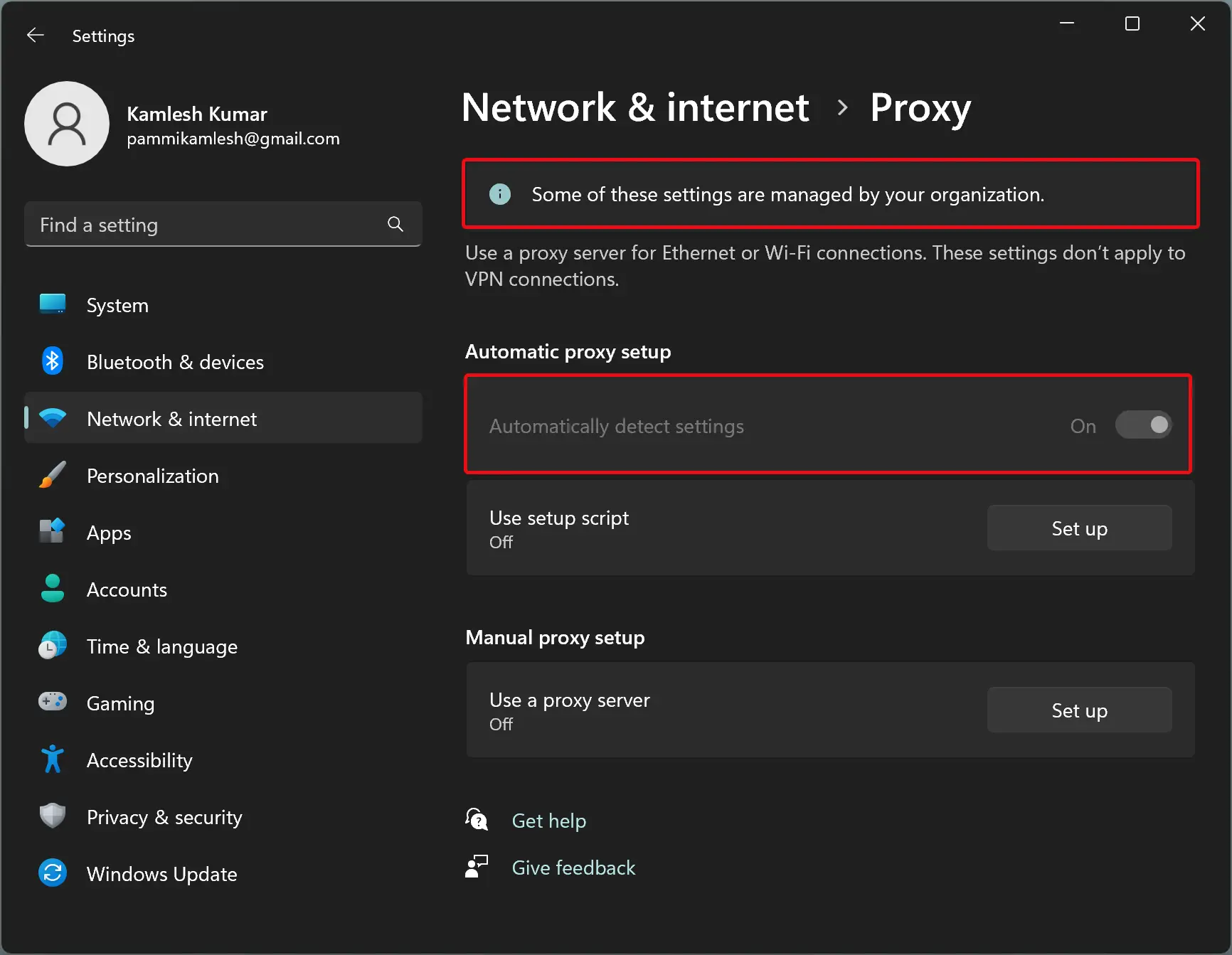 Windows Update Proxy Settings
https://gearupwindows.com/wp-content/uploads/2022/06/Settings-Automatic-proxy-setup.png
WEB Jun 21 2018 nbsp 0183 32 In a batch script I am updating a registry value with the REG command to disable the manual proxy REG ADD
Templates are pre-designed files or files that can be utilized for numerous functions. They can save effort and time by supplying a ready-made format and design for developing various kinds of material. Templates can be used for individual or professional tasks, such as resumes, invitations, leaflets, newsletters, reports, presentations, and more.
Windows Update Proxy Settings
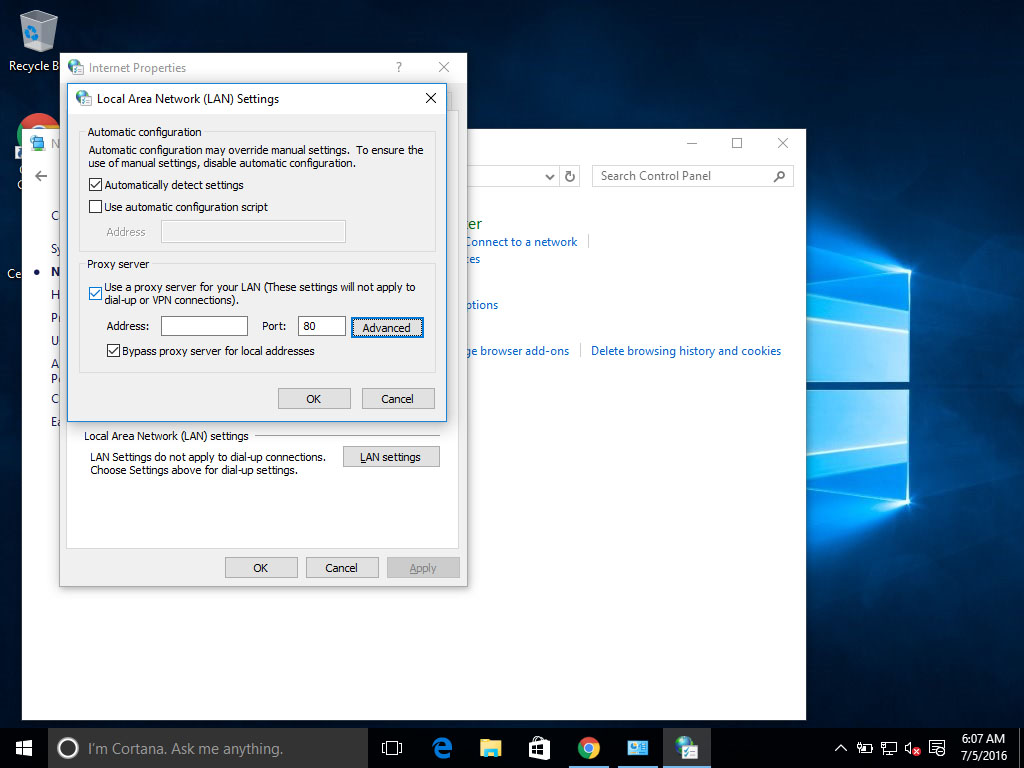
HTTP Proxy Configuration On Windows 10 Perfect Privacy
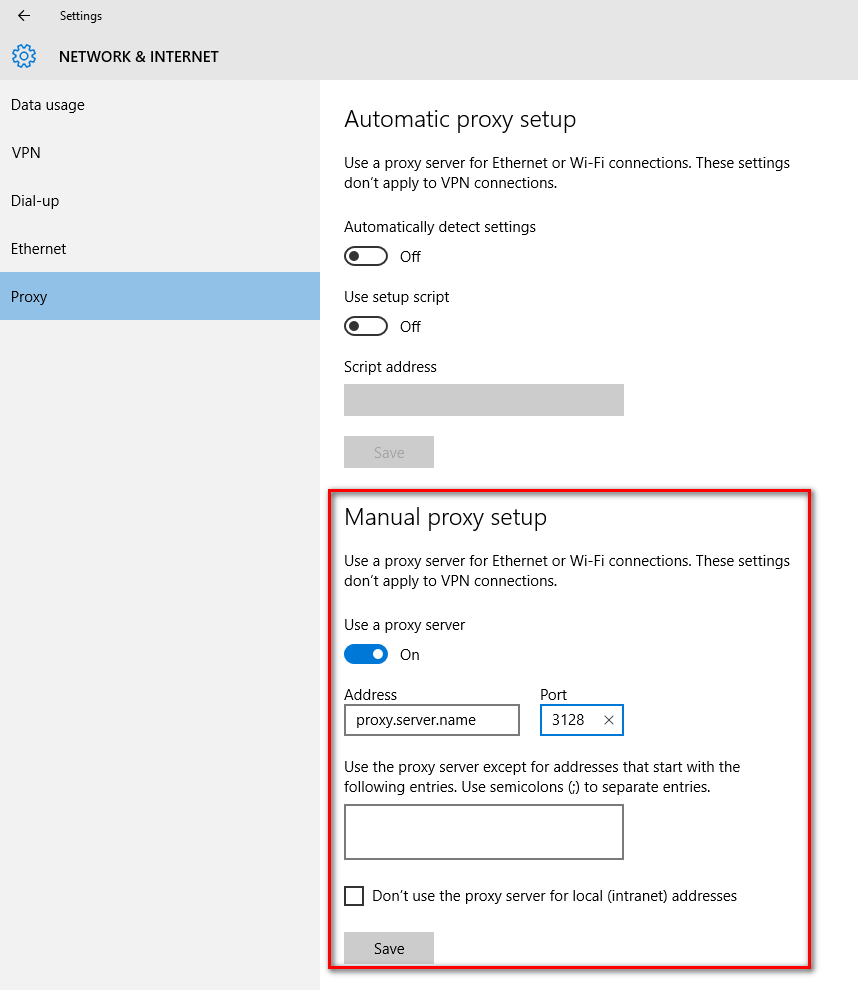
and IT Works Windows 10 Proxy Server Settings

Disabling Proxy Settings Bryztech
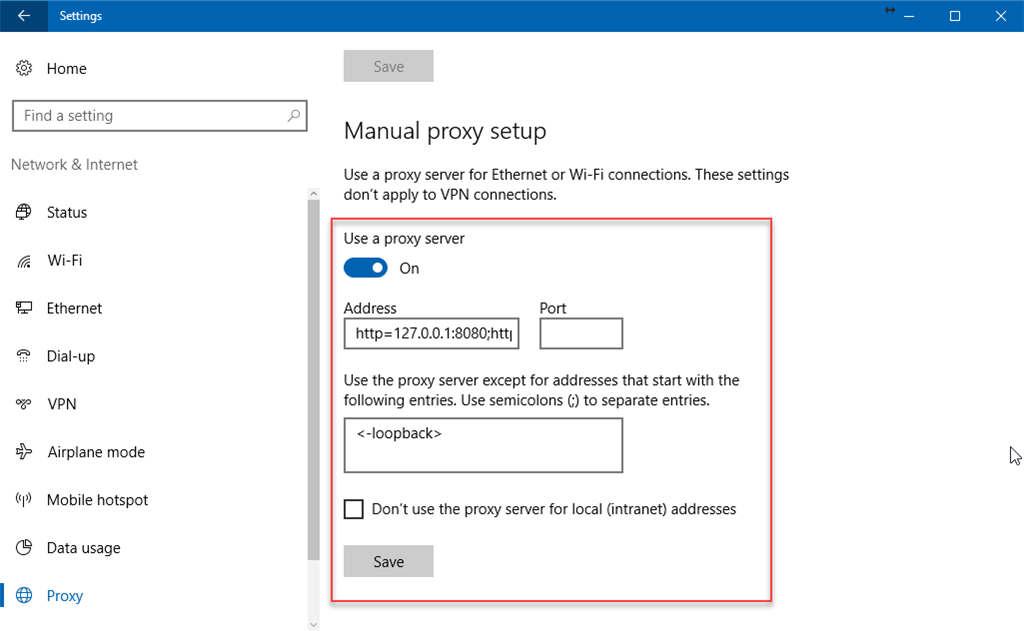
Cannot Change The Manual Proxy Setting In Windows 10 Microsoft Community
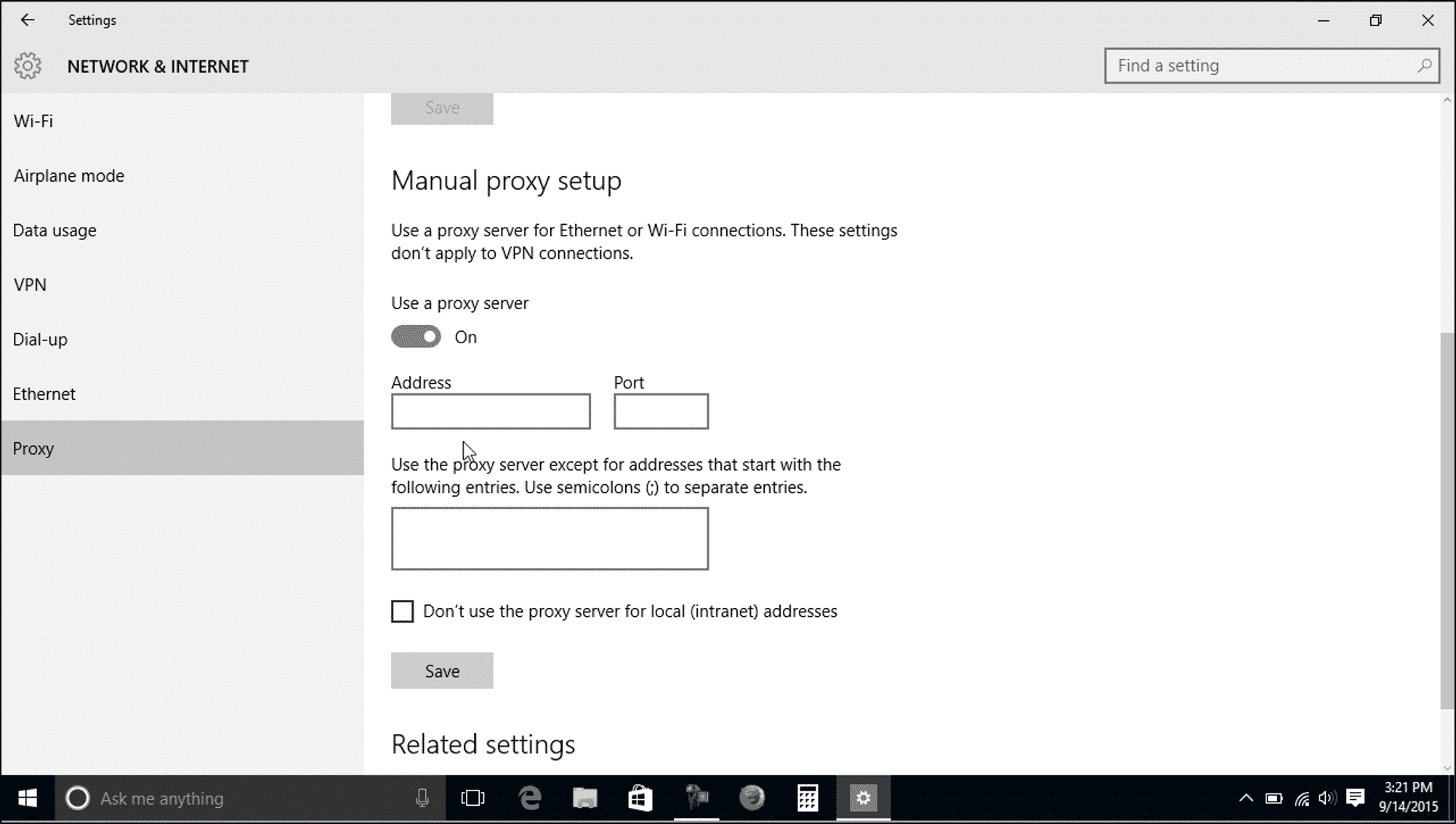
Proxy Settings In Windows 10 Tutorial TeachUcomp Inc
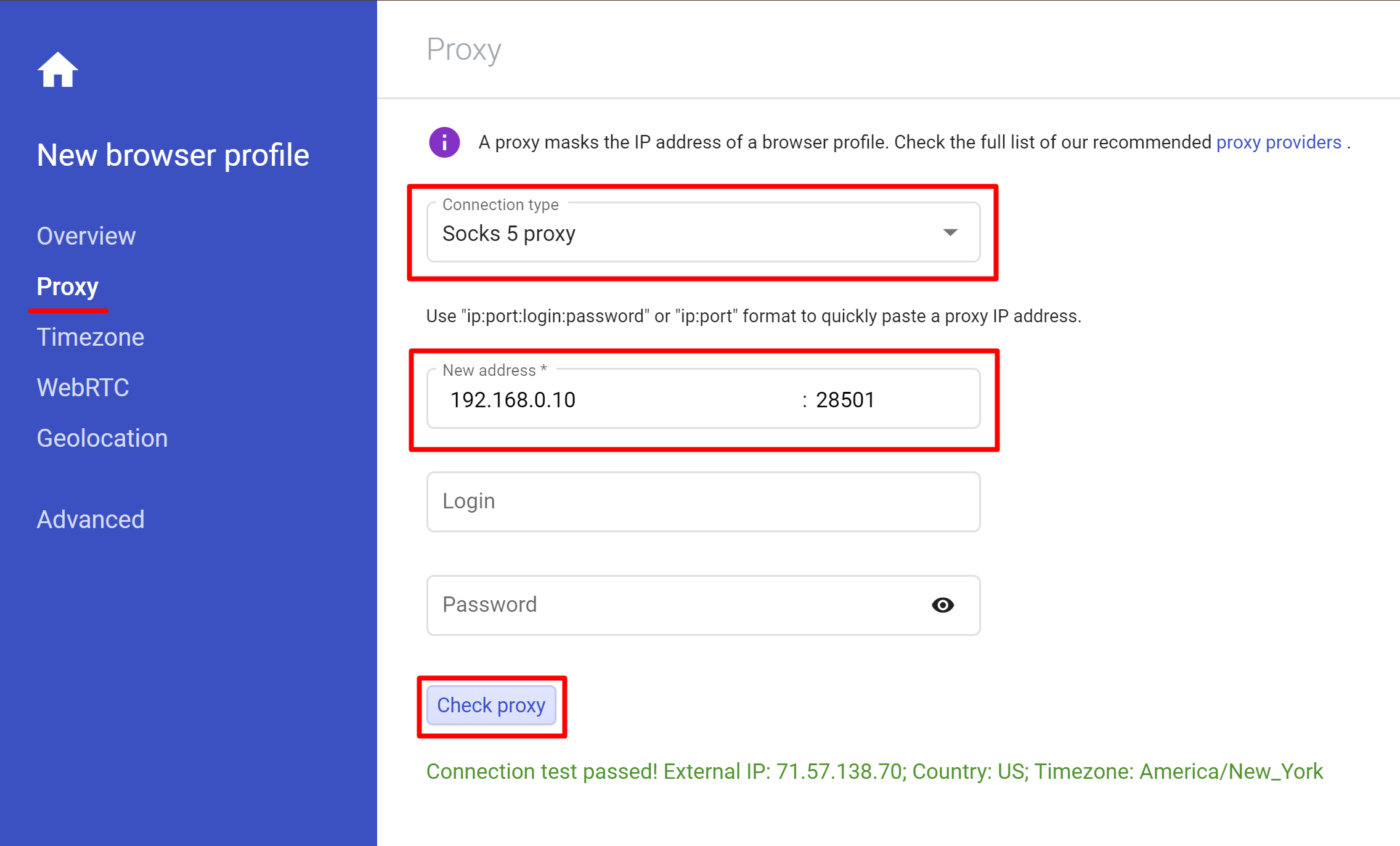
Proxy Ip Tracking

WEB May 1 2021 nbsp 0183 32 The Windows Update service is configured by default so that it always tries to access the Microsoft update server directly without using a proxy server even if it is
WEB When you want to change or configure a proxy server in Windows 11 you must first find the proxy settings To do that open Settings press Windows I On the left go to
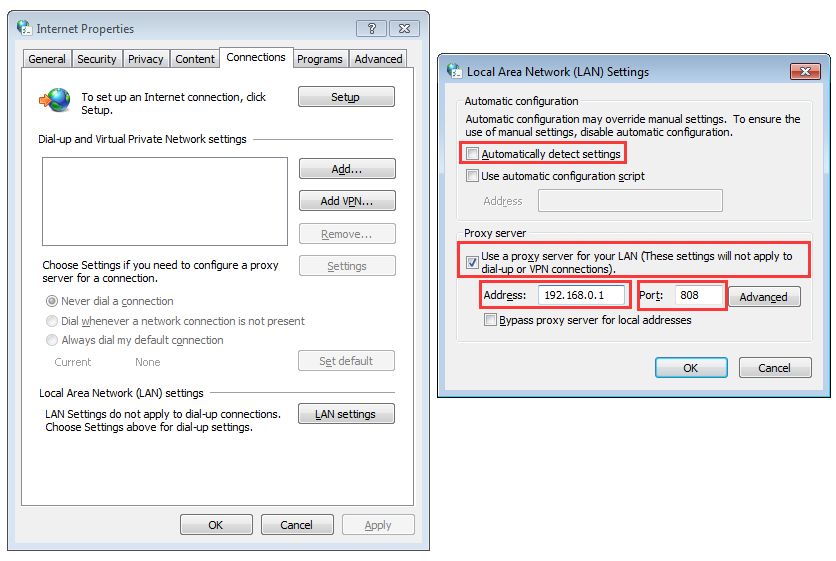
WEB Oct 8 2013 nbsp 0183 32 If issue persists reset your proxy server settings run the following command Netsh winhttp reset proxy You can refer this Microsoft KB article and check

WEB Oct 10 2018 nbsp 0183 32 I m looking for a solution to get Windows updates online behind a proxy I know that Windows Update is using the winhttp proxy instead of the wininet proxy If I set

WEB Windows 10 offers the ability to set a proxy server from its Settings app without the need for third party software This feature allows you to protect your online privacy by covering some of your tracks when surfing the web
WEB You may experience the following symptoms when you access or download from the Windows Update site through a proxy server or a firewall You receive a quot Cannot WEB Apr 14 2015 nbsp 0183 32 In order to toggle this settings I have written the following powershell script Get ItemProperty Path HKCU quot Software Microsoft Windows CurrentVersion Internet
WEB Aug 3 2015 nbsp 0183 32 Try to download Windows 10 ISO and then try to upgrade To download Windows 10 ISO refer to the below link https www microsoft en us software