Windows Stuck In Restart Loop Windows 10 Stuck In Restart How To Fix Windows 10 Boot Loop How To Fix Windows 10 Stuck In Infinite Boot Loop Fix Any IPhone Frozen Stuck Loop Screen How To Force Restart YouTube Windows 10 Stuck In Endless Restart Loop Microsoft Community PSTV Stuck In Restart Loop Can t Format Or Rebuild Database Help Resolution Hold the FN Function key down while powering on the system Still holding the FN key start tapping the Windows key to bypass the issue This should bring up the login screen If the above steps do not resolve this issue refer to knowledge base article Computer will not boot to Windows 10 for further troubleshooting
One Microsoft fix provides without relying on advanced options is an update to fix the Windows 10 boot loop problem The procedure is Open Settings Update security Windows Update Click on Check for updates and a further update then repair the Windows boot loop issue To prevent Windows 10 persisting in a computer reboot loop make sure With Windows 10 stuck in the reboot loop all you need to do is insert the installation media Alternatively access the UEFI BIOS tap Del F8 or F1 when the system boots and find the boot manager Select the recovery partition as the primary device then restart the computer
PSTV Stuck In Restart Loop Can t Format Or Rebuild Database Help How To Fix Windows 10 Stuck At Restarting Screen Stuck In Restart Loop R trainstation2 IPhone Ti p T c Kh i ng L i H y Th C c B n S a L i N y M i C p Nh t Restart Loop Mac Computer Stuck On Boot Mode It Gets Stuck On 100 For Hours Try Windows Installation Is Stuck At Initial Loading Screen Super User Windows 7 Won t Update Stuck In Restart Loop Techsupport How To Fix A Dell In A Preparing Automatic Repair Restart Loop YouTube
Windows Stuck In Restart Loop
 Windows Stuck In Restart Loop
https://johnhornbeck.com/wp-content/uploads/2019/03/Windows-10-Stuck-in-Restart-1024x710.jpg
In the following window click on Troubleshoot Troubleshoot option Choose Advanced options Advanced options in the Troubleshoot menu Now click on Startup settings Choose the Startup settings option Here click on the Restart button and then press 4 to boot to Safe Mode Alternatively press F4 to do so
Templates are pre-designed files or files that can be utilized for various functions. They can save time and effort by offering a ready-made format and layout for producing various sort of material. Templates can be utilized for individual or professional tasks, such as resumes, invitations, flyers, newsletters, reports, presentations, and more.
Windows Stuck In Restart Loop

Stuck In Restart Loop Oculus
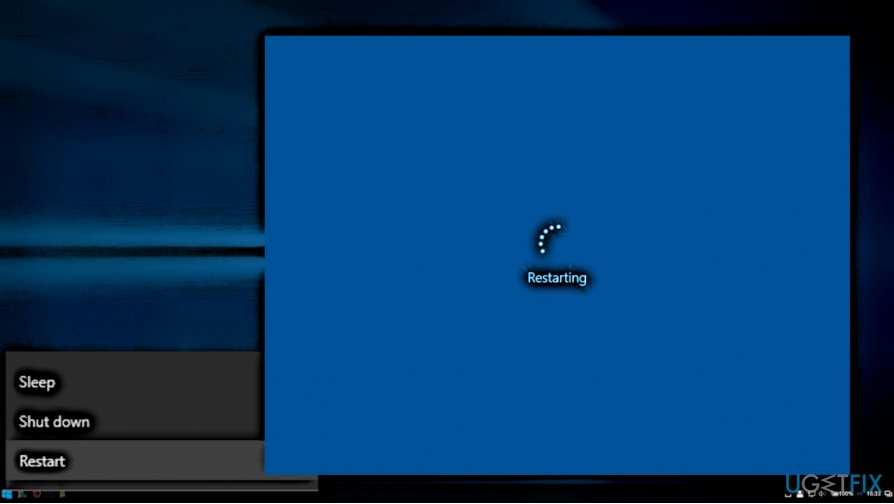
How To Fix Windows 10 Stuck At Restarting Screen

Stuck In Restart Loop R trainstation2

IPhone Ti p T c Kh i ng L i H y Th C c B n S a L i N y M i C p Nh t

Mac Computer Stuck On Boot Mode It Gets Stuck On 100 For Hours Try

Windows Installation Is Stuck At Initial Loading Screen Super User

To resolve a reboot loop caused by a Windows Update open Command Prompt admin and enter this command net stop wuauserv Follow the command with net stop bits Once you get a response browse C Windows SoftwareDistribution erase all the directory contents and restart Windows 10

11 Roll Back Device Drivers 12 Check for Malware 13 Clean Boot Windows Windows Stuck Restarting Issue Fixed Luckily fixing a Windows computer stuck while restarting is usually pretty straightforward On rare occasions though Windows can get caught in a vicious restart loop which requires advanced troubleshooting

If Windows 11 10 is stuck in a continuous endless reboot loop problem after an Upgrade or Reset Automatic Repair etc will help you stop the restarting

Step 2 Once the boot menu appears on screen release F8 and select Safe Mode Step 3 When Windows boot into Safe Mode go to Search box and type sysdm cpl Open sysdm cpl from search results Step 4 Now navigate to Advanced tab and select Settings under Start up and Recovery Step 5

Windows 11 desktops can get stuck in a reboot loop that makes it impossible for users to work and sometimes it s unclear why the problem occurs or how to fix it This can hinder productivity to the point that users experiencing a reboot loop must find another machine to work on until IT can solve the problem
Kindly try the following methods to fix the issue 1 Force the computer to shut down 2 times until you get windows Troubleshooting Advanced Options Startup repair Or If you have a restore point perform a system restore 2 If it did not help start your computer in Safe Mode Turn the computer back on On the first sign that Windows has started Windows logo or spinning dots turn it off Turn the computer back on Turn the computer off Turn the computer back on and allow it to fully start up You should see an Automatic Repair screen and a button that says Advanced options
I went to bed after using my pc with zero issues for over 2 months I woke up to an automatic windows update that left me stuck in a boot loop if i tried to enter my password at login After removing the previously installed windows update I was able to login A few minutes later Windows had automatically began windows updates and started to