Windows Shutdown After Sleep Shutdown Vs Restart Crossville Inc Helpdesk Sleep Restart And Shutdown Icons Set 7302840 Vector Art At Vecteezy Stop Your Window When Unexpected Shutdown All Izzzz Well How To Enable The Sleep Option In Windows 7 Shutdown Menu How To Shutdown Your PC Automatically Using Timer Windows 10 YouTube In addition to software updates for Windows it s also important to install hardware updates these include drivers and firmware Each Surface device is eligible to receive new driver and
The installation media for Windows is a versatile tool that serves multiple purposes including in place installations for recovery and new installations This media typically created on a USB If hardware was changed on a Windows device in order to upgrade to Windows 11 and the system is not recognizing the change in a timely manner this article explains how to initiate the
How To Shutdown Your PC Automatically Using Timer Windows 10 YouTube Computer Randomly Shuts Down In Windows 10 FIXED World Sleep Day 16 Sleep Tips Techniques And Hacks To Try Tonight How To Create Shutdown Restart Hibernate And Sleep Shortcuts In Throwback To My Last Decent Sleep Funny How To Create Shutdown Restart Hibernate And Sleep Shortcuts In Shut Down Computer In Windows 10 Tutorials How To Shut Down Or Restart Windows 11 Which Is Better Shutting Off Your PC Or Putting It To Sleep Make
Windows Shutdown After Sleep
 Windows Shutdown After Sleep
https://s3.amazonaws.com/cdn.freshdesk.com/data/helpdesk/attachments/production/61002923960/original/wSsKx0cgciY7fpiRYD-mfAJufzrZTvnBOg.png?1593636843
Learn how to get Outlook set up to work with Microsoft 365 POP IMAP or Microsoft Exchange based email accounts
Pre-crafted templates use a time-saving solution for producing a varied series of documents and files. These pre-designed formats and designs can be made use of for different individual and professional tasks, consisting of resumes, invites, flyers, newsletters, reports, discussions, and more, improving the content production process.
Windows Shutdown After Sleep

Shutting Down Doesn t Fully Shut Down Windows 10

Computer Randomly Shuts Down In Windows 10 FIXED

World Sleep Day 16 Sleep Tips Techniques And Hacks To Try Tonight
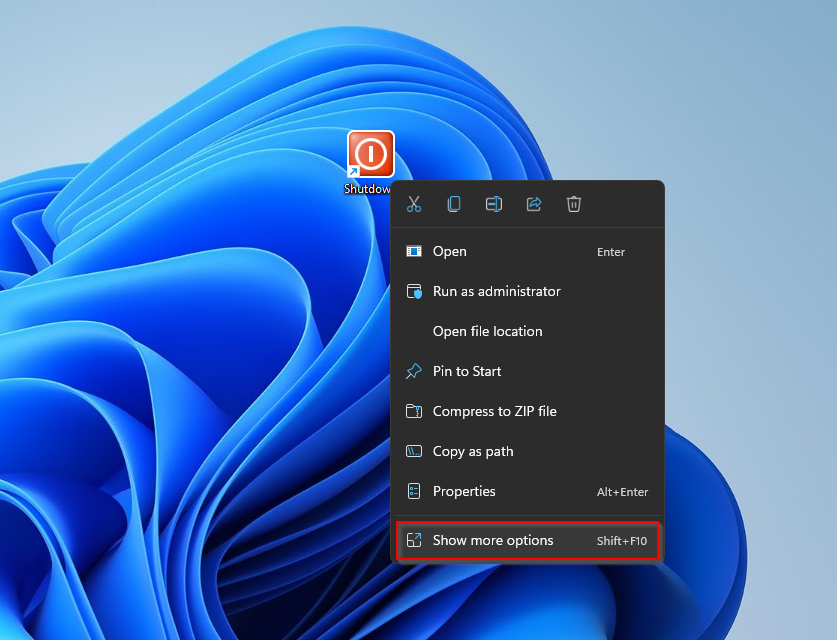
How To Create Shutdown Restart Hibernate And Sleep Shortcuts In
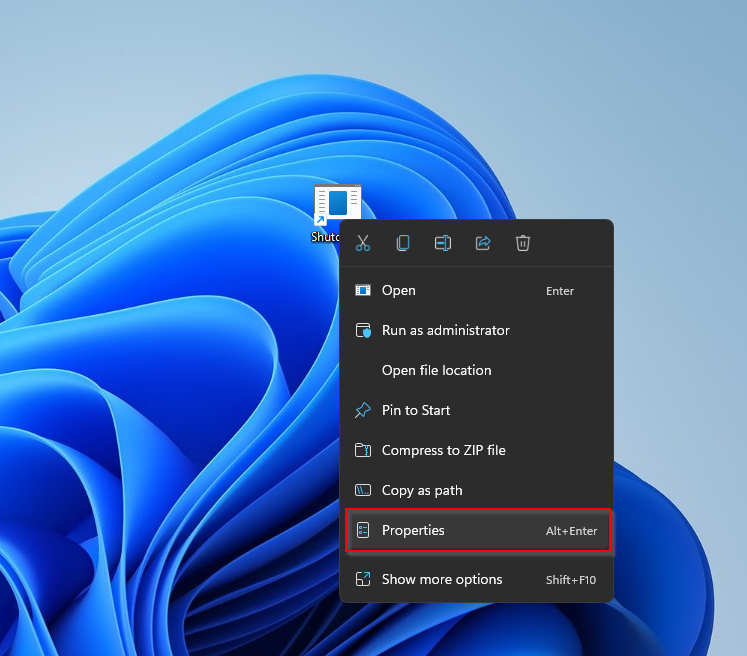
How To Create Shutdown Restart Hibernate And Sleep Shortcuts In
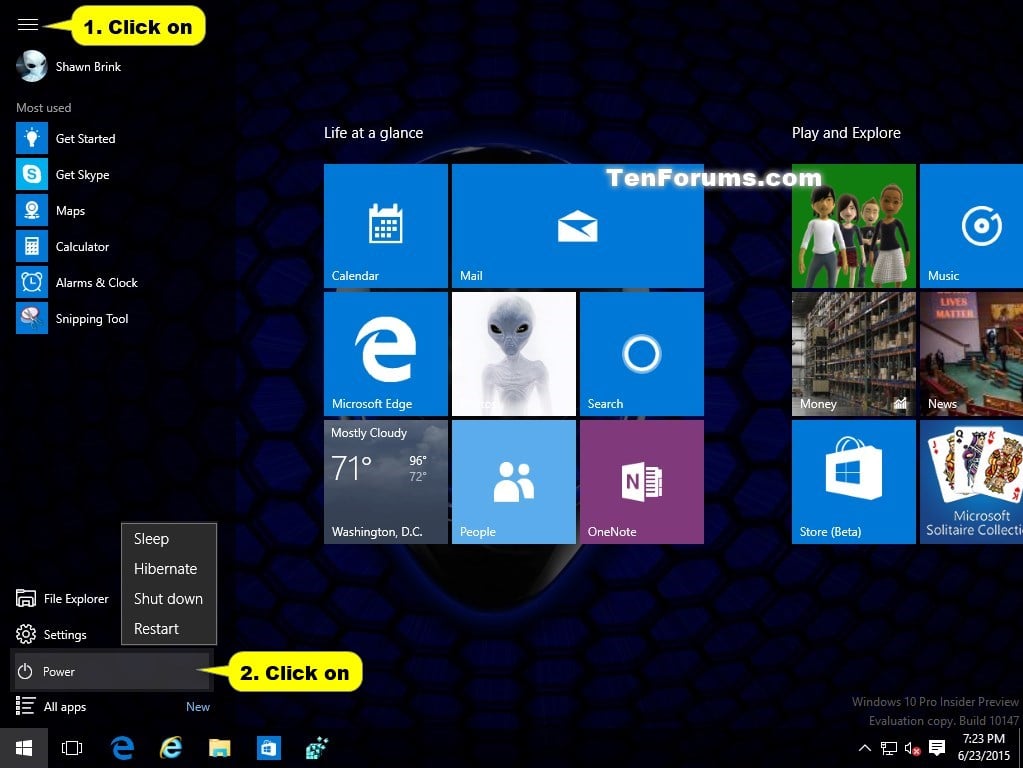
Shut Down Computer In Windows 10 Tutorials

If you re warned by Windows Update that you don t have enough space on your device to install updates see Free up space for Windows updates If you experience internet connection issues

Windows 11 is crafted to bring you closer to what you love launching at a time when PCs are more central than ever to how we connect create and play In setting the minimum system

Jun 15 2024 nbsp 0183 32 Windows 11 servicing stack update KB5065381 26100 4933 This update makes quality improvements to the servicing stack which is the component that installs Windows

Learn how to create installation media for installing or reinstalling Windows

Learn how to get ready for the Windows 11 upgrade from making sure your device can run Windows 11 to backing up your files and installing Windows 11
[desc-11] [desc-12]
[desc-13]