Windows Set Date And Time Automatically How To Change The Date And Time Format On Windows Helpdeskgeek How To Change Date And Time In Windows 10 Control Panel Psp Won t Get Past The Set Date And Time Screen Did A Hard Reset Ways How To Change Date And Time Sleep Time On Windows Minitool My Fix Microsoft Teams Checking Your Credentials Loop Technipages Jun 27 2025 nbsp 0183 32 Windows 10 or Windows 11 might also need admin rights to change or recreate the Windows 8 1 style Start menu like using the Start menu instead of the Start screen storing
Find help and how to articles for Windows operating systems Get support for Windows and learn about installation updates privacy security and more 5 days ago nbsp 0183 32 News and features for people who use and are interested in Windows including announcements from Microsoft and its partners
Fix Microsoft Teams Checking Your Credentials Loop Technipages Macos The Time Using Set Date And Time Automatically Differs Change The Date And Time In Windows 11 Instructions TeachUcomp Inc Fix For The Set Time Zone Automatically Greyed Out Issue In Windows Change The Date And Time In Windows 10 Tutorial TeachUcomp Inc How To Change Windows 10 Date And Time Format From 24 Hour To 12 Hour How To Change Date And Time On Windows 10 And 11 Guidingtech Setting Date And Time On Windows Govision Help Guide How To Change Time On Mac Answered
Windows Set Date And Time Automatically
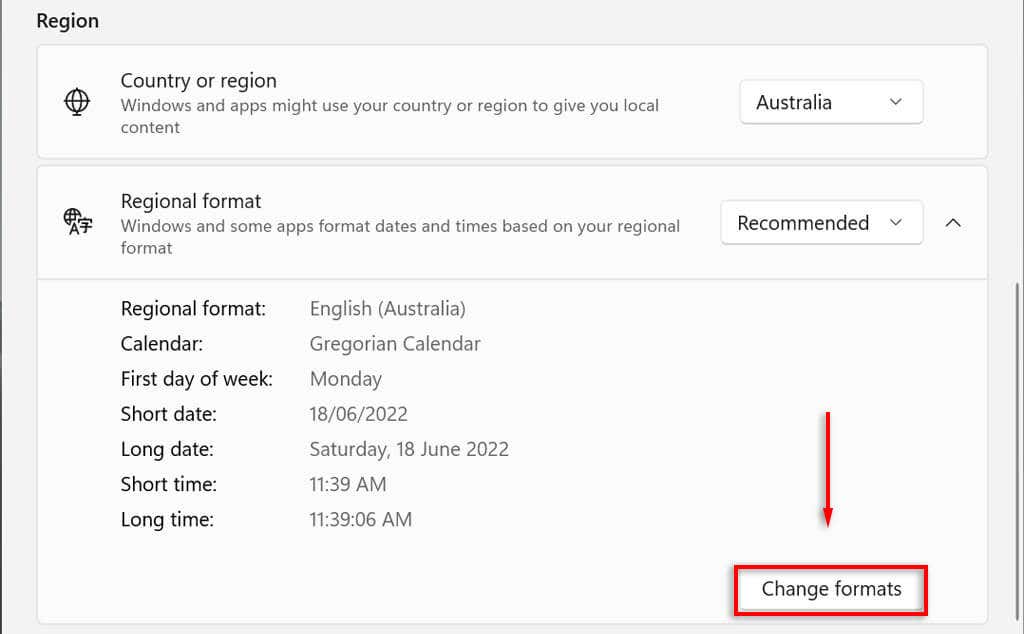 Windows Set Date And Time Automatically
https://helpdeskgeek.com/wp-content/pictures/2022/08/ott-how-to-change-the-date-and-time-format-on-windows-4-compressed.jpg
Jul 22 2025 nbsp 0183 32 Windows 11 is the home for AI offering the most expansive and capable AI experiences for consumers today on Copilot PCs with exclusive AI superpowers like Recall
Pre-crafted templates use a time-saving solution for producing a diverse range of files and files. These pre-designed formats and designs can be made use of for numerous personal and professional projects, including resumes, invitations, flyers, newsletters, reports, presentations, and more, simplifying the material creation process.
Windows Set Date And Time Automatically
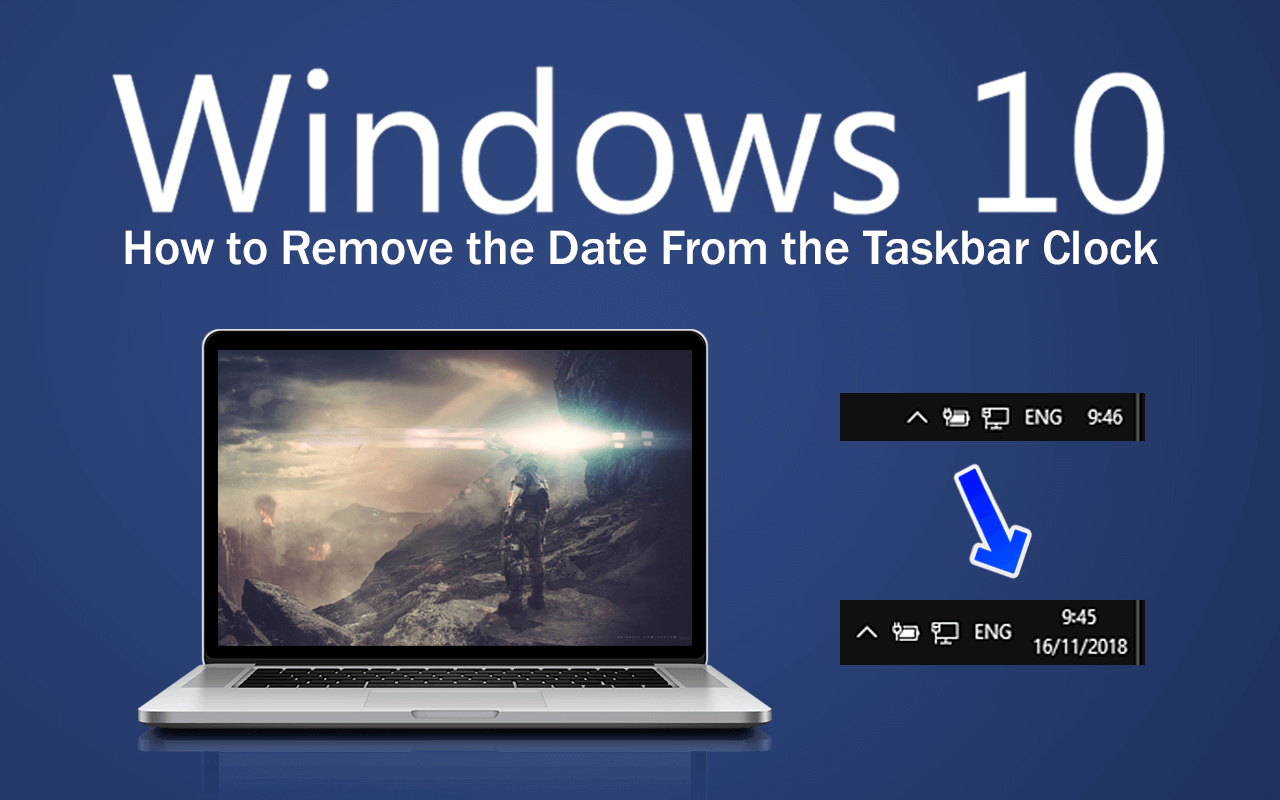
Remove Date From Windows Taskbar Windows Diary

Macos The Time Using Set Date And Time Automatically Differs
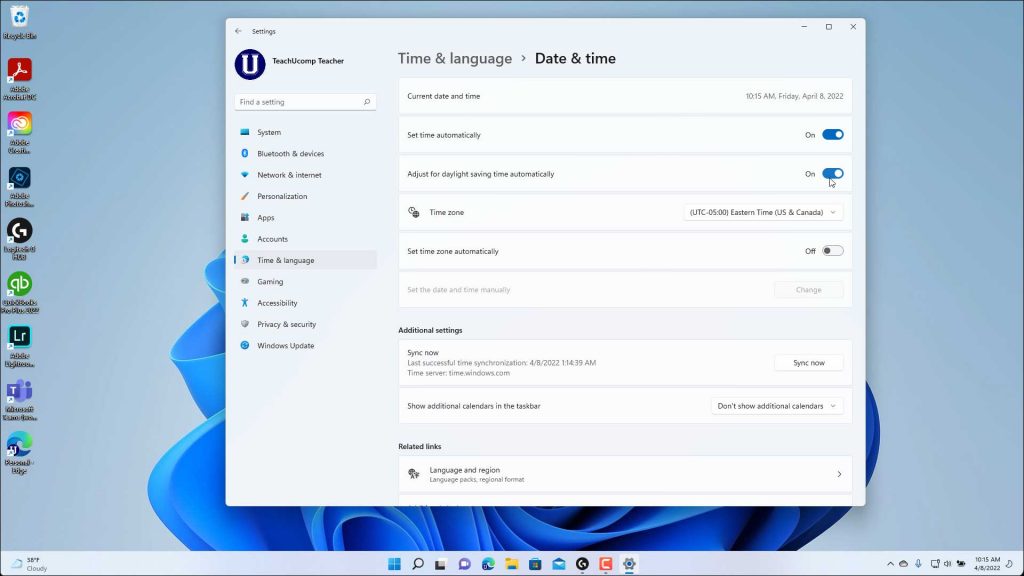
Change The Date And Time In Windows 11 Instructions TeachUcomp Inc

Fix For The Set Time Zone Automatically Greyed Out Issue In Windows
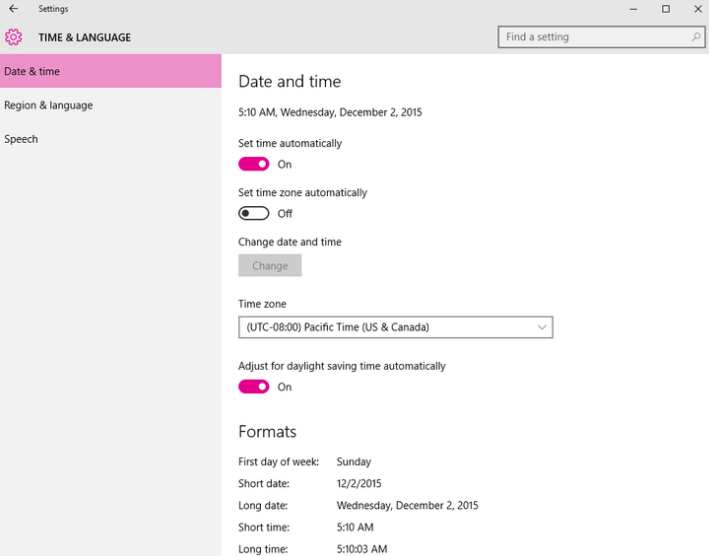
How To Change Windows 10 Date And Time Format From 24 Hour To 12 Hour
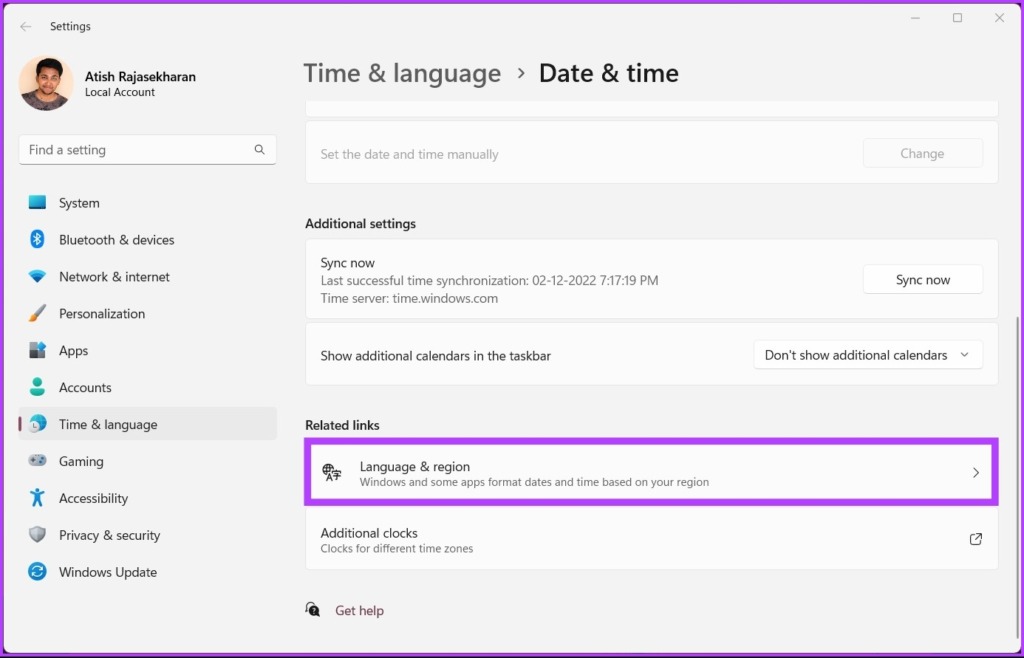
How To Change Date And Time On Windows 10 And 11 Guidingtech

Support for Windows 10 will end in October 2025 After October 14 2025 Microsoft will no longer provide free software updates from Windows Update technical assistance or security fixes for

Upgrading to Windows 11 ensures you continue to receive the latest security updates features and technical support keeping your PC safe and efficient For more information on preparing

Welcome to Windows 11 Learn about new features upgrade FAQs device lifecycles and support options

Installation media such as a USB flash drive can be used to install a new copy of Windows perform a clean installation of Windows or reinstall Windows To create installation media go

Experience the latest Microsoft Windows 11 features Learn how our latest Windows OS gives you more ways to work play and create
[desc-11] [desc-12]
[desc-13]