Windows Restore Path Variable How To Edit The Path Environment Variable In Windows 10 Vrogue How To Change The Download Path On Windows 11 Technipages Www vrogue co How To Set The PATH Variable In Windows TechPP How To Add Or Edit A PATH Environment Variable In Windows 11 10 How To Edit PATH Variable On Windows 11 TestingDocs 3 Answers Sorted by 56 You can mount the old version of the registry Open Regedit Restoring User PATH 2 Select HKEY USERS 3 File Load Hive 4 Navigate to your user folder click the little button to the right of Open for Show Previous Versions 5
0 00 1 11 How to Recover Path Environment Variables on Windows 10 11 MDTechVideos International 109K subscribers Subscribe 45 Share 14K views 1 year ago How to Recover Path Environment How to Recover Path Environment Variables on Windows 10Command Used Get ItemProperty Path HKCU Environment If you re a coder or programmer you probably s
How To Edit PATH Variable On Windows 11 TestingDocs How To Recover PATH Variable After Deleting It Accidentally Winhelponline How To Edit PATH Variable On Windows 11 TestingDocs How To Add Or Edit A PATH Environment Variable In Windows 11 10 How To Recover PATH Variable After Deleting It Accidentally Winhelponline How To Transfer An Account From CPanel To DirectAdmin Add Folder To Path Environment Variable In Windows 11 10 Pin On PATH
Windows Restore Path Variable
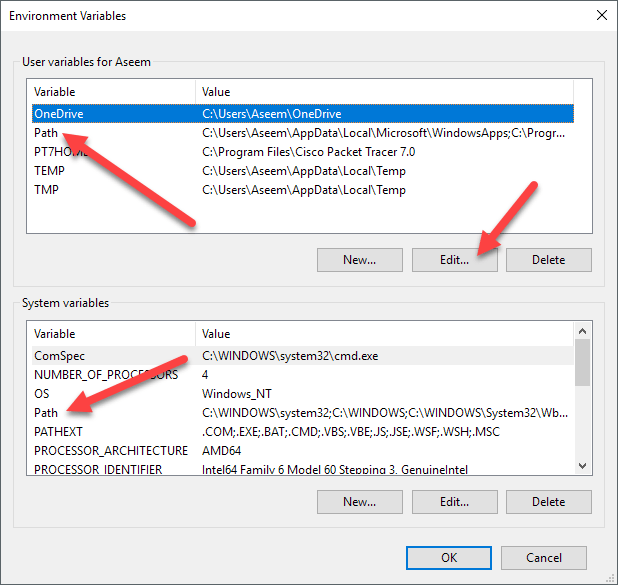 Windows Restore Path Variable
https://tecnotraffic.net/wp-content/uploads/2020/10/edit-environment-variables.png
Working with PATH or other environment variables and end up clearing or deleting something you shouldn t have This simple video shows you how to easily rest
Pre-crafted templates offer a time-saving service for creating a varied range of documents and files. These pre-designed formats and designs can be made use of for numerous personal and expert jobs, including resumes, invites, flyers, newsletters, reports, presentations, and more, streamlining the content production procedure.
Windows Restore Path Variable
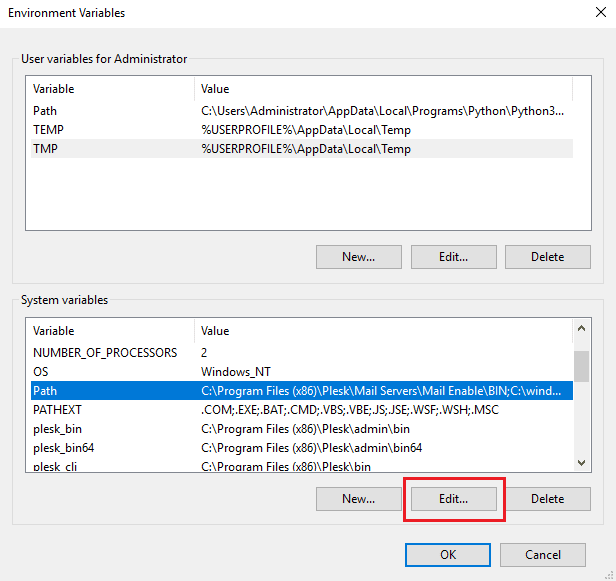
How To Add Python Path To Windows PATH Liquid Web
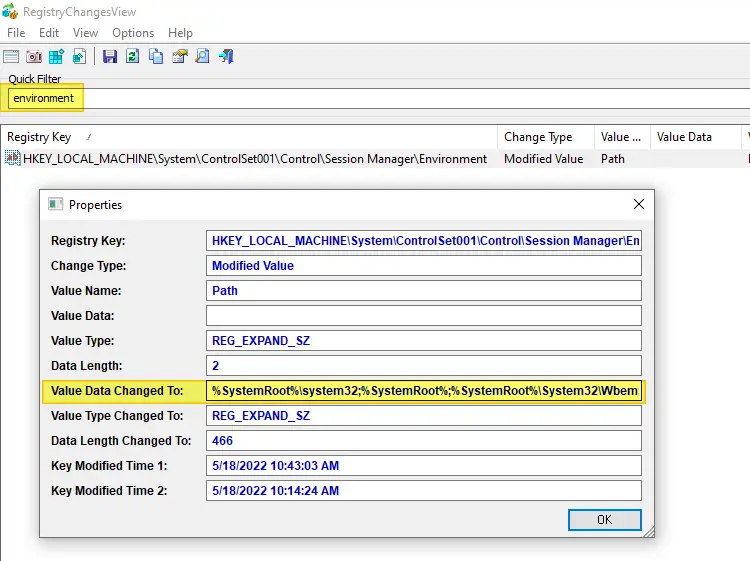
How To Recover PATH Variable After Deleting It Accidentally Winhelponline

How To Edit PATH Variable On Windows 11 TestingDocs
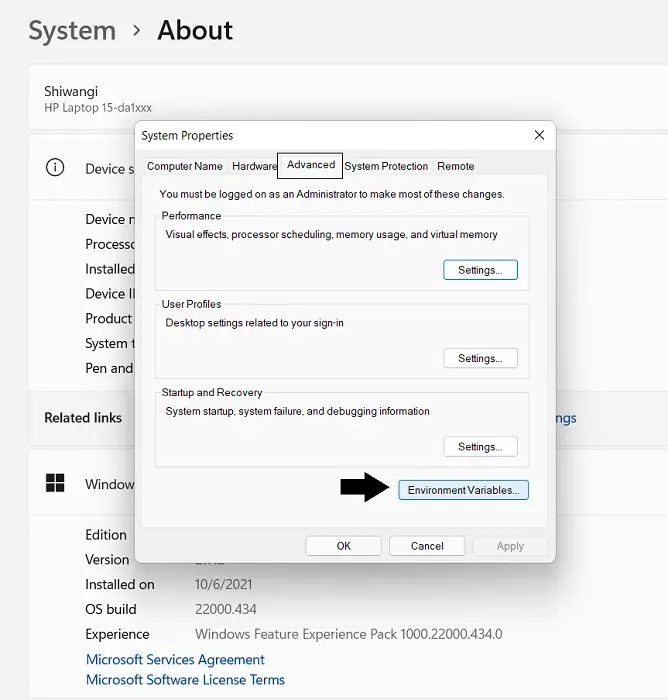
How To Add Or Edit A PATH Environment Variable In Windows 11 10

How To Transfer An Account From CPanel To DirectAdmin
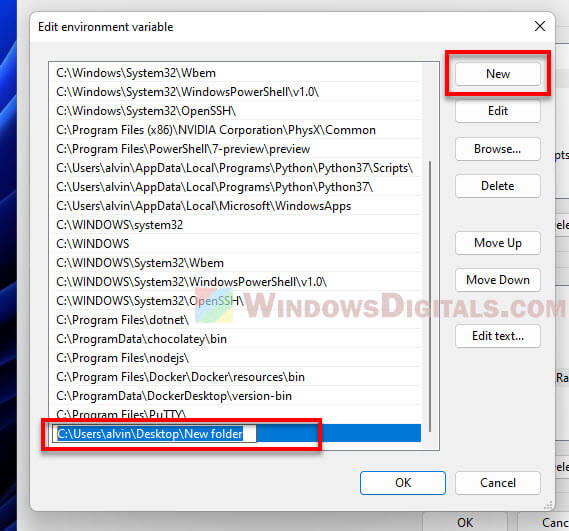
Add Folder To Path Environment Variable In Windows 11 10

Method 1 Using Process Explorer Method 2 Using Shadow Copy registry hive Method 3 Using System Restore rollback Recover the PATH Variable After Deleting it Accidentally Option 1 Restore default PATH Settings The PATH variable comprises the System PATH and user PATH entries System PATH is common for all user accounts
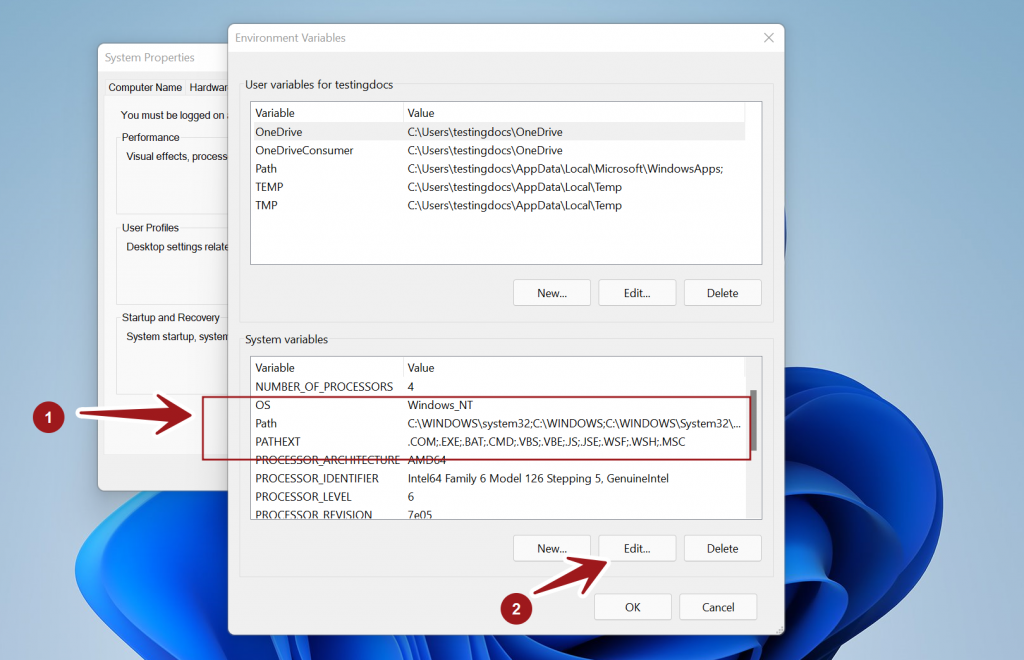
Type echo PATH copy the path variables Go to My Computer properties Advanced system settings click on Advanced tab click on Environment Variables button Edit PATH variable and paste everything copied in the third step in Variable value box Click OK in all the opened windows

Created on May 27 2017 How can I restore a deleted PATH system environment variable There was a system environment variable called Path which had numerous things in there I created one called PATH and closed it When I reopened it I saw that Path had been deleted I have not restarted my computer
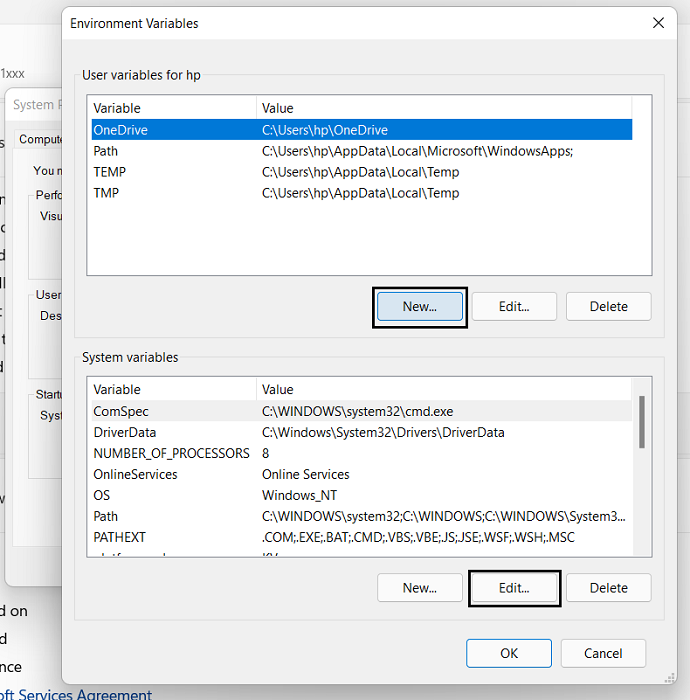
Tap the Win R keyboard shortcut to open the run box In the run box enter regedit Tap Enter Once the registry editor is open navigate to the following location HKEY CURRENT USER Environment The values under this key will list the path environment variables Double click to open them and copy the path from them all to Notepad

1 Answer Sorted by 0 Restore from your last disk image or use Windows Restore Few PATH variables are actually needed in Windows 10 anyway and for programs that need them and stop working just reinstall that application For what it s worth here are mine Share Improve this answer Follow answered Dec 16 2018 at 2 32 DrMoishe Pippik
In the System Properties window click Environment Variables Click on the variable you d like to change click Edit Many environment variables will simply take a name and value like Number of processors All you have to do to edit them is to change the value and click OK Adding an environment variable works the exact same way Using the graphical interface is the easiest way to set the PATH variable in Windows To do this first open the Windows Run prompt by hitting the Windows R key shortcut Next in the field
Recover PathEnvironment VariablesUse Command Get ItemProperty Path HKCU Environment Hii Friends Welcome Back My Channel MK Tech