Windows Open Command Prompt Current Directory Windows 7 How To Command Prompt List Directory Contents And List Based 5 Simple Ways To Open The Command Prompt In Windows Wiki Command 6 Command Prompt Commands You Should Know PCWorld How To See Files In A Directory In Windows Command Prompt Printable How To Use The DIR Command In Windows DigiMashable Si Windows 11 est pr 234 t 224 234 tre install 233 sur l appareil un message s affiche dans la fen 234 tre Windows Update indiquant que Windows 11 est pr 234 t Pour poursuivre la mise 224 niveau vers Windows 11
Welcome to Windows 11 Learn about new features upgrade FAQs device lifecycles and support options Windows 11 Windows 11 Microsoft Windows 11
How To Use The DIR Command In Windows DigiMashable How To Open Command Prompt Windows 11 10 8 7 Etc Learn How To Use The Windows Command Prompt Or Command Line A Simple Open An Explorer Window From The Command Prompt s Current Directory How To Open Command Prompt In A Folder Or Directory In Windows 10 3 Ways To Open The Command Prompt In Windows WikiHow How To Open Command Prompt In Current Folder Or Directory In Windows 10 Command Prompt Copying Made Easy A Step by Step Guide Infetech Windows Command Line Tutorial 2 Listing Files And Directories YouTube
Windows Open Command Prompt Current Directory
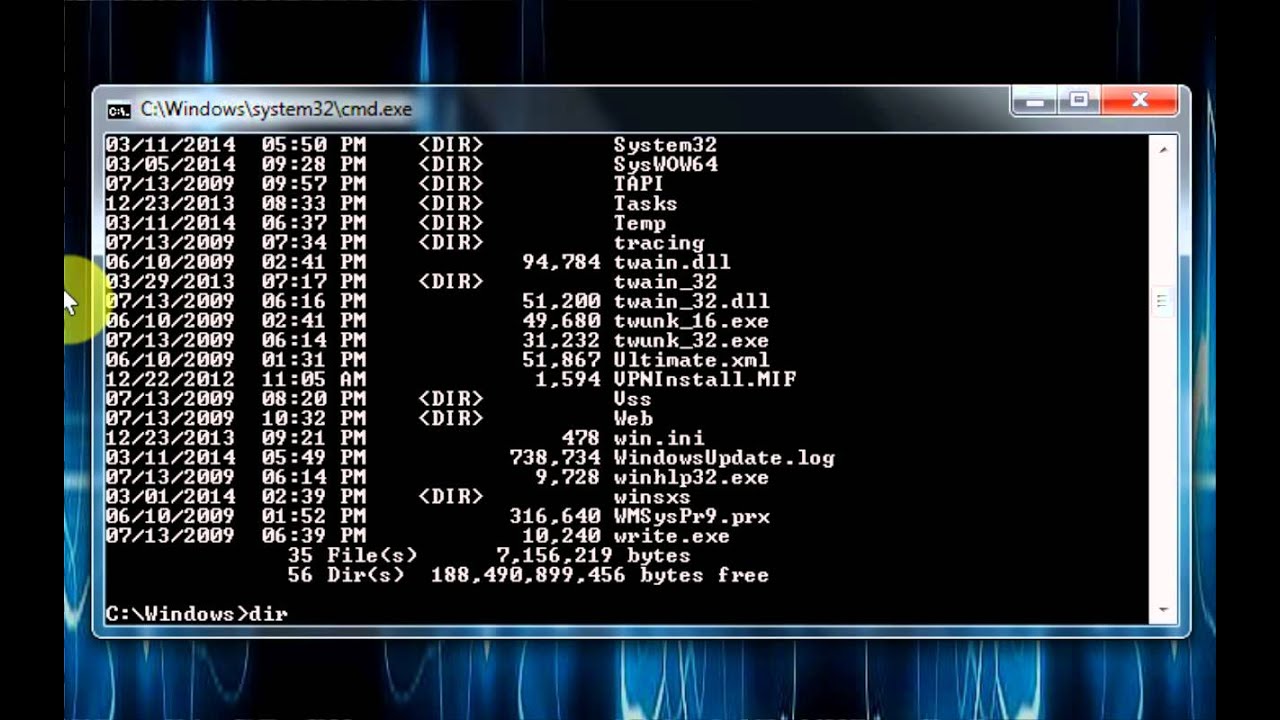 Windows Open Command Prompt Current Directory
https://i.ytimg.com/vi/f5CumVC74Ew/maxresdefault.jpg
Hier finden Sie Hilfe und Gewusst wie Artikel zu Windows Betriebssystemen Erhalten Sie Support f 252 r Windows und erfahren Sie mehr 252 ber Installation Updates Datenschutz
Templates are pre-designed documents or files that can be used for different functions. They can conserve effort and time by offering a ready-made format and layout for producing various sort of material. Templates can be used for personal or professional jobs, such as resumes, invitations, leaflets, newsletters, reports, discussions, and more.
Windows Open Command Prompt Current Directory
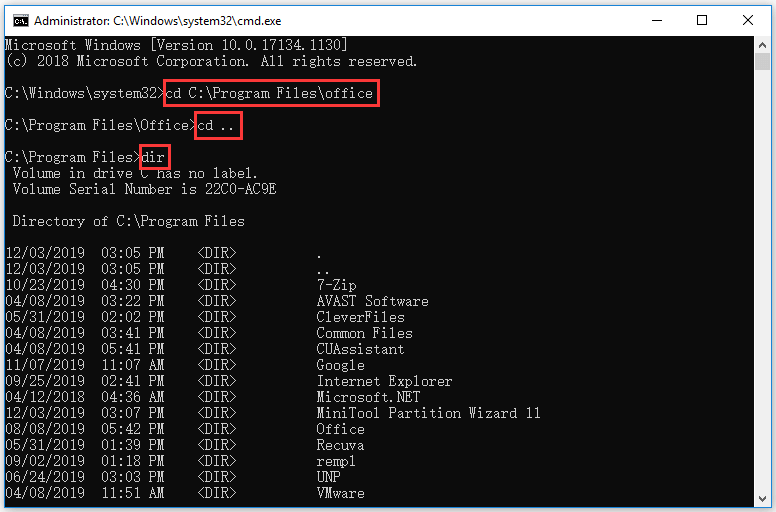
Windows 10

How To Open Command Prompt Windows 11 10 8 7 Etc

Learn How To Use The Windows Command Prompt Or Command Line A Simple
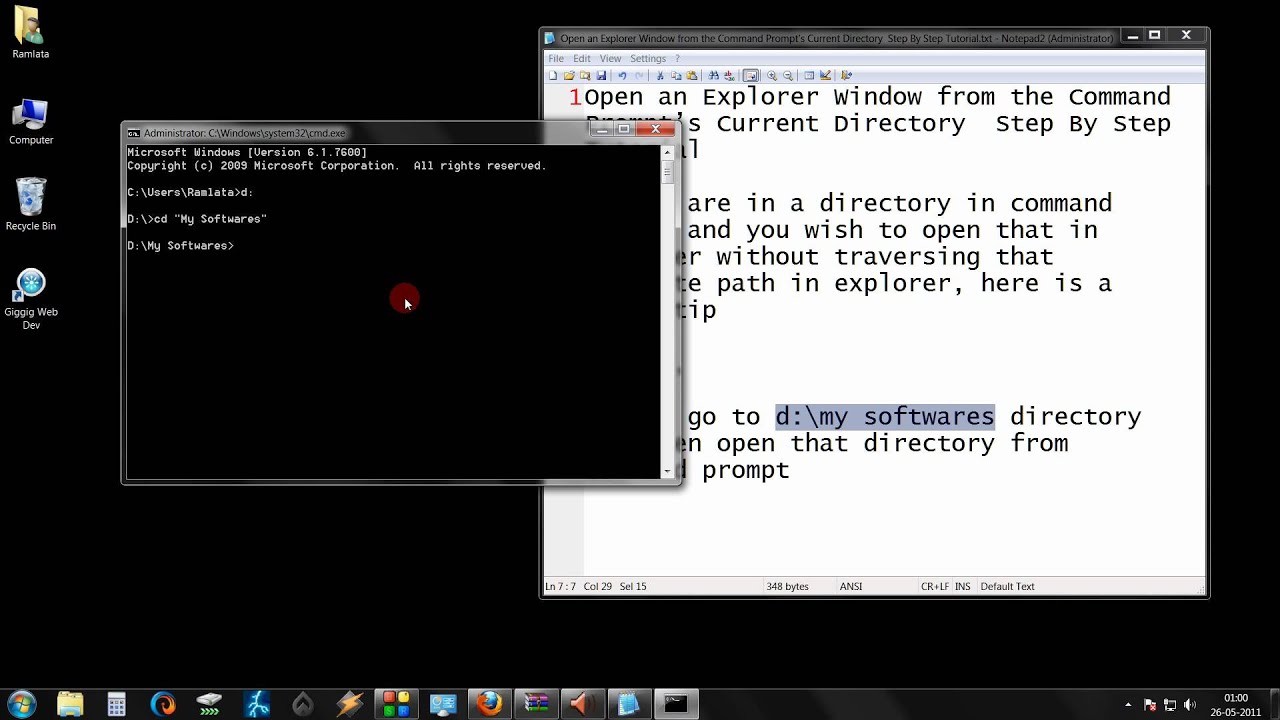
Open An Explorer Window From The Command Prompt s Current Directory

3 Ways To Open The Command Prompt In Windows WikiHow
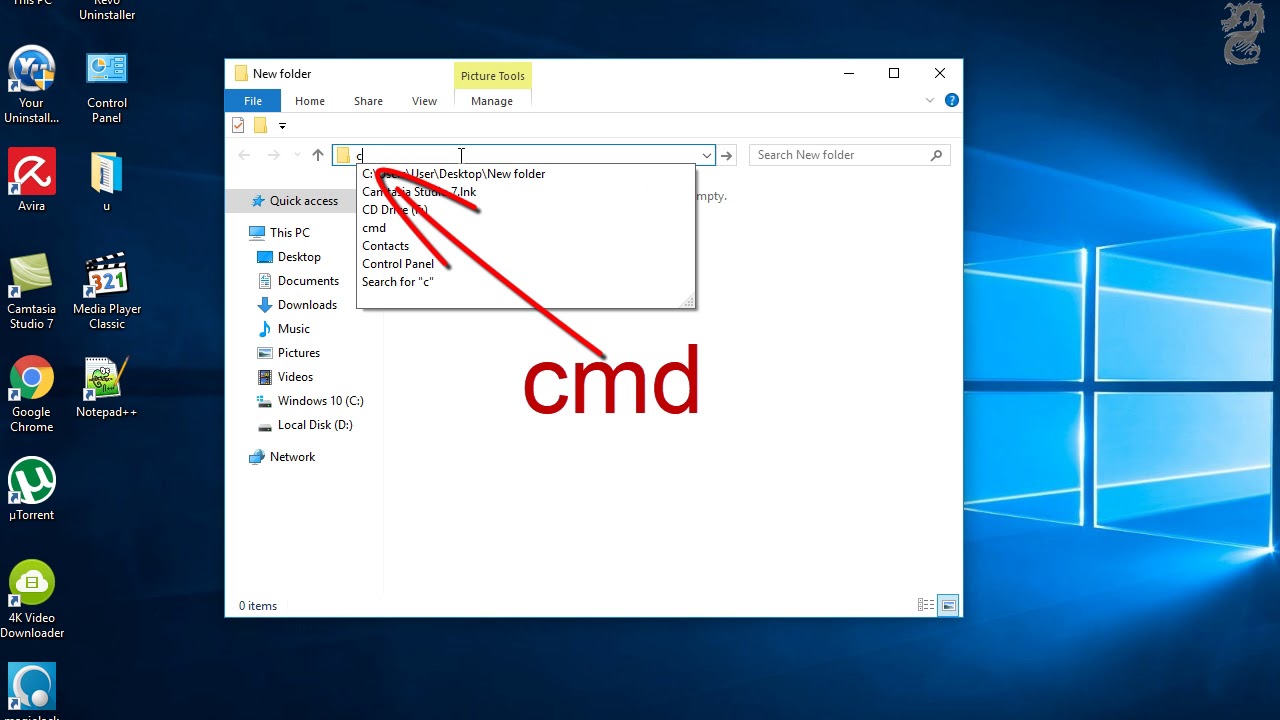
How To Open Command Prompt In Current Folder Or Directory In Windows 10
If you re warned by Windows Update that you don t have enough space on your device to install updates see Free up space for Windows updates If you experience internet connection issues

Windows 11 vous permet de choisir quand et comment obtenir les derni 232 res mises 224 jour pour assurer la s 233 curit 233 et le bon fonctionnement de votre appareil S 233 lectionnez Param 232 tres de

Trouvez de l aide et des articles pratiques pour les syst 232 mes d exploitation Windows B 233 n 233 ficiez d un support pour Windows et en savoir plus sur l installation les mises 224 jour la

Find help and how to articles for Windows operating systems Get support for Windows and learn about installation updates privacy security and more

Feb 4 2025 nbsp 0183 32 Learn how to install Windows 11 including the recommended option of using the Windows Update page in Settings
[desc-11] [desc-12]
[desc-13]