Windows Kill Process Tree Command Line Kill Process Tree Process Explorer How To Kill Process From Command Line In Windows CMD Kill Process How To Kill Process In Command Prompt CMD Kill Process How To Kill Process In Command Prompt Kill Process Via Command Line CMD In Windows WindowsTect WEB Aug 26 2021 nbsp 0183 32 Step by step instructions on how to stop a running service or a program from command prompt or from the Windows PowerShell in Windows OS
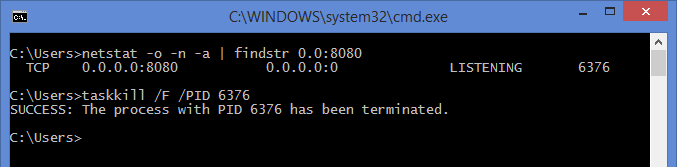
WEB Feb 16 2023 nbsp 0183 32 Option One Kill Process in Task Manager Processes Tab Option Two Kill Process in Task Manager Details Tab Option Three Kill Process using taskkill Command Option Four Kill Process using Stop Process Command WEB Nov 3 2023 nbsp 0183 32 How to let CMD kill process in Windows 10 11 Here you need to use the taskkill command that allows a user to kill a task from a Windows command line by PID or image name This command works like the End task option in Task Manager
Kill Process Via Command Line CMD In Windows WindowsTect WiFi Password CMD How To Find WiFi Password In Command Prompt Windows Kill A Process Id By Looking Up The Port G33kzone Windows Command Kill Process Command Line How To Kill Process From Command Line In Windows Vaporwave Windows Kill Process Art Board Print By Garyfrazier95 Windows Command Kill Process Command Line Kill Process On Port 8080 In Windows LaptrinhX How To Use Command Prompt To A Kill Process ATech Academy
Windows Kill Process Tree Command Line
 Windows Kill Process Tree Command Line
https://geek-university.com/wp-content/uploads/2022/03/chrome_multiple_processes.jpg
WEB Feb 16 2023 nbsp 0183 32 If you notice a running process is reducing your computer s performance because it s hung not responding using a high percentage of CPU and or memory resources then you can kill the process to end it This tutorial will show you different ways on how to kill a process in Windows 10
Pre-crafted templates use a time-saving solution for developing a varied variety of documents and files. These pre-designed formats and designs can be utilized for numerous personal and professional jobs, consisting of resumes, invites, flyers, newsletters, reports, presentations, and more, simplifying the content development process.
Windows Kill Process Tree Command Line

Vaporwave Windows Kill Process Poster For Sale By Garyfrazier95
WiFi Password CMD How To Find WiFi Password In Command Prompt
Windows Kill A Process Id By Looking Up The Port G33kzone

Windows Command Kill Process Command Line

Vaporwave Windows Kill Process Art Board Print By Garyfrazier95

Windows Command Kill Process Command Line
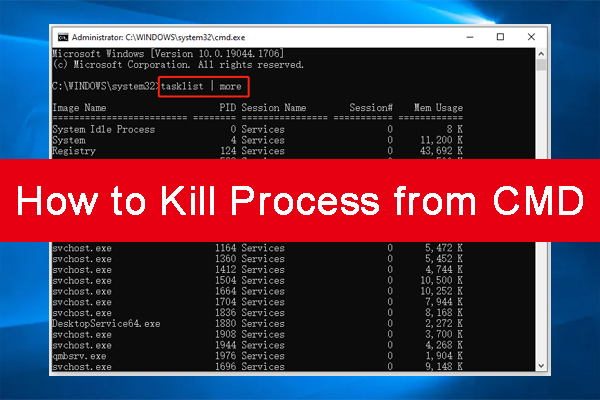
WEB Jun 9 2024 nbsp 0183 32 To kill a process in Windows using cmd open the Command Prompt with administrator permission and enter this command to find all the processes Tasklist fo table

WEB Kill process tree in C on windows quick and very dirty solution void killtree DWORD pid char force char tree char cmd 1024 char forceflag force quot F quot quot quot char treeflag tree

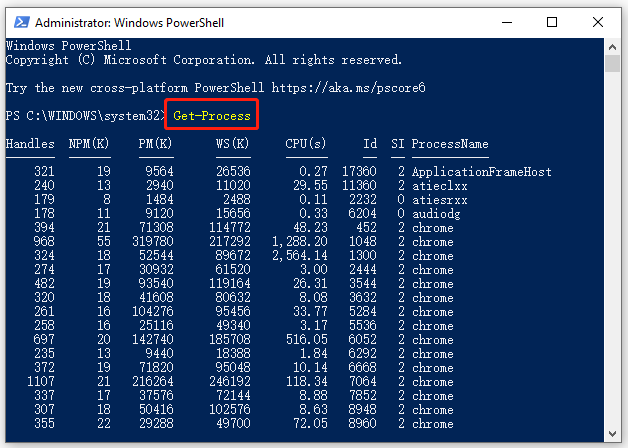
WEB It is also possible to kill commands using the Windows PowerShell use get process to list the processes running and then use stop process with the ID of the task to kill it Stop Process get process Unkillable exe stop process 1234
WEB Just add one line per process you want to kill save it as a bat file and add in your startup directory Problem solved If this is a legacy system PsKill will do the same

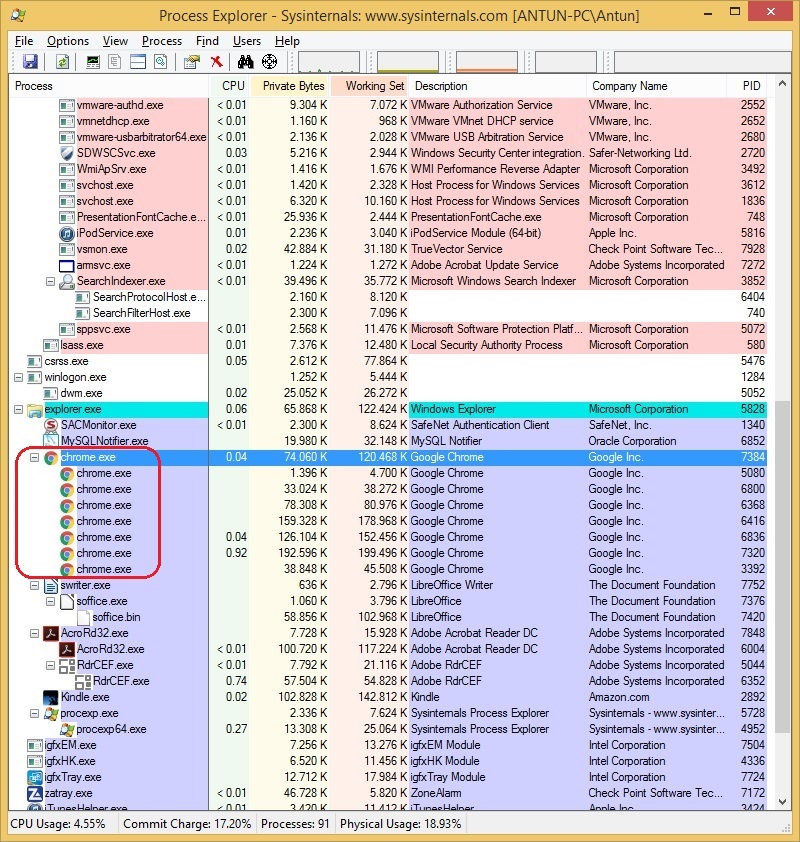
WEB Aug 26 2017 nbsp 0183 32 Open Task Manager If available click More Details Two options Right click to Context Menu of the process in which you want to end Choose Go to details Right click to Context Menu of the highlighted process Choose End Process Tree
WEB Jan 16 2017 nbsp 0183 32 Is there a command line utility that kills all processes with a specific command line E g kill all processes named quot java exe quot with a command line that contains quot jar selenium server jar quot This is possible through process explorer WEB Apr 12 2013 nbsp 0183 32 How to Kill a Process From the CLI in Windows If the command prompt is your flavor of tea you will need to know to know the name of the process you are trying to kill beforehand The easiest way to get these is on the Details tab of the Task Manager
WEB Feb 1 2011 nbsp 0183 32 In a cmd window you can use taskkill F im cmd exe to kill all cmd exe programs The T flag tells taskkill to forcefully kill the processes whereas taskkill im cmd exe gracefully shuts it down by sending a kill signal more information on