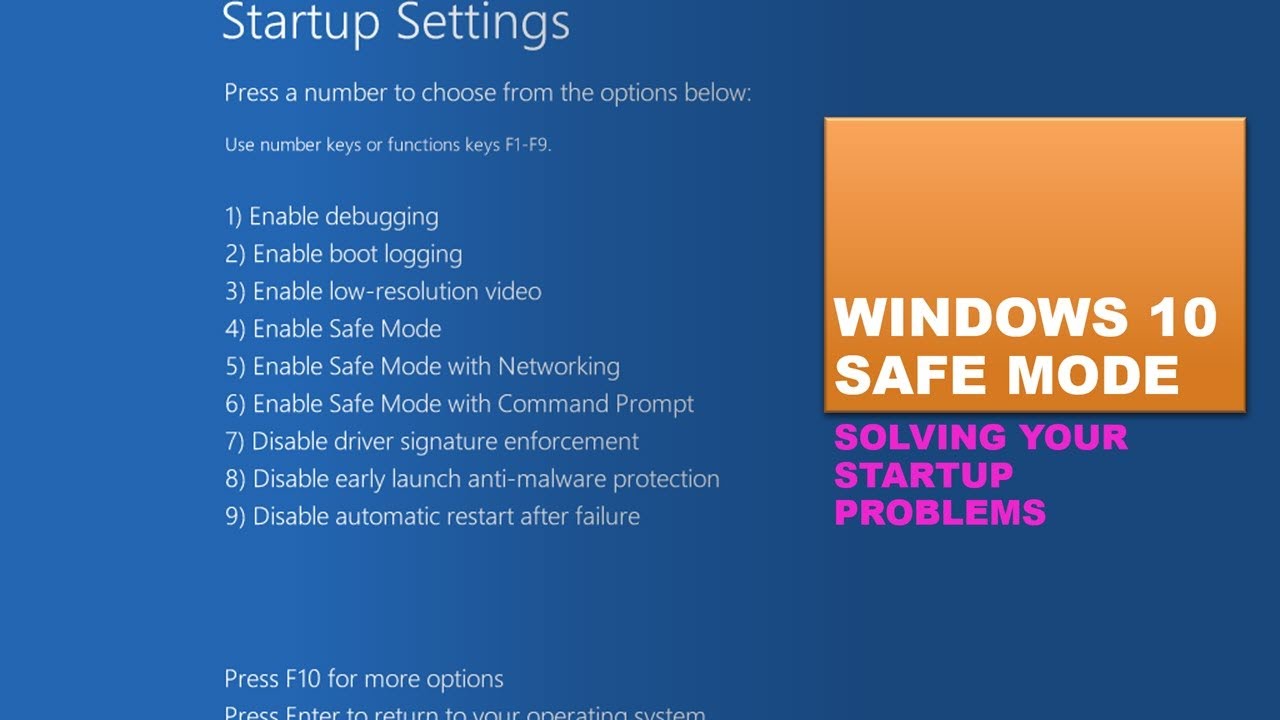
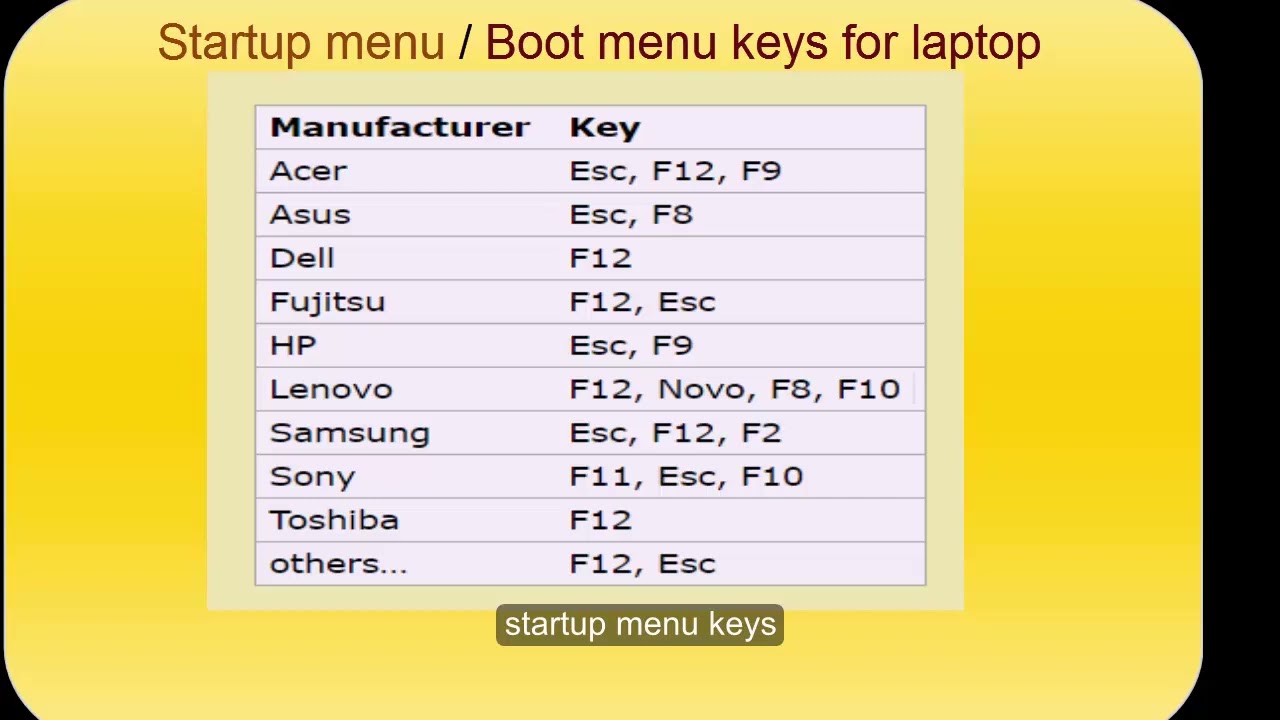
Windows F10 Boot Options How To Show Windows 7 Boot Options F10 YouTube How To Boot Windows Into Safe Mode Windows Startup Settings YouTube What Key To Press To Enter Boot Menu BIOS Setup Boot Device Options How To Enable F12 Boot Menu YouTube Press F1 To Go To Bios Whenever I Turning On My Computer Press F1 To Learn how to get ready for the Windows 11 upgrade from making sure your device can run Windows 11 to backing up your files and installing Windows 11
The upgrade to Windows 11 is free from Microsoft However the Windows 11 upgrade download is large in size Internet providers might charge fees for large downloads that occur over Windows 11 is the latest version of Microsoft s operating system designed to offer a modern and user friendly experience With a sleek interface improved performance and new features
Press F1 To Go To Bios Whenever I Turning On My Computer Press F1 To Best 4k Ultra Hd Wallpapers For Pc Infoupdate Full Hd Wallpapers 1920x1080 Free For Pc Infoupdate Windows 10 Repair Tool 85 F10 ME Directional Icons Edited By Macca Vsacaptain Blog How To Install Windows 10 On LIVA XE ECS Industrial Computer Lenovo F10 UEFI PreBoot Diagnostics Windows 11 Installation 54 OFF MTB2 F10 OWEN ASIA
Windows F10 Boot Options
 Windows F10 Boot Options
https://i.ytimg.com/vi/P6x5dlvO6ik/maxresdefault.jpg
The installation media for Windows is a versatile tool that serves multiple purposes including in place installations for recovery and new installations This media typically created on a USB
Templates are pre-designed files or files that can be used for various purposes. They can conserve time and effort by providing a ready-made format and design for developing various kinds of material. Templates can be utilized for individual or expert jobs, such as resumes, invitations, leaflets, newsletters, reports, discussions, and more.
Windows F10 Boot Options

Free Aquarium Live Wallpaper Windows 11 Infoupdate

Best 4k Ultra Hd Wallpapers For Pc Infoupdate

Full Hd Wallpapers 1920x1080 Free For Pc Infoupdate
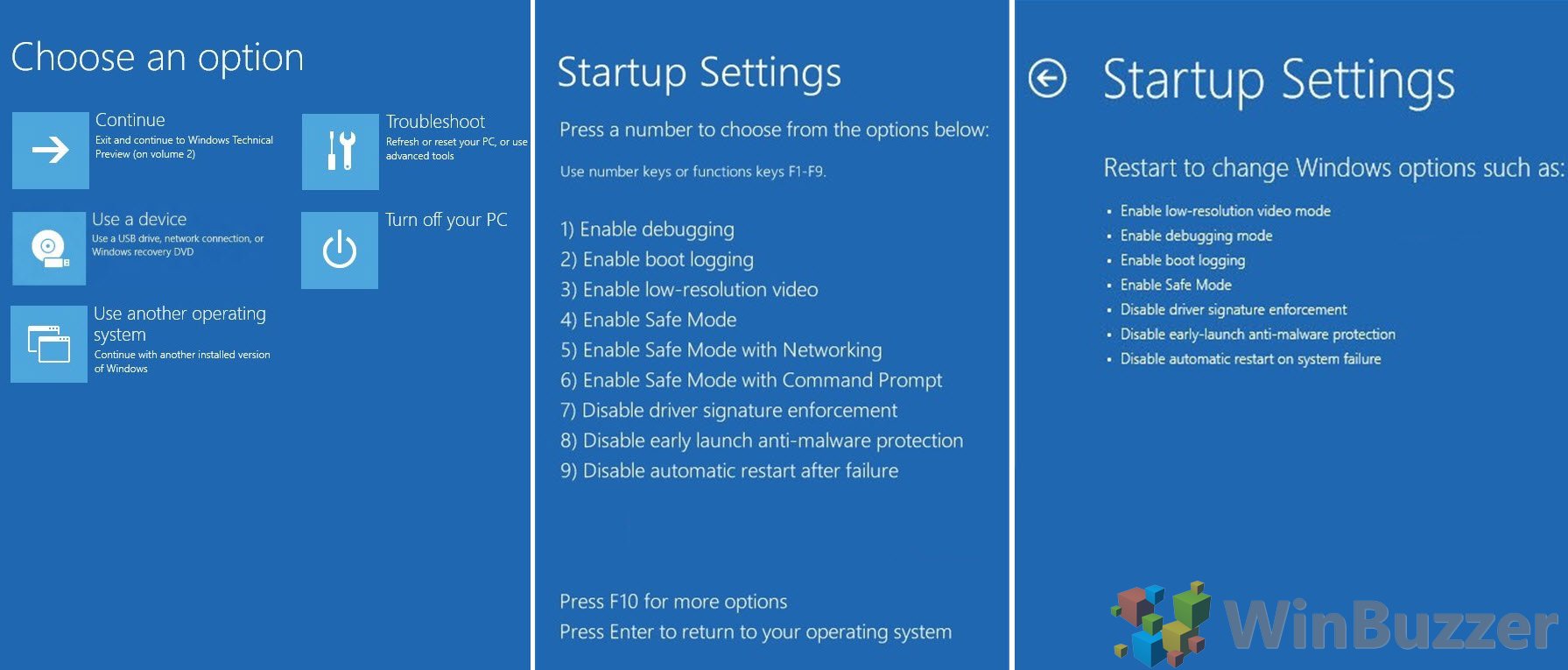
Windows 10 Repair Tool 85
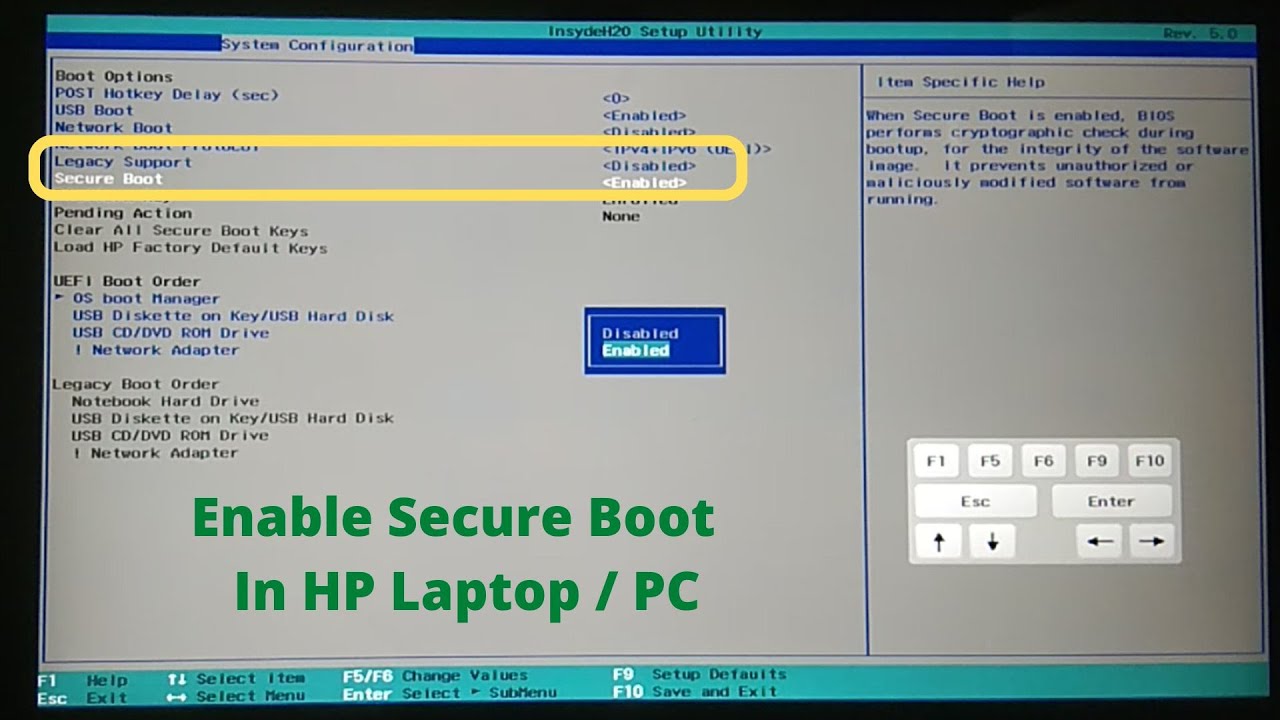
Vsacaptain Blog
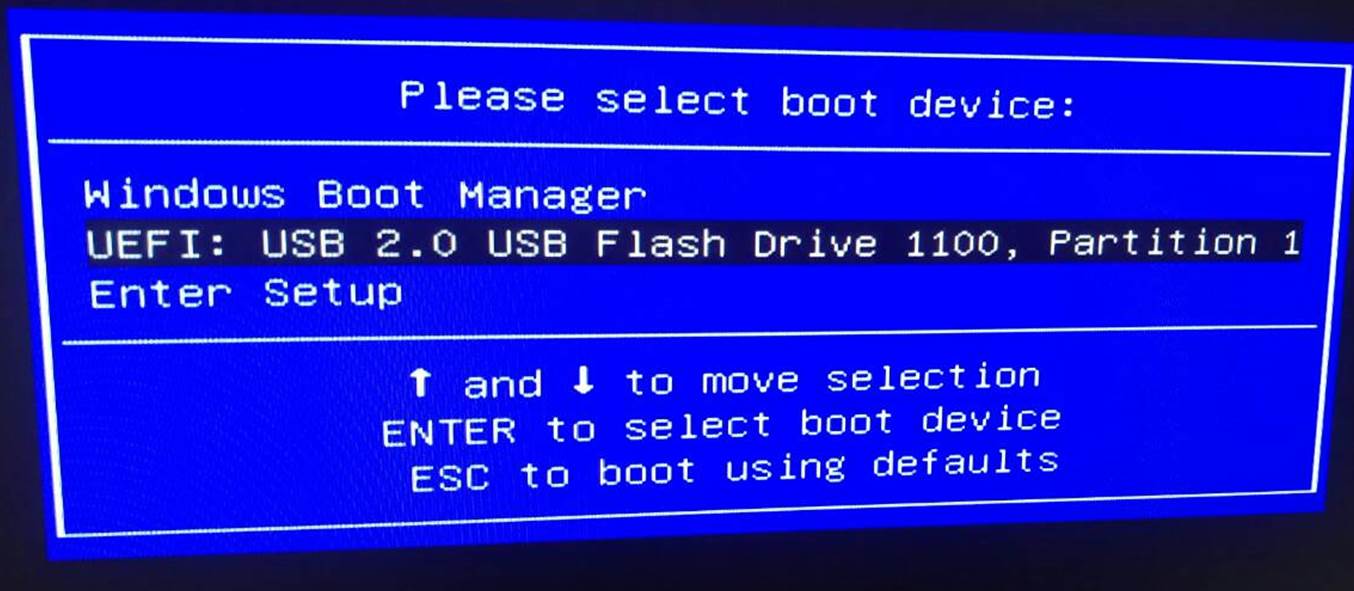
How To Install Windows 10 On LIVA XE ECS Industrial Computer
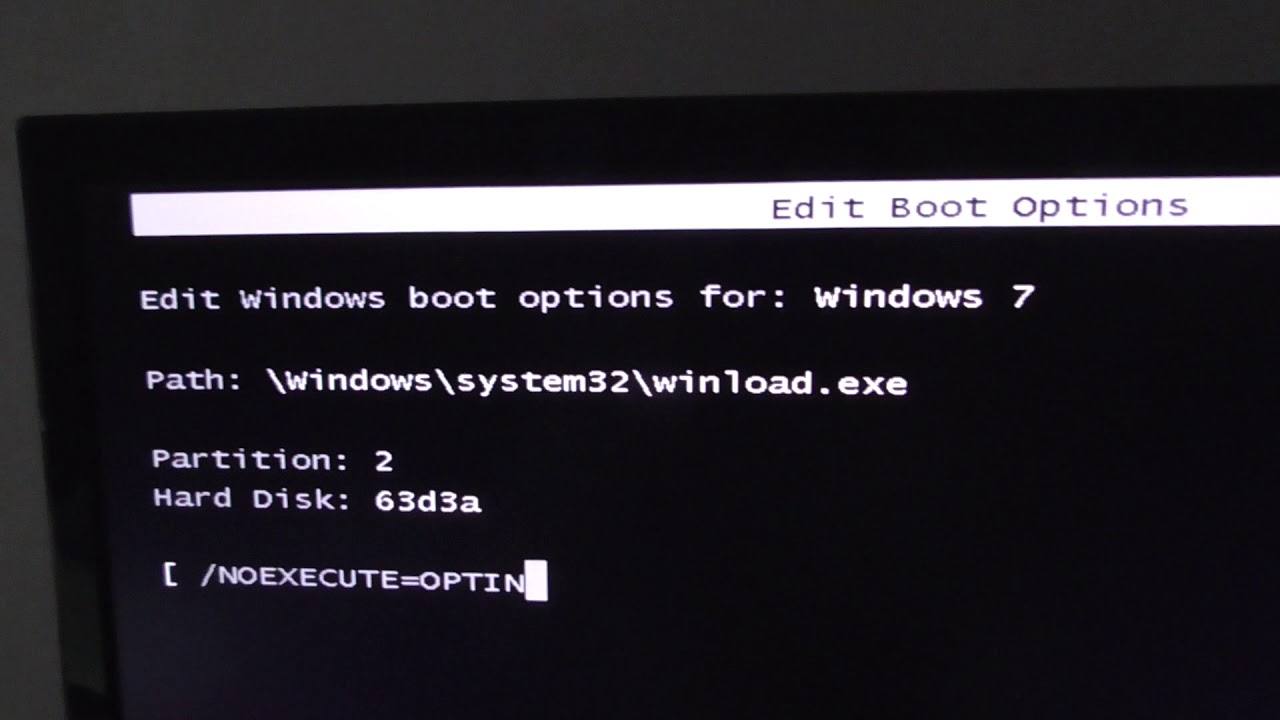
Windows Windows 11 Windows 10 Windows 11 Windows Windows 11 Windows 11 Windows 11
Welcome to Windows 11 Learn about new features upgrade FAQs device lifecycles and support options
Find help and how to articles for Windows operating systems Get support for Windows and learn about installation updates privacy security and more

Feb 4 2025 nbsp 0183 32 Learn how to install Windows 11 including the recommended option of using the Windows Update page in Settings

Create installation media for Windows Applies To Installation media such as a USB flash drive can be used to install a new copy of Windows perform a clean installation of Windows or
[desc-11] [desc-12]
[desc-13]