Windows Command Line Disable Sleep windows Command Line M M t File B t K Trong CMD Xem N i Dung File How To Change Sleep Settings On Windows 11 Pureinfotech Windows Command line Tooling Totally Tooling Tips S2 Ep4 YouTube How To Stop Laptop From Sleeping When Closed Windows 11 Windows Command Line Guida Pratica By William R Stanek Goodreads September 2021 ver 246 ffentlicht als Windows 11 erstmals f 252 r die 214 ffentlichkeit ver 246 ffentlicht wurde Zum Zeitpunkt der Ver 246 ffentlichung und noch heute besteht die Absicht hinter dieser
Se pr 233 parer 224 la mise 224 niveau vers Windows 11 S applique 224 Windows 11 est une nouvelle exp 233 rience Windows qui vous rapproche de ce que vous aimez Avec une navigation intuitive Windows 10 support prend fin le 14 octobre 2025 Effectuez une mise 224 niveau vers Windows 11 maintenant pour garantir les mises 224 jour continues de la s 233 curit 233 et des fonctionnalit 233 s En
Windows Command Line Guida Pratica By William R Stanek Goodreads Frequently Used Command Line In Windows By Bardimin Medium Tutorial How To Disable Your Keyboard s Pesky Sleep Button In 60 Windows Terminal Preview V0 9 Release Windows Command Line How To Use The Sleep Command In Linux To Pause Scripts LinuxForDevices Useful Windows Command Line Tricks R sysadmin Windows Cheat Sheet Windows Command Line Cheat Sheet By Boogie CLOUD Windows 7 Backup Command Line Dusupernal Windows Command Line Tutorial 4 Network Tools YouTube
Windows Command Line Disable Sleep
 Windows Command Line Disable Sleep
https://i.ytimg.com/vi/r5_qz08HA7c/maxresdefault.jpg
In Windows 11 kunt u zelf bepalen wanneer en hoe u de meest recente updates wilt ontvangen zodat uw apparaat soepel en veilig blijft werken Selecteer Startinstellingen Windows Update gt
Templates are pre-designed files or files that can be used for different purposes. They can conserve time and effort by providing a ready-made format and layout for creating different sort of material. Templates can be utilized for personal or expert projects, such as resumes, invitations, flyers, newsletters, reports, presentations, and more.
Windows Command Line Disable Sleep

Windows 10 Disable sleep Shortcut On Backspace Key On Thinkpad P73

Frequently Used Command Line In Windows By Bardimin Medium

Tutorial How To Disable Your Keyboard s Pesky Sleep Button In 60
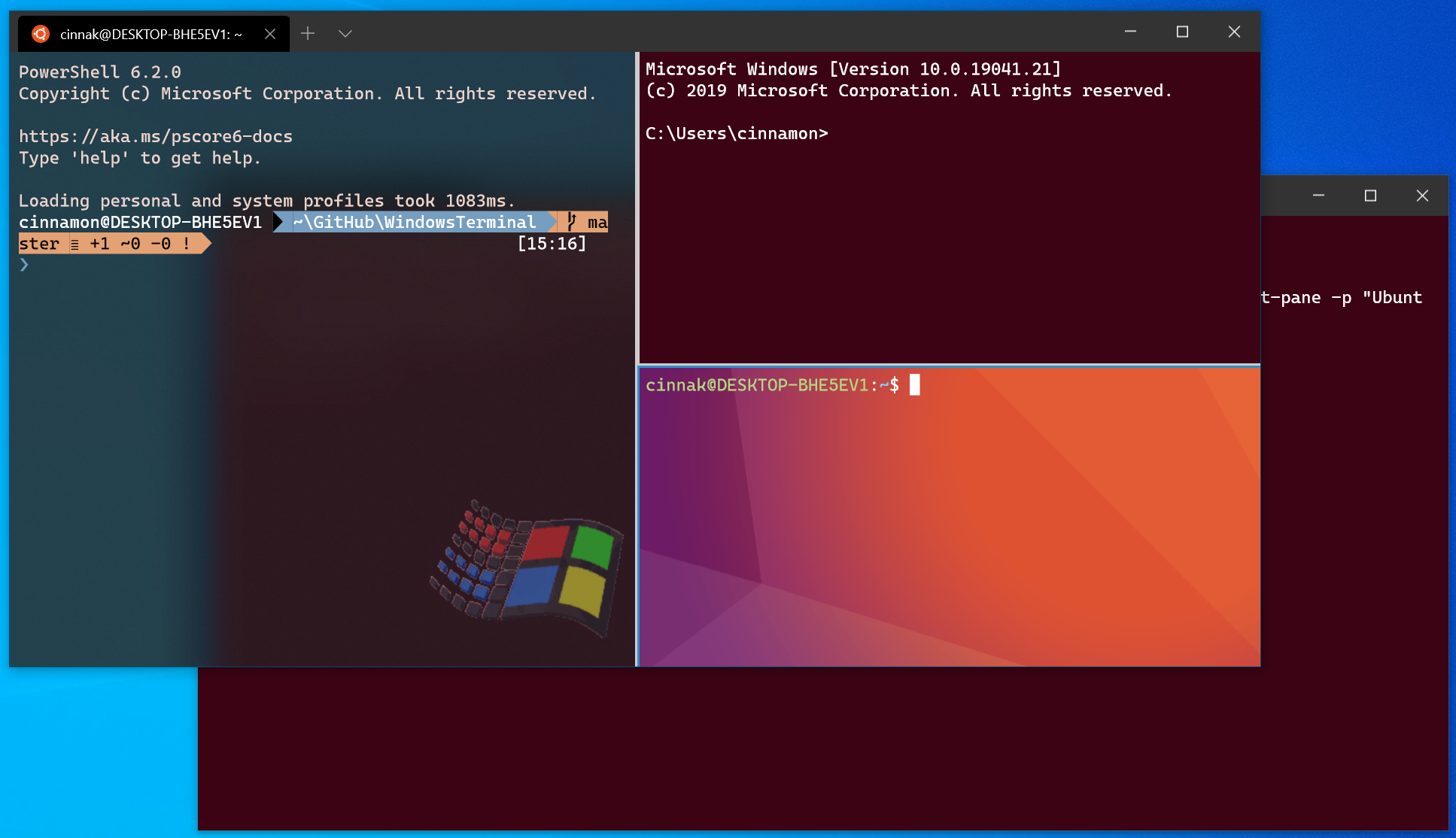
Windows Terminal Preview V0 9 Release Windows Command Line

Useful Windows Command Line Tricks R sysadmin
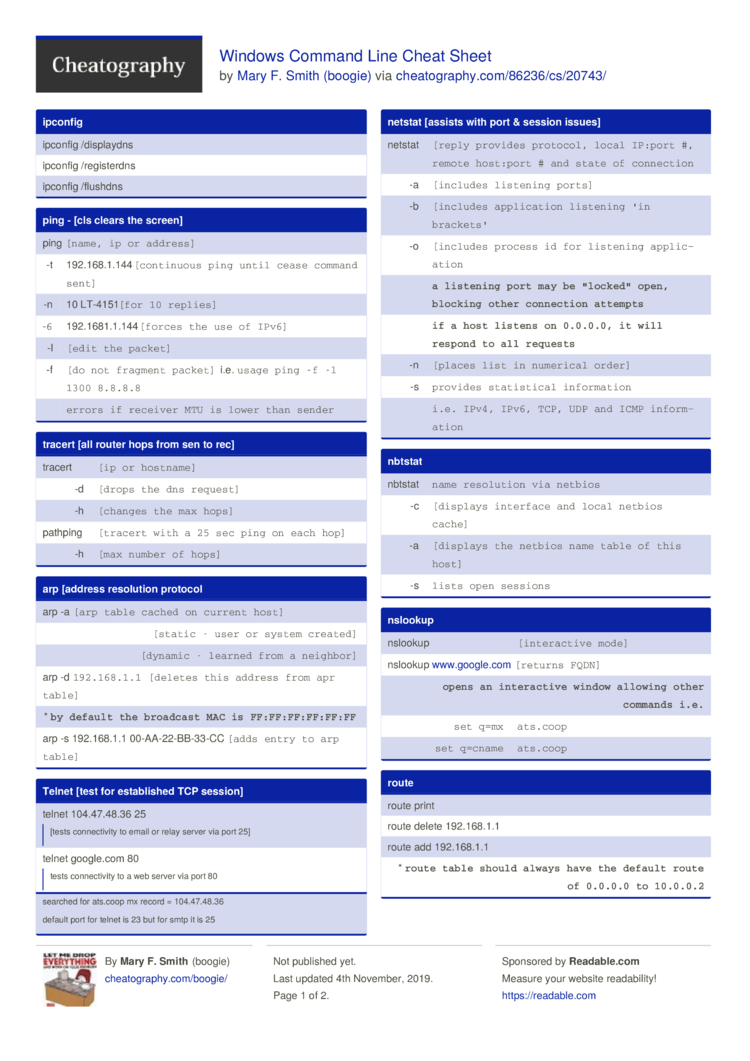
Windows Cheat Sheet Windows Command Line Cheat Sheet By Boogie CLOUD
Windows 11 FAQ

Bienvenue dans Windows 11 D 233 couvrez les nouvelles fonctionnalit 233 s les FAQ sur la mise 224 niveau les cycles de vie des appareils et les options de support

Windows 11 vous permet de choisir quand et comment obtenir les derni 232 res mises 224 jour pour assurer la s 233 curit 233 et le bon fonctionnement de votre appareil S 233 lectionnez Param 232 tres de

161 Bienvenido a Windows 11 Obt 233 n informaci 243 n sobre las nuevas funciones las preguntas frecuentes sobre la actualizaci 243 n los ciclos de vida de los dispositivos y las opciones de
Feb 4 2025 nbsp 0183 32 Learn how to install Windows 11 including the recommended option of using the Windows Update page in Settings
[desc-11] [desc-12]
[desc-13]