Windows 7 Set Default Paper Size For Printer Pitt Printer Paper Sizes Solgawer Solved How Do I Change The Default Paper Size From Letter To A4 How To Set Paper Size In Word 2007 Design Talk How To Create Or Change A Custom Paper Size In Windows 11 Solved How To Change The Default Paper Size In print Adobe Verkko To choose a default printer Select Start gt Settings Go to Bluetooth amp devices gt Printers amp scanners gt select a printer Then select Set as default If you don t see
Verkko Contact Us Business Support My HP Account HP Printers Select the paper size Windows Learn how to select a paper size or create a custom paper size for print Verkko 22 huhtik 2014 nbsp 0183 32 How to set a default page size for all users Login as an administrator Go to printer properties Click the advanced tab Click on Printing Defaults button
Solved How To Change The Default Paper Size In print Adobe Register Size Dimension Inches Mm Cms Pixel SU LMS How To Set Default Printer In Windows 7 YouTube Das Hotel Dynamisch Humanistisch Can T Set Printer As Default Windows Paper Size Guide Hobbycraft Standard Printer Paper Pixel Size Ultimate Guide To Standard Print Sizes Renderforest Printer Paper Sizes Chart
Windows 7 Set Default Paper Size For Printer
 Windows 7 Set Default Paper Size For Printer
https://solgawer.weebly.com/uploads/1/3/3/2/133206337/658376377_orig.jpg
Verkko 9 maalisk 2022 nbsp 0183 32 How to set the default printer from the Control Panel all Windows versions This method works in all versions of Windows including the older Windows
Templates are pre-designed documents or files that can be used for various purposes. They can save effort and time by providing a ready-made format and design for producing different kinds of content. Templates can be used for individual or professional projects, such as resumes, invitations, leaflets, newsletters, reports, presentations, and more.
Windows 7 Set Default Paper Size For Printer
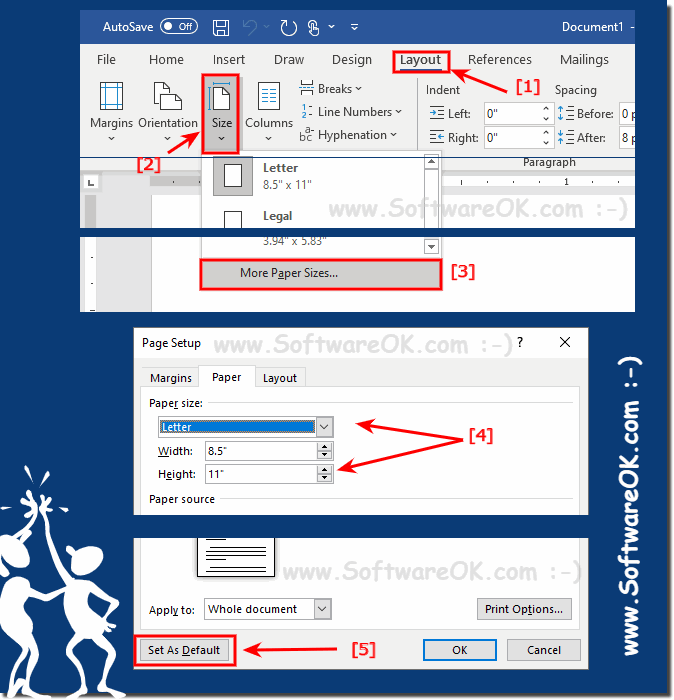
How To Change The Default Paper Size In Word
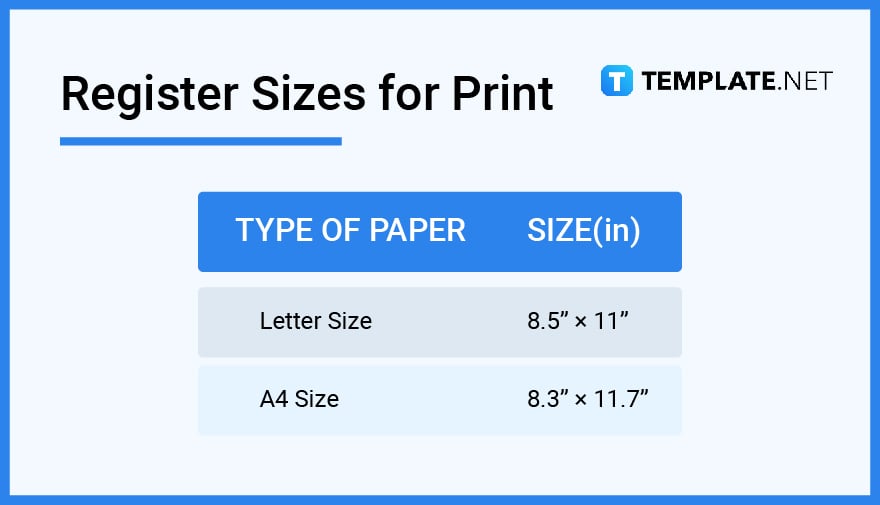
Register Size Dimension Inches Mm Cms Pixel
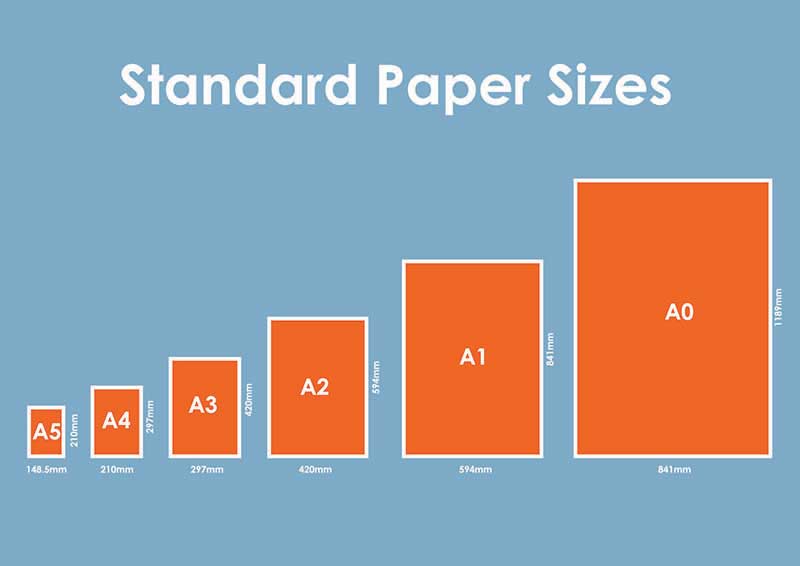
SU LMS
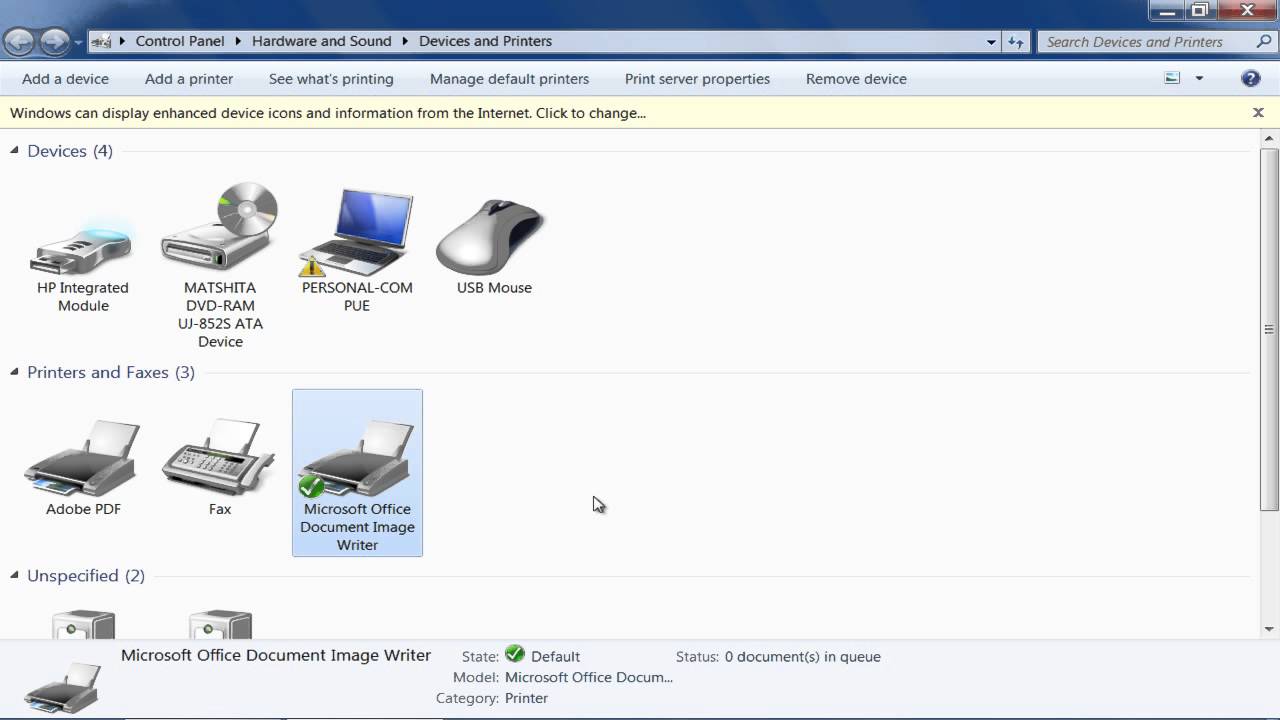
How To Set Default Printer In Windows 7 YouTube
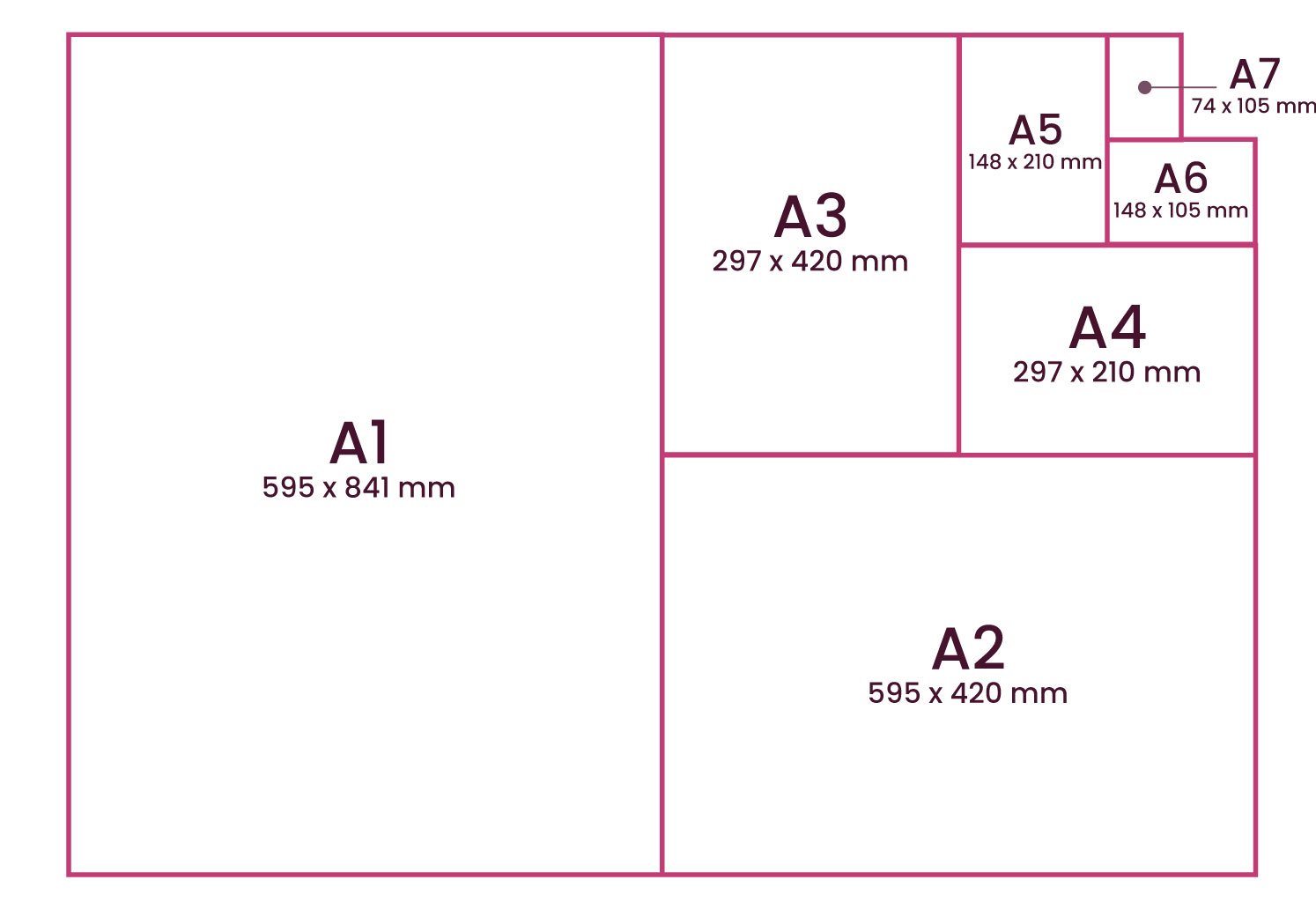
Paper Size Guide Hobbycraft

Standard Printer Paper Pixel Size

Verkko All instructions in this article are written for the Windows 7 operating system For help navigating in the Windows 8 or Windows 10 operating systems please refer to this

Verkko 28 toukok 2018 nbsp 0183 32 To change the default paper size in Windows 7 Start gt Devices and Printers Right click the required printer gt Printer Properties Preferences gt
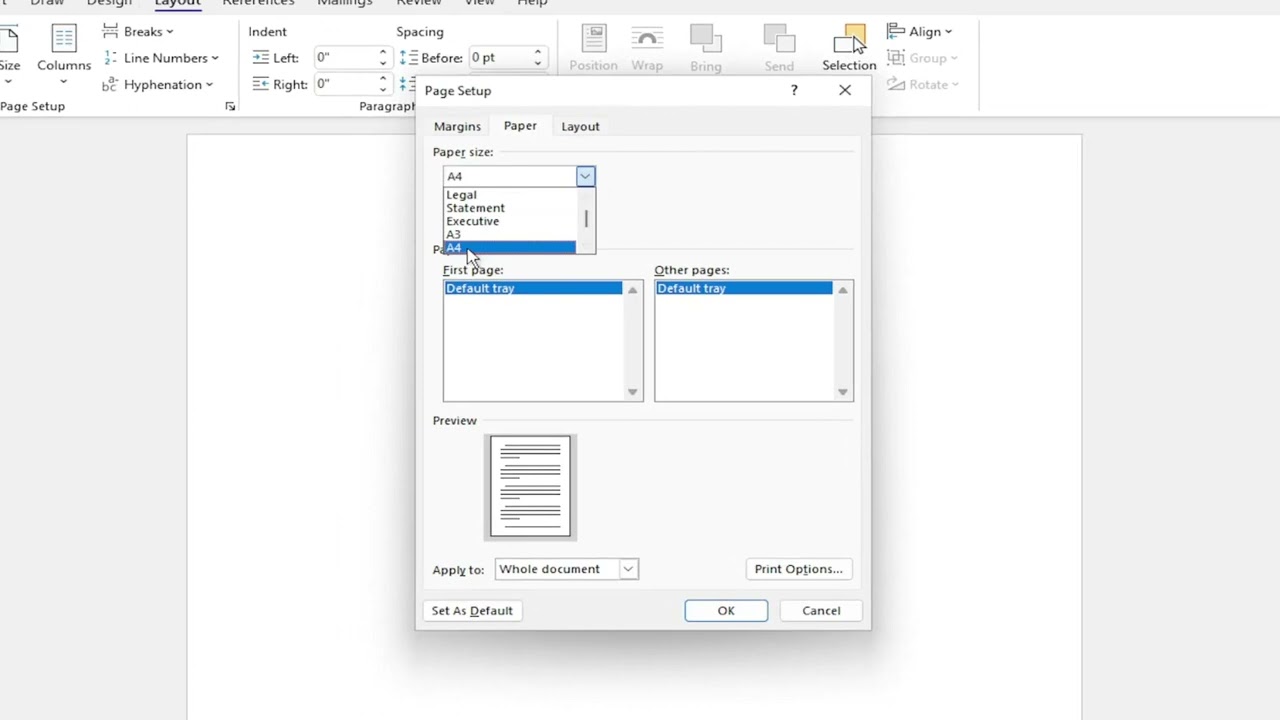
Verkko 1 Open the document 2 Click File gt Print 3 Click the Properties button 4 Next to Paper Size select the desired Paper Size 5 Click OK
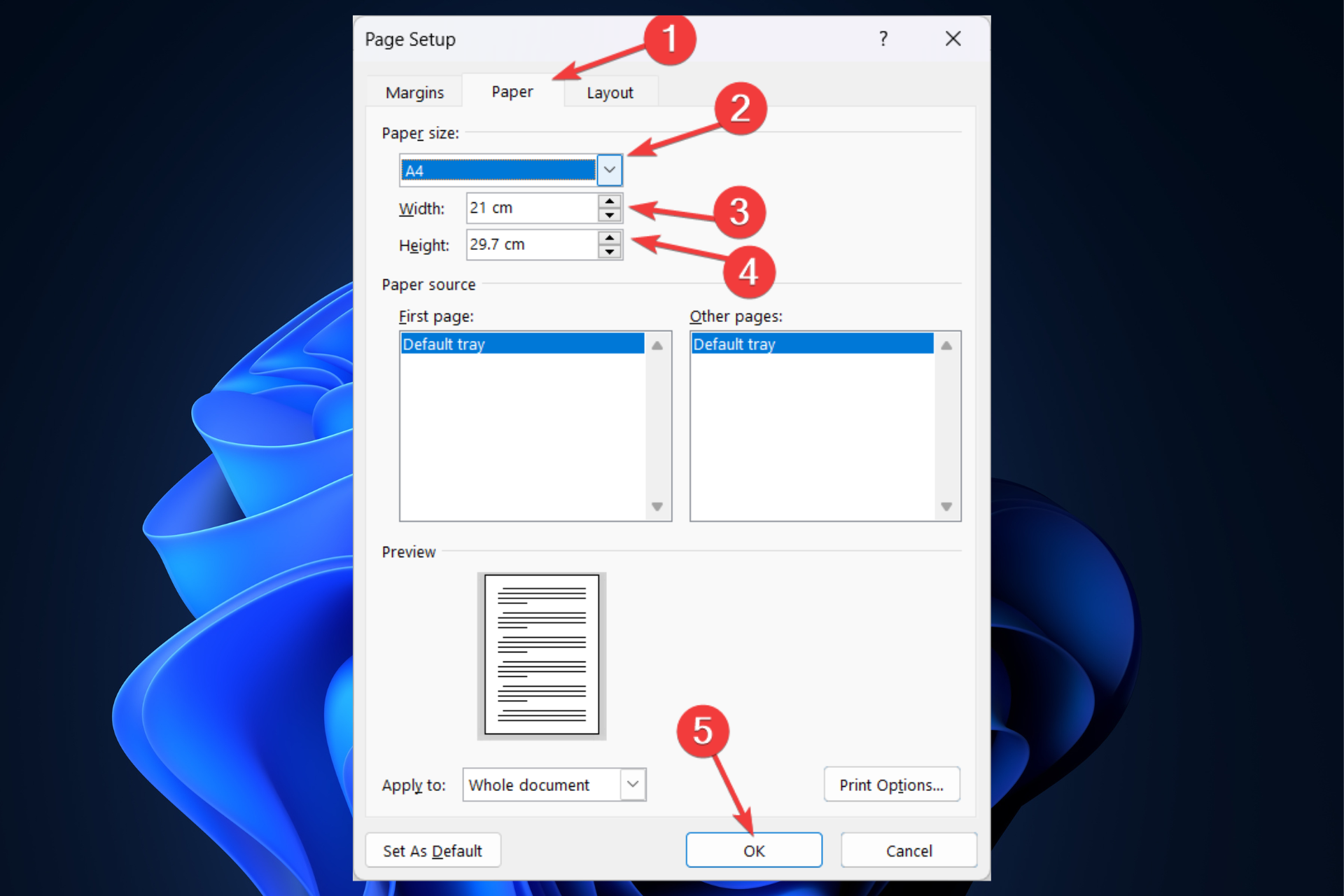
Verkko You can change the default paper size for each source in Windows Do one of the following Windows 7 Click and select Devices and Printers Right click your product name and select Printer properties

Verkko Windows 7 Click and select Devices and Printers Right click your product name and select Printer properties Windows Vista Click and select Control Panel Click Printer under Hardware and Sound right
Verkko To create a custom page size in Windows 7 or Windows Server 2008 1 Open the quot Devices and Printers quot folder from the Start menu Select the printer named Verkko Select Paper Setup and press the OK button Press the OK button again Select the paper size you loaded and press the OK button Select the paper type you loaded
Verkko Print Profiles tab 3 To add the optional lower paper tray or set the default paper size for each tray right click on the Brother printer driver in the Printers folder and left click on