Windows 7 Password Reset Without Disk Window 7 Password Reset LiveCD Article69 How To Reset Your Windows 7 Password Without A Password Reset Disk Or How To Reset Windows 7 Administrator Password Using Command Prompt How To Reset Windows 7 Password Without Disk Bypass Windows 7 Windows 7 Reset Password Without Disk YouTube Web Option 1 Reset Windows 7 password without disk in Safe Mode Step 1 Start or restart your computer While it s booting press F8 to enter Advanced Boot Options screen Step 2 Select Safe Mode with Command Prompt by quot quot and quot quot keys Step 3 You will directly get into the built in administrator
Web Jul 20 2023 nbsp 0183 32 Tim Fisher Updated on July 20 2023 Reviewed by Ryan Perian In This Article Jump to a Section Password Reset Disk Administrator Access Boot from Disc Password Recovery Tool Other Options After You Reset Your Password So you forgot your Windows 7 password Hey it happens [desc-8]
Windows 7 Reset Password Without Disk YouTube How To Reset Windows 7 Password Without Disk YouTube How To Create A Windows 7 Password Reset Disk 12 Steps How To Create A Windows 7 Password Reset Disk 12 Steps How To Create And Use Windows 7 Password Reset Disk How To Create A Windows 7 Password Reset Disk 12 Steps How To Reset Windows 7 Password Without Reset Disk Latest Gadgets How To Create Password Reset Disk In Windows 7 YouTube How To Reset Windows 7 Password Without Disk In Hindi YouTube
Windows 7 Password Reset Without Disk
 Windows 7 Password Reset Without Disk
http://www.wikihow.com/images/7/7a/Reset-Your-Windows-7-Password-Without-a-Password-Reset-Disk-or-Windows-CD-Step-12.jpg
[desc-9]
Templates are pre-designed documents or files that can be used for numerous functions. They can conserve effort and time by offering a ready-made format and design for developing various sort of material. Templates can be utilized for personal or expert projects, such as resumes, invitations, flyers, newsletters, reports, presentations, and more.
Windows 7 Password Reset Without Disk

How To Reset Your Windows 7 Password Without A Password Reset Disk Or
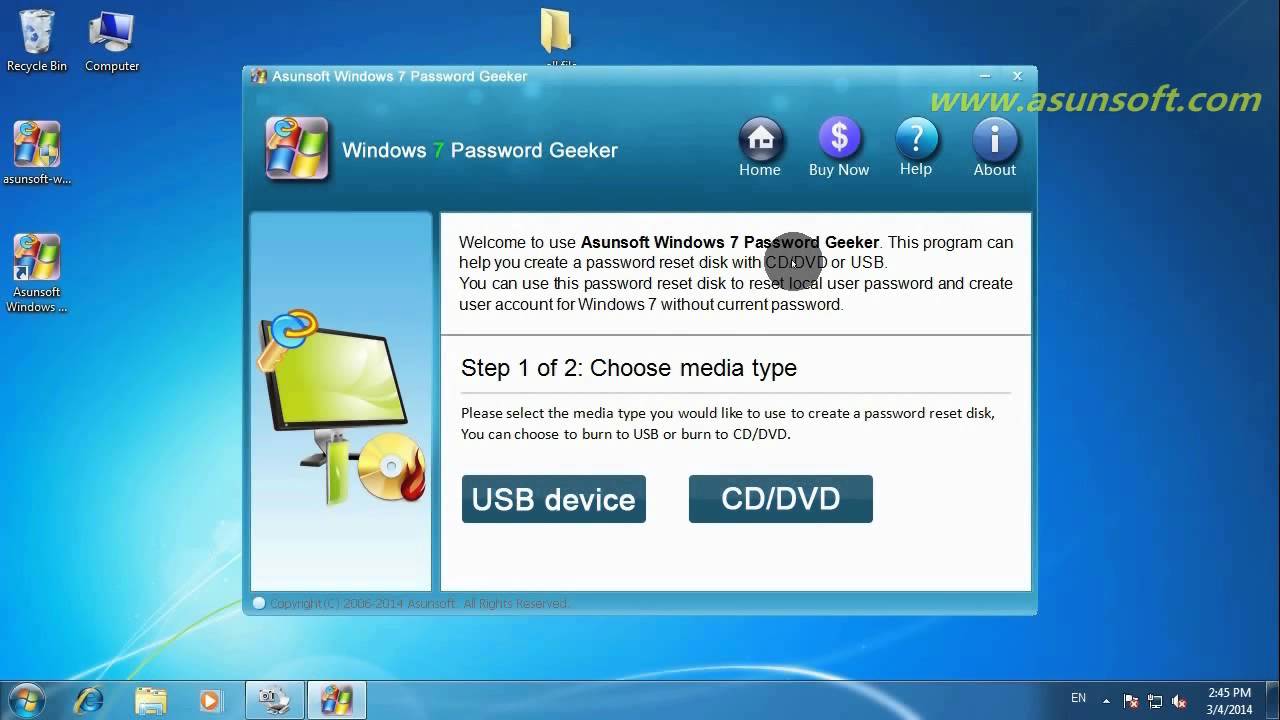
How To Reset Windows 7 Password Without Disk YouTube

How To Create A Windows 7 Password Reset Disk 12 Steps

How To Create A Windows 7 Password Reset Disk 12 Steps

How To Create A Windows 7 Password Reset Disk 12 Steps

How To Reset Windows 7 Password Without Reset Disk Latest Gadgets

Web Jun 8 2021 nbsp 0183 32 Reset Windows 7 Password Without Disk or USB Step 1 Access a terminal window and type in the code below Step 2 Execute the following command Step 3 Type the word quot Yes quot and press quot Enter quot Step 4 Step 5 After this you will see the hash and the cracked password at the end Change

Web Nov 3 2011 nbsp 0183 32 Resetting Your Windows Password If you ve forgotten your Windows password and you don t have an install CD laying around there s no need to worry Not only are there half a dozen complicated ways to reset the password you can do it easily with the Offline Windows Password editor

Web May 13 2022 nbsp 0183 32 4 tips to reset your login password on Windows 7 without disk Executing the commands in the Safe Mode on Windows 7 will allow you to reset passwords where no disk will be involved While your Windows 7 is of the domain part you are able to log in your Administrator account or ask others help

Web May 12 2023 nbsp 0183 32 3 ways for Windows 7 password reset without disk If you hope to achieve Windows 7 reset password without disk Using Safe Mode with Command Prompt removing settings via factory reset and directly creating a bootable USB on the spot can all be useful approaches Way 1 Reset Windows 7 password without disk in Safe Mode
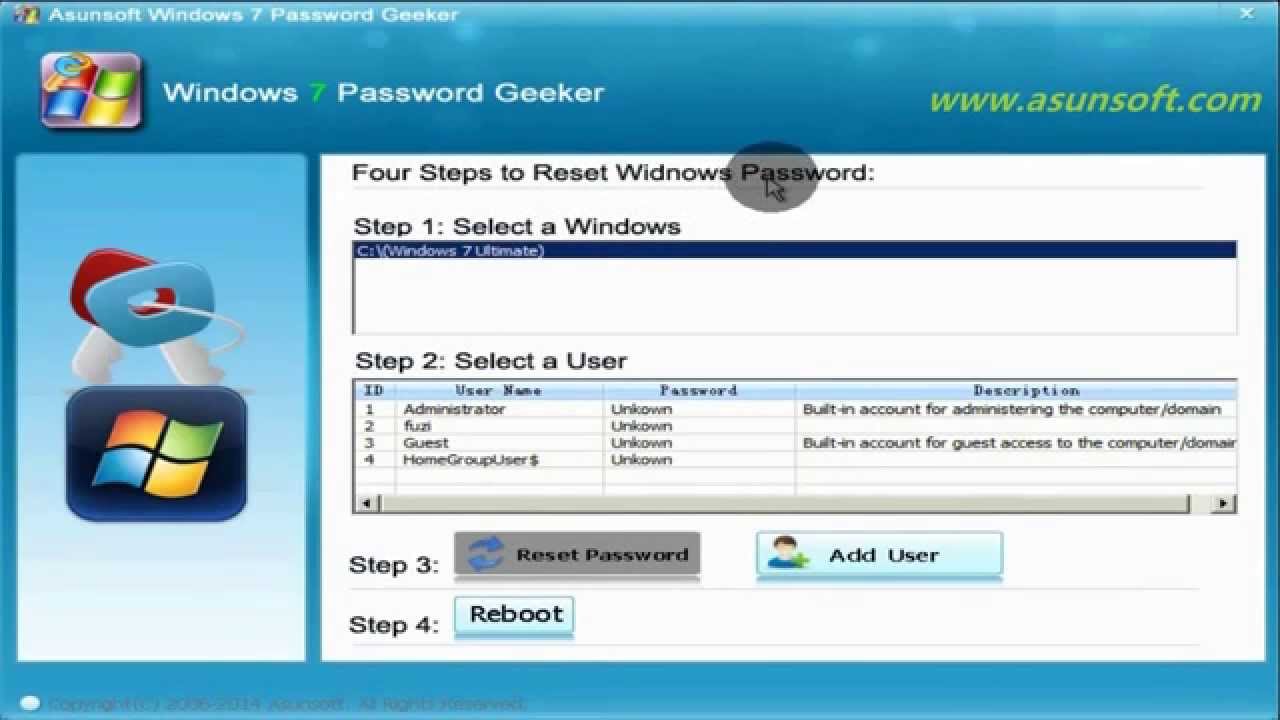
Web Jun 8 2021 nbsp 0183 32 Way 1 Have no Reset Disk Just Guess your Password Way 2 Reset Windows 7 Password through Hidden Administrator Account Part 2 How to Reset Windows 7 Password with CD Part 3 How to Reset Windows 7 Password with Software Part 1 How to Reset Windows 7 Password without CD or Software
[desc-11] [desc-12]
[desc-13]