Windows 7 Password Reset Tool Reddit Password Reset Tool For Windows 7 8 10 YouTube Windows 7 Password Reset Tool How To Reset Forgotten Windows 7 Login Step by Step Guide To Resetting A Windows 7 Password Recover Windows 7 Password 5 Proven Solutions Data Recovery Pit Windows 10 11 Password Reset Tool Ayanawebzine Web Sep 16 2016 nbsp 0183 32 I have bootable tools that I use in my shop to reset passwords when customers forget I like Locksmith found in the DART tools and NTPWEdit I have a customer out of state that needs to reset a password The computer only has one account which is an admin account It has Windows 7 on it
Web Jul 20 2023 nbsp 0183 32 Hack Your Windows 7 Account With a Password Recovery Program If you ve tried guessing there are no other users on your computer the last trick didn t work for some reason and you are sure you don t have a Windows 7 password reset disk lying around then it s time to try something a bit more complicated Web Jun 15 2018 nbsp 0183 32 Forgot Windows 7 password Title pretty much says it all I changed my password yesterday and now I can t remember it I ve tried ophcrack to retrieve it but it s saying no password found I ve also used Offline NT Password editor but it is saying no password for the account I tried the blank password and that was not it
Windows 10 11 Password Reset Tool Ayanawebzine Windows 7 How2Open Blog How To Remove Password Protection In Windows 10 Microsoft Has A Tool That Can Help You Reset It If You Forgot Your Reset Windows 7 Password By Removing Hard Drive Without Startup Repair How To Reset Your Windows 7 Password Without A Password Reset Disk Or Best Windows 7 Password Recovery Software 2020 Guide HOW TO RESET WINDOWS 7 PASSWORD How To Reset Windows 7 Password Free Download And Information
Windows 7 Password Reset Tool Reddit
 Windows 7 Password Reset Tool Reddit
https://i.ytimg.com/vi/oq9iJWwH33c/maxresdefault.jpg
Web Feb 10 2023 nbsp 0183 32 Ryan Perian What to Know Run Repair your computer from the Windows 7 installation disc and run an overwrite command in Command Prompt Remove the disc and restart the computer execute the net user command with a new username and password For a full list of ways to reset or recover a forgotten Windows 7 password see Help
Templates are pre-designed documents or files that can be used for numerous purposes. They can conserve time and effort by offering a ready-made format and design for developing various sort of material. Templates can be utilized for individual or expert tasks, such as resumes, invitations, flyers, newsletters, reports, discussions, and more.
Windows 7 Password Reset Tool Reddit
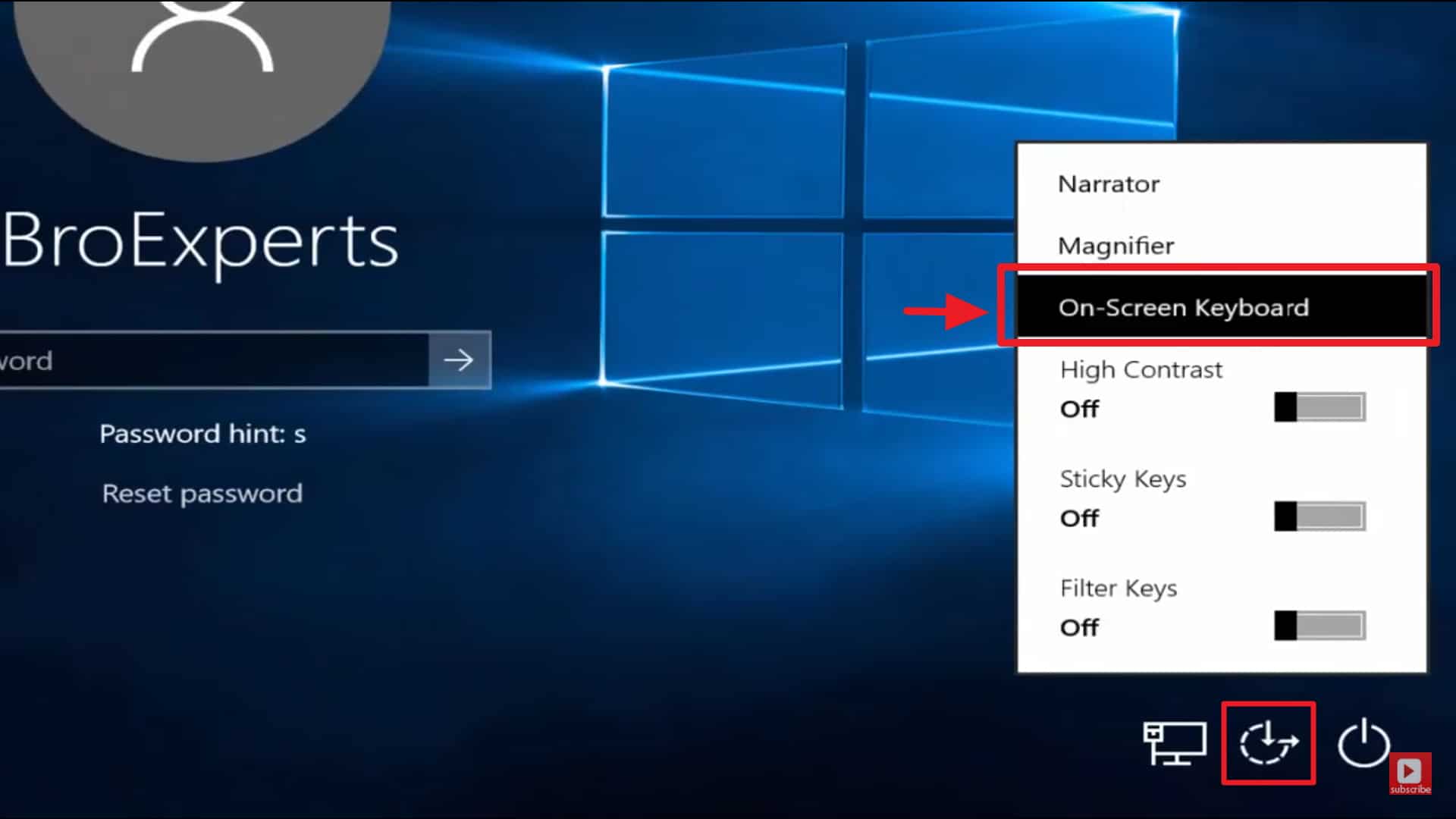
How To Reset Forgotten Windows Password With Ultimate My XXX Hot Girl

Windows 7 How2Open Blog
How To Remove Password Protection In Windows 10

Microsoft Has A Tool That Can Help You Reset It If You Forgot Your

How To Reset Your Windows 7 Password Without A Password Reset Disk Or

Best Windows 7 Password Recovery Software 2020 Guide

Web Mar 14 2022 nbsp 0183 32 Bypassing Windows 7 Password in Old Laptop cracking Hi I am trying to use the method of resetting password using CMD from start up repair I cannot use other options as I do not have an admin account or a password reset disc

Web yuhche 5 yr ago Password reset tool for a machine you don t know the password for Utilman in any case DevinSysAdmin 5 yr ago Assuming no bitlocker involved https www hirensbootcd jantari 5 yr ago r techsupport coldblackcoffee 5 yr ago

Web Oct 21 2021 nbsp 0183 32 My brother just recently passed away and I can t remember if he has windows 7 or windows 10 loaded on his PC I know I used to use a program to bypass windows 7 passwords utalizing a USB but it s been a long time Wondering if anyone has any suggestions on a go to program Anything will help thankyou

Web Aug 10 2021 nbsp 0183 32 Log in as the new admin Use that admin to force a reset of the password for the original admin account
Web Sep 14 2014 nbsp 0183 32 What do I do I don t have a reboot disc or flash drive or an admin account I also can t download anything Are there ways I can bypass the login screen such as resetting rebooting my pc to factoy set settings from the login screen I heard this can be done by hitting F8 or some other combination of keys So here s what I see I turn on my
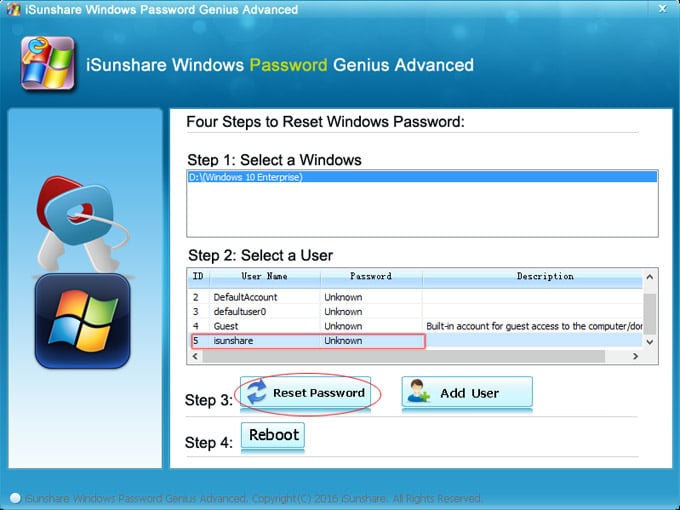
Web Answer your security questions Enter a new password Sign in as usual with a new password Reset your Microsoft account password you use to sign in to your computer On the sign in screen type your Microsoft account name if it s not already displayed Web May 26 2022 nbsp 0183 32 If you forgot Windows 7 computer password and don t have a reset disk you can even log in an account with Administrator privilege to change it If all fail Windows Password Reset tool will help reset your forgotten admin or user passwords for Windows 7
Web Create a password reset disk for a local account in Windows If you use a local account in Window 11 you should create a password reset disk using a USB flash drive as soon as possible Then if you forget your password you can reset it If you wait until you ve forgotten your password it ll be too late