Windows 10 Shutdown Timer Not Working 3 Ways To Shut Down Windows 10 With The Shutdown Timer How To Auto Shutdown Windows 11 Shutdown Timer Windows 11 YouTube How To Shutdown Your PC Automatically Using Timer Windows 10 YouTube How To Set Shutdown Timer On Windows YouTube How To Shutdown Windows 10 With Command Prompt Timer YouTube Web Oct 31 2022 nbsp 0183 32 To create a shutdown task in Task Scheduler to automatically shut down your computer at a specific time or to repeat the automatic shutdown daily 1 Simultaneously press the Windows R keys to open Run command box 2 Type taskschd msc then click OK to open Task Scheduler 3
Web To set a Windows shutdown timer search for PowerShell or Command Prompt and open it I m using PowerShell but you can use Command Prompt too In Windows 10 and 11 you can use the Windows Terminal In the PowerShell or Command Prompt window execute the below auto shutdown command Web Jun 8 2020 nbsp 0183 32 On the keyboard press and hold Shift while pressing Power gt Shut down on the Start menu or the lock screen This approach bypasses the Fast Startup feature and brings the system to a powered off status Use the shutdown command On most operating systems the command line is a more direct way of interacting with the underlying
How To Shutdown Windows 10 With Command Prompt Timer YouTube Shutdown Timer Windows 10 Reddit Giftsleqwer How To Shutdown Timer Windows 10 Aepowen How To Set A Shutdown Timer On Windows 10 YouTube Shutdown Timer Windows 10 Software Sourcingdase How To Schedule Shutdown On Windows 10 How To Make Shutdown Timer On Windows YouTube Please Help Windows 10 Won t Shutdown Instead It Blue Screens And 4 Best Windows 10 Shutdown Timer Solutions To Schedule It MashTips
Windows 10 Shutdown Timer Not Working
 Windows 10 Shutdown Timer Not Working
https://cdn.geekyarea.com/wp-content/uploads/2020/03/shut-down-windows-10-command-timer-1536x864.jpg
Web Dec 9 2021 nbsp 0183 32 With a single command in the command prompt you can set a timer for your Windows 11 10 PC to automatically shut down Not many are aware of this method Here s how the process works Open the Windows 11 10 Start menu and search for the command prompt Run it as an administrator
Pre-crafted templates offer a time-saving option for developing a varied series of files and files. These pre-designed formats and designs can be used for different individual and expert jobs, consisting of resumes, invites, flyers, newsletters, reports, discussions, and more, streamlining the material production procedure.
Windows 10 Shutdown Timer Not Working
Anleitung Windows 10 Per Shutdown Timer Herunterfahren Tutonaut de
Shutdown Timer Windows 10 Reddit Giftsleqwer
How To Shutdown Timer Windows 10 Aepowen
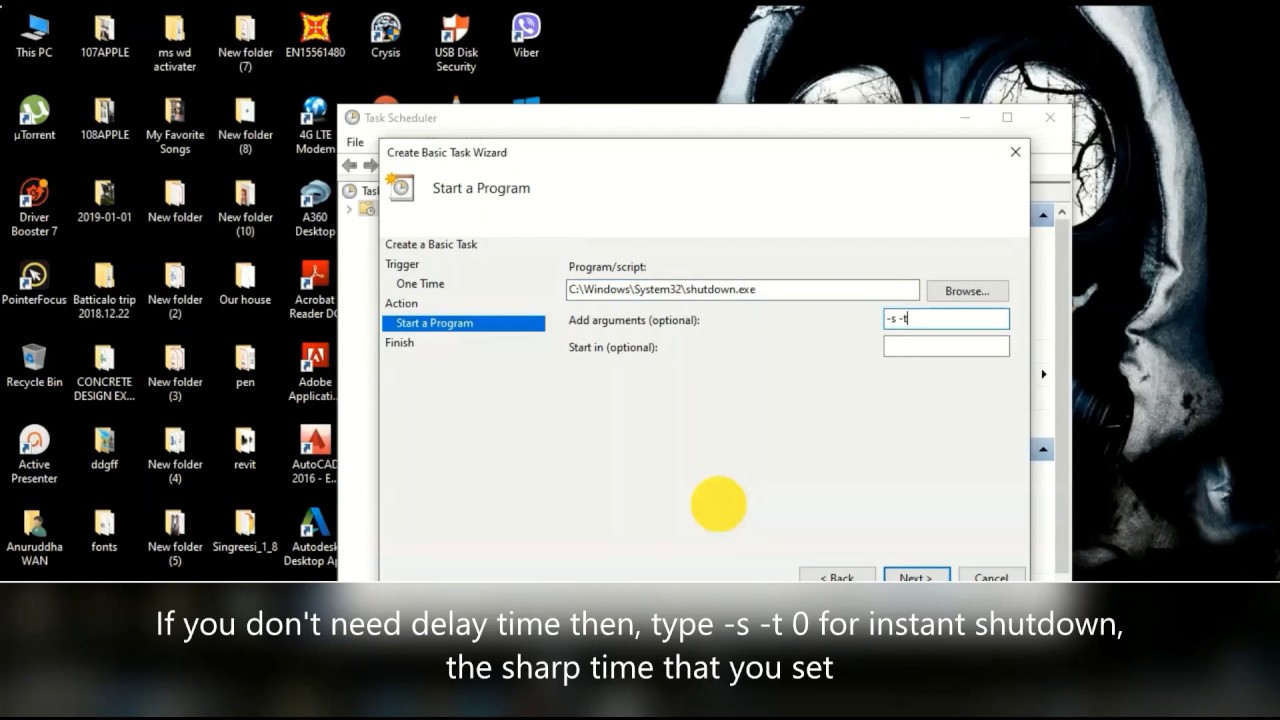
How To Set A Shutdown Timer On Windows 10 YouTube
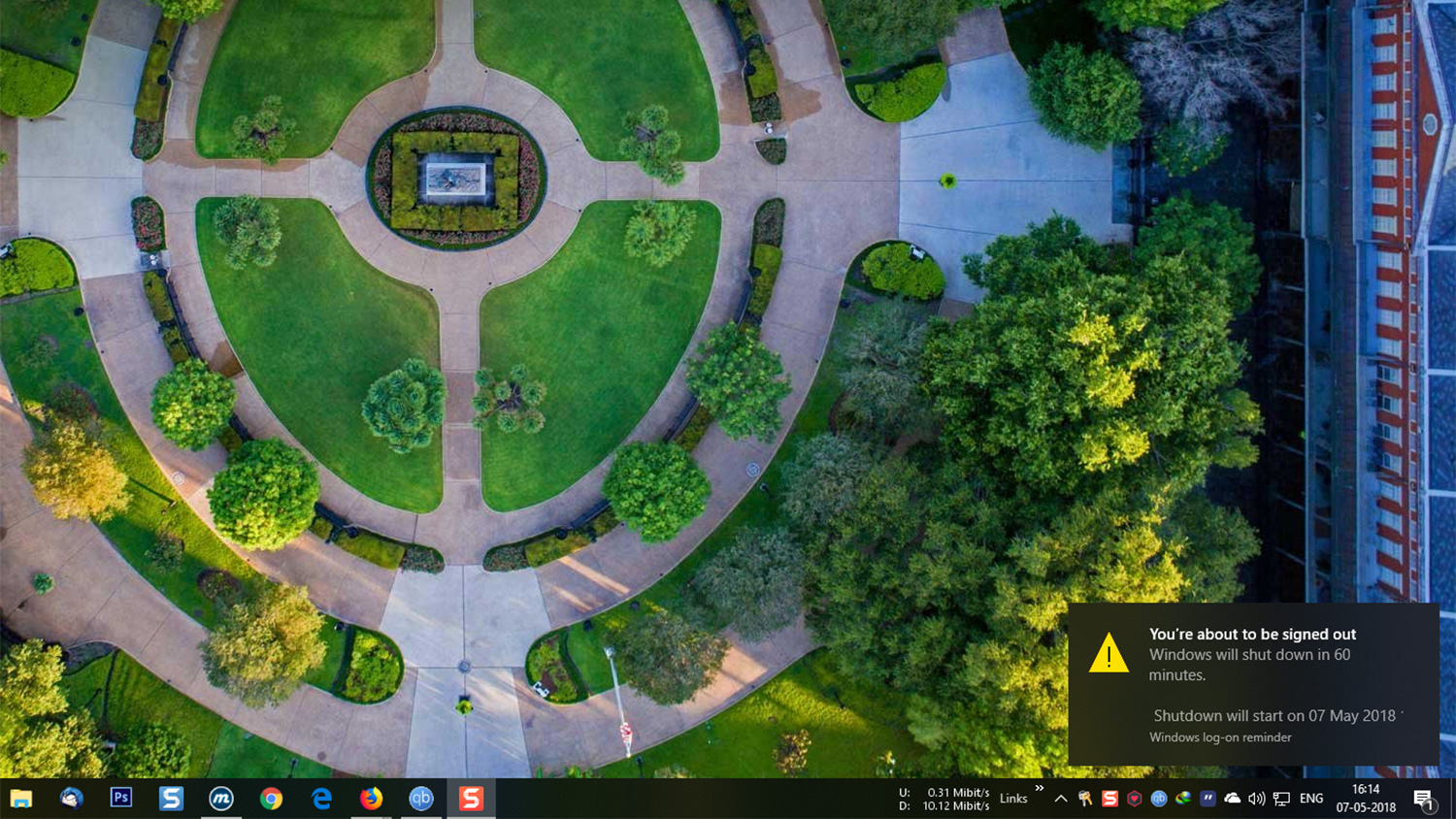
How To Schedule Shutdown On Windows 10

How To Make Shutdown Timer On Windows YouTube

Web Nov 23 2018 nbsp 0183 32 Which part of the command isn t working is it the timer or the actual hibernate instruction What happens using shutdown h You could also try scanning system files Method 1 System file checker is a utility in Windows that allows users to scan for corruptions in Windows system files and restore corrupted files

Web Feb 8 2019 nbsp 0183 32 Shut down through start works fine but on startup all my programs from the previous session resume and it seems like the computer was on sleep rather on shut down It does not respond or wake up on clicking a random key though like in the case of sleep What can I do to fix this issue

Web Jan 16 2022 nbsp 0183 32 This method does not depend on having hibernate enabled disabled it can be in whatever state suits you Telling the computer to Sleep after a given time can be done with a shortcut that uses this as its Target Code C Windows System32 cmd exe c quot TimeOut T 5 gt nul amp C Tools NirCmd NirCmd exe standby quot

Web Feb 18 2022 nbsp 0183 32 What to Know For one time use Open Command Prompt then type shutdown s t gt of seconds gt Enter Also for one time needs Use the Run command shutdown s t gt of seconds gt OK You can also use Task Scheduler to create a detailed system and schedule for regularly scheduled shutdown events

Web Apr 12 2021 nbsp 0183 32 1 hour 3 600 seconds 6 hours 21 600 seconds If you miscalculate or find you no longer need the shutdown timer you can always cancel it by typing in shutdown a Replacing the s flag
Web April 20 2021 5 25 pm CEST 639 0 PCs are power hungry machines and they can affect your power bill or battery life even when they re in sleep mode Unfortunately though it s far too easy to Web Aug 27 2015 nbsp 0183 32 As the title says the typical shutdown s t xx command doesn t work when I run it from a script Instead of shutting down after x seconds it only runs the shutdown part and ignores the arguments However if I type it manually in a Command Prompt window it executes correctly
Web Jun 12 2020 nbsp 0183 32 The command line help says exactly copied and pasted from the CMD window l Log off This cannot be used with m or d options The online documentation says l Logs off the current user immediately with no time out period You cannot use l