Windows 10 Rename User Command Line How To Modify User Accounts In Linux Linux Change Or Rename User Create New User Command Prompt Topinside Windows 10 Create New User Command Prompt Topnexus Change User Name Windows 10 Rename User Folder Name 4 Ways To Rename Windows Local Administrator Or Guest Account Web Oct 27 2021 nbsp 0183 32 Method 1 Classic Control Panel Find and open the classic Control Panel One way to do this is to press Windows R and then type Control then hit Enter Open the User Accounts control panel
Web May 8 2020 nbsp 0183 32 The guide covers steps for 3 methods to change username on Windows 10 Computer Management Command Prompt and PowerShell This Itechguide will teach you how to change username for a local windows 10 account Web Jun 23 2023 nbsp 0183 32 Click on the Change your account name option Write your new username inside the text box that appears Click on the OK button to save the changes In Windows 10 changing your username is a quick and easy process that can be done through the Command Prompt or local account settings
4 Ways To Rename Windows Local Administrator Or Guest Account Net User Command Manage User Accounts From Cmd ShellGeek Change User Name Windows 10 Rename User Folder Name Change User Name Windows 10 Rename User Folder Name What To Do When You Can t Rename A File Or Folder In Windows 10 Office For OS X Icons How To Rename Built In Administrator Account In Windows 11 10 How To Rename User Accounts In Windows 10 YouTube Server Technology How To Rename The Computer Using Command Line
Windows 10 Rename User Command Line
 Windows 10 Rename User Command Line
https://i.ytimg.com/vi/eHtS6y4mUxg/maxresdefault.jpg
Web Nov 9 2023 nbsp 0183 32 The command prompt method won t work It ll just set your password to newname I m pretty sure there is no way to change a username using command prompt except for deleting and recreating an account
Pre-crafted templates use a time-saving option for producing a varied variety of files and files. These pre-designed formats and designs can be used for numerous individual and professional jobs, consisting of resumes, invites, leaflets, newsletters, reports, discussions, and more, streamlining the content production procedure.
Windows 10 Rename User Command Line
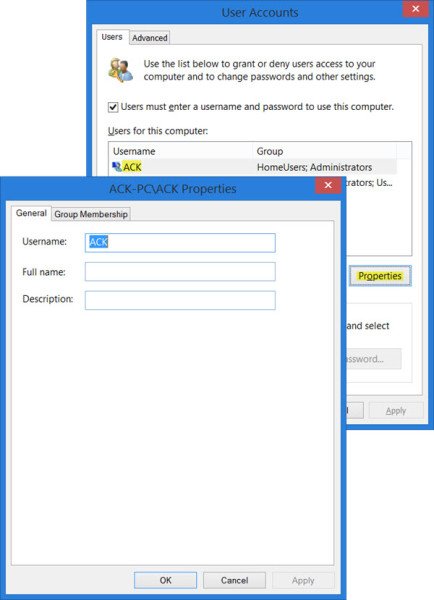
How To Rename Built In Administrator Account In Windows 11 10
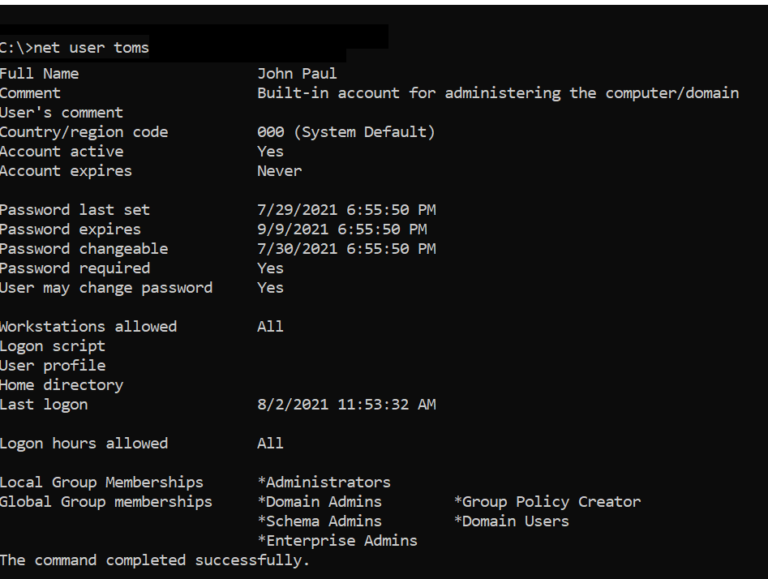
Net User Command Manage User Accounts From Cmd ShellGeek
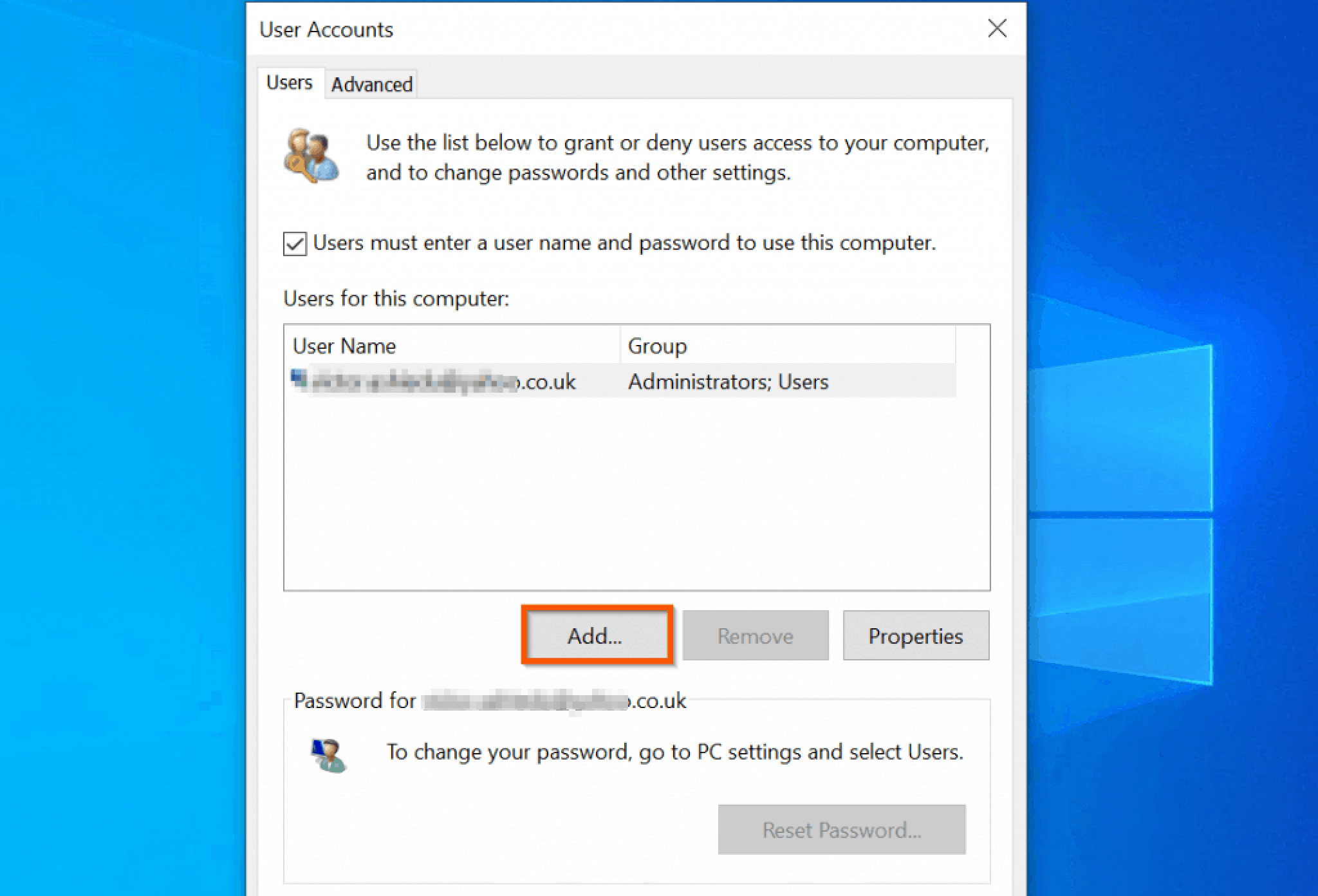
Change User Name Windows 10 Rename User Folder Name

Change User Name Windows 10 Rename User Folder Name

Office For OS X Icons
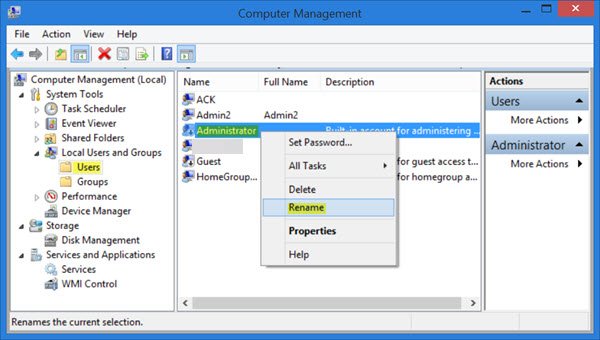
How To Rename Built In Administrator Account In Windows 11 10

Web Oct 31 2011 nbsp 0183 32 We need to use WMIC Useraccount command for doing this Below is the command for renaming a local user account on a computer wmic useraccount where name currentname rename newname Example To rename the user account xpuser as win7user we can run the below command

Web Apr 1 2021 nbsp 0183 32 I ve been looking around and can t find an answer to this i want to change an account name with a batch file Stack Exchange Network Stack Exchange network consists of 183 Q amp A communities including Stack Overflow the largest most trusted online community for developers to learn share their knowledge and build their careers

Web Oct 21 2020 nbsp 0183 32 2 How To Change the Account Name of a Local Account via Control Panel 3 How To Change a Local Account Name via Local Users and Groups 4 How To Change the Name of a Local Account via the

Web Oct 19 2021 nbsp 0183 32 Substitute Current Name in the command above with the actual current name ex quot Brink2 quot of the local account from step 2 above Substitute New Name in the command above with the actual new name ex quot Brink3 quot you want for the local account For example wmic useraccount where name quot Brink2 quot rename quot Brink3 quot
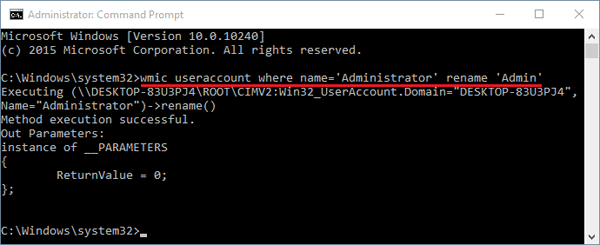
Web Use lusrmgr msc to rename the Windows user account Windows 10 and 11 have a nifty tool called lusrmgr msc to rename the user account name If the above method did not work or you are looking for an alternate way to rename a Windows user account you can use the Local Users and Groups Manager a k a lusrmgr msc tool
Web Nov 8 2023 nbsp 0183 32 Click Start type quot Control Panel quot click quot User Accounts quot and then click quot Change your account name quot Alternatively you can change the user name using netplwiz Press Windows R type quot netplwiz quot select the user name you want to change click quot Properties quot and then enter the new user name Web 2 There are folders created when you first login to a computer with your username C Users lt username gt When you change your username Windows does NOT rename these folders To do so could potentially break substantial parts of your computer Links shortcuts programs and other things could stop working if the name of that folder changed
Web Jun 23 2021 nbsp 0183 32 Net User command line helps in Windows 10 PS C gt net user The syntax of this command is NET USER username password options DOMAIN username password ADD options DOMAIN username DELETE DOMAIN username TIMES times ALL username ACTIVE YES NO PS C gt Add a New