Windows 10 Pro Product Key Cmd Windows 10 Professional Serial Key 64 Bit Paperdwnload Free Windows 10 Pro Product Key 2021 How To Activate Original Windows 10 Pro License Retail Key 100 Online Activate Windows Microsoft Windows 10 Pro License Key Msft Key How To Get Your Windows 10 Product Key From Command Prompt Prompts Users can find a Windows 10 product key by issuing a command from the command prompt Press Windows key X Click Command Prompt Admin At the command prompt type the following to reveal the
First press the Windows key search for cmd and click on Run as administrator Then run the following command wmic path softwarelicensingservice get OA3xOriginalProductKey After that you ll see your Windows 10 product key Alternatively you can run this command in the Command Prompt terminal How to find your Windows 10 product key 1 Click the Windows search box and type in Command Prompt 2 Once the Command Prompt entry pops up right click that option and select Run as
How To Get Your Windows 10 Product Key From Command Prompt Prompts How To Change The Product Key On Windows 10 Windows Central Windows 10 Pro ManySoft Microsoft Windows 10 Pro OEM K p Online Till B sta Pris Windows 10 Pro Product Key 2022 Windows 8 1 Pro Product Key Windows Windows Server Microsoft Windows 10 Professional Retail Key Software Code Pro Windows 10 Pro Key Trendyol 2022 Get Latest Windows 10 2022 Update How To Get A Free Windows 10 Pro Product Key Dsaforums
Windows 10 Pro Product Key Cmd
 Windows 10 Pro Product Key Cmd
https://paperdwnload354.weebly.com/uploads/1/2/4/7/124734776/559359989.JPG
You can only enter a new product key by going to Settings Update Security Activation and selecting Change product key Command line tools like slmgr vbs won t allow a product key from either of these two editions to be injected into Windows The Product ID on the Settings System About page isn t unique to the Windows 10 key being
Pre-crafted templates provide a time-saving option for creating a diverse variety of files and files. These pre-designed formats and designs can be used for numerous personal and professional tasks, including resumes, invitations, leaflets, newsletters, reports, presentations, and more, streamlining the content production process.
Windows 10 Pro Product Key Cmd
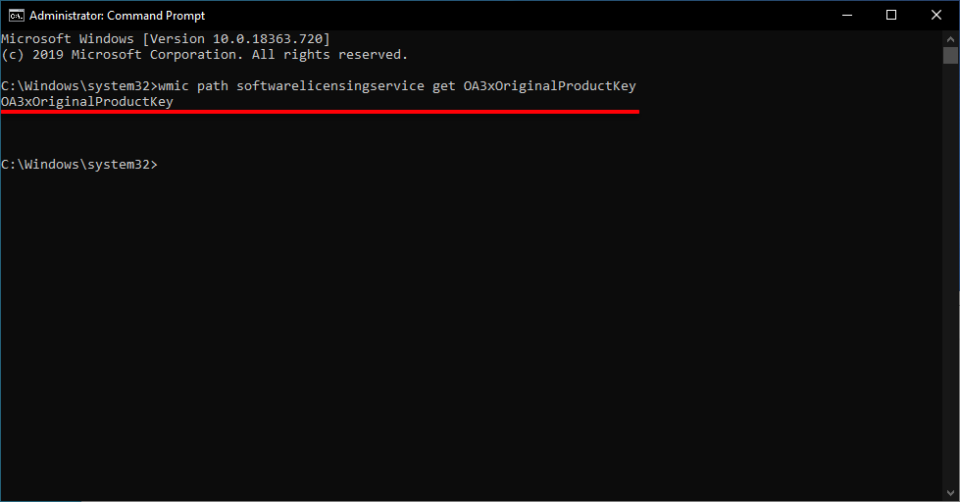
How To Find Windows 10 Product Key Through Command Prompt
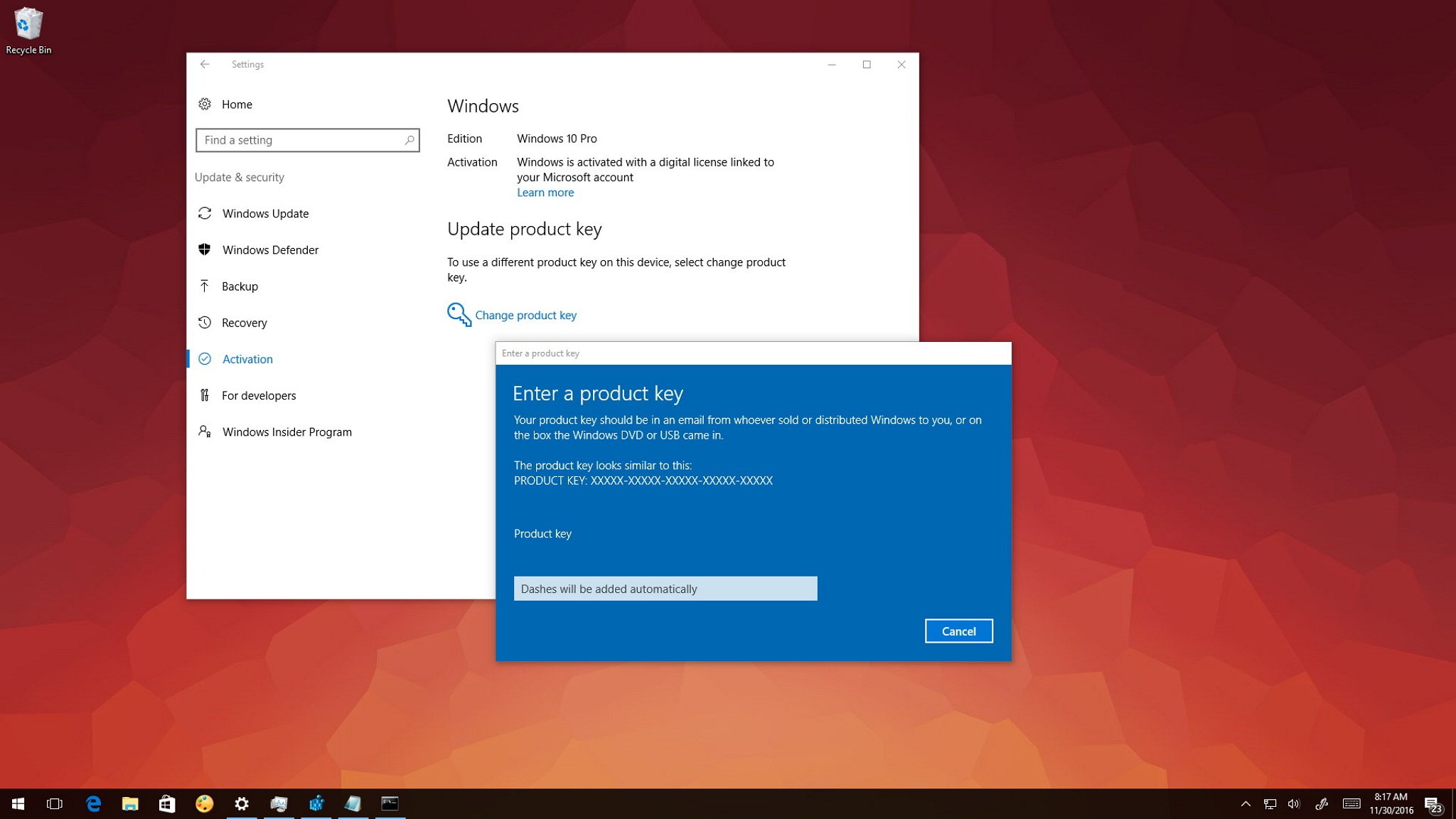
How To Change The Product Key On Windows 10 Windows Central

Windows 10 Pro ManySoft

Microsoft Windows 10 Pro OEM K p Online Till B sta Pris

Windows 8 1 Pro Product Key Windows Windows Server Microsoft

Windows 10 Professional Retail Key Software Code Pro

To find your Windows 10 Product Key open a PowerShell window with administrative privileges type the following command and hit Enter Get WmiObject query select from

1 Download Magical JellyBean KeyFinder the free version 2 Extract keyfinder exe from the zip file to a folder on your PC You can skip the other files in the zip archive 3 Launch
1 Find your product key if your PC comes with Windows pre installed If your PC comes with Windows pre installed you do not need to use your product key to activate Windows It s already running If you want to save a backup copy you can do so using the Command Prompt PowerShell or your Windows Registry

Press Win keybutton to open the Start menu type in cmd to search for the command prompt or power to search for the PowerShell and press the Ctrl Shift Enter to launch it as an administrator Execute the command below in the elevated command prompt or the Windows PowerShell to display the Windows product key

1 Command prompt The most direct method for finding your Windows 10 product key is from the command line 1 Type cmd into the Windows 10 desktop search box 2 Then right click the command
A Windows product key is a 25 character code used to activate Windows It looks like this PRODUCT KEY XXXXX XXXXX XXXXX XXXXX XXXXX Locate your product key for Windows 10 or Windows 11 Depending on how you got your copy of Windows 10 or Windows 11 you ll need either a 25 character product key or a digital license to activate it Open the Start menu and search for Command Prompt or CMD then choose Run as administrator Alternatively press Windows X or right click the Start menu icon and choose Terminal Admin or
Activate Windows using a product key During installation you ll be prompted to enter a product key Or after installation to enter the product key select the Start button and then select Settings System Activation Update product key Change product key To locate your product key see the product key table in Activation methods