Windows 10 Emoji Alt Codes ACCENTS Duolingo Repareer ALT codes Werken Niet Op Windows 10 Tutorials Voor Windows Filehermandad De Caballeros Del Silenciosvg Wikimedia Emoji Emoji Alt Emoji Emoji Alt Codes Free Emoji PNG Images EmojiSky Alt Codes For Android Ice Cream Sandwich Dialer Emoji Alt Code Emoji Release the Alt key Here s just a few of the characters you can type with the Alt key Travel the world one key at a time If you find yourself typing characters used more frequently in other languages you can always install keyboards for other languages and switch among them easily
The Alt X codes can be only used on Word documents Enter the hexadecimal code value and then press alt and x keys to convert it to an animal symbol Animal Emoji Symbols You can also easily insert animal emoji symbols in Windows and Mac documents Animal Emojis on Windows On Windows 10 and 11 press Win keys to open emoji keyboard 4 Alt Key Codes 5 Install a Physical Keyboard in Another Language 6 Google Search for Special Characters and Emojis 1 Emoji Keyboard The most straightforward way to type a special character in Windows is the built in Emoji Keyboard also known as Character Picker
Alt Codes For Android Ice Cream Sandwich Dialer Emoji Alt Code Emoji Artsugar Acrylic Mountable Smilies Solid Classics Emoji Emoji Alt Alt Code Unicode Circle Emoji Emoji Alt Codes Free Transparent Coloring Page Idea Extraordinary Emoji Alt Codes How To Unicode Emoji How To Use Alt Codes To Input Music Symbols The ALT Codes Hand Emoji Alt Codes Png Ios Emoji Final Consonant Deletion White Did You Know Emoticons And Smileys Their Functions And Meanings Dentrodabiblia Alt Codes
Windows 10 Emoji Alt Codes
 Windows 10 Emoji Alt Codes
https://i.pinimg.com/originals/db/9e/6f/db9e6f67da0353e8d805ac4d938b71fb.jpg
How to insert symbols using emoji panel To insert symbols or kaomoji on Windows 10 use these steps Open a text file document or email Use the Windows key period or Windows key semicolon keyboard shortcut to open the emoji panel Click the Omega button to access the symbols Or the character face button to access the available
Pre-crafted templates use a time-saving service for creating a diverse range of documents and files. These pre-designed formats and layouts can be made use of for numerous individual and expert projects, consisting of resumes, invitations, flyers, newsletters, reports, presentations, and more, improving the material development procedure.
Windows 10 Emoji Alt Codes

Keyboard Symbols Dot Emoji Emoji Alt Codes Free Transparent Emoji
Artsugar Acrylic Mountable Smilies Solid Classics Emoji Emoji Alt

Alt Code Unicode Circle Emoji Emoji Alt Codes Free Transparent
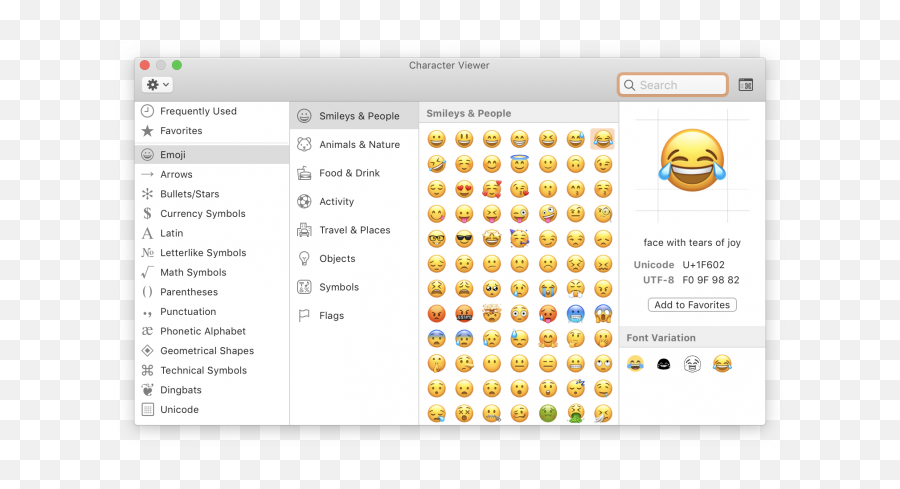
Coloring Page Idea Extraordinary Emoji Alt Codes How To Unicode Emoji
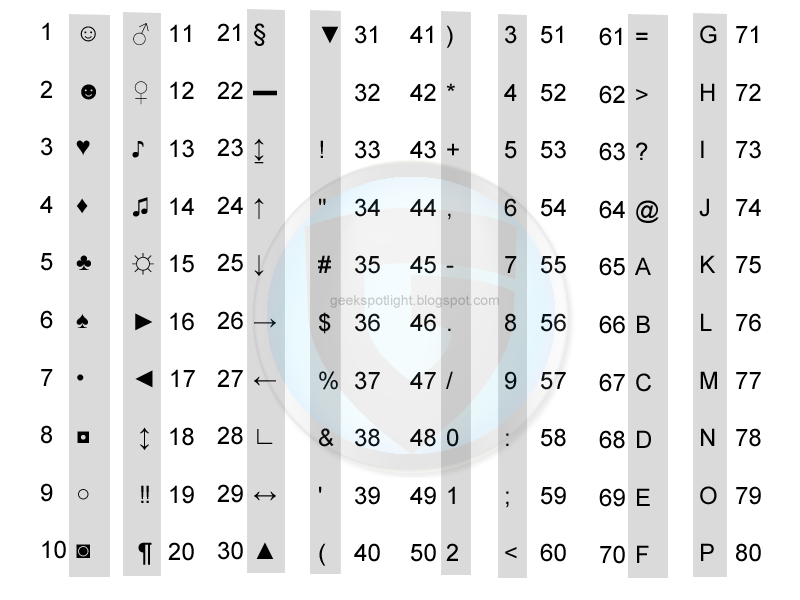
The ALT Codes

Hand Emoji Alt Codes Png Ios Emoji Final Consonant Deletion White

Below is the complete list of Windows ALT codes for emoticons cat faces gesture symbols their corresponding HTML entity numeric character references and when available their corresponding HTML entity named character references

Microsoft Emojis from Microsoft are supported on PCs and tablets running Windows 11 Windows 10 as well as Xbox There were also available on Windows phones prior to them being discontinued These are provided by the Segoe UI Emoji font although some applications continue to show black and white emojis from an earlier release

Emoticons Smiley Star Symbols Radioactive Hazard Symbols TM Symbol Trademark Weather Symbols Zodiac Signs How to Use Symbols First select the symbol then you can drag drop or just copy paste it anywhere you like Alt Codes can be typed on Microsoft Operating Systems First make sure that numlock is on Then press and hold the ALT key

To find and insert emojis in any text area use these steps Open any app such as Notepad Word or Microsoft Edge In the text area open the emoji panel using the Windows key
Published February 5 2018 Did you know you ve got an emoji keyboard at your fingertips right now with Windows 10 It s a keyboard shortcut and it s got smiley faces people and celebration emojis just to name a few Simply press the Windows key and the period button to get started Have a great week Tags
You can insert these hands symbols on your Windows and Mac documents using alt code shortcuts 1 Hand Emoji Categories There are 43 hands emojis symbols available in Unicode These hand emoji symbols are grouped under the below categories under People Body section Open hand fingers 11 emoji Partial hand fingers 9 emoji These Alt codes will let you insert special characters with a full sized keyboard in a flash saving time and effort Remember to refer to this list when needed or use Window s Character Map or clipboard manager Use Alt codes to quickly type special characters on Windows These are the most helpful Alt codes available as a free downloadable
Emoticon Emoji Symbols ALT Codes Reference Chart Press and hold the ALT key then type the numbers on the numeric keypad Lowercase Latin alphabet Uppercase Latin alphabet a 97 Latin small letter a A 65 Latin capital letter A b 98