Windows 10 Edge Developer Vm How To Use The Sidebar Tools In Microsoft Edge YouTube How To Enable Or Disable To Open The Developer Tools When The F12 Key VMware Wallpapers Wallpaper Cave VMware Wallpapers Wallpaper Cave Windows 10X Wallpapers Wallpaper Cave Hier finden Sie Hilfe und Gewusst wie Artikel zu Windows Betriebssystemen Erhalten Sie Support f 252 r Windows und erfahren Sie mehr 252 ber Installation Updates Datenschutz Sicherheit und mehr
Windows 11 Windows 11 Microsoft Windows 11 Windows Update Windows 11 Windows 11 Windows 11 Microsoft Windows Windows 11 Windows 11
Windows 10X Wallpapers Wallpaper Cave Windows 10 Edge Mail Photos Ppt Download VMware Wallpapers 4k HD VMware Backgrounds On WallpaperBat 1 dars Oracle Developer VM Ni Qanday O rnatamiz How To Install Templates For Deploying Virtual Machines Pulumi Meadows classic developer vm GitHub Topics GitHub Cloud Web DevOps January 2017 Dor Lugasi Gal Author At ISE Developer Blog E E
Windows 10 Edge Developer Vm
 Windows 10 Edge Developer Vm
https://i.ytimg.com/vi/aY2nVwmk15k/maxresdefault.jpg
The upgrade to Windows 11 is free from Microsoft However the Windows 11 upgrade download is large in size Internet providers might charge fees for large downloads that occur over metered connections To upgrade to Windows 11 devices must meet the Windows 11 minimum system requirements Some Windows 10 features aren t available in Windows 11
Pre-crafted templates use a time-saving option for creating a varied range of files and files. These pre-designed formats and designs can be utilized for various individual and professional tasks, consisting of resumes, invites, leaflets, newsletters, reports, discussions, and more, improving the content creation process.
Windows 10 Edge Developer Vm
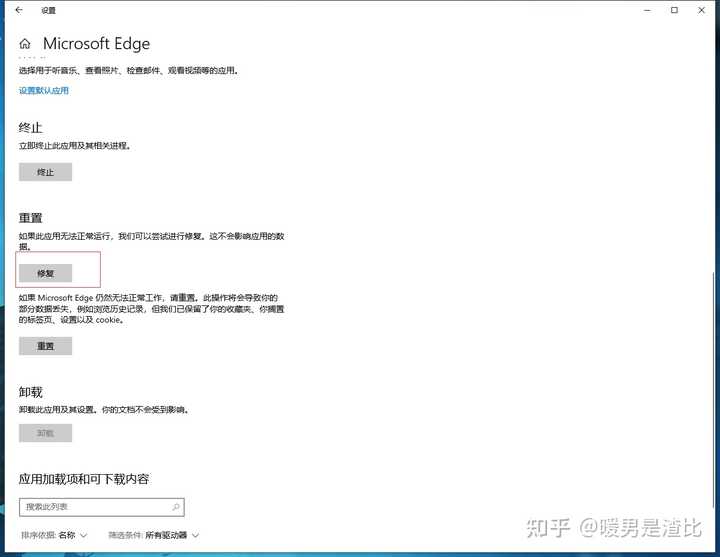
microsoft Edge

Windows 10 Edge Mail Photos Ppt Download

VMware Wallpapers 4k HD VMware Backgrounds On WallpaperBat

1 dars Oracle Developer VM Ni Qanday O rnatamiz How To Install
Meadows classic developer vm GitHub Topics GitHub
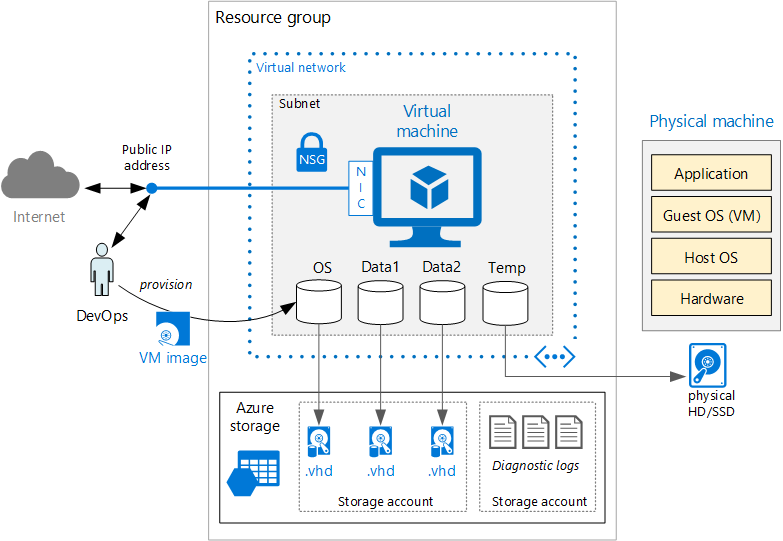
Cloud Web DevOps January 2017

Windows Windows 11 Windows 10 Windows 11 Windows Windows 11 Windows 11 Windows 11 Windows 10 11

If you re warned by Windows Update that you don t have enough space on your device to install updates see Free up space for Windows updates If you experience internet connection issues while updating your device see Fix Wi Fi connection issues in Windows If you re having trouble installing updates see Troubleshoot problems updating Windows

Find help and how to articles for Windows operating systems Get support for Windows and learn about installation updates privacy security and more

Welcome to Windows 11 Learn about new features upgrade FAQs device lifecycles and support options
Feb 4 2025 nbsp 0183 32 Learn how to install Windows 11 including the recommended option of using the Windows Update page in Settings
[desc-11] [desc-12]
[desc-13]