Windows 10 Activation Command Slmgr Windows 10 Activation Using Command Line Utility Slmgr Kombitz Tech How To Activate Windows 7 With CMD YouTube Product Key Has Been Blocked Windows 10 Rtsinside How To Use Slmgr To Change Remove Or Extend Your Windows License Guidelines For Troubleshooting KMS Microsoft Learn The first way to push activation through with your product key is by using the SLMGR command inside the Command Prompt The steps below will show you how to do this with ease Note You might be required to have access to an administrator account to perform all of the steps described below
Begin by opening PowerShell One nice feature of PowerShell is the available list of command parameters As long as you have a valid command slmgr type it to see all available command parameters Get License Information One of the best places to start is to find out your current license information slmgr vbs dli Basic license information To Activate Windows 10 Online in Command Prompt 1 Open an elevated command prompt 2 Do step 3 active with current key and or step 4 activate with specified key below for how you want to activate Windows 10 3 To Activate Window 10 with Current Product Key
Guidelines For Troubleshooting KMS Microsoft Learn How To Use Windows 10 CMD Command Prompt Tips And Tricks YouTube Jak Ukry Znak Wodny W Windows 10 LTSC Problemy Z Oprogramowaniem Windows Activation Rearm Powenwatch Guida Attivare O Disattivare Il Product Key Da Prompt Dei Comandi In How To Activate Windows 10 With Cmd Complete Howto Wikies Install Key Management Service KMS From Command Line YouTube Step 4 The Last Step To Activate Your Windows You Use The Command Windows 10 Activation Using Command Prompt 2020 All Tips And Tricks
Windows 10 Activation Command Slmgr
 Windows 10 Activation Command Slmgr
https://www.kombitz.com/wp-content/uploads/2018/02/13118i6D9758A1B5C6E4CE.jpg
Slmgr dlv After running the above command Slmgr ipk to activate Windows you can run the Slmgr dlv to see whether your Windows license is activated If this is the case the window that opens shows the entry Licensed under License status To do this launch the command prompt with Admin privileges
Templates are pre-designed files or files that can be utilized for different functions. They can conserve time and effort by providing a ready-made format and design for creating different kinds of material. Templates can be utilized for individual or expert tasks, such as resumes, invites, leaflets, newsletters, reports, presentations, and more.
Windows 10 Activation Command Slmgr
Windows 10 Activation Using CMD
How To Use Windows 10 CMD Command Prompt Tips And Tricks YouTube

Jak Ukry Znak Wodny W Windows 10 LTSC Problemy Z Oprogramowaniem

Windows Activation Rearm Powenwatch

How To Activate Windows 10 With Cmd Complete Howto Wikies
Install Key Management Service KMS From Command Line YouTube
First Open an Administrator Command Prompt Window Related How Does Windows Activation Work To use this tool you ll want to launch a Command Prompt with Administrator access To do so on Windows 8 or 10 either right click the Start button or press Windows X Click the Command Prompt Admin option in the menu that appears

How To Activate Windows 10 Using Command Prompt FIRST Open Command Prompt as administrator Do this by clicking on the start button then search for cmd then run it with administrator
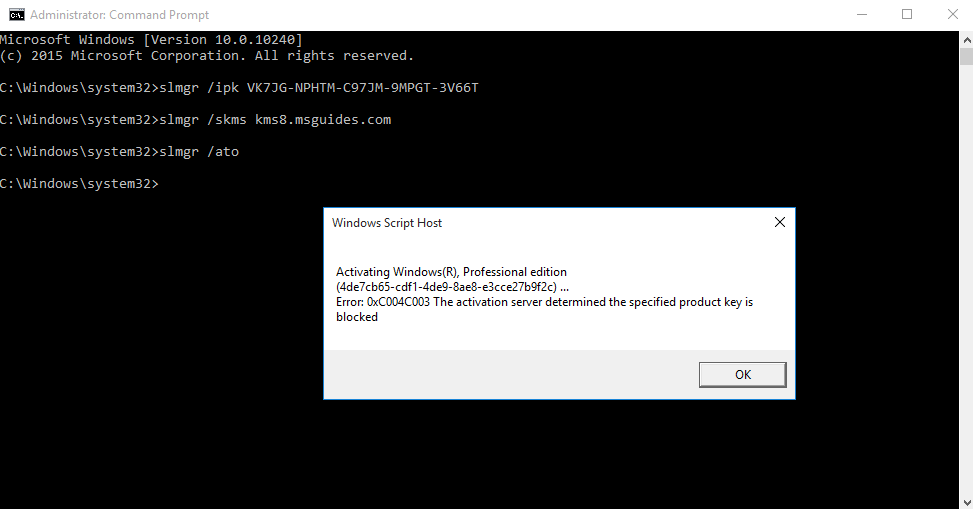
Running the command on my Windows 10 PC resulted in the following message indicating that Windows is permanently activated If your product key is not activated you can run the following command to activate it slmgr ato Windows usually activates automatically during installation or when a valid product key is entered

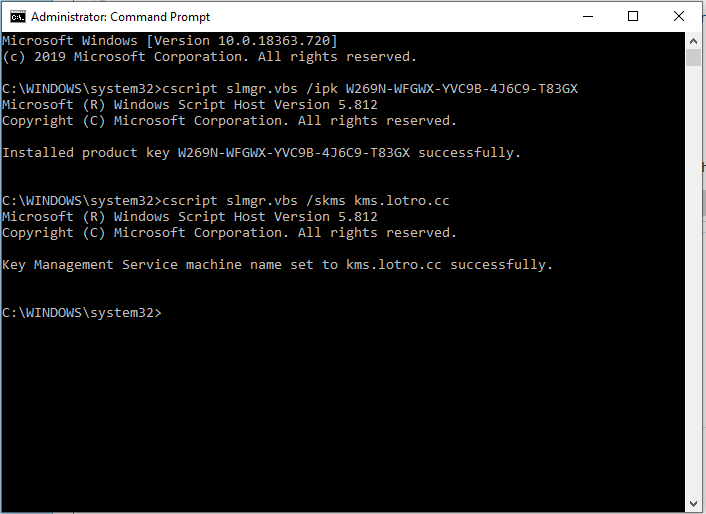
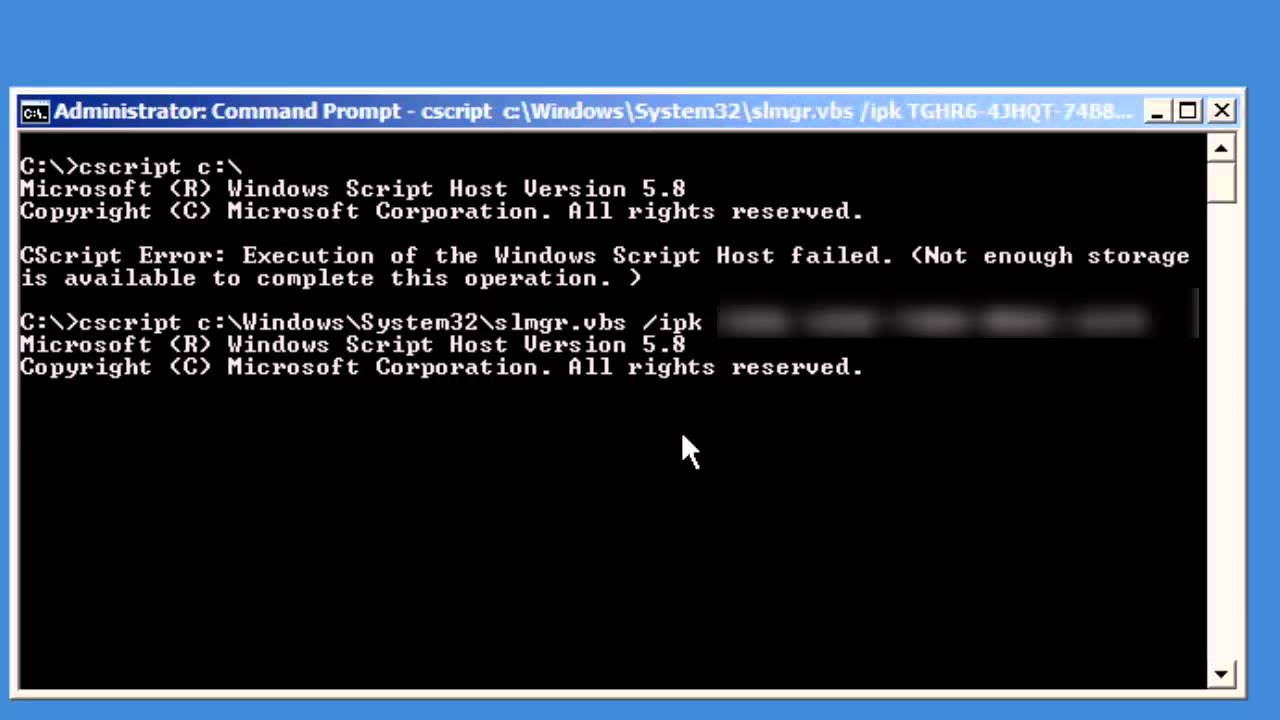
Open an elevated Command Prompt window In the elevated Command Prompt window run the following command to install the KMS key Windows Command Prompt Copy cscript exe slmgr vbs ipk KMS Key Once the KMS key has been installed it needs to be activated using one of the following methods

Search for CMD In the results choose Run as administrator Type the following command slmgr ipk kmsclientkey Replace kmsclientkey with the actual KMS key that you have Press Enter then OK
If LicenseStatus is 1 it means that the system is permanently activated Good thing about this is that you can easily check RemoteMachines by specifying the ComputerName Parameter Get CimInstance SoftwareLicensingProduct Filter Name like Windows ComputerName RemoteComp where PartialProductKey select Description LicenseStatus Activate Windows using a product key During installation you ll be prompted to enter a product key Or after installation to enter the product key select the Start button and then select Settings System Activation Update product key Change product key To locate your product key see the product key table in Activation methods
Use this slmgr command to see if Windows is activated You ll see a message that says Windows is activated if it is or be given date if it s not permanently activated or see an error if no product key has been provided Use the following command slmgr vbs dli slmgr vbs dli