Wikipedia Dark Mode Firefox Wikipedia Dark Mode By Night Eye Preview Guide YouTube Wikipedia Dark Mode Obtenha Esta Extens o Para O Firefox pt PT How To Enable Wikipedia Dark Mode In Mobile PC Guide Bollyinside Force Enable Dark Mode In Chrome Safari Firefox Christian Aichinger s Posts How To Enable Dark Mode In Firefox Completely To change your Firefox theme click the menu button three horizontal lines in the top right then click Add ons and themes in the drop down menu Related How to Enable Dark Mode in Windows 10 Click Themes at the left side of the add ons page There are a handful of pre installed themes including Dark Light and System Default
On an Android open the app and tap More in the bottom right then select Settings Tap App theme Use the available options to choose how you want Wikipedia to look By default it ll just be set If you re using Firefox for iOS open the menu then go to Settings Theme There you can toggle the Use System Light Dark Mode to enable or disable Firefox Dark Mode If you have iOS 13
How To Enable Dark Mode In Firefox Completely How To Enable Dark Mode On Wikipedia YouTube Blitapp Support For Dark Mode Wikipedia Dark Mode Visually Accessible V1 1 Best Extensions For Firefox Wikipedia Dark Mode Visually Accessible Firefox ar How To Enable Dark Mode In Firefox Technipages How To Enable Dark Mode On Wikipedia 3 Ways TechPlip How To Enable Wikipedia Dark Mode On Mobile Pc 2021 Itechhacks Dark mode GitHub Topics GitHub
Wikipedia Dark Mode Firefox
 Wikipedia Dark Mode Firefox
https://i.ytimg.com/vi/ZT3RFV71LWc/maxresdefault.jpg
To set the theme in Firefox on Android open the three dot menu and navigate to Settings Customize Theme Dark or Follow device theme For iPhone or iPad select the hamburger menu and tap
Pre-crafted templates use a time-saving option for producing a diverse variety of files and files. These pre-designed formats and designs can be made use of for various personal and expert tasks, including resumes, invites, flyers, newsletters, reports, discussions, and more, streamlining the material development procedure.
Wikipedia Dark Mode Firefox

Dark Mode Get This Extension For Firefox en US
How To Enable Dark Mode On Wikipedia YouTube
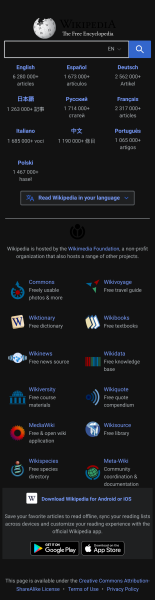
Blitapp Support For Dark Mode

Wikipedia Dark Mode Visually Accessible V1 1 Best Extensions For Firefox

How To Enable Dark Mode In Firefox Technipages

How To Enable Dark Mode On Wikipedia 3 Ways TechPlip

This Firefox extension is suited for the average Wikipedia user It is specifically adapted for the English Wikipedia domain en wikipedia and might not be ideal outside of normal activities This extension runs two scripts background css and contentScript js

A light on dark color scheme dark mode night mode has been suggested as an option enhancement to Wikipedia numerous times since 2010 including on Phabricator Wikipedia s smartphone apps offer an official night mode but the desktop settings do not While there is no official desktop dark mode yet there is a gadget on English Wikipedia and various volunteer written CSS files that allow

Download Wikipedia Darkmode Search Wikipedia for Firefox A simple Wikipedia Dark Mode with the function to QuickSearch Wikipedia threw the Context Menu by the HuhnCompany

WikimediaUI Dark mode is a gadget for enabling dark mode in modern browsers based on experimental work of Wikimedia Design team members Volker E and Alex Hollender in support by volunteer MusikAnimal and others Preview dark mode on the Main Page To enable go to your gadget preferences and enable the gadget Dark mode toggle Enable a toggle for using a light text on dark background
Find out what other users think about Wikipedia Dark Mode and add it to your Firefox Browser To use these add ons you ll need to download Firefox Dismiss this notice by Firefox user 18150888 25 days ago Rated 3 out of 5 by Ole a year ago Doenst work for de wikipedia but does for en wikipedia Flag
Dark Mode for Wikipedia on Firefox Based on Github s dark default theme Download About This Firefox extension is suited for the average Wikipedia user It is specifically adapted for the English Wikipedia domain en wikipedia and might not be ideal outside of normal activities If you find any issues post here or create a pull request 10 000 downloads on Firefox Note that this aims to enable the dark mode theme for the browser It does not affect the websites you browse Step 1 In Firefox go to the top right corner and open the menu by clicking the hamburger menu and then click on the Add ons menu entry You could also use the Ctrl Shift A keyboard shortcut
Wikipedia