Where Is The Query Wizard Button Located Getting Started With The Query Wizard Axonius Customer Portal MS Access Unmatched Query Wizard How To Create A Crosstab Query Using The Query Wizard In Access 2016 Customizing Database Queries With The Query Wizard How To Run The Query Wizard In Access 2016 Dummies If you request database information displayed in a Window format you may need to create a query The Query creating wizard buttons stay different places in Microsoft Access 2010 Access 2007 and Access 2003 Here we will list the
Sep 19 2013 nbsp 8212 32 For advanced queries you must learn how to create a query in query design view versus using the wizard to create them However to create a simple query using the wizard click the Query Wizard button in the In this video learn how to use the built in Query Wizard to create a basic select query in Microsoft Access The Query Wizard presents a standard interface to select tables and
How To Run The Query Wizard In Access 2016 Dummies Exo Clarity Help The Query Wizard Using The Query Wizard Microsoft Access Tutorial Part 3 Queries Forms Macros Where Is Create Query In Microsoft Access 2007 2010 2013 2016 2019 Getting Started With The Query Wizard Axonius Customer Portal How To Create A Simple Select Query In Design View In Access 2016 Getting Started With The Query Wizard Axonius Customer Portal 2 How To Create Query By Query Wizard In Access 2019 YouTube
Where Is The Query Wizard Button Located
 Where Is The Query Wizard Button Located
https://support.axonius.com/hc/user_images/UrymCvnAJ6nvMTgKHUW6xw.png
The Simple Query Wizard gives you the option of creating either a summary totals query or a detail query A detail query lists every record that meets your criteria A summary query also
Templates are pre-designed documents or files that can be utilized for different purposes. They can conserve time and effort by supplying a ready-made format and design for developing different kinds of material. Templates can be utilized for individual or professional tasks, such as resumes, invitations, leaflets, newsletters, reports, presentations, and more.
Where Is The Query Wizard Button Located
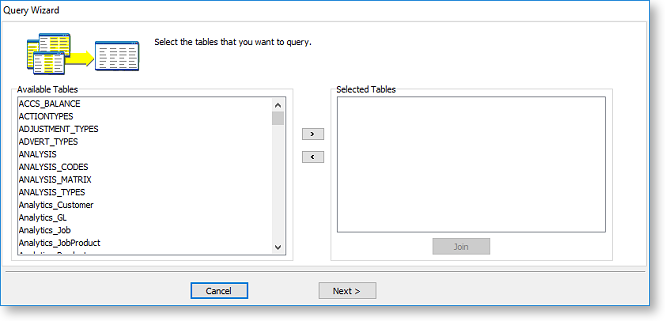
Exo Clarity Help The Query Wizard
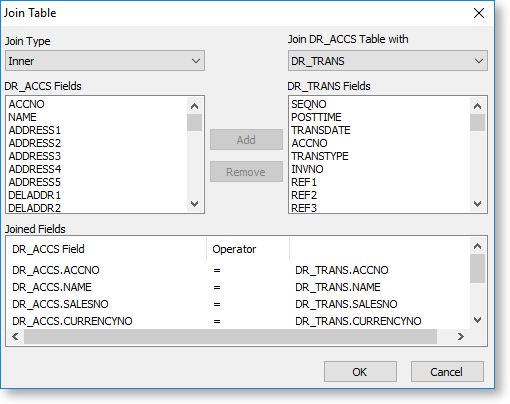
Exo Clarity Help The Query Wizard

Using The Query Wizard
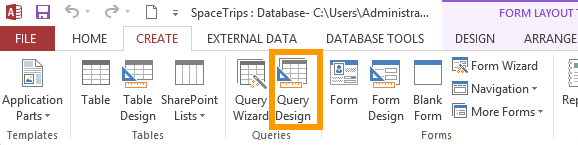
Microsoft Access Tutorial Part 3 Queries Forms Macros

Getting Started With The Query Wizard Axonius Customer Portal
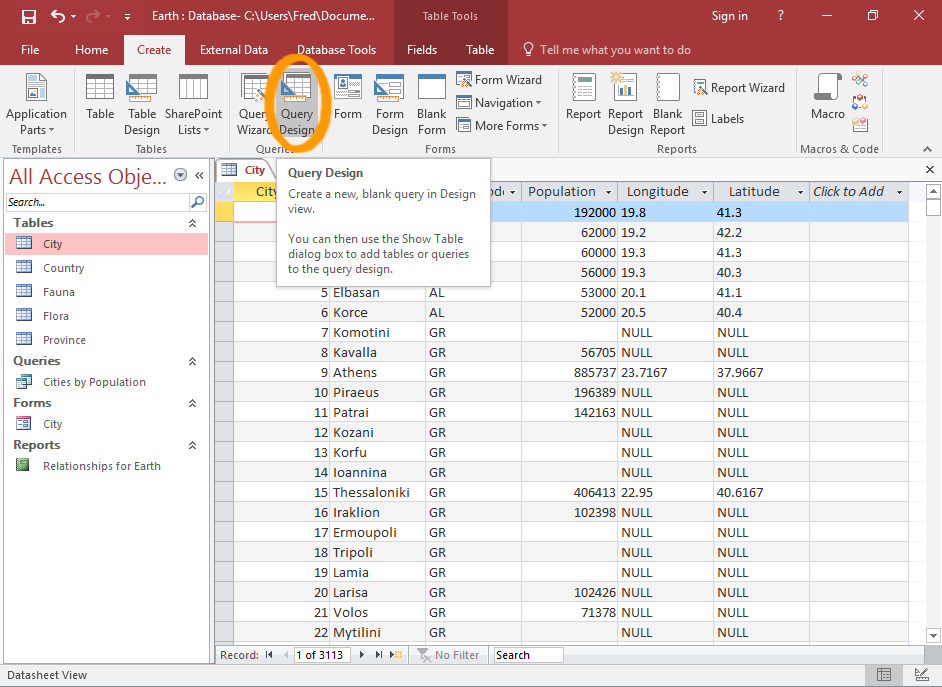
How To Create A Simple Select Query In Design View In Access 2016

Oct 14 2021 nbsp 8212 32 You can enter the table and field information and the Query Wizard takes care of the rest It is useful when you want to use fields from different tables and when you want a query that
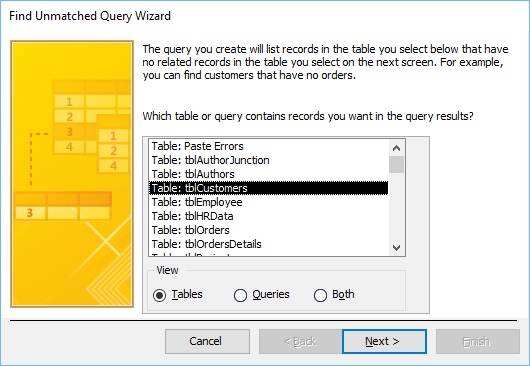
Apr 4 2024 nbsp 8212 32 Options gt Data gt Check the From Microsoft Query Legacy quot box Then its under Get Data gt Legacy Wizards
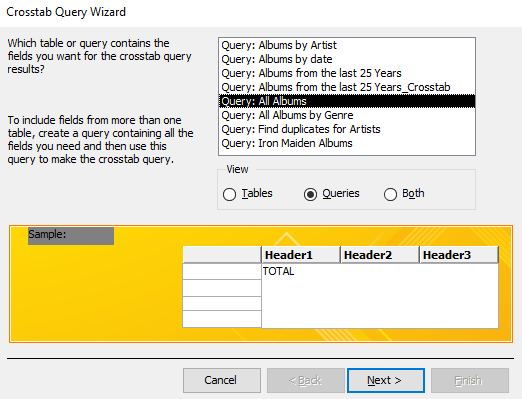
Mar 1 2017 nbsp 8212 32 In the Database window click the Create tab on the Ribbon and then click the Query Wizard button from the Queries section The New Query Wizard dialog box appears asking you what kind of Query Wizard you want

After you create a query in either the Query Wizard or Microsoft Query you can return the data to an Excel worksheet The data then becomes an external data range or a PivotTable report that you can format and refresh
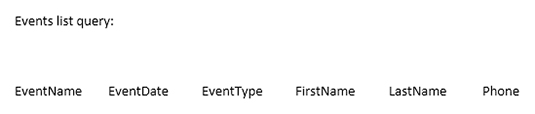
Mar 21 2024 nbsp 8212 32 Go to the Data tab Click Get Data gt From Other Sources gt Blank Query In the Power Query Editor click Advanced Editor Enter your SQL query or custom data
The Query Wizard button is typically located in the Queries group on the Create tab Aug 6 2024 nbsp 8212 32 The Run button is located near the left side of the Ribbon on the Query Tools Design tab in the group
Open a Windows command shell and type echo PROGRAMDATA On Windows Vista this results in C ProgramData According to http dev mysql doc refman 5 6 en option