Where Is The Qr Code For Google Authenticator How To Get A QR Code For Google Authenticator Zirve100 Try This Never Get Hacked On Roblox Roblox Authenticator YouTube Google Authenticator App Not Working Scan A QR Code Not Working In Android YouTube How To Make A QR Code For Google Forms QRCodeChimp Google Authenticator Integration Guide Okta Developer Web Sep 25 2020 nbsp 0183 32 Locate the key or bar code provided by your online account Tap Begin in the Google Authenticator app or tap the if you ve already linked another account Enter an account name and the key from your online account or scan the bar code into the Google Authenticator with the built in scanner Your account will automatically link
Web May 24 2023 nbsp 0183 32 Sync your Authenticator codes to your Google Account and across your devices This way you can always access them even if you lose your phone Set up your Authenticator accounts Web Step 2 Scan the QR code On your compatible Android phone or tablet open the built in camera app Point the camera at the QR code Tap the banner that appears on your Android phone or tablet Follow the instructions on the screen to finish signing in If you can t scan the QR code you can try to sign in another way
Google Authenticator Integration Guide Okta Developer Where To Find QR Code In Microsoft Outlook Mail Smartly Google Authenticator For Android Unable To Scan QR Code With IPhone Google Authenticator App Issue 694 Google google How To Use Google Authenticator On A Windows PC Make Tech Easier 2023 Setting Up Microsoft Multi Factor Authentication Utah Tech IT Helpdesk Configuring 2 step Verification Alumni Student Support Freeloadsstore Blog
Where Is The Qr Code For Google Authenticator
 Where Is The Qr Code For Google Authenticator
https://www.zirve100.com/wp-content/uploads/2023/05/qr-code-for-google-authenticator.jpg
Web Feb 9 2022 nbsp 0183 32 Go to your Google Account page select Security in the left hand navbar select 2 Step Verification scroll down to Authenticator app and select quot Change phone quot Select the kind of phone you are
Templates are pre-designed files or files that can be utilized for different functions. They can conserve time and effort by supplying a ready-made format and layout for producing different type of material. Templates can be used for individual or professional jobs, such as resumes, invites, flyers, newsletters, reports, discussions, and more.
Where Is The Qr Code For Google Authenticator

How To Get Qr Code For Google Authenticator Daily QR

Where To Find QR Code In Microsoft Outlook Mail Smartly
Google Authenticator For Android

Unable To Scan QR Code With IPhone Google Authenticator App Issue 694 Google google

Setting Up Microsoft Multi Factor Authentication Utah Tech IT Helpdesk
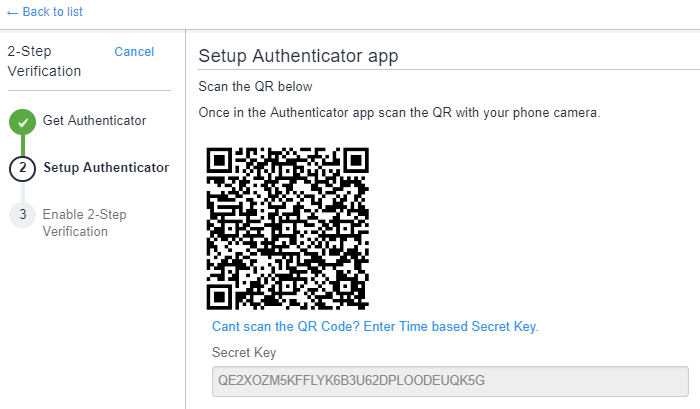
Configuring 2 step Verification

Web Where did I find my QR code authenticator in my Google account Google Account Community Google Account Help

Web Jan 21 2023 nbsp 0183 32 The key for Google Authenticator is the QR code or the 32 digit code provided in the 2 factor authentication settings of the online account you are trying to secure This key can either be scanned or manually entered into the Authenticator app

Web Aug 2 2023 nbsp 0183 32 Introduction Welcome to this guide on how to get a QR code for Google Authenticator In our increasingly digital world the need for robust security measures has become imperative One popular method of safeguarding our online accounts is through two factor authentication 2FA

Web Dec 10 2013 nbsp 0183 32 Here is the secret in order to get to the QR code to scan it with the Google 2 step verification authenticator app you have to enable the app in the security settings Click on the Switch to app button which will give you this pop up Select your phone and hit Continue and voila Here is your barcode
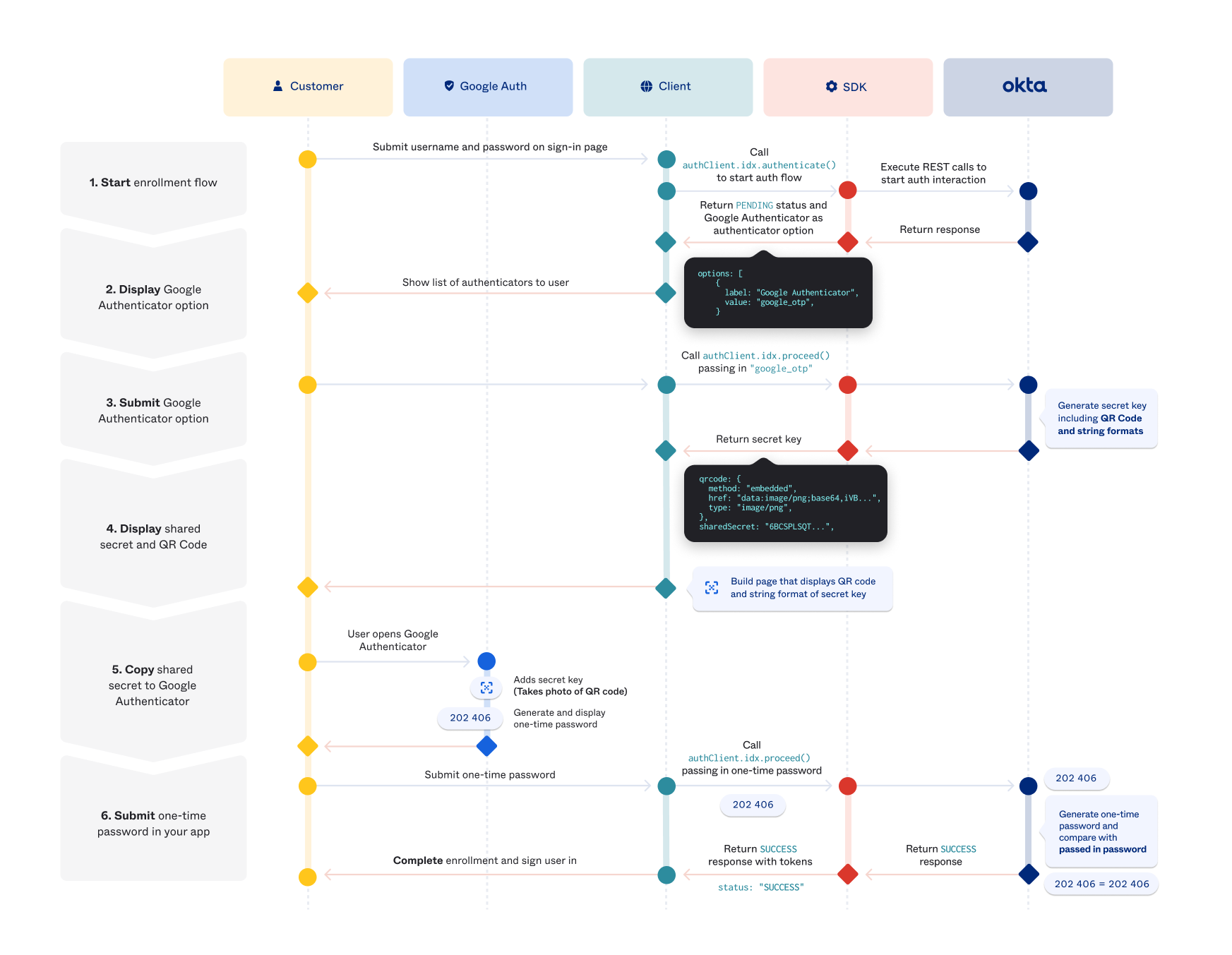
Web Step 1 Choose your device Select the tab below for the device you ll use to scan your QR code You need to already be signed in to your Google Account on that device Step 2 Sign in
Web Apr 28 2023 nbsp 0183 32 Google Authenticator lets you establish 2FA by using your phone to scan a QR code generated by the app on a separate device or by entering a key code It s a relatively easy process Related Web Apr 25 2023 nbsp 0183 32 Open the Google Authenticator app on your current phone and click on the menu button on the top right Then press quot transfer accounts quot Then choose quot Export accounts quot Click all the accounts you
Web Oct 10 2023 nbsp 0183 32 Introduction to Google Authenticator and QR Codes Google Authenticator is a highly secure two step verification app that uses time based one time passwords TOTP that can be generated on your smartphone or tablet to add an extra layer of security to your online accounts It operates offline requiring manual entry or a QR code scan to