Where Is Page Setup In Google Docs How To Put Different Margins On Different Pages Docs Loptrips Google Docs Insert New Page Google Docs Insert Sheets Columns Zeros Name How To Change Google Doc From Portrait To Landscape Google Docs Design Features Page Setup YouTube How To Change Margins In Google Docs A Quick 4 Step Guide Support In this tutorial we offer a crash course on everything related to Google Docs page layout designs Learn to change a page orientation to landscape on Google Docs to customize Google Doc where Page setup in Google Docs to change page layouts in Google Docs Stick around and become a master
To insert a new page from your mobile first launch the Google Docs app on your phone Then tap the document in which you want to add a page On the document preview page at the bottom right corner tap the pencil icon This will let you edit your document On the editing screen tap where you want to add a new page On the Page Setup box at the top click Pages In the Pages tab on the right side you ll see a Margins Inches section where you can specify your page margins Here s what each option in this section means Top Specify the space between the top of your page and your page content
How To Change Margins In Google Docs A Quick 4 Step Guide Support How To Add A Header In Google Docs Unseeked How To Add And Edit Tables In Google Docs The Easy Way Vegadocs Grammarly For Google Docs Grammarly What Is Page Setup In Excel And How To Implement It How To See How Many Words In Google Docs Templates Printable Free How To Use Voice Dictation In Google Docs HowToInTech How To Recover Resolved Comments In Google Docs Vegadocs How To Resolve Comments In Google Docs Vegadocs
Where Is Page Setup In Google Docs
 Where Is Page Setup In Google Docs
https://i0.wp.com/cdnssl.ubergizmo.com/wp-content/uploads/2017/01/google_docs_file_page_Setup.jpg
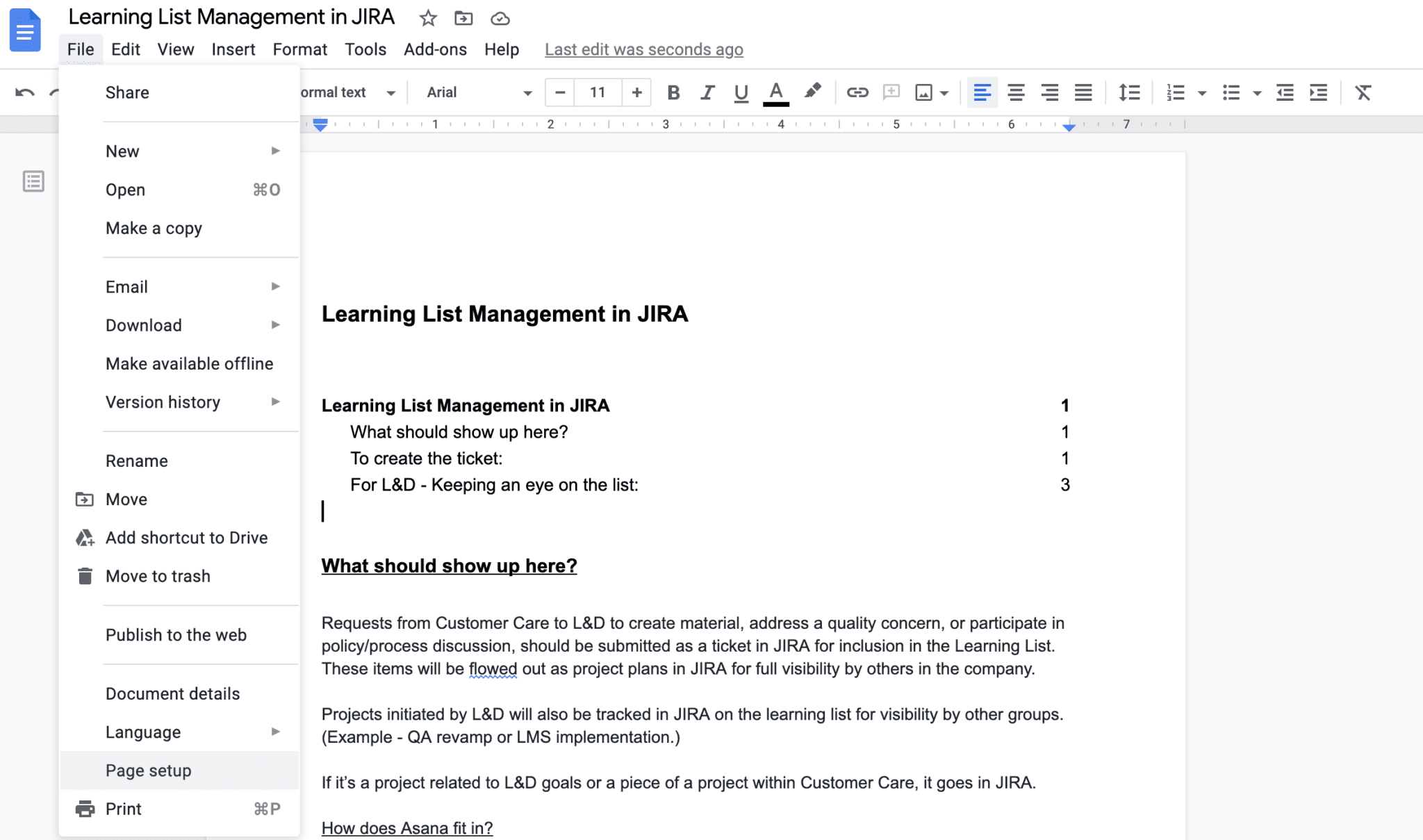
Open a document in Google Docs using a web browser 2 Click File and then click Page setup in the menu You can find the page setup controls in the File menu Dave
Templates are pre-designed documents or files that can be used for various purposes. They can save effort and time by offering a ready-made format and layout for producing different sort of material. Templates can be utilized for personal or expert jobs, such as resumes, invitations, leaflets, newsletters, reports, presentations, and more.
Where Is Page Setup In Google Docs

How To Change Page Orientation In Google Docs On Desktop Or Mobile

How To Add A Header In Google Docs Unseeked

How To Add And Edit Tables In Google Docs The Easy Way Vegadocs

Grammarly For Google Docs Grammarly
How To See How Many Words In Google Docs Templates Printable Free

How To Use Voice Dictation In Google Docs HowToInTech

On your computer open a document in Google Docs In the toolbar click File Page setup At the top of the dialog window select Pages Go to the setting you want to change
This help content information General Help Center experience Search Clear search

Change Page Settings in Google DocsWhat is Google Workspace https goo gle 3z5mmoFSet up Google Workspace https goo gle 3InFfYbLearn More https go
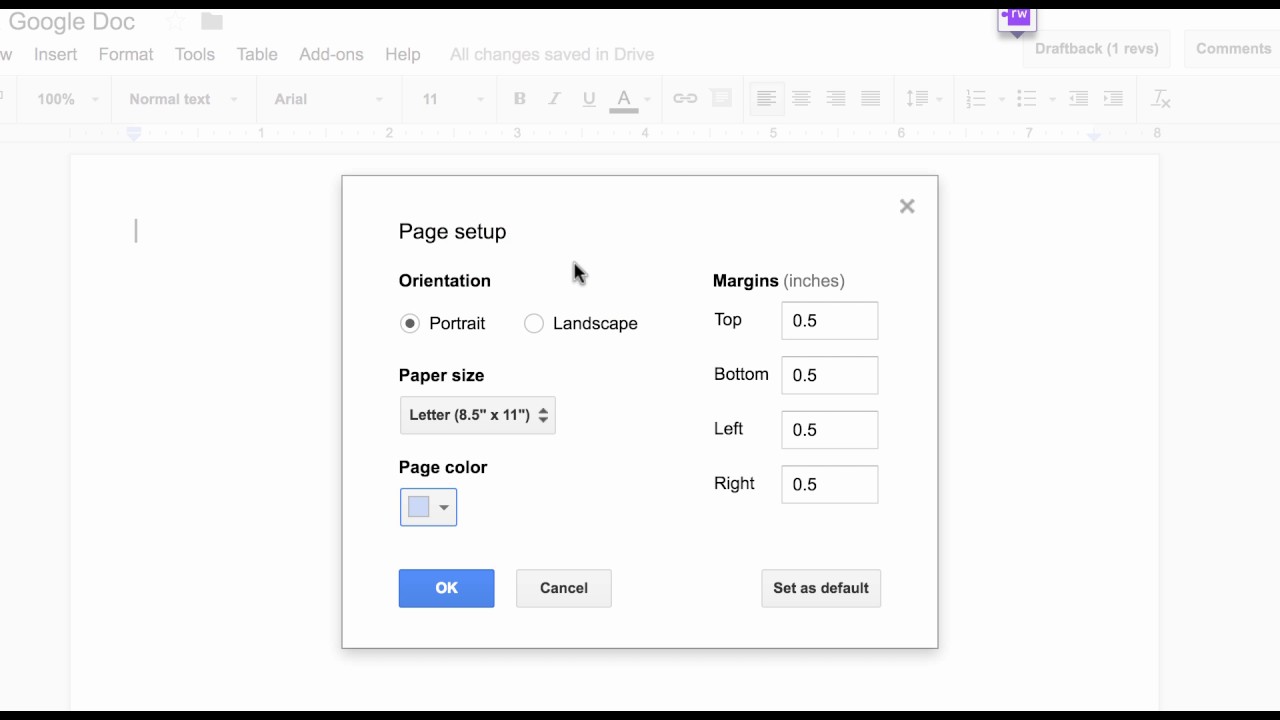
Google Docs Advanced Formatting and Page Setup YouTube Prolific Oaktree 49 4K subscribers Subscribed 1 2K 193K views 5 years ago Google Docs This tutorial shows you how to format

How to Change Page Layout in Google Docs aka Page Setup aka Portrait vs LandscapeLearn how to change from portrait to landscape and other page layout and
[desc-11] [desc-12]
[desc-13]