What Is Systemctl Restart Systemd system Daemon Systemctl Journalctl Start Stop Restart Services In Ubuntu And Other Linux A Beginners Guide To Systemctl Stop Start And Restart Services Ubuntu What Is The Difference Between systemctl Start And systemctl Linux Crash Course Systemd Using The Systemctl Command YouTube WEB Jan 17 2024 nbsp 0183 32 Start service You are recommended to start the service after installing a package or after making some changes to the configuration file To start the service all you have to do is use the start flag with the systemctl command as shown here sudo systemctl start lt service name gt
WEB Jan 24 2022 nbsp 0183 32 In this guide we will be discussing the systemctl command which is the central management tool for controlling the init system We will cover how to manage services check statuses change system states and work with the configuration files WEB Mar 27 2024 nbsp 0183 32 Using the systemctl command Linux provides fine grained control over system services through systemd Services can be turned on off restarted reloaded
Linux Crash Course Systemd Using The Systemctl Command YouTube What Is Direct Impingement The Armory Life What Is Systemctl And How To Use It For Service Control Explained In CentOS Linux Web Server Ssh Restart Primer Tutorial Robert James Ubuntu What Kind Of Link To bin systemctl Is sbin reboot 2 How To Start Service On Boot On Ubuntu 22 04 Linux Tutorials Learn Systemctl Command Examples Itsubuntu How To List Services In Ubuntu FOSS Linux Introduction To Systemd Basic Usage And Concepts Rayanfam Blog
What Is Systemctl Restart
 What Is Systemctl Restart
https://images.velog.io/images/leyuri/post/ed228560-8b8a-4685-9af8-63152f54cb98/1024px-Systemd_components.svg.png
WEB Apr 24 2024 nbsp 0183 32 To reboot your server use the command below systemctl reboot It reboots the system shutting down all running services and processes unmounting filesystems and then initiating the reboot process To power off the servers and services you can run the below code systemctl poweroff
Templates are pre-designed files or files that can be used for different purposes. They can save time and effort by providing a ready-made format and design for producing various type of content. Templates can be used for personal or professional projects, such as resumes, invitations, flyers, newsletters, reports, discussions, and more.
What Is Systemctl Restart

How To Restart An Apache 2 Server Or Service In Linux MELVIN GEORGE

What Is Direct Impingement The Armory Life

What Is Systemctl And How To Use It For Service Control Explained In

CentOS Linux Web Server Ssh Restart Primer Tutorial Robert James

How To Start Service On Boot On Ubuntu 22 04 Linux Tutorials Learn

Systemctl Command Examples Itsubuntu
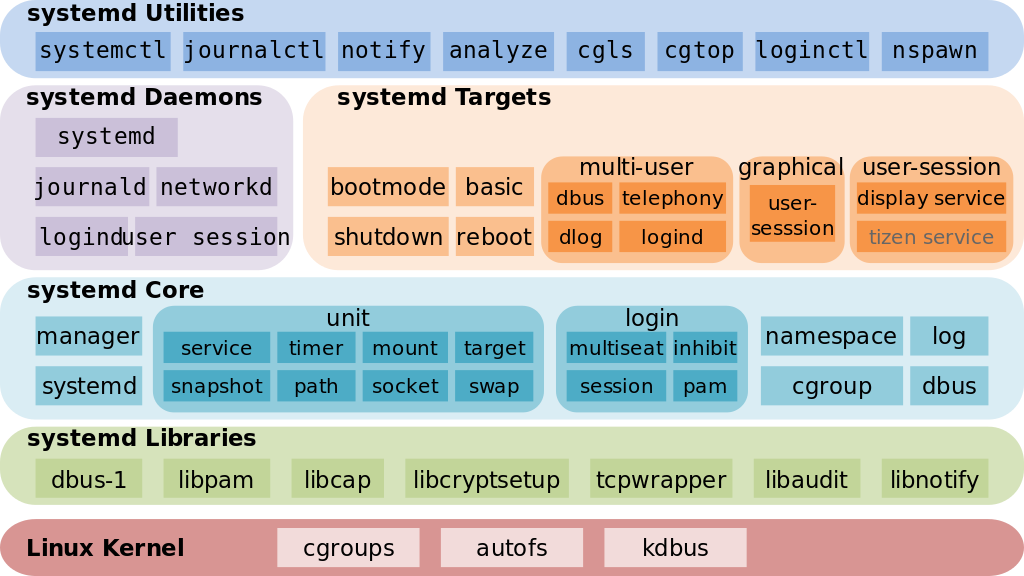
WEB Jun 5 2024 nbsp 0183 32 In this article we will explore the basics of using systemctl to start stop restart enable disable and display status of services in a Linux environment
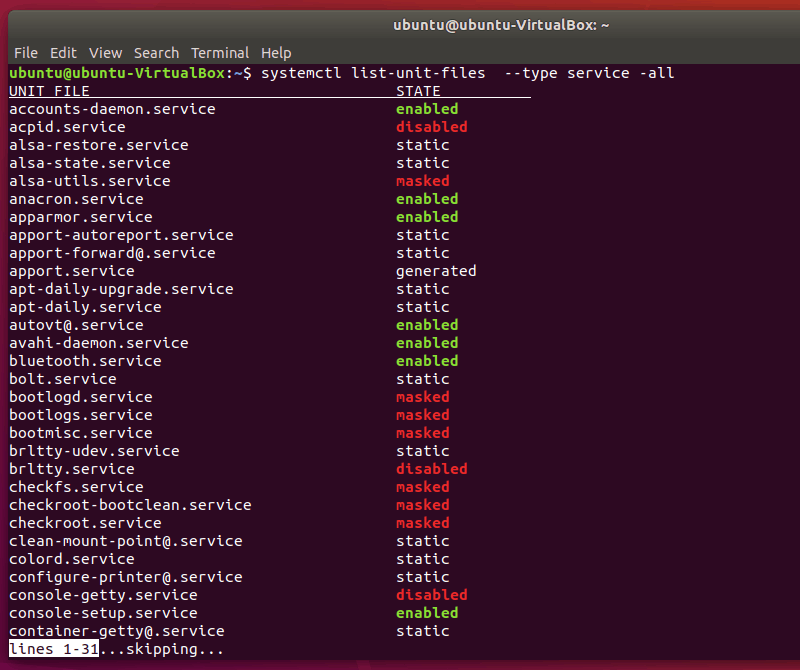
WEB Oct 27 2020 nbsp 0183 32 With systemctl configuring the default startup setting is the work of the enable and disable subcommands The syntax is the same as with the start stop and restart subcommands For example to set SSH to start when the server boots enter systemctl enable sshd
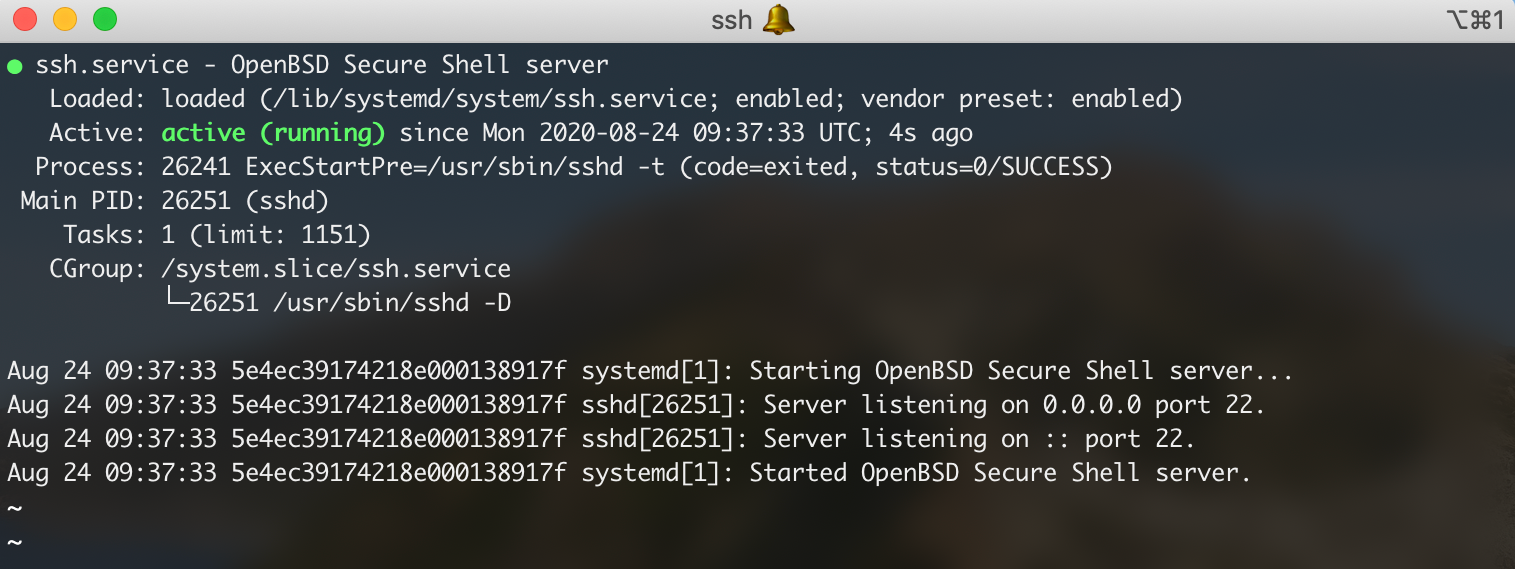
WEB May 17 2022 nbsp 0183 32 Restart a service After editing the etc ssh sshd config file use the systemctl restart command to make the service pick up the new settings sudo systemctl restart sshd You can verify the service is running by using the status subcommand sudo systemctl status sshd

WEB Nov 14 2020 nbsp 0183 32 systemctl To reboot your Linux system simply type reboot or systemctl reboot sudo systemctl reboot The system will be restarted immediately When the

WEB Sep 4 2020 nbsp 0183 32 Being able to stop start or restart a service with systemctl can be very useful if a piece of software isn t responding or you need to start a certain task You can start a systemd service with the following systemctl command sudo systemctl start yourservice And stop a service via sudo systemctl stop yourservice
WEB Feb 20 2024 nbsp 0183 32 Systemctl is the command line tool that manages the systemd system and service manager in Linux It lets users control and manage system services and units with commands to start stop restart and check their status WEB And if you make systemctl restart someservice it will tell systemctl to tell the service to stop destroy the current systemd context create a new one and run the service again This makes sense for example to reload environment variables in a systemd context or if a reload is not supported
WEB May 25 2022 nbsp 0183 32 1 Reboot Two fundamental tasks for systemctl are rebooting and shutting down the server To reboot type the following systemctl reboot 2 Shut