What Is Reset Keyboard Dictionary How To Reset IPhone Predictive Text And Keyboard Dictionary MashTips How To Reset Keyboard Dictionary In IPhone 12 Remove Added Words How To Reset Keyboard Dictionary In IPhone 11 Spellcheck Settings How To Reset Keyboard Dictionary On IPhone 14 How To Reset Keyboard Dictionary On Apple IPhone SE 2020 Restore If adding new shortcuts and contacts still hasn t fixed your autocorrect woes you likely need a fresh start iOS 7 makes this easy Go to Settings General Reset and tap the Reset Keyboard
Reset Home Screen Layout Reset Keyboard Dictionary Remove All Cellular Plans Reset Network Settings Reset All Settings Why reset your iPhone or iPad settings Including Erase All Content and Settings there are seven reset options mentioned below on iPhone and iPad Tap Reset then tap Reset Keyboard Dictionary All custom words and shortcuts are deleted and the keyboard dictionary returns to its default state See also Use predictive text on iPhone Add emoji and stickers with the iPhone keyboard Add or change keyboards on iPhone
How To Reset Keyboard Dictionary On Apple IPhone SE 2020 Restore How To Reset IPhone s Keyboard Dictionary To Fix Autocorrect Glitches How To Reset Keyboard Dictionary On Any IPhone Quickest Method How To Reset Keyboard Dictionary On Apple IPhone 13 How To Reset Keyboard Dictionary On IPhone 13 iOS 15 2 How To Reset Keyboard Dictionary On IPhone IPad Fix Keyboard Issues How To Reset The Keyboard Dictionary On IPhone The IPhone FAQ How To Reset Keyboard Dictionary On IPhone 7 Steps Reset Keyboard Dictionary On IPhone YouTube
What Is Reset Keyboard Dictionary
 What Is Reset Keyboard Dictionary
https://mashtips.com/wp-content/uploads/2021/09/Reset-iPhone-Keyboard-Dictionary-Prediction-F.jpg
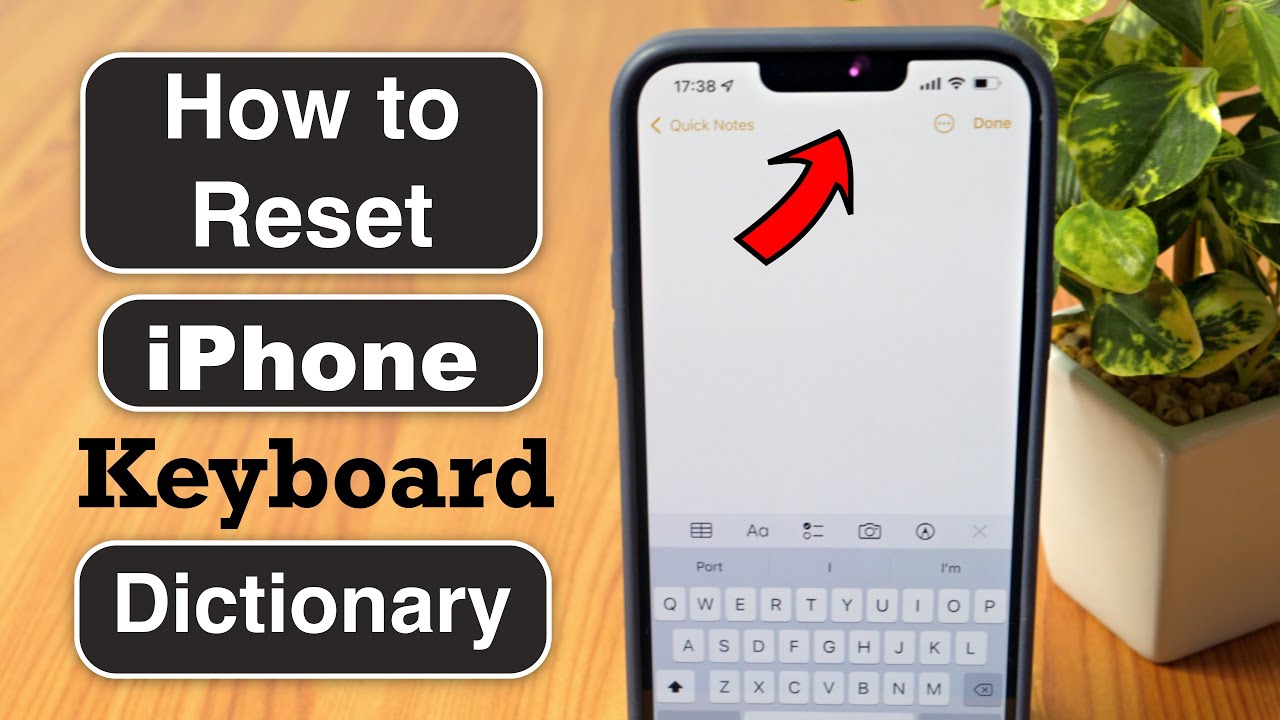
Learn how you can reset the keyboard dictionary on iPhone 12 iPhone 12 Pro FOLLOW US ON TWITTER http bit ly 10Glst1LIKE US ON FACEBOOK http on fb me
Pre-crafted templates use a time-saving solution for creating a varied range of documents and files. These pre-designed formats and designs can be used for different individual and professional jobs, including resumes, invites, flyers, newsletters, reports, presentations, and more, simplifying the content creation process.
What Is Reset Keyboard Dictionary

How To Reset Keyboard Dictionary On Apple IPhone 13
How To Reset IPhone s Keyboard Dictionary To Fix Autocorrect Glitches
How To Reset Keyboard Dictionary On Any IPhone Quickest Method

How To Reset Keyboard Dictionary On Apple IPhone 13
How To Reset Keyboard Dictionary On IPhone IPad Fix Keyboard Issues
How To Reset The Keyboard Dictionary On IPhone The IPhone FAQ
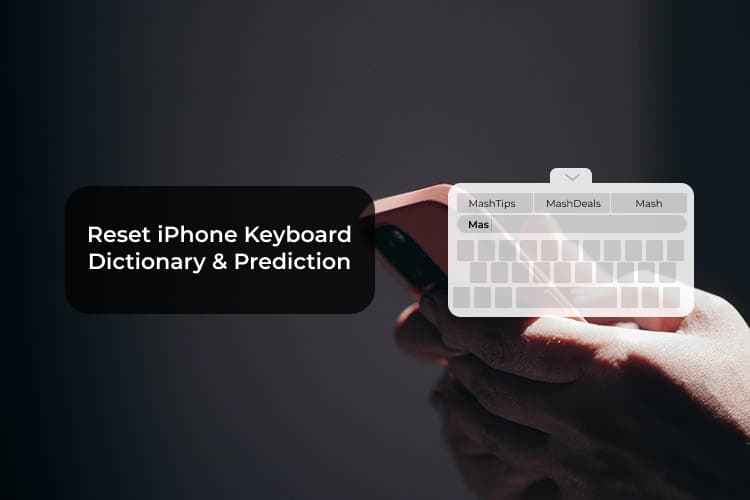
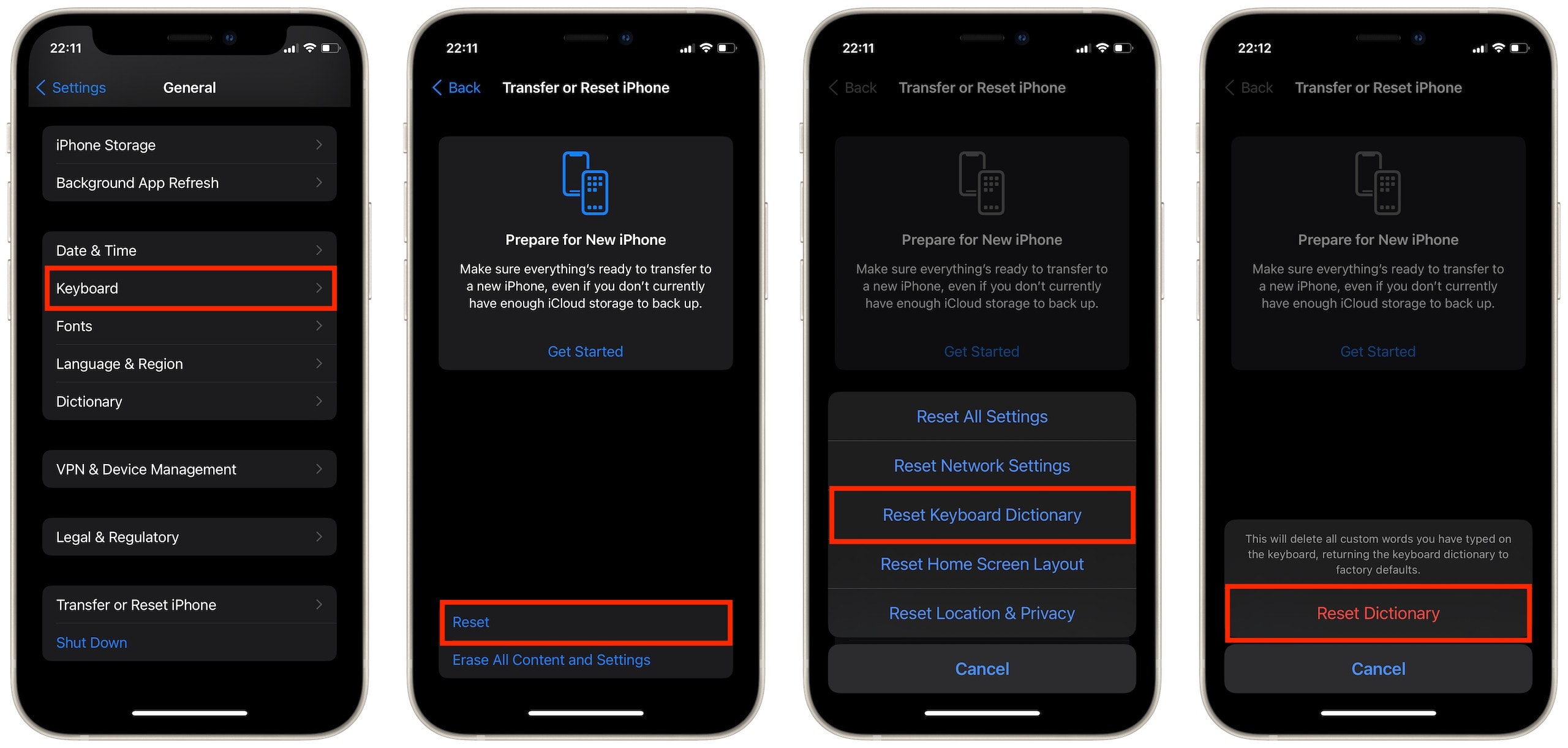
If you re okay with that here are the steps to follow to reset your keyboard dictionary on iPhone and iPad Open the Settings app Tap General then tap Reset Select Reset Keyboard

Reset keyboard dictionary I ve been using SwiftKey for years even since recently it has been removed from the app store but because their emote list is not updated to the newest emote selection I added a emote keyboard but my old recently used emotes are there

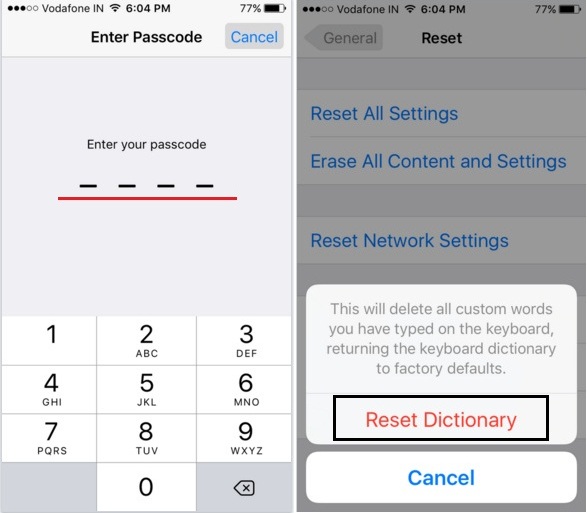
How to reset the keyboard dictionary on iPhone and iPad Launch the Settings app on your iPhone or iPad Tap on General Tap on Reset you ll have to scroll all the way to the bottom Tap on Reset Keyboard Dictionary Type in your password when prompted You ll only get this step if you have a password enabled

Note You can also reset Keyboard Dictionary if you want to delete Keyboard history on your iPhone in iOS 15 Open the Settings app on your iPhone Tap on General Scroll down and tap the Transfer Reset iPhone option above the Shut Down button Next tap on Reset Select the Reset Keyboard Dictionary option Enter Passcode and confirm

ITJungles 399K subscribers Subscribe 6 2K views 1 year ago Commissions Learn how you can reset the keyboard dictionary on the iPhone 13 iPhone 13 Pro Gears I use Show more Show more
Well I did some searching but all that I could find dealt with the user dictionary named LocalDictionary It is located in Home Library Spelling folder You can open it in TextEdit to edit the file You can also put it in the Trash I also found this How to Reset Keyboard Dictionary for new MacBook Pro Learn how you can reset the keyboard dictionary on iPhone 11 Pro iOS 13 FOLLOW US ON TWITTER http bit ly 10Glst1LIKE US ON FACEBOOK http on fb me ZKP4n
Part 1 How to Reset Keyboard Dictionary on iPhone Resetting the iPhone keyboard dictionary is very simple We have listed the steps below Check them out Here s how to reset keyboard dictionary in iPhone Tap on the General option under Settings Then tap on the Reset option Under the Reset menu tap on Reset Keyboard Dictionary