What Is Offset Path In Illustrator Solved Re Adobe Illustrator Offset Path Tool Menu Won t Adobe How To Create OFFSET PATH In Adobe Illustrator Tutorial YouTube What Is Offset Path How To Use It In Adobe Illustrator Offset Path Illustrator How To Use Compound Offset Path In Illustrator With Examples Verkko Effects like offset will not work properly indeed You will want to select all the o s paths and then make them into a Compound Path Object gt Compound Path gt Make or right click gt Make Compound Path Besides this effect is more easily achievable using the Appearance panel Type your text
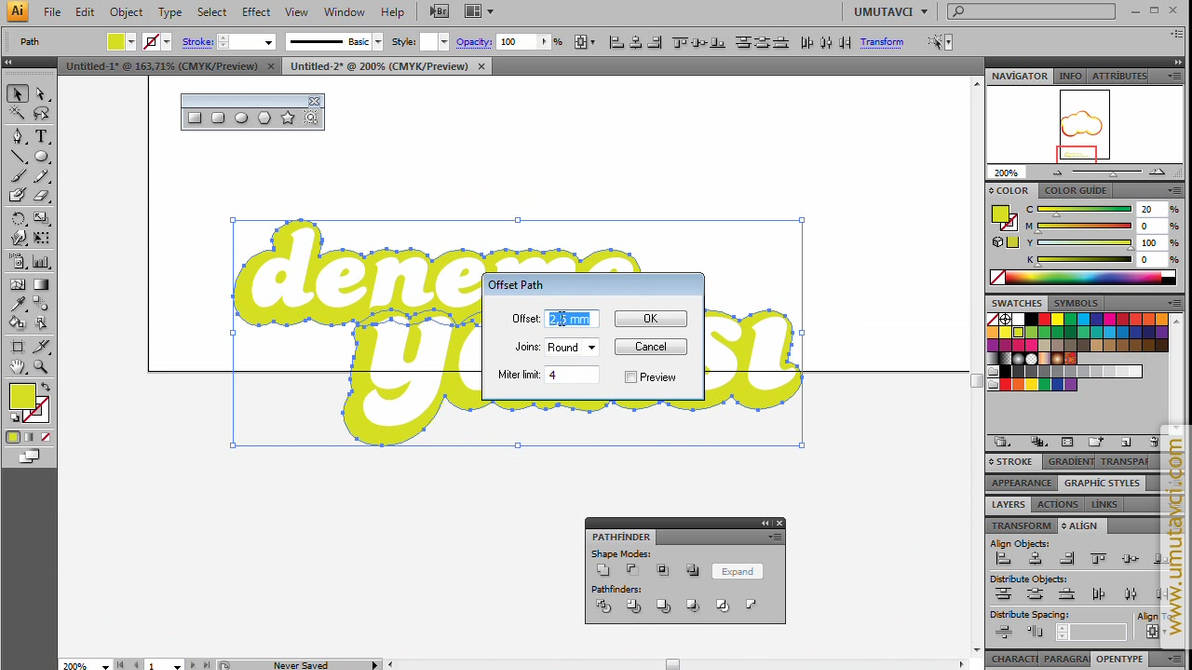
Verkko 27 huhtik 2015 nbsp 0183 32 The Offset field determines how much the path will offset 10px means the new path will extend 10px from the original path Negative numbers will cause the new path to shorten by the specified number of pixels The Joins field allows you to edit the new path s angles Verkko 25 elok 2011 nbsp 0183 32 The offset path is a replica that is evenly distanced from the original all around while the stroke is just an outline of a path Also while resizing an object the offset path will keep the proportions while the stroke will keep the same stroke size regardless of object size
How To Use Compound Offset Path In Illustrator With Examples How To Use The Offset Path Tool In Adobe Illustrator Teaching Graphic Offset Path Illustrator Tutorial Op Art In Illustrator Illusion Illustrator OFFSET PATH Tips Tricks MUST KNOW YouTube Offset Path Illustrator Playing With Offset Path Illustrator Tutorials Design Inspiration Illustrator Offset Path By Umutavci On DeviantArt Offset Path Creates Double Lines SOLVED Adobe Illustrator How To Offset Paths In Illustrator YouTube
What Is Offset Path In Illustrator
 What Is Offset Path In Illustrator
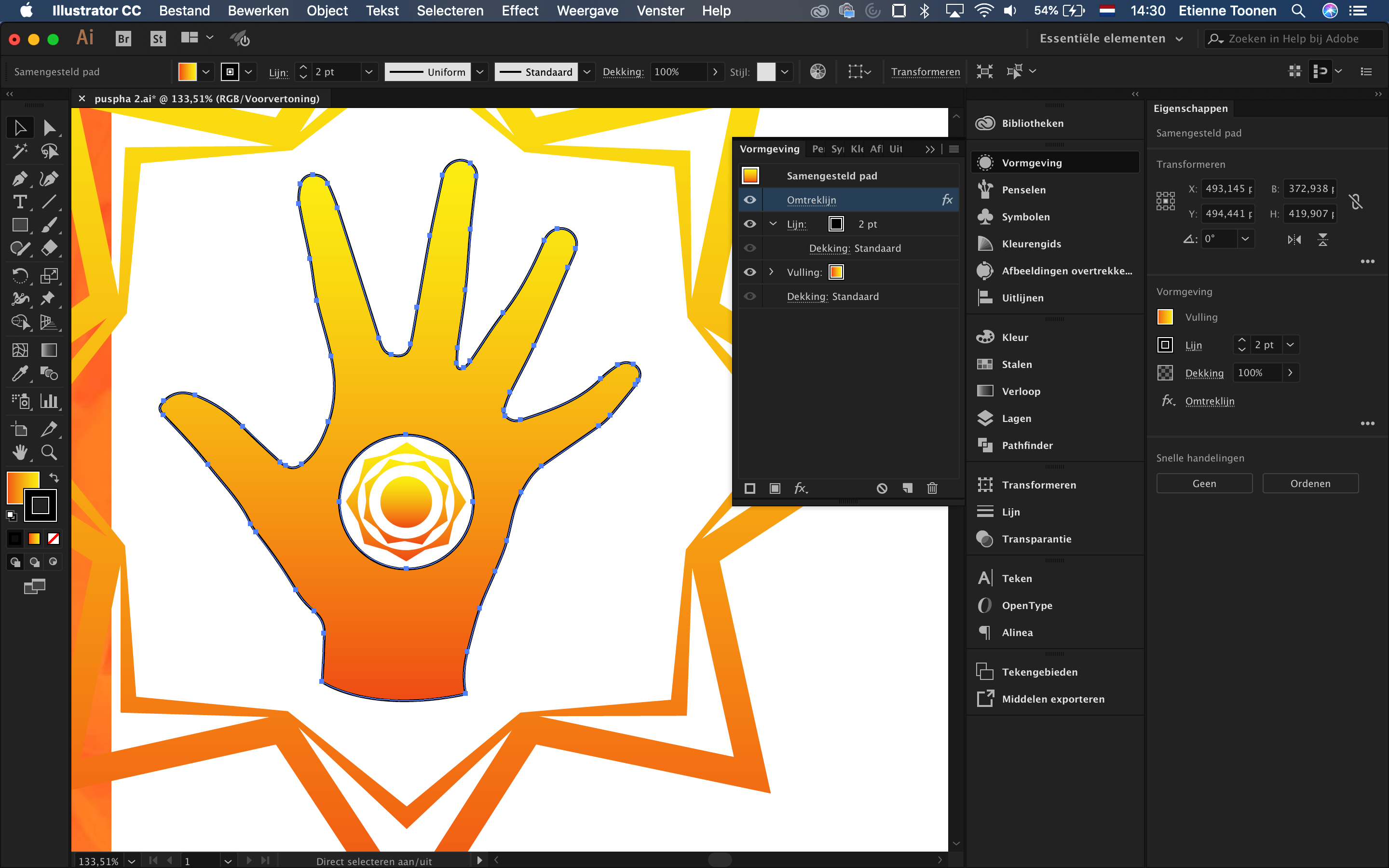
https://community.adobe.com/legacyfs/online/1782764_Schermafbeelding 2019-07-01 om 14.30.39.png
Verkko Use the B key to offset on both sides of the open path Use the C key to change the live color preview annotations When you re happy with the results release the cursor to confirm the offsets Open the Perturb Panel Window gt Astute Graphics gt Perturb Click the Apply Perturb button
Templates are pre-designed files or files that can be utilized for various functions. They can save effort and time by supplying a ready-made format and design for producing various kinds of content. Templates can be used for personal or professional jobs, such as resumes, invites, leaflets, newsletters, reports, discussions, and more.
What Is Offset Path In Illustrator

What Is Offset Path How To Use It In Adobe Illustrator

How To Use The Offset Path Tool In Adobe Illustrator Teaching Graphic

Offset Path Illustrator Tutorial Op Art In Illustrator Illusion
Illustrator OFFSET PATH Tips Tricks MUST KNOW YouTube

Playing With Offset Path Illustrator Tutorials Design Inspiration
Illustrator Offset Path By Umutavci On DeviantArt

Verkko 9 lokak 2023 nbsp 0183 32 The offset path is a quick and efficient way to create outlines to add or remove space around an object How to Use Offset Path in Illustrator You can offset a path in Adobe Illustrator in a few easy steps First select the object then go to the overhead menu and click Object gt Path gt Offset Path A pop up window menu will

Verkko 7 toukok 2018 nbsp 0183 32 Adobe Illustrator How to Create a Keychain Design Using Offsets amp Knockouts Learn two ways to offset paths in Illustrator using the quot Offset Path quot option TUTORIALS Adobe

Verkko 21 kes 228 k 2021 nbsp 0183 32 54K views 2 years ago Illustrator Tutorials In this tutorial we ll be going over how to offset a path in Illustrator which will allow you to add or remove an equal amount of space around an

Verkko 11 tammik 2017 nbsp 0183 32 In this tutorial we re going to learn how to offset paths in Adobe Illustrator Shortcut your success as a designer with The Adobe Illustrator Mastercla

Verkko Offset Path is a useful tool in Adobe Illustrator that allows users to create a copy of a selected path at a specified distance from the original path This can be used to create outlines borders or even to add depth and dimension to a design
Verkko 27 kes 228 k 2022 nbsp 0183 32 In this Tutorial I show you How to Offset a Path in Adobe Illustrator This is like scaling something in multiple directions in order to grow larger on the outside and smaller on the inside Verkko 5 huhtik 2019 nbsp 0183 32 Offset Path In a normal application the Offset Path feature in Adobe Illustrator is used to create a replica of an object from a specified distance from the original In other words you can create a duplicate of an object you created and expand its size proportionate to the original object
Verkko Offset Path A different way to scale Instructor In this movie we re going to expand these green shapes in order to create this white one and we re going to do so using a special scaling