Waste Management List Bereit For Nacht Two Of TStheErasTour In Germany Spotlight On Russell Mansfield Senior Vice President Branch Spotlight On Stephanie Pierce CEO Dreyfus Mellon Exchange Traded Warframe Tier List Infoupdate Leave Management System Archives Zoho Blog [desc-7]
When you use our Apps your device may automatically send Personal and Non Personal Information to our advertising partners All the information gathered by our advertising partners [desc-8]
Leave Management System Archives Zoho Blog Sharisse Dalby Nutrition Free Chat With GANT CHART PROJECT MANAGEMENT Medical And Biohazardous Waste Disposal Guidelines Poster Stanford Laboratory Hazardous Waste Management And Disposal Manual Kelly Brooke Naked Waste Management Bulk Pickup Schedule 2025 Felix K Kruse Waste Management Checklist Template MbcVirtual Dent In The Rent
Waste Management List
 Waste Management List
https://lookaside.fbsbx.com/lookaside/crawler/threads/C9kInz4gGKQ/0/image.jpg
[desc-9]
Pre-crafted templates provide a time-saving option for developing a diverse series of files and files. These pre-designed formats and layouts can be used for various individual and expert projects, including resumes, invitations, flyers, newsletters, reports, presentations, and more, streamlining the material development process.
Waste Management List

Contract Management In Sales Archives Zoho Blog

Sharisse Dalby Nutrition

Free Chat With GANT CHART PROJECT MANAGEMENT

Medical And Biohazardous Waste Disposal Guidelines Poster Stanford

Kelly Brooke Naked
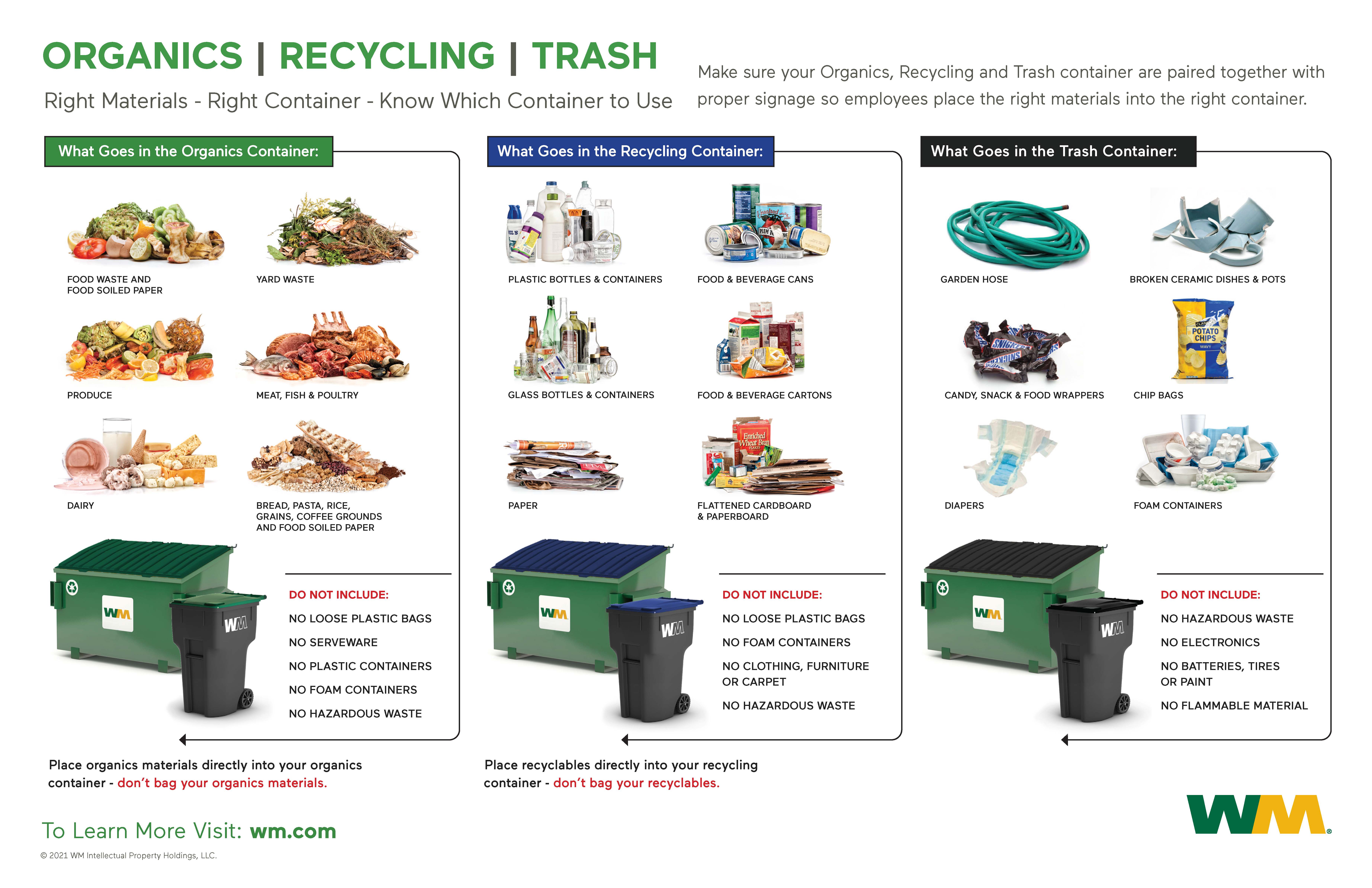
Waste Management Bulk Pickup Schedule 2025 Felix K Kruse

OP Auto Clicker is a automation tool that lets you automate mouse clicks Perfectly compatible with Windows 7 Windows 8 Windows 10 and 64 bit systems

1 Set the time interval between clicks 2 Select the mouse button you want to click and the type of click 3 Set the repeat mode and number of clicks 4 Select where you want to click 5

The OP Auto Clicker Auto Tap is a powerful tool that provides an automated clicking solution for your Android device It comes with two modes of auto clicking a single target and multi
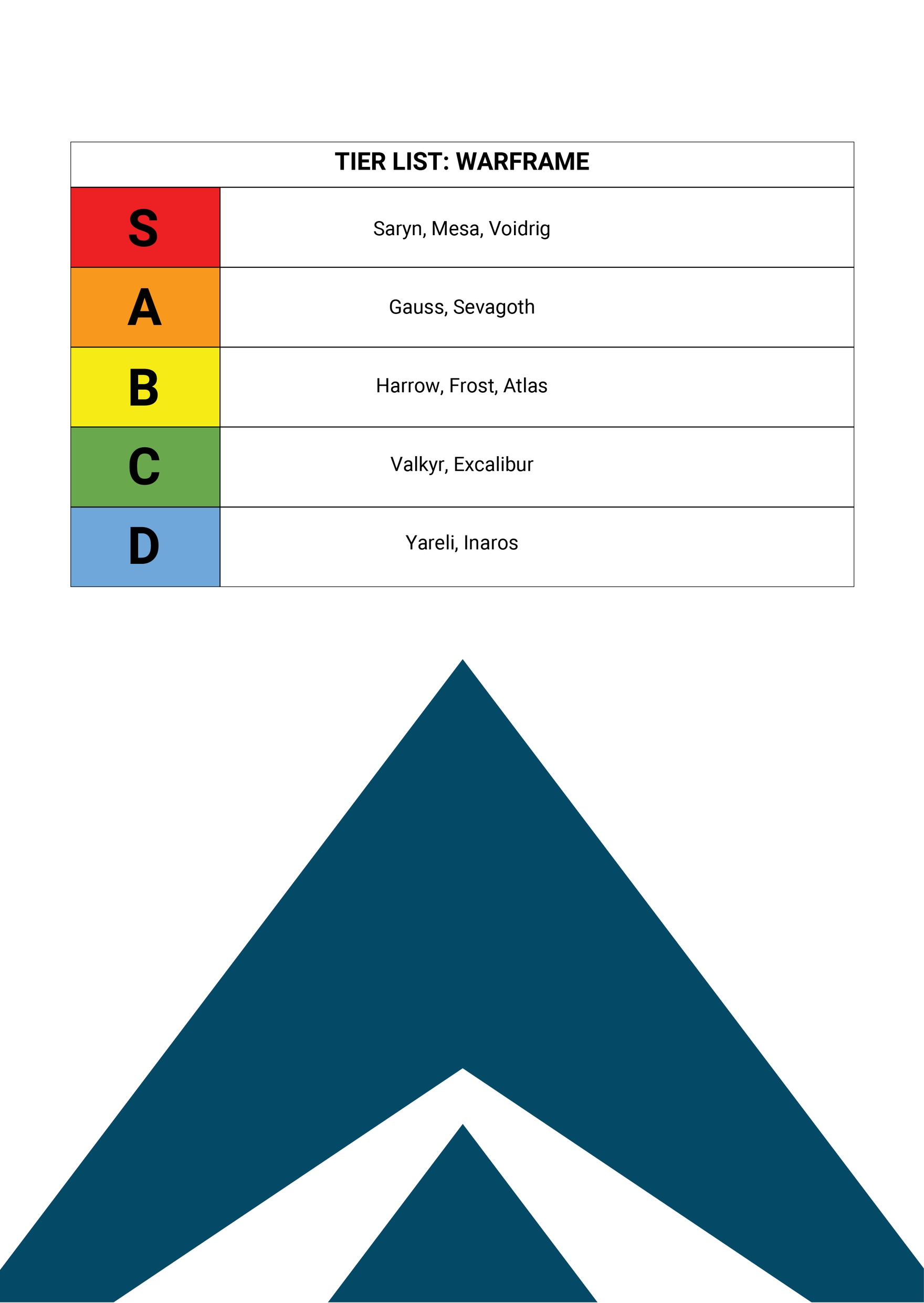
How to set a shortcut 1 Click the Hotkey setting button on the main panel 2 Click the Start Stop button on the Hotkey setting panel 3 Press a key that you want to set as a hotkey then click

How to refresh a web page automatically 1 Set how often to refresh the web page 2 Set the left mouse button to click the Refresh button 3 Set the number of times the web page is
[desc-11] [desc-12]
[desc-13]