Wamp Increase Upload Size How To Increase Maximum Upload File Size On WAMP Server YouTube How To Increase Max Upload File Size Php Values On CPanel Bluehost MISTER SIZE Medium Package 53 57 60 VINICO Increase Wamp Max Upload Size Change phpmyadmin YouTube How To Increase Maximum File Upload Size WordPress Part of PHP Collective 5 I have 2 24MB file size to upload to database it displays No data was received to import Either no file name was submitted or the file size exceeded the maximum size permitted by your PHP configuration See FAQ 1 16 Iam using WAMP server 2 2 with supported versions Apache 2 2 21 PHP 5 3 8 MySQL 5 5 16
How to increase file import size in phpMyAdmin WAMP server Step 1 Go to the folder destination where you have installed WAMP Usually it is C Step 2 Now locate and open php ini files from both these locations C wamp bin apache Apache2 4 4 bin and C wamp bin php php5 4 16 How to increase the maximum upload size in php ini in Wampserver by acomic Sun Sep 16 2018 7 42 am Hi I have changed the php ini values as described restarted the service on WAMP but my back end still stated that I only had a 2mb limit I rechecked that I had the new values of 254m and 512m which
How To Increase Maximum File Upload Size WordPress Increase PHP Upload File Size Limit In Wamp Localhost YouTube How To Increase File Upload Size In WAMP Server YouTube Victorinox VX Sport Evo Deluxe Backpack 48 Cm Koffer direkt de How To Increase The Upload Size Of Your Local MAMP Web Server Increase Max File Upload Size In WAMP SERVER Easy YouTube Increase Upload Size Limit In WordPress When Using WAMP NeoTips How To Increase Upload Size WordPress 5 Methods Schale 20 Cm Kunstgewerbe Machtans
Wamp Increase Upload Size
 Wamp Increase Upload Size
https://i.ytimg.com/vi/eTDseUp2ghs/maxresdefault.jpg
Change the upload filesize in XAMPP or WAMP Go to php ini and for this file post max size 800M upload max filesize 800M max execution time 5000 max input time 5000 memory limit 1000M
Templates are pre-designed documents or files that can be utilized for different purposes. They can save time and effort by offering a ready-made format and design for creating different type of material. Templates can be utilized for personal or expert projects, such as resumes, invites, flyers, newsletters, reports, presentations, and more.
Wamp Increase Upload Size
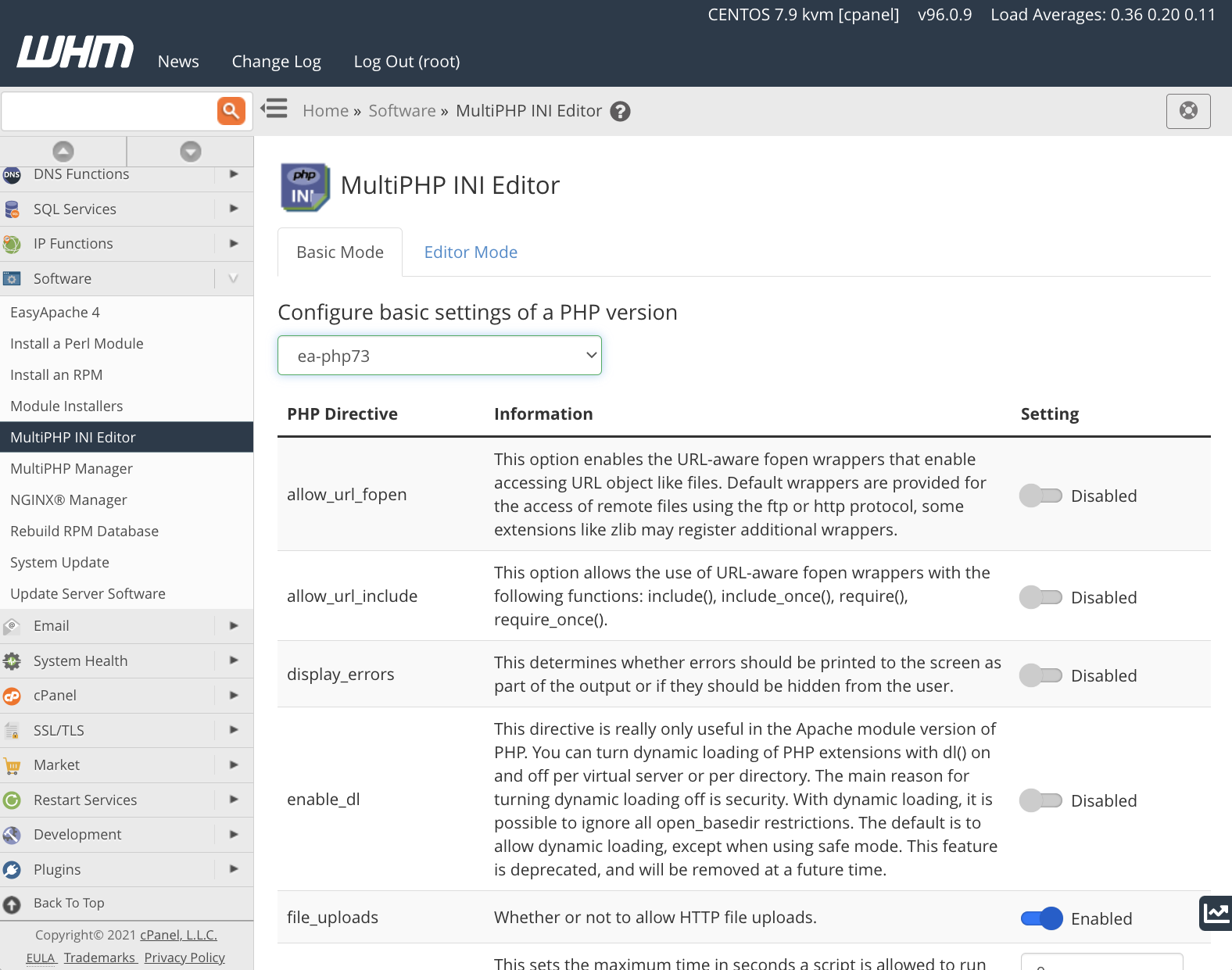
How To Increase Upload File Size In Cpanel QuyaSoft

Increase PHP Upload File Size Limit In Wamp Localhost YouTube

How To Increase File Upload Size In WAMP Server YouTube

Victorinox VX Sport Evo Deluxe Backpack 48 Cm Koffer direkt de

Increase Max File Upload Size In WAMP SERVER Easy YouTube

Increase Upload Size Limit In WordPress When Using WAMP NeoTips

Maximum upload file size 2M 8M Solution How to solve the Maximum upload file size 8MB problem to Maximum upload file size 32MB the steps using Windows 7 1 Look for WAMP server icon in the right bottom of your computer screen the green W see screenshot

How to increase file upload size in WAMP server Allround Zone 2 98K subscribers Subscribe Subscribed Share 2 1K views 3 years ago windows zone In this video I will show you How to increase

Increase max file upload size in WAMP SERVER its Easy For fast work we need to use WAMP server but by default if have some limitation Like if we try to

This tutorial discusses the steps to how you can fix the upload max file exceeded error in import sql database in to phpmyadmin or WordPress when working on
1 open C wamp bin apache apache2 4 9 bin folder and find php which is a configuration file and open it in ur notepad and again find upload max filesize and post max size and change both and save 2 open C wamp bin php php5 5 12 folder and find php and phpforapache which are configuration file and
Hint if you don t know the PHP version running in your Wamp server click on your icon tray hover your mouse on the green Wamp icon right click on the Wamp icon there you will see the PHP version ruining your Wamp server as shown below how to check for the php version working with wamp and wordpress After that opening the right PHP folder locate and open the file called php ini or PHP Here are some steps you can take to increase the file upload size limit in WAMP Locate the php ini file The php ini file is where the settings for the PHP engine are stored To increase the file upload size limit you need to change these values to a higher value for example upload max filesize 64M post max size 64M This would allow
Can not increase file upload size WAMP 4 answers Closed 5 years ago I can only upload files up to 128 MB big on Phpmyadmin I need to change the value so I tried to change the php ini file via tray I already changed memory limit 128M to memory limit 2048M and restarted all services but the limit in Phpmyadmin is still 128 MB