Vscode Show Changes Since Last Save Vim For VSCode Course 6 VSCode Extensions That You Are Not Using AntStack VSCode Show Deadcode In Another Style TechTalk7 Javascript How To See Codes In Full Width In Vscode Stack Overflow Redis RDB Active Sentinel Learn how to configure and use Model Context Protocol MCP servers with GitHub Copilot in Visual Studio Code
Getting started with Visual Studio Code In this tutorial we walk you through setting up Visual Studio Code and give an overview of the basic features Setting up Visual Studio Code VS Code is a free code editor which runs on the macOS Linux and Windows operating systems Getting up and running with Visual Studio Code is quick and easy It is a small download so you can install in a matter of minutes and give VS Code a try VS Code is lightweight and should run on most available hardware and platform versions You can
Redis RDB Active Sentinel Setting Up GDB In VSCode Windows Example Lager Data Inc Git Blame In VS Code The Top 4 Extensions How To Show Or Hide Indent Dots Visual Studio Code Vscode Vrogue Show Hidden Files In VSCode LinuxPip Why Are Vscode Npm Commands Opening In New Cmd node Window Start A New Project In VSCode ITecNote How To Show Or Hide Indent Dots Visual Studio Code Vscode Vrogue Vscode Download Cooknays
Vscode Show Changes Since Last Save
Vscode Show Changes Since Last Save
https://public-files.gumroad.com/variants/b1jmldo2pjtz03gdy56vflb1i26x/3298c3eb001bbed90f1d616da66708480096a0a1b6e81bd4f8a2d6e9b831d301
This tutorial gives you an overview of the key features of Visual Studio Code to help you get started quickly
Templates are pre-designed files or files that can be used for various purposes. They can save effort and time by supplying a ready-made format and design for creating different type of material. Templates can be used for individual or professional jobs, such as resumes, invites, flyers, newsletters, reports, discussions, and more.
Vscode Show Changes Since Last Save

Visual Studio Code How To Close The Search Toggle For Vscode Stack
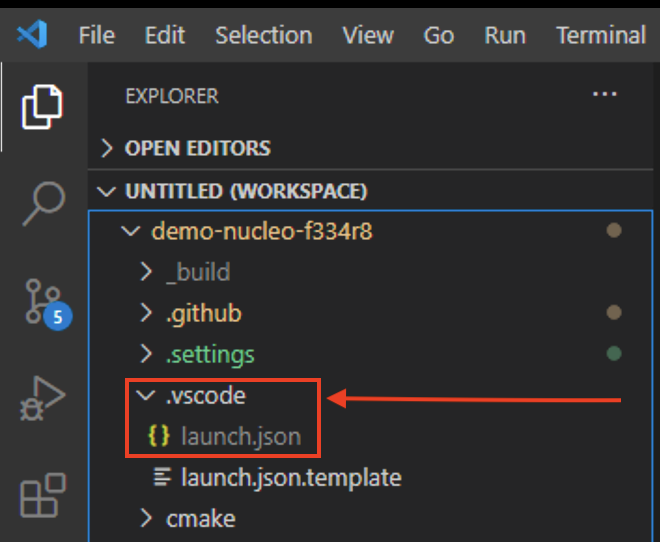
Setting Up GDB In VSCode Windows Example Lager Data Inc
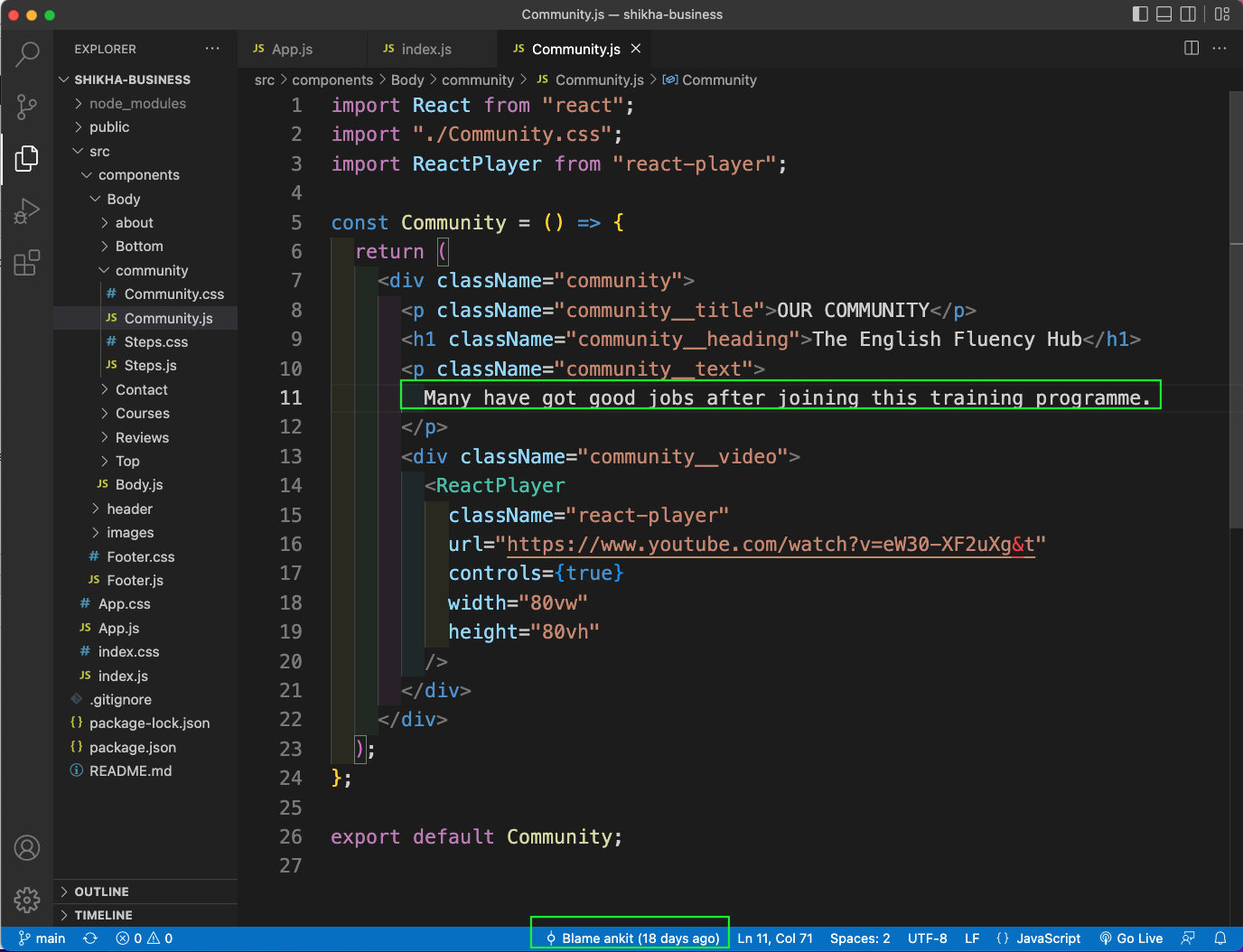
Git Blame In VS Code The Top 4 Extensions

How To Show Or Hide Indent Dots Visual Studio Code Vscode Vrogue

Why Are Vscode Npm Commands Opening In New Cmd node Window

Start A New Project In VSCode ITecNote
Visual Studio Code is free and available on your favorite platform Linux macOS and Windows Download Visual Studio Code to experience a redefined code editor optimized for building and debugging modern web and cloud applications

Find out how to set up and get the most from Visual Studio Code Optimized for building and debugging modern web and cloud applications Visual Studio Code is free and available on your favorite platform Linux macOS and Windows

Windows Subsystem for Linux With WSL you can install and run Linux distributions on Windows to develop and test your source code on Linux while still working locally on your Windows machine When coupled with the WSL extension you get full VS Code editing and debugging support while running in the context of WSL See the Developing in WSL documentation to

Visual Studio Code for the Web Visual Studio Code for the Web provides a free zero install Microsoft Visual Studio Code experience running entirely in your browser allowing you to quickly and safely browse source code repositories and make lightweight code changes To get started go to https vscode dev in your browser VS Code for the Web has many of the features of VS

Aug 7 2025 nbsp 0183 32 Learn what is new in the Visual Studio Code July 2025 Release 1 103
[desc-11] [desc-12]
[desc-13]