Vscode Remote Container Extensions Not Installed Developing PowerShell With Visual Studio Code In Containers Lostdomain Visual Studio Code Vscode Remote Container Extension Launching Got Error While Cloning Repository With Devcontainer Config In Remote VSCode Remote Containers C LaptrinhX Remote Containers Not Working When Enabled In Remote Server Issue Web The Visual Studio Code Remote Development extension pack allows you to open any folder in a container on a remote machine via SSH or in the Windows Subsystem for Linux and take advantage of VS Code s full feature set
Web Install the Dev Containers extension If you plan to work with other remote extensions in VS Code you may choose to install the Remote Development extension pack Working with Git Here are two tips to consider If you are working with the same repository both locally in Windows and inside a container be sure to set up consistent line endings Web You can use Docker with the Dev Containers extension in a few ways including Docker installed locally Docker installed on a remote environment Other Docker compliant CLIs installed locally or remotely While other CLIs may work they are not officially supported
Remote Containers Not Working When Enabled In Remote Server Issue GitHub Csci530 os vscode remote devcontainer Basic Container And Docker VSCode Remote Container VS Code Remote Container Failed To Download The VS Code Server Issue Como Desenvolver Dentro De Um Container Usando VSCode Remote Containers How To Login As User Instead Of As Root When Attaching Remote Container Podman Potentielle Alternative F r Docker Desktop F r Windows How Containers Improve The Way We Develop Software Embedded Not Seeing The Remote Containers Add Development Container
Vscode Remote Container Extensions Not Installed
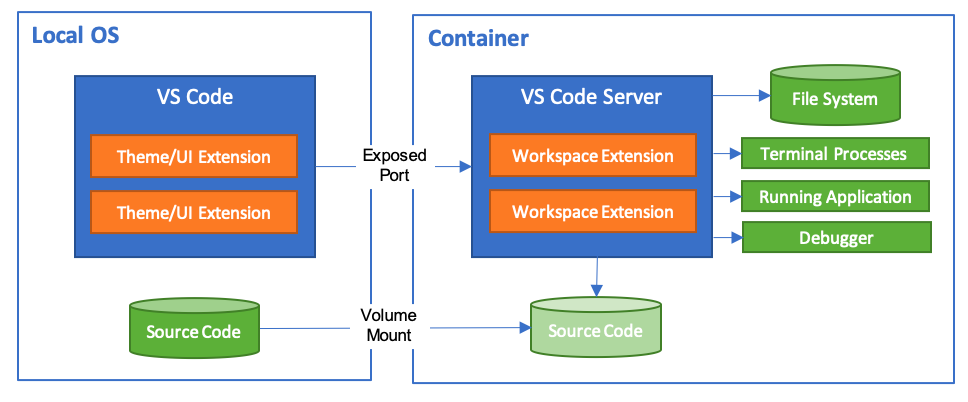 Vscode Remote Container Extensions Not Installed
https://lostdomain.org/wp-content/uploads/2019/09/vscode-remote-container-architecture.png
Web Nov 6 2020 nbsp 0183 32 VS Code Insiders no extension installed VS Code all extensions installed My devcontainer file is the following I just removed what I am mounting BTW I don t use a dockerfile in this setup For format details see https aka ms vscode remote devcontainer json or this file s README at https github
Pre-crafted templates provide a time-saving solution for producing a varied series of files and files. These pre-designed formats and designs can be used for different individual and expert jobs, including resumes, invites, flyers, newsletters, reports, discussions, and more, simplifying the content creation process.
Vscode Remote Container Extensions Not Installed

VSCode Remote Container Jest Unit Test vscode Remote
GitHub Csci530 os vscode remote devcontainer Basic Container And

Docker VSCode Remote Container
VS Code Remote Container Failed To Download The VS Code Server Issue

How To Login As User Instead Of As Root When Attaching Remote Container
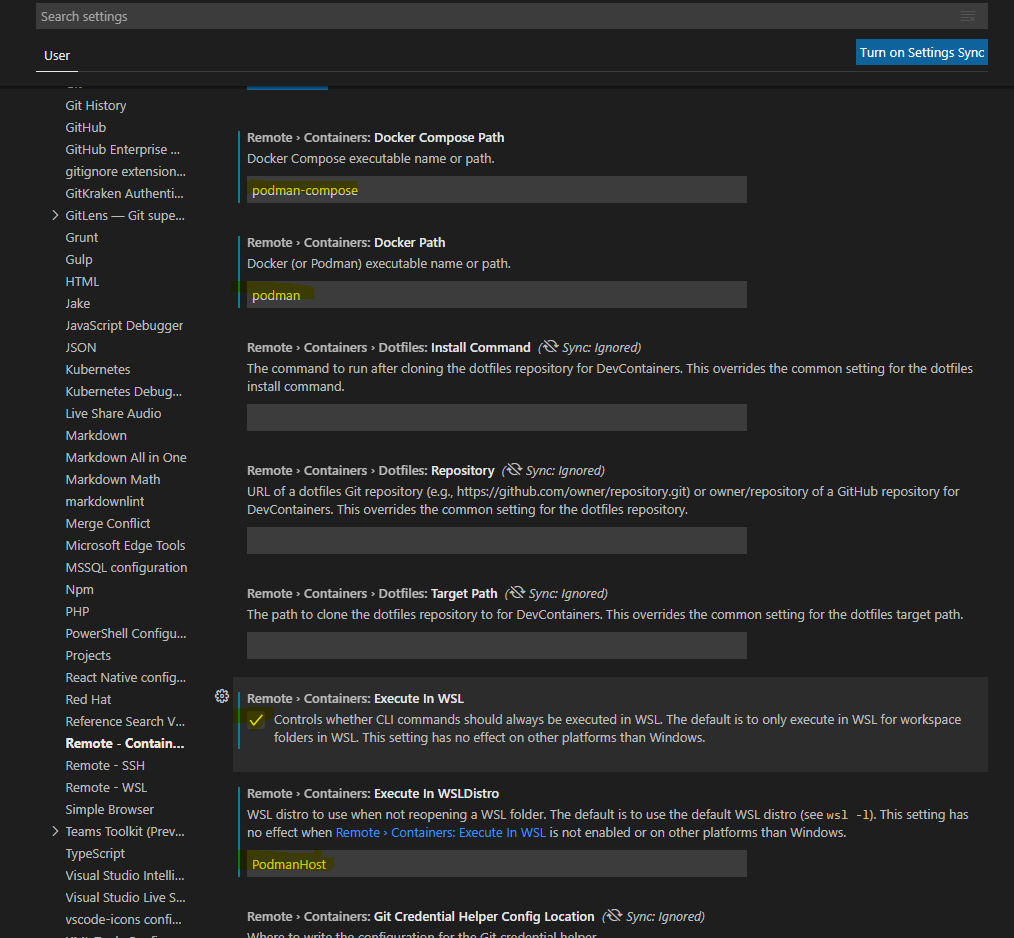
Podman Potentielle Alternative F r Docker Desktop F r Windows

Web May 5 2019 nbsp 0183 32 The solution was to give the container access to the proxy server If you use an authenticating proxy like Cntlm on your local machine configure it to listen on 172 17 0 1 the Docker interface Then define the http proxy and https proxy environment variables for the container For example in devcontainer json

Web Remote extensions are not installed automatically from devcontainer json 183 Issue 120332 183 microsoft vscode 183 GitHub microsoft vscode Public Notifications Fork 27 7k Star 158k Remote extensions are not installed automatically from devcontainer json 120332 Closed JanHildenbrandBosch opened this issue on Apr 1 2021 183 10 comments
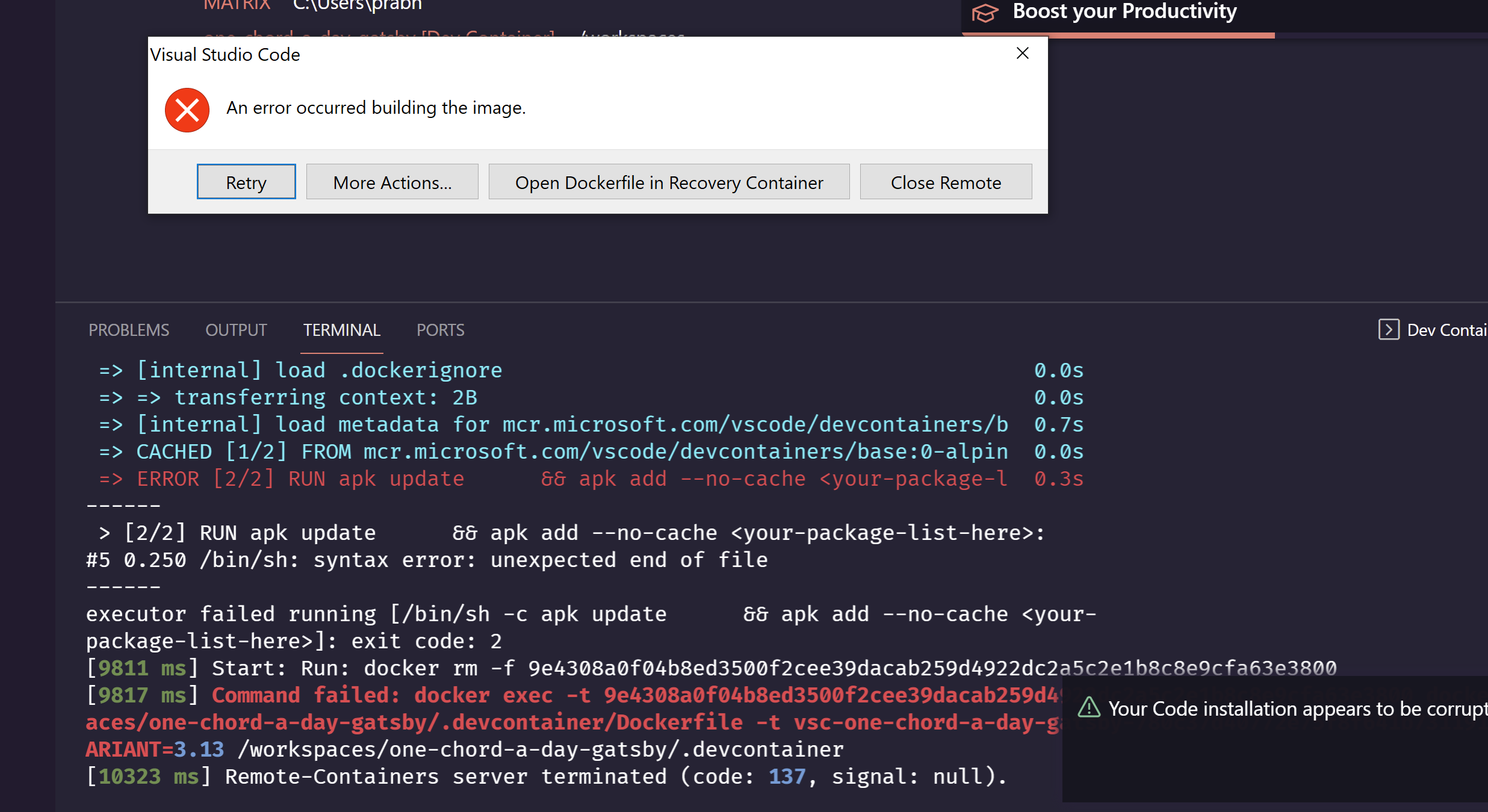
Web Mar 8 2022 nbsp 0183 32 Use F1 gt Remote Containers Open Attached Container Configuration File to open that Note that for each container extensions will be installed only the first time you attach to it changes to quot extensions quot in the config file after that will only apply to the next container with the same image name or container name if the config is scoped

Web Jan 4 2021 nbsp 0183 32 Steps to Reproduce Clone the vscode remote try python repo Open VS Code Open the repo as remote container Wait for remote connection to the container Check which remote extensions are active and notice that none of the extensions for the devcontainer json extensions are present in the remote container
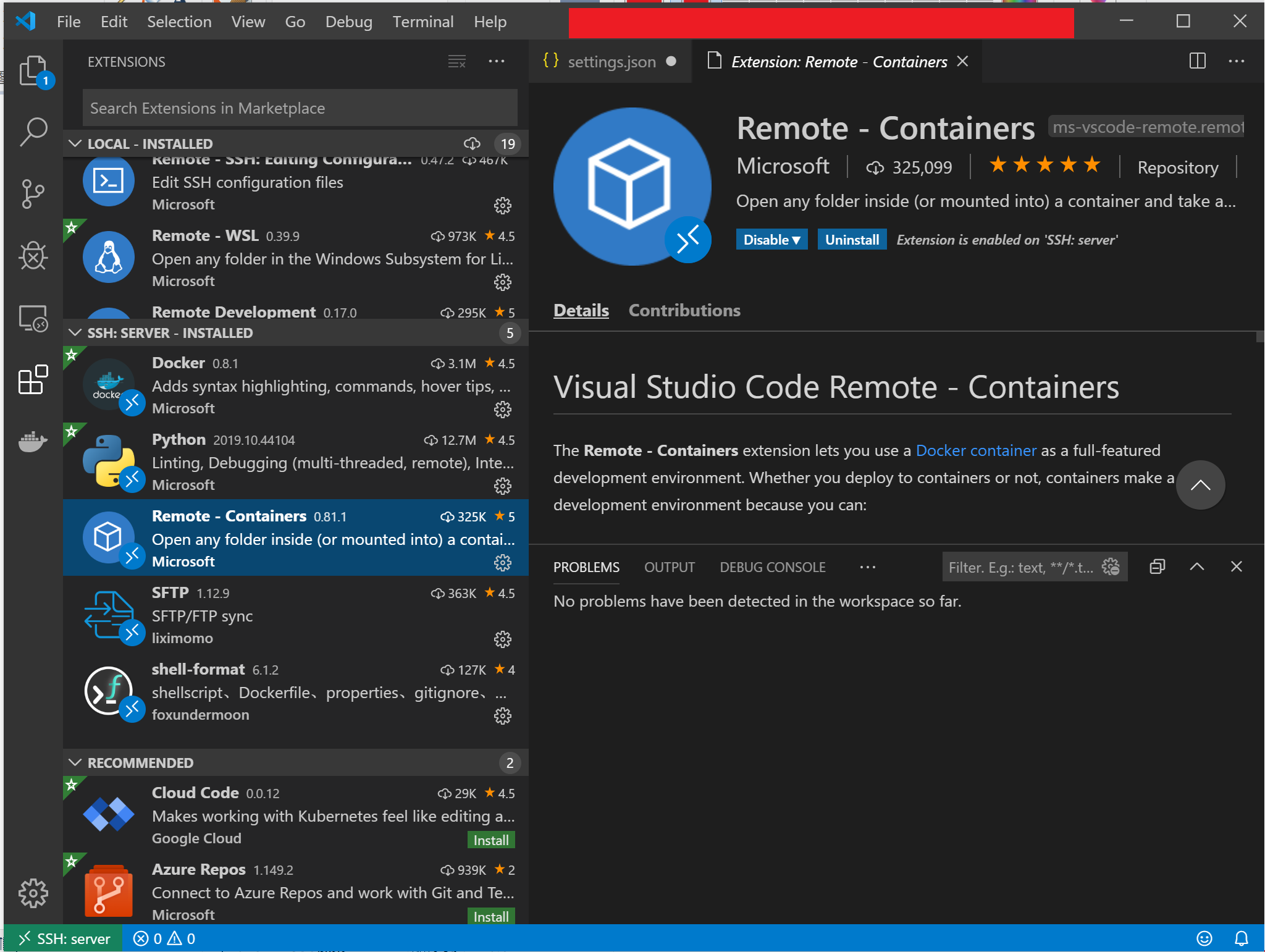
Web May 2 2019 nbsp 0183 32 8 I opened a remote SSH workspace in VSCode and some of my extensions aren t enabled For example I have the Python and Go extensions installed but when I connect to my remote ssh workspace they don t work The same also happens in remote workspaces that use dev containers or WSL How do I enable these extensions
Web Jan 26 2021 Now that we know what it means to develop in a container and why you d want to do container based development join Burke Holland to learn how to install the Remote Containers extension in Visual Studio Code and see how it works Learn more Remote Containers Microsoft Learn Module https aka ms devcontainers learn module Web If you plan to work with other remote extensions in VS Code you may choose to install the Remote Development extension pack SSH host setup If you do not have an SSH host set up follow the directions for Linux Windows 10 Server 1803 or macOS SSH host or create a VM on Azure
Web Jan 4 2021 nbsp 0183 32 Open VS Code Open the repo as remote container Wait for remote connection to the container Check which remote extensions are active and notice that none of the extensions for the devcontainer json extensions are present in