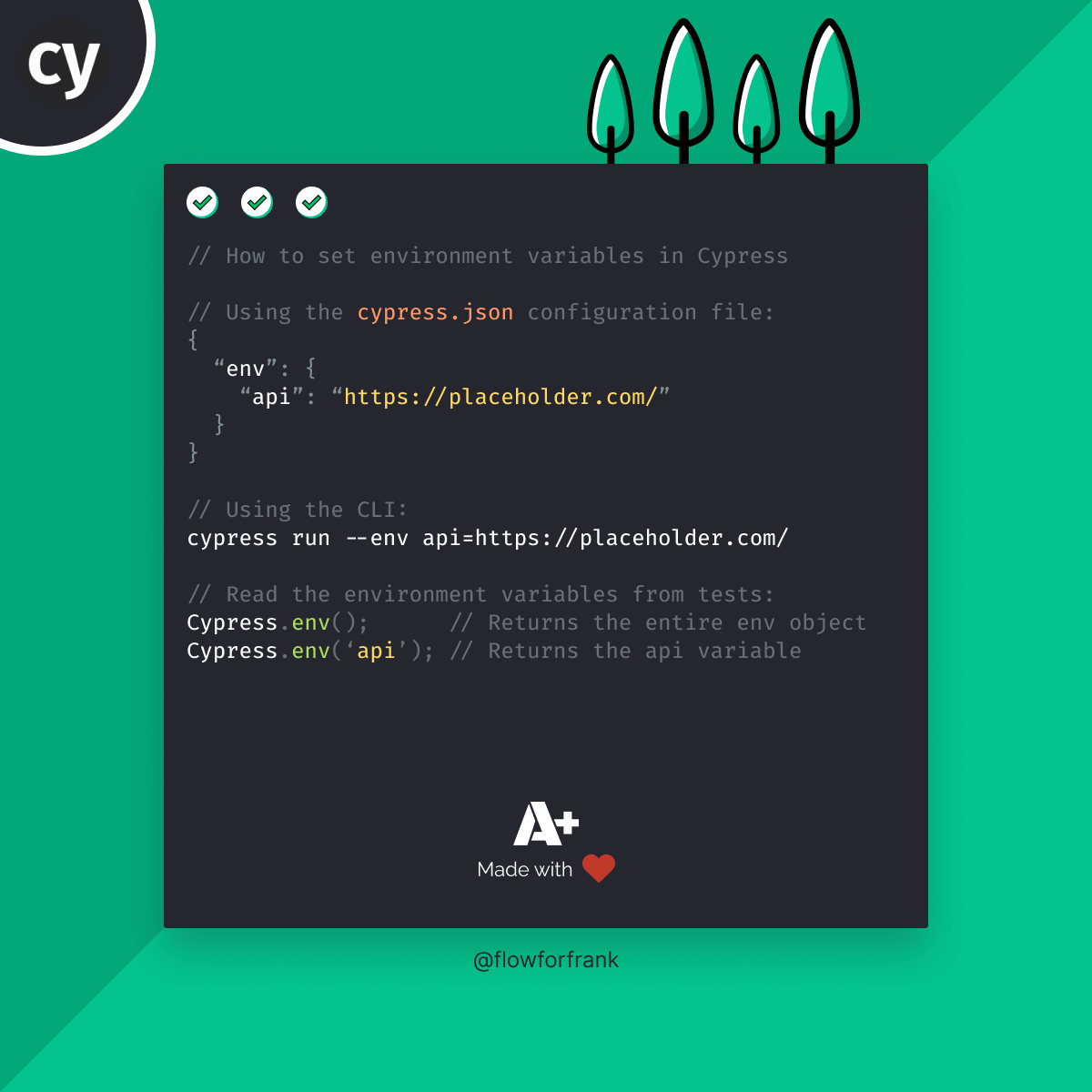
Vscode Jupyter Set Environment Variables Setup Jupyter YouTube Support For Variables Viewer From Jupyter Extension Issue 2020 How To Set Environment Variables In Cypress Webtips Set Environment Variables For Extensions When VS Code Is Not Launched Pandas Installed On My Virtual Environment But Not Utilized By VSCode The env command is used to get set and list environment variables You might also see the following syntax used to set environment variables main py env API KEY ABC123 env DB USER bobbyhadz Separating the key and value with a space or an equal sign works in the same way
How to set environment variables for Python Interactive Window aka IPython Issue 1467 microsoft vscode jupyter GitHub Terms Privacy Docs Contact GitHub Support Do not share my personal information Public We don t read terminal integrated env windows on startup of a python process VS code reads this on startup of a terminal Set up our environment Create a Jupyter Notebook To set up your environment you can either use a combination of WSL and VS Code or Windows 10 with VS Code I am using the former Windows Subsystem for Linux WSL on Windows plus VS Code Read this guide why I use WSL We will set up our Jupyter environment by creating a new Jupyter
Pandas Installed On My Virtual Environment But Not Utilized By VSCode Python 3 x Jupyter Variables Doens t Work On This Code In VSCode Reading A Csv File Of Data Into R Youtube Riset Pd set option display max rows To Anything Greater Than Default No Add Support For Julia Variables In Jupyter VS Code Extension Issue How To Set Environment Variables In Windows 10 Visual Studio Code How To Properly Display A Polars Dataframe In Load Environment Variables From env File And Global Variables Issue A Word On Jupyter Notebook Setup In An HPC Environment Radcamp github io
Vscode Jupyter Set Environment Variables
 Vscode Jupyter Set Environment Variables
https://i.ytimg.com/vi/87r3ayBsHq8/maxresdefault.jpg
To create a virtual environment follow these steps Open VS Code Click on the Terminal menu in the top menu bar and select New Terminal In the terminal navigate to the directory where you want to create the virtual environment Type the following command to create a new virtual environment python m venv name of virtual environment Press Enter
Templates are pre-designed files or files that can be utilized for various functions. They can save effort and time by supplying a ready-made format and design for creating various type of material. Templates can be used for personal or expert jobs, such as resumes, invites, flyers, newsletters, reports, discussions, and more.
Vscode Jupyter Set Environment Variables

Python 3 x Jupyter Variables Doens t Work On This Code In VSCode

Python 3 x Jupyter Variables Doens t Work On This Code In VSCode

Reading A Csv File Of Data Into R Youtube Riset
Pd set option display max rows To Anything Greater Than Default No

How To Set Environment Variables In Windows 10

Visual Studio Code How To Properly Display A Polars Dataframe In

In my VS Code settings json file I can use the following option to define environment variables terminal integrated env osx MY ENV test MY ENVTYPE qa
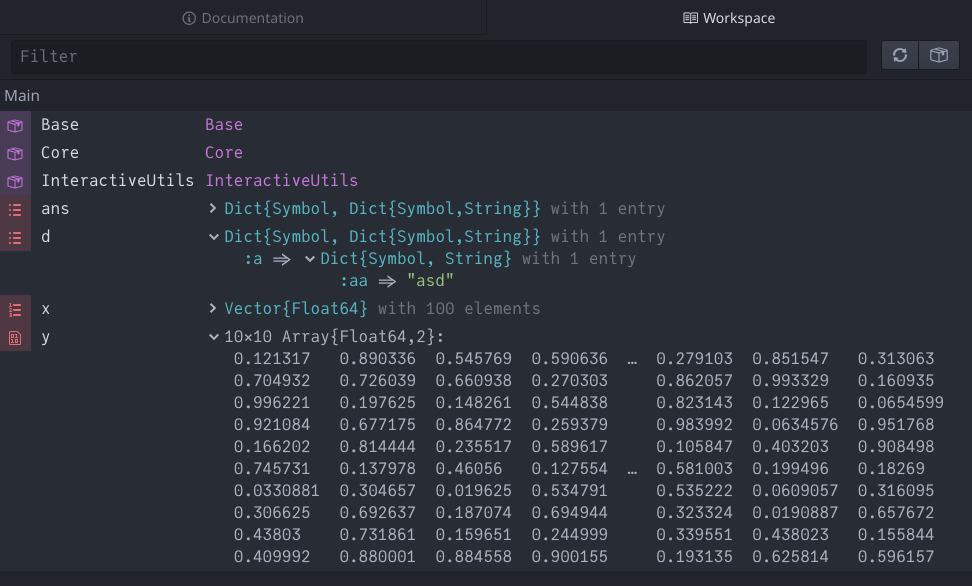
To create local environments in VS Code using virtual environments or Anaconda you can follow these steps open the Command Palette Ctrl Shift P search for the Python Create Environment command and select it The command presents a list of environment types Venv or Conda
Wiki Security 2 Insights New issue Jupyter notebook doesn t load env variables 8270 Closed opened this issue on Nov 12 2021 14 comments commented VS Code Version Version 1 62 1 Commit f4af3cbf5a99787542e2a30fe1fd37cd644cc31f Date 2021 11 05T10 56 50 217Z Electron 13 5 2 Chrome 91 4472 164 Node js 14 16 V8 9 1 269 39 electron
To set an environment variable in Jupyter Notebook you can use Python to set it using the os environ or use magic commands Let s cover the os environ function first Using OS This os environ function sets environment variables on the operating system where the Jupyter Notebook server is running
To use the window as a console open it with the Jupyter Create Interactive Window command from the Command Palette You can then type in code using Enter to go to a new line and Shift Enter to run the code To use the window with a file use the Jupyter Run Current File in Python Interactive Window command from the Command Palette
Debug a Jupyter notebook Setting up your environment To work with Jupyter notebooks you must activate an Anaconda environment in VS Code or another Python environment in which you ve installed the Jupyter package To select an environment use the Python Select Interpreter command from the Command Palette kb workbench action showCommands There is a dedicated Python package to set environment variables called python dotenv saurabh kumar This will read env files in the current directory Using VSCode and Jupyter The Jupyter extension of VSCode has built in functionality to read env files located in the workspace directory It will read env files in the workspace directory
It may not be a very versatile solution depending on your specific situation but you can add environment variables and change the path from within a Jupyter notebook import os import path os environ MY ENV foo sys path append bar Thanks That got me past one issue and onto another