Vscode Invisible Unicode Characters Management Consulting Invisible MTB 27 5 GitHub TroddenSpade Samurai theme vscode Samurai Theme For VSCode Copy Invisible Character From Here To Paste On Social Media vscode Unicode Tech Fun With Invisible Unicode Characters Cardinal Path Blog The question was quickly answered The issue ended up being an Invisible character hidden away in my string I had ran into this problem before and did not want to run into it again so I created this extension With this extension it is very easy to spot Invisible characters that may be unwanted
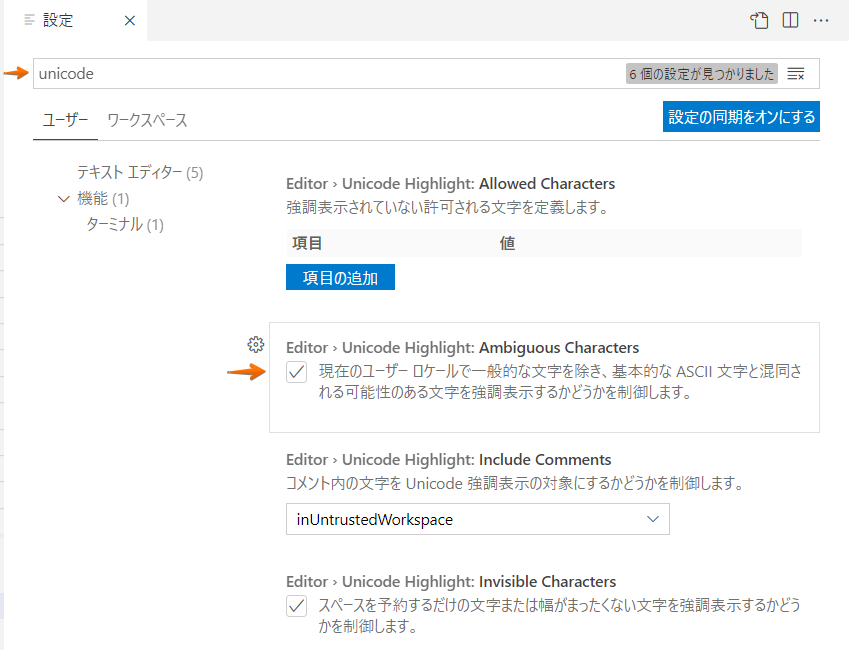
Render invisible chars as their UTFx code like in nvim 200b or to render any invisible char as one arbitrary chosen char like for whitespace View invisible characters View invisible characters 31291 Feature request Show hidden characters like space tab end of line carriage return Feature request Show hidden characters like space As per title I can t seem to get VS Code Integrated Terminal to correctly display unicode characters They always show up as question marks in the integrated terminal I ve ensured that the files are saved with encoding UTF 8 which seemed to be the only solution suggested across all the answers I ve seen so far but to no avail
Fun With Invisible Unicode Characters Cardinal Path Blog Antfu From Vscode settings Repository Readme Github Lab Showing Indentation Spaces Tabs Invisibles In Various Editors Monospacing Broken By Certain Unicode Characters Issue 1727 PDF Combining Invisible Unicode Characters To Hide Information In A Blank Text Copy Invisible Unicode Characters Science Technology Anime Black Hair Dark Anime Anime Love Human Pikachu Bakugou Manga Wallpaper Free Download Japanese Outfits Albedo Live Wallpapers New Unicode 10 0 Enth lt 59 Neue Emojis Google Wird Sie Allesamt Ab
Vscode Invisible Unicode Characters
 Vscode Invisible Unicode Characters
https://www.switch-e.com/wp-content/uploads/2017/06/Invisible-MTB_1_2000.jpg
Highlight Bad Chars Extension to highlight bad characters such as No break space and the Greek question mark in your source files With this package you ll easily notice invisible and easy to confuse characters which can be the cause for incredibly annoying syntax errors in source code Save yourself the burden of debugging invisible
Templates are pre-designed documents or files that can be utilized for numerous purposes. They can conserve effort and time by offering a ready-made format and design for producing various sort of material. Templates can be used for personal or professional jobs, such as resumes, invites, leaflets, newsletters, reports, discussions, and more.
Vscode Invisible Unicode Characters
How To Turn On Invisible Characters In VScode

Antfu From Vscode settings Repository Readme Github Lab
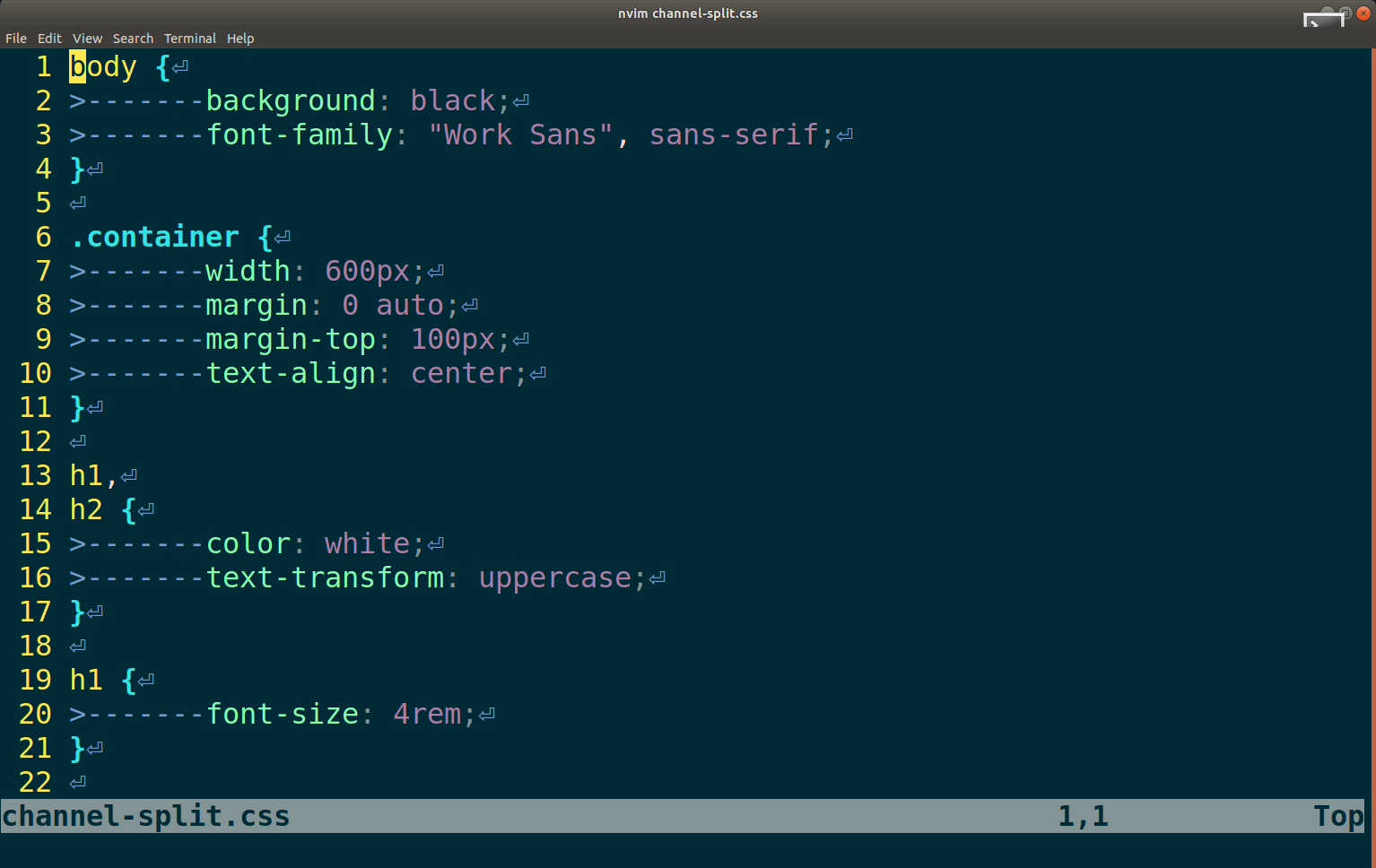
Showing Indentation Spaces Tabs Invisibles In Various Editors
Monospacing Broken By Certain Unicode Characters Issue 1727
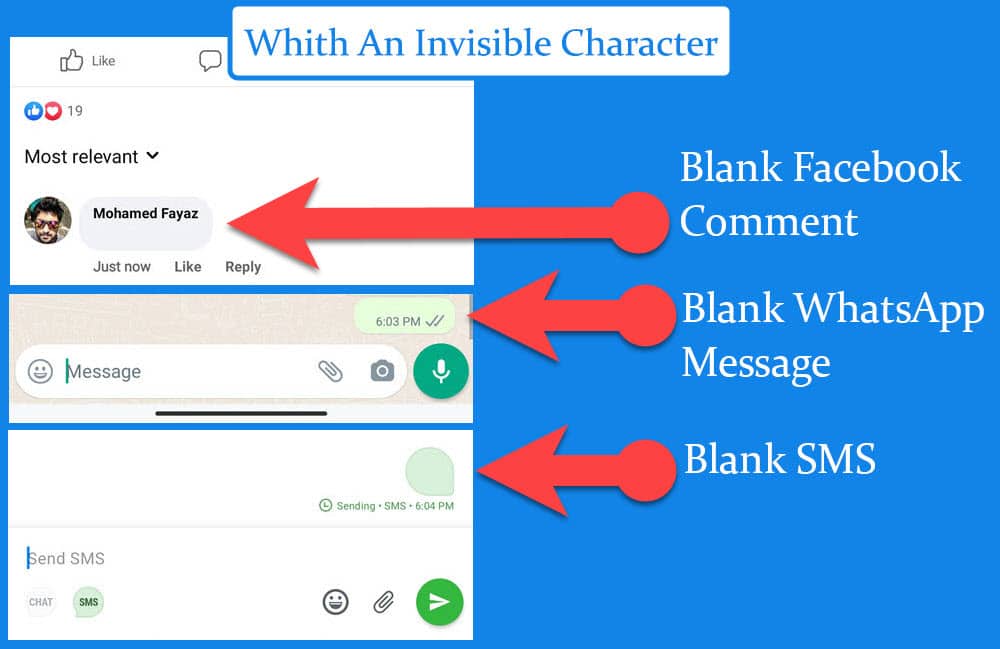
Blank Text Copy Invisible Unicode Characters Science Technology

Anime Black Hair Dark Anime Anime Love Human Pikachu Bakugou Manga

To enable invisible characters at all times on iOS go to your settings page Code Preferences Settings Or if you prefer keyboard commands In the search bar on the settings page search for Render Whitespace and with the dropdown that appears select all this will then show all whitespace characters
JULY 6 2022 In Visual Studio Code s menu bar go to Code Preferences Settings or press Search for Render Whitespace in the Search settings search bar Set the value to all You can also set this value to none to hide hidden characters throughout Visual Studio Code or set it to be displayed for boundary selection or
When using notepad I can see there are invisible characters in between the lines But when I open it up in visual studio code it s as if the invisible character doesn t exist VSCode inserting non breaking spaces instead of regular spaces 0 How to avoid displaying the leading and trailing spaces in vs code 15
Show special characters in VS Code Ask Question Asked 1 year 4 months ago Modified 12 months ago Viewed 8k times 7 I have a problem with my VS Code When trying to modify a file that contains special characters like etc the special characters are replaced with a question mark See image below

Invisible Unicode highlighting Highlights invisible or confusable Unicode characters More extensions for vscode dev Check out recent additions for VS Code for the Web Work in a container on an SSH server New Remote SSH Reopen in Container command
Crashacters allows you to quickly spot characters that don t belong in your files Saves you from wasting time debugging when your application crashes because the file you re using as input has an unexpected character that is either invisible in your editor or looks just like a valid character You can customize the ranges of Unicode characters In general it may be useful to have an option to display Unicode formatting characters in text file if used explicitly in doc comments Formatting characters may also be accidental garbage when pasting text from a webbrowser Even the BOM character could be shown as invisible character for full transparency
Insert Unicode This is an extension for Visual Studio Code which adds commands for inserting Unicode characters codes and Emoji The commands can be executed via the command palette View Command Palette Ctrl Shift P or bound to keyboard shortcuts No keys are bound by default Use the command Preferences Open Keyboard Shortcuts to add custom keyboard shortcuts