Vscode How To Revert Commit Git Revert File Reverting A File To A Previous Commit Git Revert Commit How To Undo The Last Commit Version Control With Git Undoing Changes How To Undo Pushed Commits With Git Sciencx Git Reverting To Previous Commit How To Revert To Last Commit Web VS Code s built in Git support provides the Git commit history of the specified file Selecting a commit will open a diff view of the changes introduced by that commit When you right click on a commit you ll get options to Copy Commit ID and Copy Commit Message
Web If you want to revert the last commit you can use git revert head head refers to the most recent commit in your branch The reason you use head 1 when using reset is that you are telling Git to quot remove all changes in the commits after quot reset hard quot the commit one before head quot head 1 Web Revert your last commit with the Git Undo Last Commit command This will reset your branch to the state right before you did the commit including all changes The command is also available as menu in More Actions under Commit on
Git Reverting To Previous Commit How To Revert To Last Commit Use Of Git Reset Git Revert Git Checkout Squash Commit Riset Git Azure Repos Microsoft Learn Git Revert File Reverting A File To A Previous Commit Git How To Revert A Pushed Commit Soft Hard Revert Examples How To Revert Or Undo Last Commit In Git SidTechTalks How Do I Revert A Git Repo To A Previous Commit O Reilly How To Revert A Git Commit The Git Revert Command YouTube Git Revert Commit How To Revert Previous Commit
Vscode How To Revert Commit
 Vscode How To Revert Commit
https://paper-attachments.dropbox.com/s_E7BE213D0AE03E619B0ABFE8B0450BCDCD832D2BDB3CB303964F1820DADBA52A_1660857327507_image.png
Web Aug 31 2021 nbsp 0183 32 git reset hard HEAD 1 This will undo the latest commit but also any uncommitted changes In this image each circle represents a commit Should You Use reset or revert in Git You should really only use reset if
Pre-crafted templates use a time-saving service for developing a varied variety of files and files. These pre-designed formats and layouts can be utilized for various personal and expert jobs, consisting of resumes, invites, leaflets, newsletters, reports, discussions, and more, enhancing the content production process.
Vscode How To Revert Commit
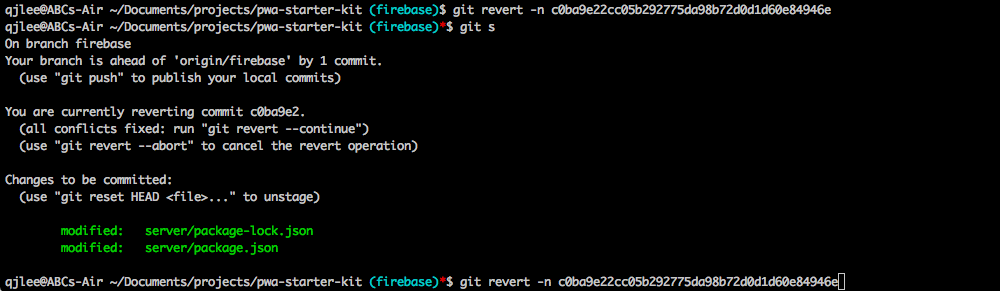
Daily Coding Tips 59 How To Revert Commit Without Commit In Git
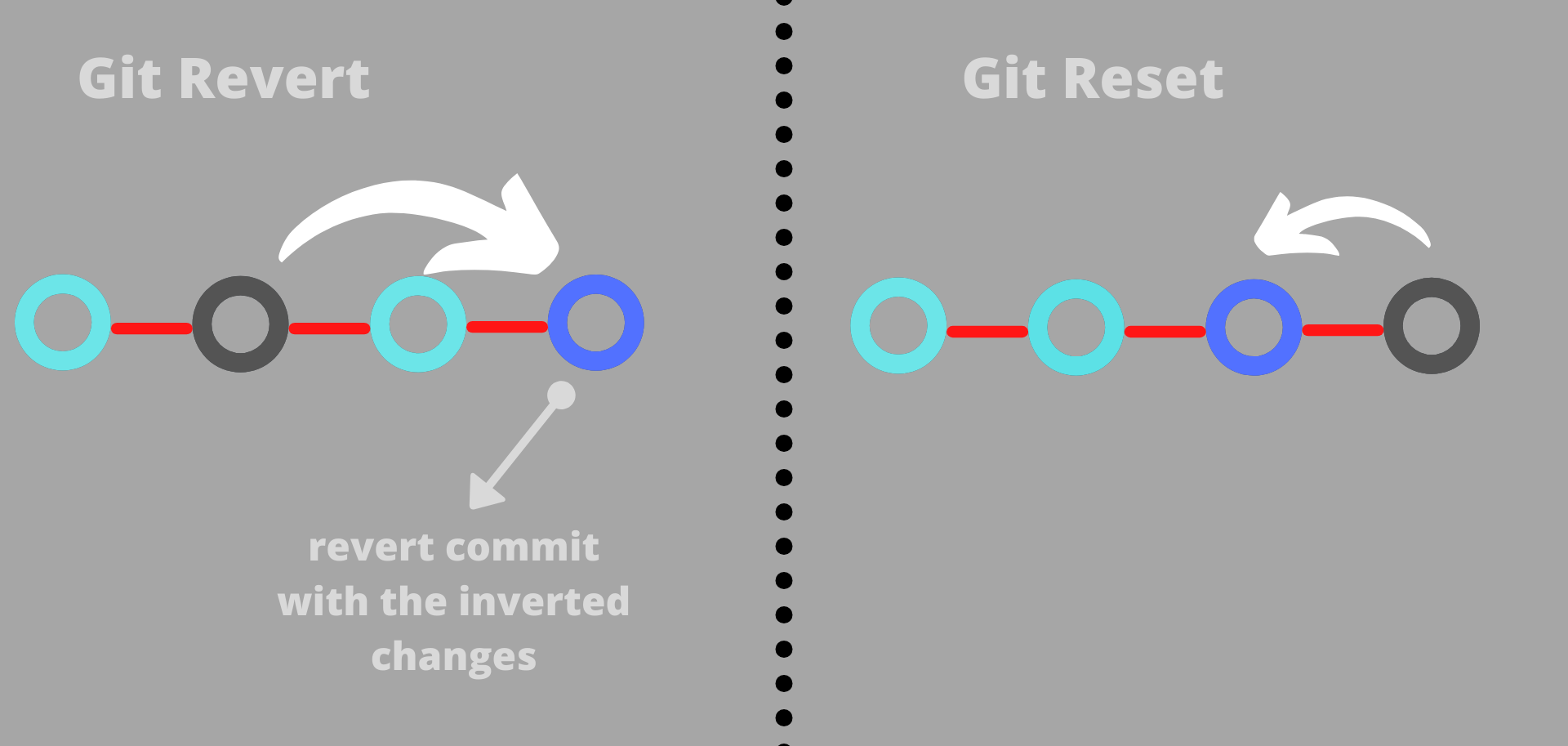
Use Of Git Reset Git Revert Git Checkout Squash Commit Riset
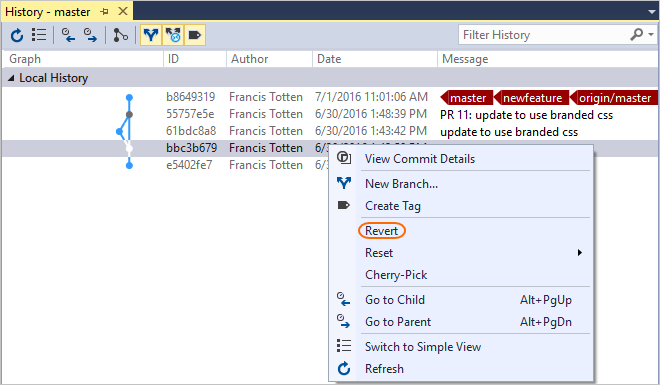
Git Azure Repos Microsoft Learn

Git Revert File Reverting A File To A Previous Commit
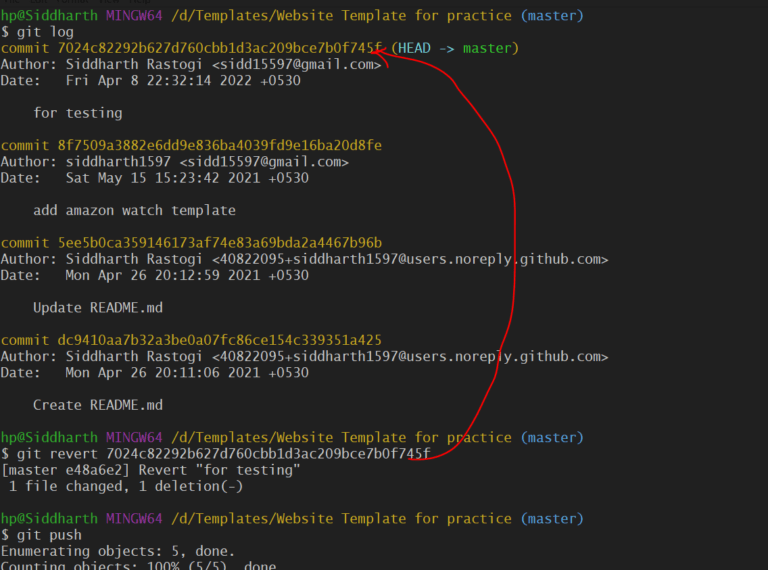
How To Revert Or Undo Last Commit In Git SidTechTalks

How Do I Revert A Git Repo To A Previous Commit O Reilly

Web Jan 12 2020 nbsp 0183 32 I am using VS Code and want to go back to a specific commit A I am currently at C A gt B gt C Last commit I did was C now I want to set all files back to their status at the time of commit A How can I do that in VS Code using command line inside VS Code would be also fine if needed

Web Mar 9 2023 nbsp 0183 32 How to Undo the last Git Commit in Visual Studio Code Undo the most recent Git commit in VS Code using the Command Palette Losing or deleting an important file Undo the last git commit in VS Code using commands Revert or Undo a Git commit using GitLens in VS Code

Web Apr 29 2018 nbsp 0183 32 VS Code quot Undo Last Commit quot simply runs git reset HEAD These actions are in the output if you open up the quot GIT quot tab The solution however can be found by looking at what was recorded by running git reflog and then manually running the git reset to before VS Code ran it here is a better reference

Web Jun 27 2022 nbsp 0183 32 1 You can revert change using git revert commit hash follow by git push origin branch name If not sure about your commit hash value Check using git log command Here are two links on how to revert using VS Code https learn microsoft en us visualstudio version control git manage

Web Jan 19 2021 nbsp 0183 32 If the problem is as simple as having just deleted all of your files then that should be an easy fix You can run git reset hard HEAD and that will reset you to your most recent commit That should restore anything you ve deleted since the last commit
Web Jan 4 2019 nbsp 0183 32 There is a visual studio extension called GitLens I right click my commit and clicked quot Revert Commit via terminal quot This ran the following command gt git revert e bdb001d91a63c1e898da18c54916a8834579d20b which deleted the files and reset the files to the version before commit I don t want this to happen Web Oct 19 2022 nbsp 0183 32 To revert to the to the previous commit run the git revert command along with the commit ID of the current commit In our case we ll be using the ID of the third commit git revert 882ad02 The command above will undo the current commit and revert the file to the state of the previous commit
Web Apr 28 2020 nbsp 0183 32 Without copy and pasting it myself What I tried Open the file Choose the latest commit in the new timeline view See the changes in diff view oldhash lt gt newhash red blocks on the left emptiness on the right as expected Select each block on the right right click quot Revert Selected Ranges quot