Vscode Add Current Folder To Pythonpath Permanently Add A Directory To PYTHONPATH YouTube Running Python Script In Vscode Mobile Legends PYTHON How Do I Add A Path To PYTHONPATH In Virtualenv YouTube How To Add Django To PYTHONPATH Properly Python Permanently Add A Directory To PYTHONPATH 5solution YouTube Web Configurations are defined in a launch json file that s stored in a vscode folder in your workspace Note To change debugging configuration your code must be stored in a folder To initialize debug configurations first select the Run view in the sidebar If you don t yet have any configurations defined you ll see a button to Run and Debug and a link to
Web Mar 4 2020 nbsp 0183 32 In PyCharm this is done by selecting a source folder In Visual Studio Code this is done by setting the PYTHONPATH variable Add source folder to PYTHONPATH Modify settings json to include the source folder src in the integrated terminal Web Aug 15 2021 nbsp 0183 32 In VSCode you have to manually create a env file and then add the paths of the folders to that file I have created a small extension that pretty much does what PyCharm does Install the extension right click on any folder from the Explorer and then select quot Add to Python path quot
Python Permanently Add A Directory To PYTHONPATH 5solution YouTube Esegui Apri VSCode Dal Terminale Mac MATLAB Current Folder To Run MUPen2DTool Download Scientific Diagram How To Add Django To PYTHONPATH Properly python pycharm Add Package Directory To PYTHONPATH In Windows Spark By Examples Solved How To Add Something To PYTHONPATH 9to5Answer Download Window Colors Extension 1 0 51 For Visual Studio Code Use Bash In The Vs Code Terminal In Windows Programmer All Mobile Legends
Vscode Add Current Folder To Pythonpath
 Vscode Add Current Folder To Pythonpath
https://i.ytimg.com/vi/PYtRWBc3-tM/maxresdefault.jpg
Web Jun 26 2019 nbsp 0183 32 It can be changed in the Settings menu Go to File gt Preferences gt Settings and Search for quot Execute in File Path quot You will find a option which is called Python gt Terminal Execute In File Dir When executing a file in the terminal whether to use execute in the file s directory instead of the current open folder
Pre-crafted templates provide a time-saving service for producing a varied series of documents and files. These pre-designed formats and designs can be used for various personal and professional tasks, including resumes, invitations, flyers, newsletters, reports, discussions, and more, simplifying the content development procedure.
Vscode Add Current Folder To Pythonpath
GitHub Biganghuajian NLP hello world 1 Create Resources Folder And

Esegui Apri VSCode Dal Terminale Mac

MATLAB Current Folder To Run MUPen2DTool Download Scientific Diagram

How To Add Django To PYTHONPATH Properly
Add Package Directory To PYTHONPATH In Windows Spark By Examples

Solved How To Add Something To PYTHONPATH 9to5Answer

Web Dec 6 2018 nbsp 0183 32 To make that work you have to define PYTHONPATH in a settings json file by adding this quot terminal integrated env osx quot quot PYTHONPATH quot quot workspaceFolder quot Note there are different values for each platform If you ve selected a python interpreter e g from a virtual environment you will already have a settings json file in the vscode
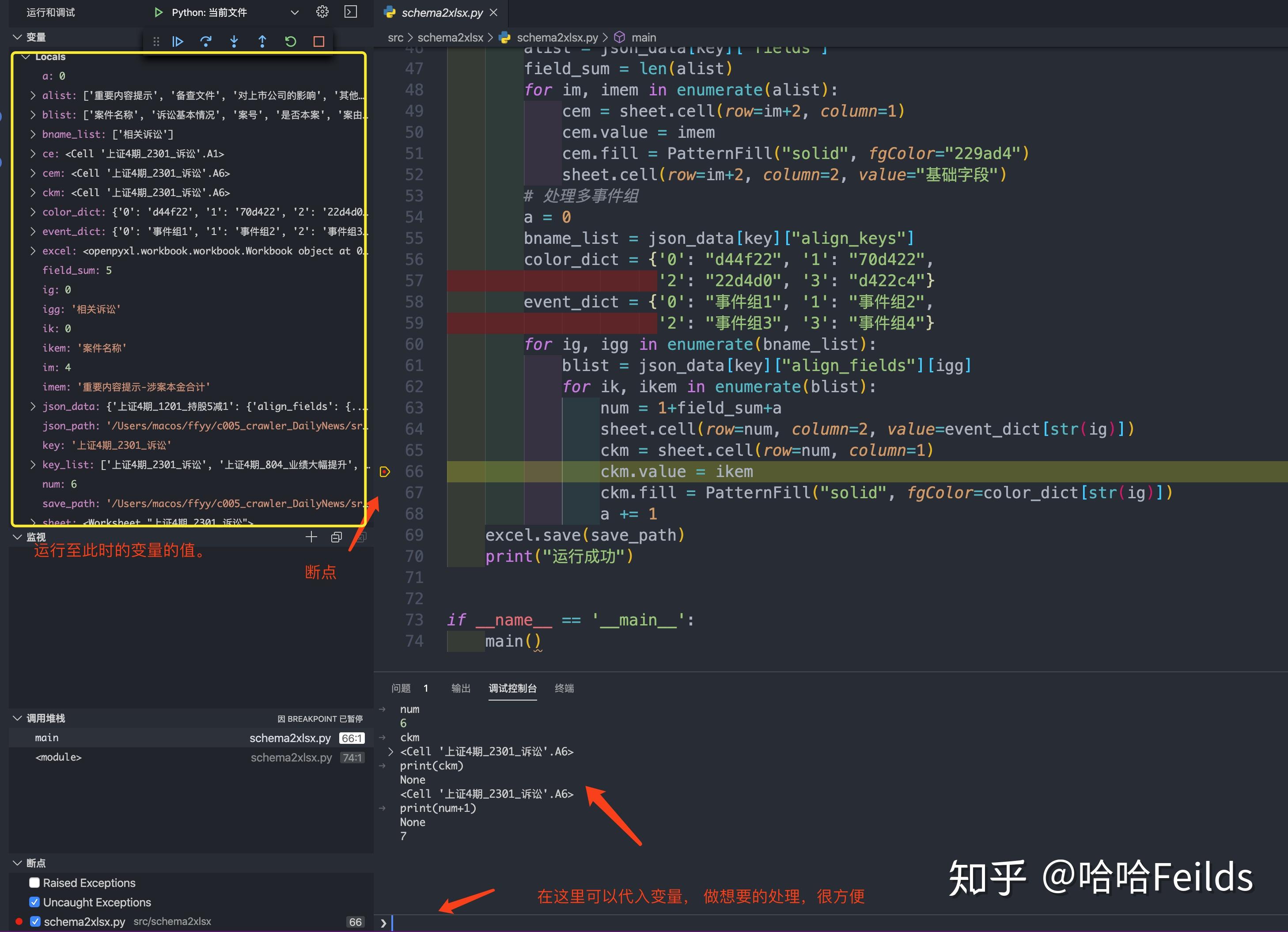
Web Jan 5 2017 nbsp 0183 32 In 2022 the configuration is as file vscode settings json quot python analysis extraPaths quot quot C Program Files obs studio data obs scripting 64bit quot quot terminal integrated env windows quot quot PYTHONPATH quot quot C Program Files obs studio data obs scripting 64bit env PYTHONPATH quot quot PATH quot quot C Program Files obs

Web By default the Python extension looks for and loads a file named env in the current workspace folder then applies those definitions The file is identified by the default entry quot python envFile quot quot workspaceFolder env quot in your user
Web Nov 9 2021 nbsp 0183 32 Set PYTHONPATH in VSCode There are two ways to set PYTHONPATH in VSCode You can add the absolute path to src folder to PYTHONPATH by creating an env file within your VS Code workspace with the following contents PYTHONPATH path to src Then set python envFile in your settings json file to point to

Web Jul 30 2020 nbsp 0183 32 1 According to your description it is recommended that you could try the following tips Add the line of settings to the launch json file of vscode file quot env quot quot PYTHONPATH quot quot workspaceRoot quot VSCode will automaticCally look in the root of the project the outermost household prices
Web Dec 23 2021 nbsp 0183 32 From the main menu go to File gt Preferences gt Settings and click on the Open Settings JSON icon shown below Add a section terminal integrated env linux that contains a PATH key as shown below Add your directory path then a colon and env PATH which refers to your system PATH Web Jul 27 2016 nbsp 0183 32 Add a comment 38 In some cases it might be also useful to set the PYTHONPATH along with the workspaceFolder quot name quot quot Python Current File quot quot type quot quot python quot quot request quot quot launch quot quot program quot quot file quot quot console quot quot integratedTerminal quot quot cwd quot quot workspaceFolder quot quot env quot quot PYTHONPATH quot quot cwd quot
Web Dec 26 2022 nbsp 0183 32 2 added the following lines to the settings json file as below quot terminal integrated env windows quot quot PYTHONPATH quot quot env PYTHONPATH workspaceFolder src core workspaceFolder src utils quot 3 created a env file in the root folder of the project with the following text