Vmware Network Adapter Shows Disconnected VMware Connect India Global Product VMware Ellentmond A Tulajdonos K ny r g Router Linux On Vmware Sz dav z Mint Buy 2 5GBase T PCI Express Gigabit Network Card For Gaming Streaming Buy Nologie Ethernet Adapter Gigabit Lan Network Adapter 1000Mbps USB 3 How To Manage VMs And Containers Across Hybrid Cloud WEB Updated on 05 31 2019 You can configure when a virtual network adapter is connected to a virtual machine and the type of network connection that the adapter provides The
WEB Sep 30 2017 nbsp 0183 32 during 1st reboot network was disconnected but changes to the network at least hostname changed during 2nd reboot network became connected and VM WEB 1 Introduction I m running VMware Fusion v11 5 1 on a macOS 10 host I m attempting to reach the Internet from inside a virtual machine What I ve done so far I was trying to
How To Manage VMs And Containers Across Hybrid Cloud VMware Explore Rubrik Comfast Ax200 3000Mbps Network Card Dual Band WiFi Dongle 802 11ax TASCAM AC 5V 2ADC Mini B Micro B TASCAM Network Adapter For Reedog FX 300 FX 500 Chargers Electric Collars How To Change Network Adapter Settings In VMWare Player YouTube Configure Network Adapter Settings Oracle Server X5 2 Installation VMware Standard Distributed And Logical VSwitches Explained Docker 02 Windows Vmware Centos Yapi Ducafecat To The Cloud
Vmware Network Adapter Shows Disconnected

https://cdn.fs.beamery.com/api/file/ZE8oOXFSSi2THFJgu80K
WEB Updated on 05 31 2019 Device status settings control when a virtual network adapter is connected to a virtual machine To configure virtual network adapter device status
Templates are pre-designed documents or files that can be utilized for numerous purposes. They can save time and effort by supplying a ready-made format and design for developing various type of material. Templates can be used for personal or professional projects, such as resumes, invitations, flyers, newsletters, reports, discussions, and more.
Vmware Network Adapter Shows Disconnected

TP Link TL WN822N N300 High Gain Wireless WiFi USB Network Adapter For

VMware Explore Rubrik

Comfast Ax200 3000Mbps Network Card Dual Band WiFi Dongle 802 11ax

TASCAM AC 5V 2ADC Mini B Micro B TASCAM
How To Change Network Adapter Settings In VMWare Player YouTube
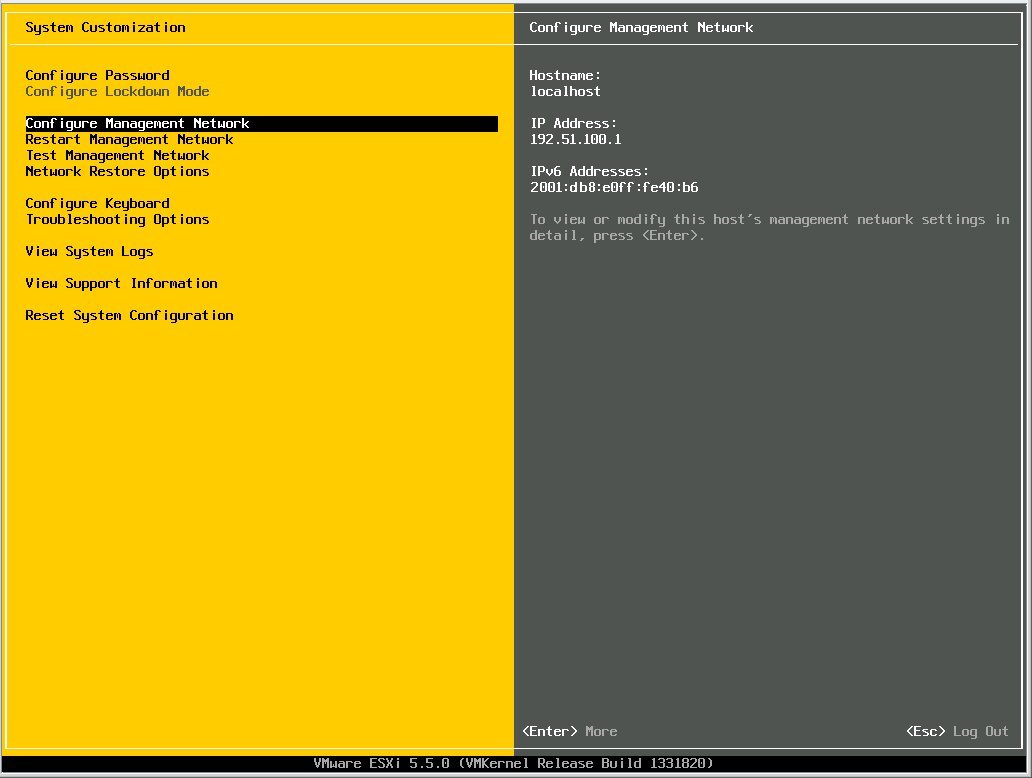
Configure Network Adapter Settings Oracle Server X5 2 Installation

WEB Feb 26 2024 nbsp 0183 32 This article provides information on troubleshooting issues when a network adapter fails The ESXi vCenter UI and ESXi logs show NIC adapter alerts and

WEB Mar 20 2024 nbsp 0183 32 Symptoms You are experiencing these issues No network connectivity for a virtual machine Cannot connect to the Internet from the guest operating system

WEB On a VMware 5 1 0 installed on a Dell R620 the network adapter gets disconnected Hitting the D button for additional info shows the following I tried to reset the iDrac with no results the iDrac shows the network
WEB Mar 4 2016 nbsp 0183 32 The connected option within Virtual Machine gt Edit Settings gt Network Adapter gt Device Status appears deselected even when you have selected it The

WEB Mar 22 2024 nbsp 0183 32 Symptoms The virtual machine does not have network connectivity You cannot connect to the Internet from the guest operating system Your virtual machine
WEB May 31 2019 nbsp 0183 32 You can also start the network editor from the command line by using the vmware netcfg command Select the virtual network Deselect Connect a host virtual WEB Mar 17 2024 nbsp 0183 32 To show hidden physically disconnected network adapters in Windows open the Device Manager console in a special mode To do this on Windows 7 and
WEB Oct 22 2013 nbsp 0183 32 What I did that actually fixed this issue is to simply press that Restore Default button at the bottom left corner in Virtual Network Editor It took about a minute to reset