Vmware Network Adapter Not Showing Up Linux SOLVED Vmware Bridged Network Not Working MiniTool After Windows 10 Update VMware Doesn t Detect Network Adapter Super User Bug Image Not Showing Up Issue 4800 Coder code server GitHub Vmware Esxi Network Adapter Not Connected How To Fix Common VMware Network Adapter Issues From the Settings pane click Add Device Network Adapter Fusion 4 and later or the plus button at the bottom of the Network pane to re add your network adapter Verify that your new network adapter settings match your old settings Restart your Mac Turn on your virtual machine Update the Windows network adapter in the Device Manager
When the virtual machine sends a request to access a network resource it appears to the network resource as if the request is coming from the host system Host only The virtual machine and the host virtual network adapter are connected to a private Ethernet network The network is completely contained within the host system The type of network configuration that you can select depends on whether the virtual machine is a local shared or remote virtual machine To configure virtual network adapter settings for a selected virtual machine select VM Settings click the Hardware tab and select the virtual network adapter
How To Fix Common VMware Network Adapter Issues How To Fix Wireless Adapter Missing In Windows 11 SOLVED YouTube How To Change Network Adapter Settings In VMWare Player YouTube Network Adapter Not Showing Up Gossipfunda T m Hi u Tri n Khai VSwitch DvSwitch VPort Tr n Vmware Vcenter Security Training Online Lab Setup Up Windows 10 Part 5 Of 7 How To Fix Wireless Adapter Missing In Windows 10 SOLVED YouTube Apple Server Os Data Center Vmware Auroratop VSphere Distributed Switch Part 10 Free Training VMware Network
Vmware Network Adapter Not Showing Up Linux
 Vmware Network Adapter Not Showing Up Linux
https://www.minitool.com/images/uploads/articles/2022/08/vmware-bridged-network-not-working/vmware-bridged-network-not-working-1.png
Click Start Control Panel Networking Connection Right click Local Area Network Connection and select Enable Ensure that your Host machine has a working network connection Confirm that your virtual machine s firewall is not blocking the Internet access For information on turning off your firewall see
Templates are pre-designed documents or files that can be used for different purposes. They can conserve effort and time by supplying a ready-made format and layout for developing various type of content. Templates can be used for individual or professional tasks, such as resumes, invites, flyers, newsletters, reports, discussions, and more.
Vmware Network Adapter Not Showing Up Linux
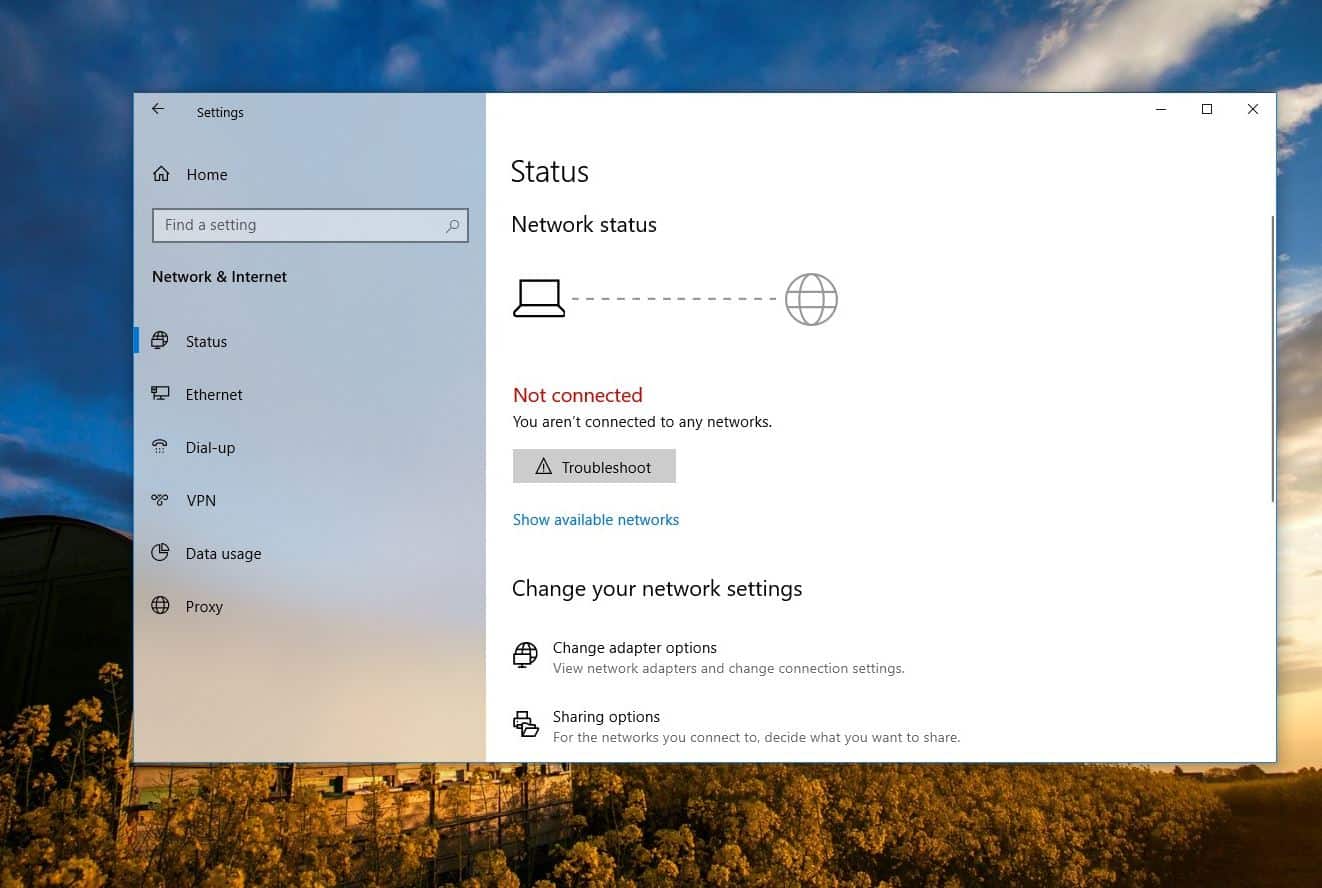
Solved Wireless Network Adapter Missing Windows 10

How To Fix Wireless Adapter Missing In Windows 11 SOLVED YouTube
How To Change Network Adapter Settings In VMWare Player YouTube
Network Adapter Not Showing Up Gossipfunda

Security Training Online Lab Setup Up Windows 10 Part 5 Of 7

How To Fix Wireless Adapter Missing In Windows 10 SOLVED YouTube
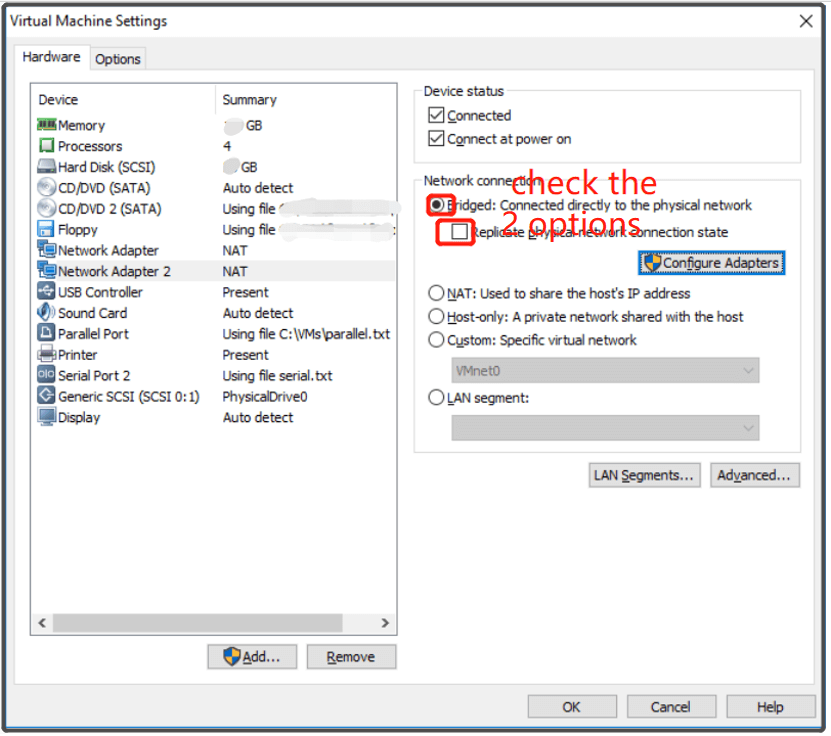
Jump to solution VMware Network Adapter VMnetx missing from Network Connections My Windows 10 x64 1709 recently went through a power outage I did not shut down my VMWare Workstation Pro 14 1 1 build 7528167 before my UPS was scheduled to shut down the OS Totally my fault after reviewing the UPS configuration set up

12 I installed ubuntu server 14 04 LTS on a virtual machine vmware win host The VM has internet access given a port id adaptertype E1000E and a MAC Sadly ubuntu was not able to detect the device automatically ifconfig a shows only the loop back interface but lspci prints the following Ethernet controller
VMWare properly installs the virtual network adapters under the Network Connections control panel however for some reason they do not show up under ipconfig which is very weird They also don t appear anywhere in route print I don t have network connectivity to the VM
Ensure that the Port Group name s associated with the virtual machine s network adapter s exists in your vSwitch or Virtual Distributed Switch and is spelled correctly If not correct it using Edit Settings on the virtual machine and ensure that the Connected checkbox is selected

For more information see Installing VMware Tools in a Linux virtual machine using a Compiler 1018414 Verify that the virtual network adapter is present and enabled by using ifconfig If nothing appears this can indicate that the NIC is shut down or not present Note Network interfaces appear if they are activated but do not have a link
This issue occurs when a virtual machine is cloned the network adapter s are given new MAC addresses Resolution To change the MAC address of the Linux operating system Note To perform these steps you should be familiar with Linux commands Redhat Connect to vCenter Server using the vSphere Client Jump to solution No Internet connection through my REDHAT VM machine Hello All I do not know if this post is in the right place hope this is the case I have a Linux REDHAT machine configured and working fine My issue is that I cannot have external network internet Yum packages
IPv6 not enabled gateway IP 172 16 213 2 Use local DHCP service to distribute IP addresses to VMs is UNCHECKED Connect a host virtual adapter vmnet2 to this network CHECKED I use the NAT gateway to get access to SUSE s NTP servers I do not have dynamic DNS configured I rely on the DNS services of the Workstation NAT gateway