Vmware Mouse Not Working Mac Stop VMWare Moving The Mouse Cursor To The Center 2 Solutions YouTube Mac Right Click Not Working Mouse Bluetooth And Usb Glitchy Amicopax MacOS Monterey VM Black Screen VMware Technology Network VMTN Cannot Release Control Of Mouse In Vmware Fusion 7 Centrenanax Logitech Mouse Not Working Mac Solve Now WEB Feb 14 2021 nbsp 0183 32 FWIW VMWare Fusion is up to version 12 1 0 The mouse works fine with my guests Depending on the guest you may have to change the USB settings for the
WEB To use Mac keyboards mice and trackpads in a virtual machine you sometimes must change settings and use key combinations as equivalents to PC commands WEB May 31 2019 nbsp 0183 32 Problem Solution Pressing Ctrl Alt to release the mouse and keyboard causes a laptop to suspend By default Workstation Pro uses Ctrl Alt to release the
Logitech Mouse Not Working Mac Solve Now Majove Mac Mouse Problems Gaweredu Macos Virtualbox Mouse Control Laptopfad Tutorial Problem With Mouse Cursor With VMware Fusion 11 5 1 On Watch The Jungle Book 1994 Lasopastrategy Top Ten Games Of 2016 Ps4 Lasopastrategy Virtual HUB USB And Virtual USB Mouse VMware Technology Network VMTN Solaris 11 4 Update VMware Mouse Oracle mosc Kodi Jarvis Apk Files For Pc Users Lasopastrategy
Vmware Mouse Not Working Mac
 Vmware Mouse Not Working Mac
https://i.ytimg.com/vi/jjNbyQkjMXs/maxresdefault.jpg
WEB Feb 19 2024 nbsp 0183 32 I m using the integrated trackpad Photos about mouse settings The strange thing is if i hover my mac cursor on the VM window then windows cursor
Pre-crafted templates offer a time-saving service for developing a diverse variety of files and files. These pre-designed formats and layouts can be made use of for numerous individual and professional projects, consisting of resumes, invites, flyers, newsletters, reports, presentations, and more, enhancing the content production procedure.
Vmware Mouse Not Working Mac

VMware Windows VM No Mouse Cannot Install VMware Tools PeteNetLive
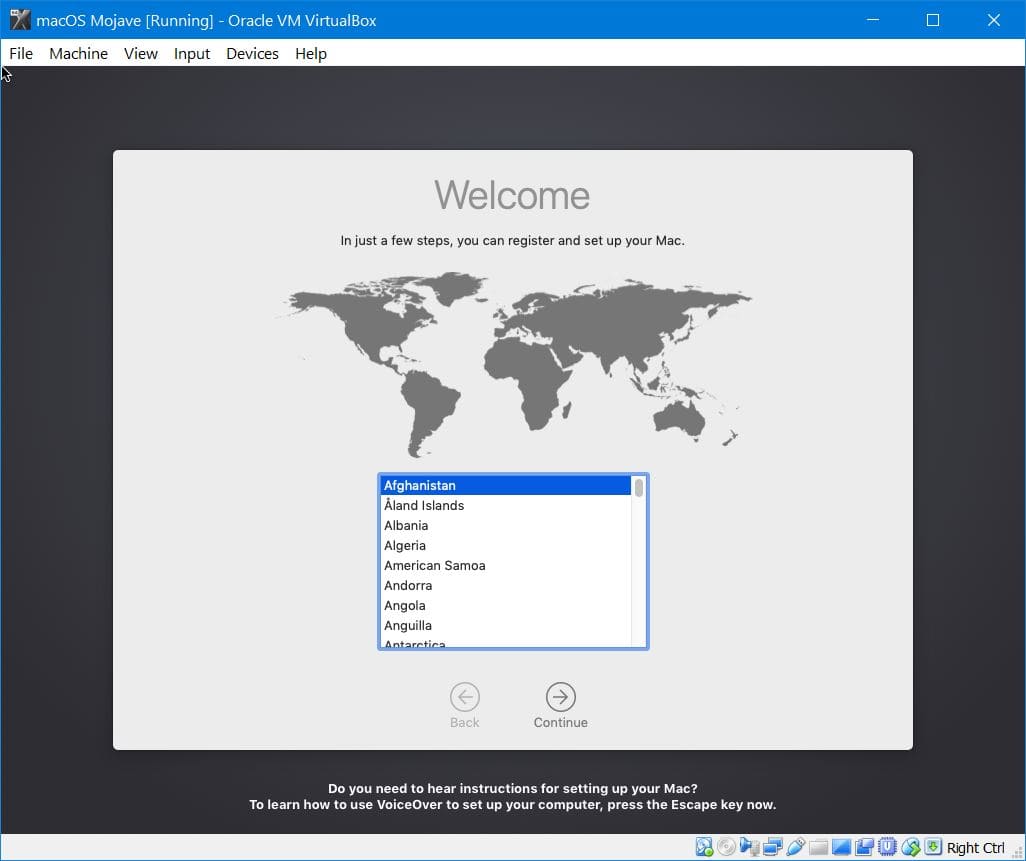
Majove Mac Mouse Problems Gaweredu
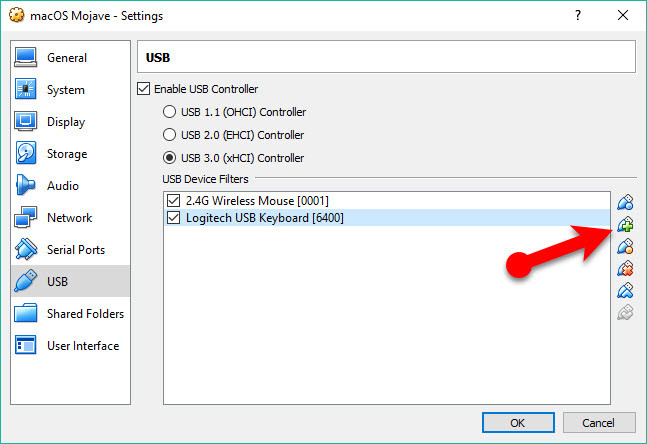
Macos Virtualbox Mouse Control Laptopfad

Tutorial Problem With Mouse Cursor With VMware Fusion 11 5 1 On

Top Ten Games Of 2016 Ps4 Lasopastrategy

Virtual HUB USB And Virtual USB Mouse VMware Technology Network VMTN

WEB Nov 14 2020 nbsp 0183 32 I would check your WIN10 VMWare Fusion config settings for the Mouse and Keyboard to ensure you are using the correct Profile for WIN10 Also if there was a

WEB Jun 5 2020 nbsp 0183 32 When a virtual machine is booted the mouse cursor often gets STUCK in the VM This occurs with Windows and Linux guests The mouse remains STUCK until you

WEB Feb 15 2023 nbsp 0183 32 If you have the VMware Guest Tools installed it will allow for seamless mouse movements between host and guest Without them as you ve noticed to release

WEB Nov 19 2020 nbsp 0183 32 KB 80009 Enabling Mouse and Keyboard Functionality for VMware Fusion on macOS Catalina This video provides steps to enable mouse and keyboard
WEB Oct 23 2013 nbsp 0183 32 I installed Mac OS X in VMware With that setup Mac s mouse as well as keyboard is not working in VMware How do I get my mouse and keyboard working
WEB Nov 2 2023 nbsp 0183 32 The frustrating issue is that after a few hours randomly the guest VM will stop accepting mouse and keyboard input However the guest is still quot running quot because I WEB Jul 7 2022 nbsp 0183 32 Fix Mouse amp Keyboard Lagging on macOS on VMware amp VirtualBox As far as mouse amp keyword are an important part of installing macOS and working macOS or any
WEB Dec 2 2019 nbsp 0183 32 1 I would verify it s not a mouse problem by first testing the mouse on another computer 2 Then post the results and clarify quot cannot control the mouse quot such