Vmware 6 5 Shutdown Vm Command Line VMware ESXi Check Disk For Errors And Repair VMKFSTOOLS Proxmox pci switcher Switch Among Guest VMs Organized By Resource Pool Auto Shutdown VM If No Active SSH Connections There Is No Way To Shutdown poweroff Any VM Fusion VMware Technology Network VMTN Cloud Foundry Tutorial Guy Tel Zur Updated on 05 31 2019 You can shut down a virtual machine from the VM menu or from the toolbar When you use the VM menu you can select a hard or soft power option You
Related Products and Run this command to list the running virtual machines and power them off cat proc vmware vm names awk F a substr 4 1 length 4 6 b vmware cmd
Cloud Foundry Tutorial Guy Tel Zur How To Update ESXi 6 Via Command Line Comtronic Blog Game Like Parasite In City Kawevqbase jvm jvm CSDN jvm jvm CSDN 5 Easy Steps Convert VMware To Proxmox The Ultimate Guide How To Force Shutdown VMware Virtual Machine Techy Guy Solved Using The GET VM Command VMware Technology Network VMTN Start And Shutdown VM From Command Line PowerCLi YouTube
Vmware 6 5 Shutdown Vm Command Line
 Vmware 6 5 Shutdown Vm Command Line
https://www.ubackup.com/screenshot/en/others/vmware-esxi/vmware-esxi-logo.png
1 Answer Sorted by 5 Use the vmrun command to shut down a VMware Workstation by command line This is the main command for this purpose and the shut
Templates are pre-designed documents or files that can be used for different functions. They can conserve time and effort by providing a ready-made format and design for producing various kinds of material. Templates can be utilized for individual or professional tasks, such as resumes, invites, leaflets, newsletters, reports, presentations, and more.
Vmware 6 5 Shutdown Vm Command Line

Use Remote Tools To Troubleshoot Azure VM Issues Virtual Machines Microsoft Learn

How To Update ESXi 6 Via Command Line Comtronic Blog

Game Like Parasite In City Kawevqbase
jvm jvm CSDN

5 Easy Steps Convert VMware To Proxmox The Ultimate Guide

How To Force Shutdown VMware Virtual Machine Techy Guy
Press F2 to shut down Press F11 to reboot From Local or Remote Tech Support Mode or from an SSH session run one of these commands Run the reboot
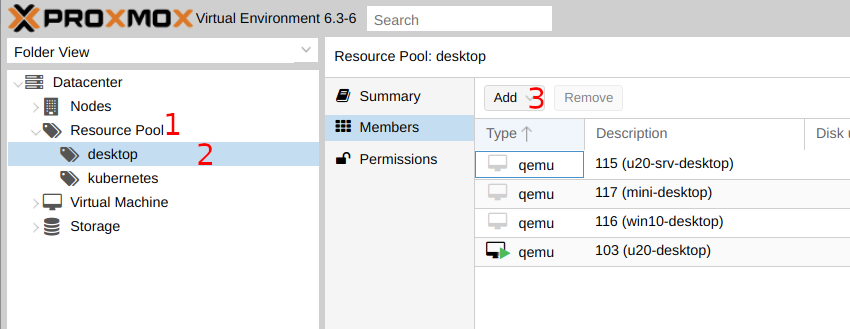
Click the Configure tab Under Virtual Machines select VM Startup Shutdown and click Edit The Edit VM Startup and Shutdown dialog box opens Select

Get the current state of a virtual machine by running this command vim cmd vmsvc power getstate VMID Shutdown the virtual machine using the VMID found in Step

1 When attempting to perform a graceful shutdown of a VMware Fusion guest VM on MacOS Big Sur 11 6 using the below command line vmrun stop

Up to4 cash backHow Can I Shutdown VM from Command Line Preferrably a Graceful Shutdown Guest Did a little searching but couldnt come up with what I
Procedure In the vSphere Client home page navigate to Home Hosts and Clusters and select a host From the Actions menu select Power Select the operation In VMware vCenter Server 6 0 and later VMware recommends to use the vSphere Web Client or Service Control command line tool to stop start or restart
To resume virtual machine operations after the suspend command finishes use the start command On Windows the IP address is retrieved On Linux networking