Vlookup Return Value From Two Columns What Value Would Be Returned In Excel D49 The User Inserts A New Row 2 And Enters Value 50 In Have Vlookup Return Multiple Columns In Google Sheets Excel VLOOKUP Multiple Columns LaptrinhX How To Return Multiple Columns With Vlookup Function In Google Sheets Gambaran Excel Vlookup Multiple Columns Formula Example Coupler io Blog 33 rows nbsp 0183 32 When you enter a value in cell B2 the first argument VLOOKUP searches the cells in the range C2 E7 2nd argument and returns the closest approximate match from the third column in the range column E 3rd argument
This completes our tutorial on how to use VLOOKUP to return values from multiple columns at once You can learn more about VLOOKUP basics VLOOKUP with multiple criteria and VLOOKUP in multiple sheets Jun 3 2018 nbsp 0183 32 Method 1 Use the VLOOKUP Function to Match Two Columns and Return a Third in Excel The first method uses the VLOOKUP function one of the most common lookup table tools for Excel It fetches a value on a column a
Excel Vlookup Multiple Columns Formula Example Coupler io Blog Excel Formula To Compare And Return Value From Two Columns How To Vlookup To Return The SUM Of Two Or More Columns In Excel Free Excel Tutorial How To Use Vlookup In Excel For Multiple Values Likoshh 32 Double Vlookup Formula In Excel Gif Formulas How To Vlookup Return Value In Adjacent Or Next Cell In Excel Vlookup Compare Two Columns Lasopareference How To Use Vlookup In Excel To Separate Text In A Cell Weehrom Facestill blogg se How To Use Vlookup In Excel 2016
Vlookup Return Value From Two Columns
 Vlookup Return Value From Two Columns
https://i1.wp.com/www.wallstreetmojo.com/wp-content/uploads/2019/12/VLOOKUP-to-Return-Multiple-Values.png
Jul 16 2024 nbsp 0183 32 Using VLOOKUP in Excel to search for data across multiple columns can be a bit tricky but it s totally doable with some clever formulas Here s a quick rundown you ll need to
Templates are pre-designed documents or files that can be used for numerous purposes. They can save time and effort by supplying a ready-made format and design for creating various kinds of material. Templates can be utilized for personal or expert jobs, such as resumes, invites, flyers, newsletters, reports, discussions, and more.
Vlookup Return Value From Two Columns
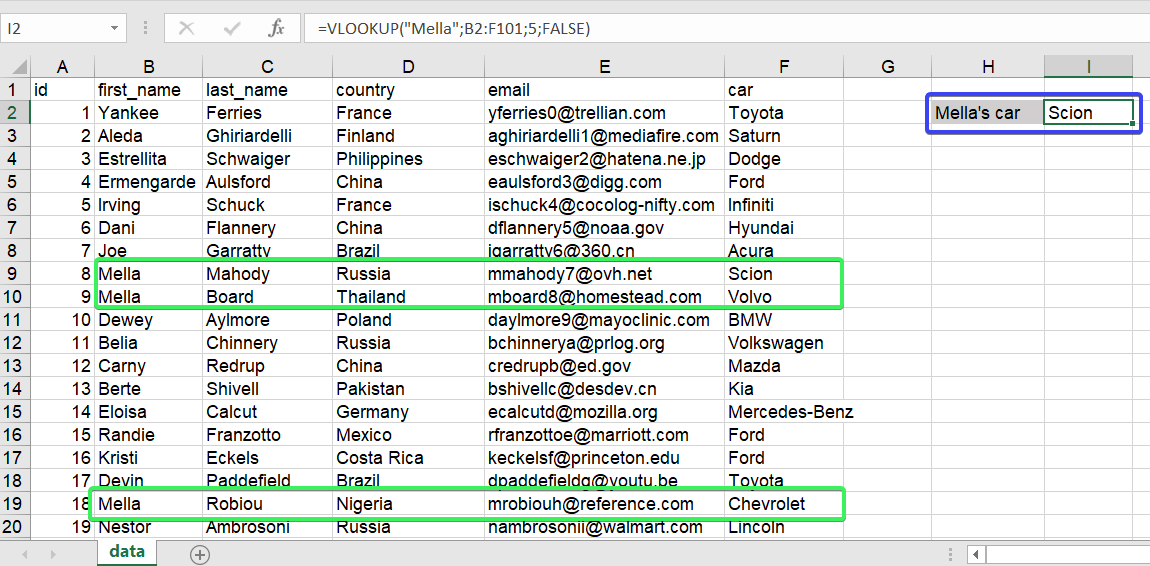
Excel VLOOKUP For Two Values 2022 Guide Coupler io Blog
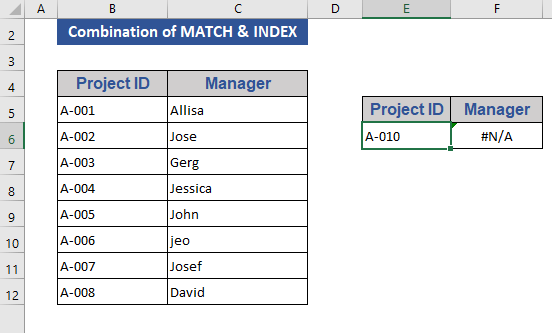
Excel Formula To Compare And Return Value From Two Columns
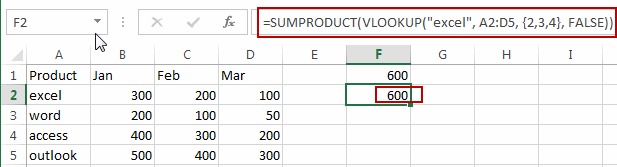
How To Vlookup To Return The SUM Of Two Or More Columns In Excel Free Excel Tutorial
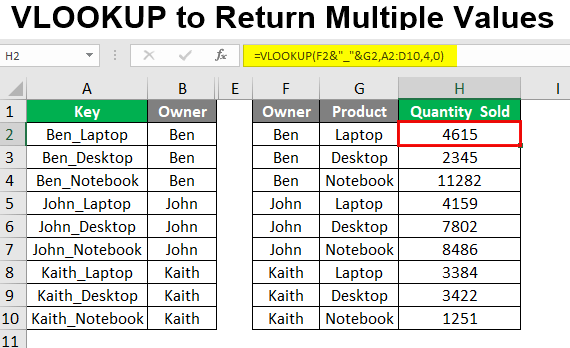
How To Use Vlookup In Excel For Multiple Values Likoshh

How To Vlookup Return Value In Adjacent Or Next Cell In Excel

Vlookup Compare Two Columns Lasopareference

Apr 9 2025 nbsp 0183 32 Use VLOOKUP in Excel to return multiple columns with a single formula Follow this step by step guide to retrieve data from multiple columns efficiently
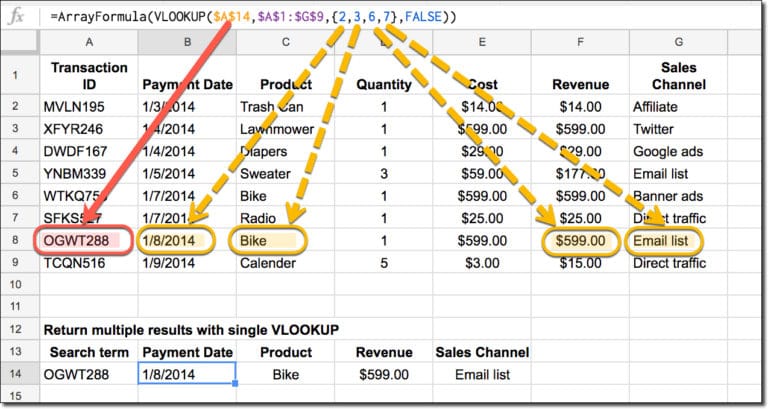
Jan 31 2022 nbsp 0183 32 You can use the following syntax with the VLOOKUP function in Excel to look up a value in a range and return the corresponding values from multiple columns VLOOKUP G2 A2 E11 3 4 5 FALSE

Mar 22 2023 nbsp 0183 32 Advanced VLOOKUP formula examples show how to Vlookup multiple criteria return a specific instance or all matches dynamically pull data

Feb 8 2023 nbsp 0183 32 This tutorial will demonstrate how to return multiple columns using VLOOKUP in Excel and Google Sheets If your version of Excel supports XLOOKUP we recommend using XLOOKUP instead

Apr 23 2024 nbsp 0183 32 To return the closest match specify TRUE to return the exact match specify FALSE The closest match TRUE is set by default Here is the VLOOKUP formula we have But you can t just insert this formula into J2 cell
Dec 30 2022 nbsp 0183 32 By default VLOOKUP is set to return a Single column but with a small tweak it can return multiple columns VLOOKUP G2 B2 E24 3 4 FALSE The only trick is to put the Mar 13 2023 nbsp 0183 32 See how to use VLOOKUP to compare 2 columns in Excel to return common values matches and find missing data differences
5 days ago nbsp 0183 32 Retrieve Value with VLOOKUP Function Single Criteria VLOOKUP is one of the most widely used formulas to retrieve data from another sheet when you have a unique