Vlookup Return All Matching Rows INDEX MATCH Or VLOOKUP To Return Multiple Values In Excel How To Use Vlookup In Excel To Separate Text In A Cell Weehrom How To Return Multiple Matching Rows And Columns Using VLOOKUP In Excel GeeksforGeeks VLOOKUP With Multiple Criteria Excel Formula Exceljet Excel Vlookup Multiple Columns Formula Example Coupler io Blog Vlookup and return whole entire row data of a matched value with array formula Please select the cells where you want to output the whole row result then enter this array formula VLOOKUP F2 A 2 D 12 1 2 3 4 FALSE into the formula bar see screenshot
Open the Spreadsheet in Excel and select cell C14 Type the following formula into the cell and hit the Enter button on your keyboard INDEX C 3 C 11 SMALL IF C 13 B 3 B 11 MATCH ROW B 3 B 11 ROW B 3 B 11 ROWS A 1 A1 Press the Enter button you will see the name of the employee of the Plan department in cell C14 You can use the following syntax in Excel to use the VLOOKUP function to look up a specific value in a range and return the entire row that corresponds to the value VLOOKUP A14 A 2 D 11 1 2 3 4 FALSE This particular example looks up the value in cell A14 in the range A2 D11 and then returns the entire row that corresponds to the value
Excel Vlookup Multiple Columns Formula Example Coupler io Blog How To Return Multiple Columns With VLOOKUP Function In Google Sheets Cantidad De Decimales Al Aplicar Formato A Celdas En Excel Ricardo Diaz How To Vlookup To Return The SUM Of Two Or More Columns In Excel Free Excel Tutorial How To Vlookup And Return Whole Entire Row Of A Matched Value In Excel How To Use Vlookup In Excel For Multiple Values Likoshh Copie Suprafa Speriind Transform Multiline Table In Single Line Table Excel Canelur Dezbate How To Use Vlookup In Excel To Separate Text In A Cell Weehrom Vlookup In Max Rows In Google Sheets All About Max Values In Lookup
Vlookup Return All Matching Rows
 Vlookup Return All Matching Rows
http://excel.officetuts.net/wp-content/uploads/sites/2/2019/01/vlookup-example.png
With all the arguments established you should have no problem reading the whole formula search for lion in A2 A11 find an exact match and return a value from column B in the same row For the sake of convenience you can type the value of interest in some cell say E1 replace the hardcoded text with the cell reference and get the
Templates are pre-designed documents or files that can be used for different functions. They can conserve time and effort by offering a ready-made format and layout for producing different type of material. Templates can be utilized for individual or expert jobs, such as resumes, invites, leaflets, newsletters, reports, discussions, and more.
Vlookup Return All Matching Rows

Excel VLookup Sum Multiple Row Values in Same Column In 4 Steps
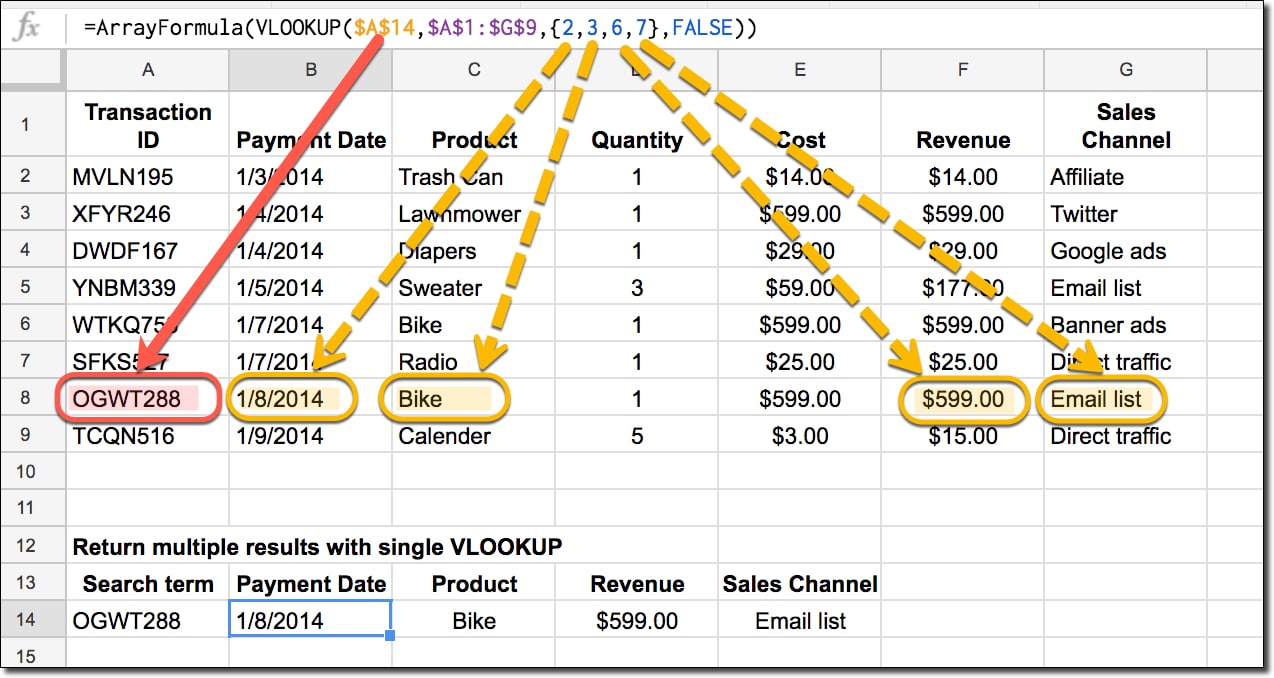
How To Return Multiple Columns With VLOOKUP Function In Google Sheets
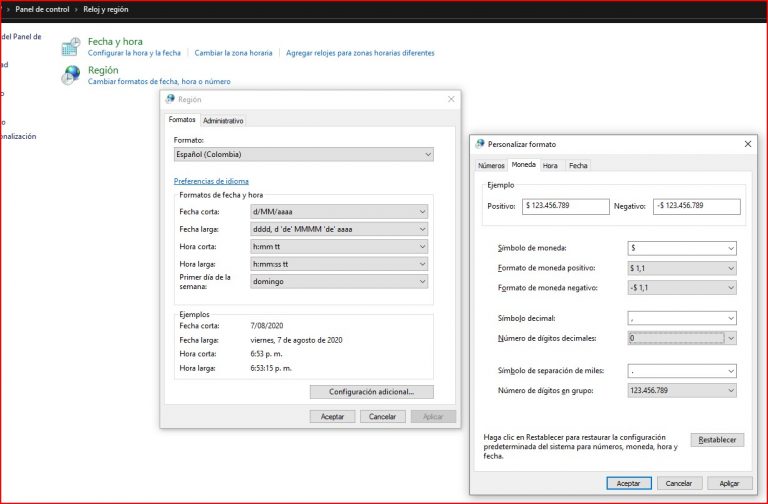
Cantidad De Decimales Al Aplicar Formato A Celdas En Excel Ricardo Diaz
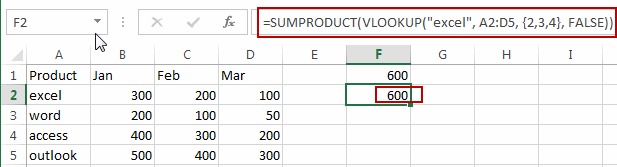
How To Vlookup To Return The SUM Of Two Or More Columns In Excel Free Excel Tutorial
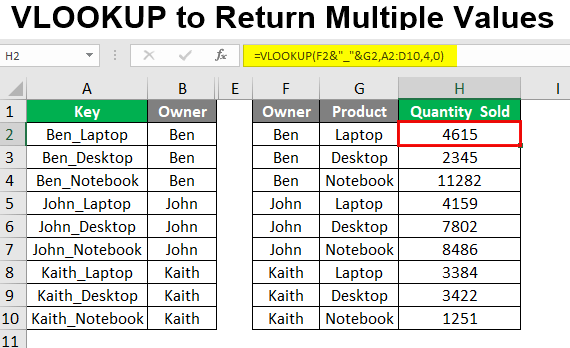
How To Use Vlookup In Excel For Multiple Values Likoshh
Copie Suprafa Speriind Transform Multiline Table In Single Line Table Excel Canelur Dezbate

This particular formula looks in the range C2 C11 and returns the corresponding values in the range A2 A11 for all rows where the value in C2 C11 is equal to E2 The following example shows how to use this syntax in practice Example Use VLOOKUP to Return All Matches

When you enter a value in cell B2 the first argument VLOOKUP searches the cells in the range C2 E7 2nd argument and returns the closest approximate match from the third column in the range column E 3rd argument The fourth argument is empty so the function returns an approximate match

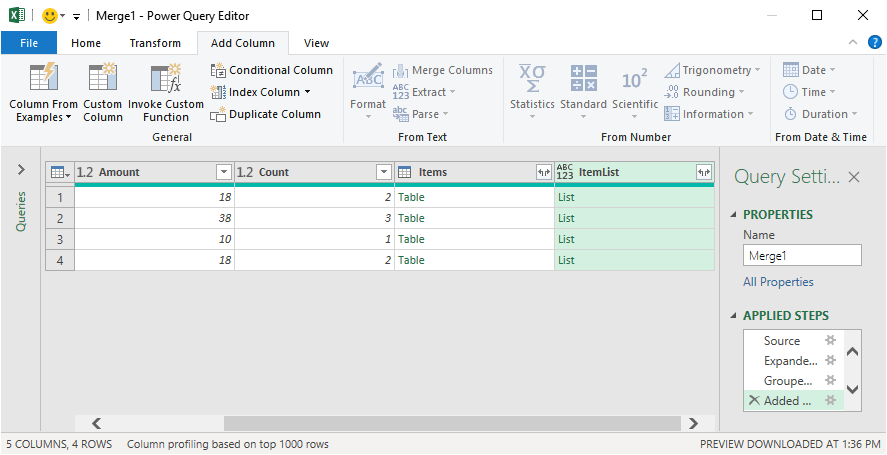
Once VLOOKUP finds a matching row it shoots to the right to retrieve the related value from a single column But let s say we want to return the values from multiple columns and all of the matching rows Well this is where VLOOKUP breaks down So we ll simulate this functionality by turning to Power Query Let s get to it
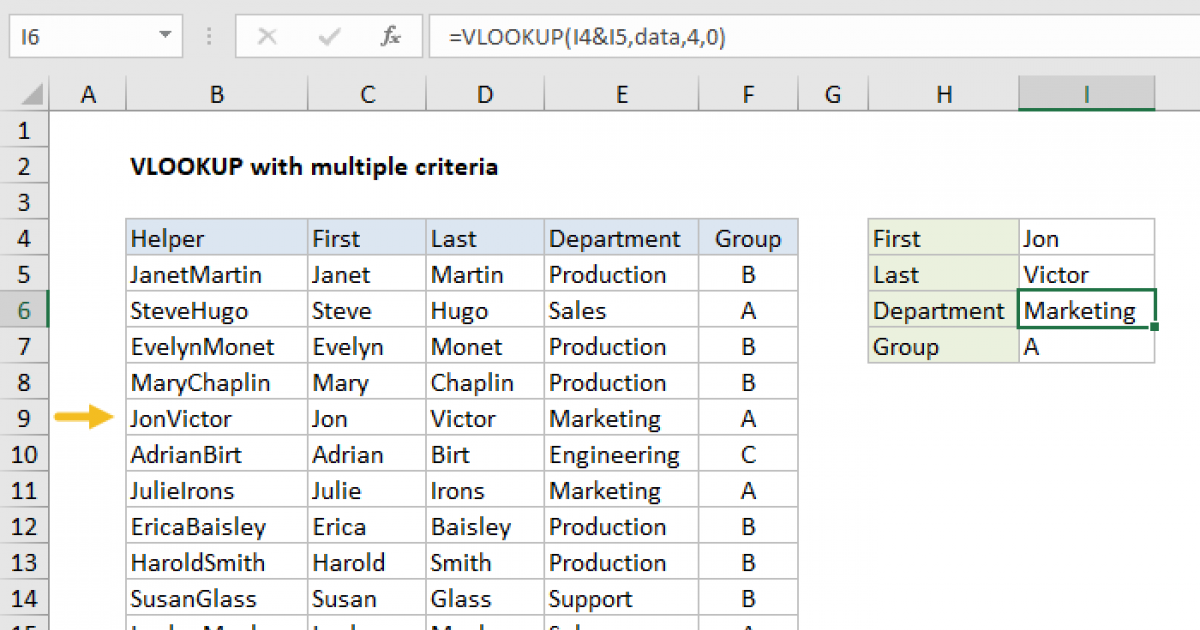
Today we will be expanding on that by looking at how to return all the matching values in the dataset Plus we will combine this with partial matches so that we can create a full powerful search function List all the matching items VLOOKUP is great when you have unique data but that doesn t always happen

Now put all of the above together as follows VLOOKUP lookup value range containing the lookup value the column number in the range containing the return value Approximate match TRUE or Exact match FALSE Examples Here are a few examples of VLOOKUP Example 1 Example 2 Example 3 Example 4 Example 5
The question then can VLOOKUP return all of the matches VLOOKUP will not But other functions can If you want to total all of costs from job J1199 you would use SUMIFS B 2 B 53 A 2 A 53 G2 Use SUMIFS to total every match Formula 1 Vlookup multiple matches and return results in a column Let s say you have the seller names in column A and the products they sold in column B column A containing a few occurrences of each seller Your goal is to get a list of all products sold by a given person To have it done please follow these steps
Step 3 Remove the duplicate values As you can see the function returns duplicates You can avoid this by embedding the previous formula in the UNIQUE function The combination of the FILTER and UNIQUE functions returns exactly the number of values in only 3 steps If I change the tracking number immediately the function returns another