Visual Studio Create Git Repository Azure Devops Create A New Git Repo And Add Existing Code To Azure DevOps Video Intro To Azure DevOps Bring Your Own Git Repository Code To Azure Devops Project Deploying Infrastructure As Code And Azure Devops Step By Step Tutorial La Net Azure DevOps Git Repository Options Codewrecks Does this imply that you are going to end up dropping Azure DevOps in favour of GitHub fixed in visual studio 2022 version 17 0Visual Studiowindows 10 016 8
Getting a local copy of a Git repo is called cloning Every mainstream development tool supports this and will be able to connect to Azure 5 Open visual studio clone the repository You can enter the URL of the remote repository location The path where the local clone will be created will
Azure DevOps Git Repository Options Codewrecks Azure DevOps Git Repository Management Azure DevOps Repos With GIT And Visual Studio For Developers SoftArchive How To Delete A Git Repository In Azure DevOps Stack Overflow Azure DevOps Visual Studio Blog Git Repository Azure DevOps Qiita How To Create Git Repository In Azure Devops Azure Local Git Repository Trust The Answer Brandiscrafts How To Integrate Azure DevOps Repositories With GitLab
Visual Studio Create Git Repository Azure Devops
 Visual Studio Create Git Repository Azure Devops
https://f4n3x6c5.stackpathcdn.com/UploadFile/BlogImages/01252022185503PM/Untitled1.png
Move your source control to the Microsoft cloud This video is the quickest and easiest way to learn to use Azure DevOps Repos with GIT and Visual Studio
Templates are pre-designed documents or files that can be used for different functions. They can save effort and time by offering a ready-made format and design for creating various type of material. Templates can be utilized for individual or expert tasks, such as resumes, invitations, flyers, newsletters, reports, presentations, and more.
Visual Studio Create Git Repository Azure Devops

Git Cloning Repository From MSA Backed Azure DevOps Using Visual
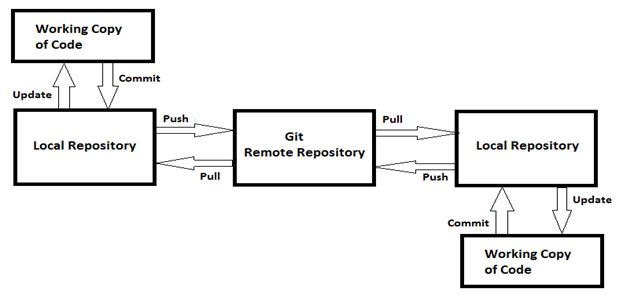
Azure DevOps Git Repository Management

Azure DevOps Repos With GIT And Visual Studio For Developers SoftArchive

How To Delete A Git Repository In Azure DevOps Stack Overflow
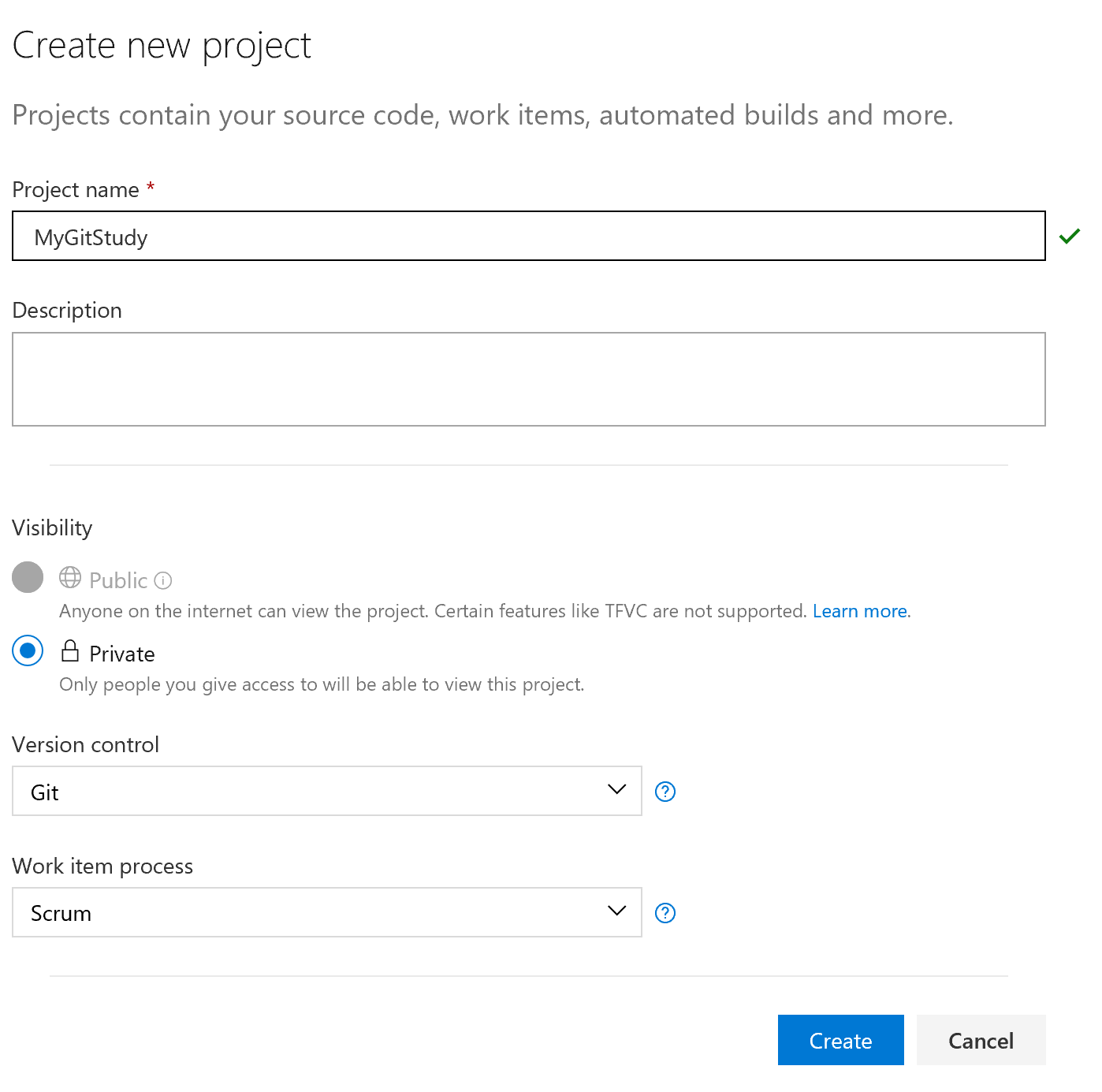
Git Repository Azure DevOps Qiita
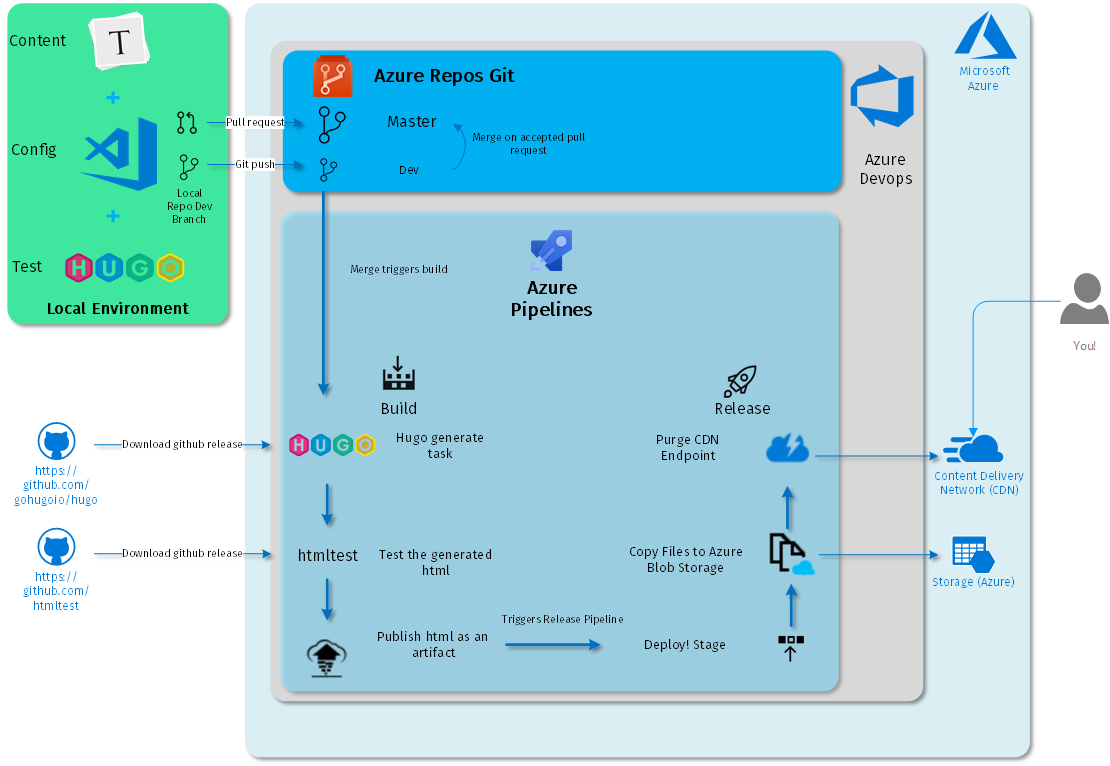
How To Create Git Repository In Azure Devops

Create a repo using the web portal From the repo drop down select New repository Screenshot of repository menu select New repository In

Learn how to create a new Git repo using Visual Studio or Git command line and connect it to Azure Repos

Updated with the latest Visual Studio menu changes Visit https www patrickvideos Now
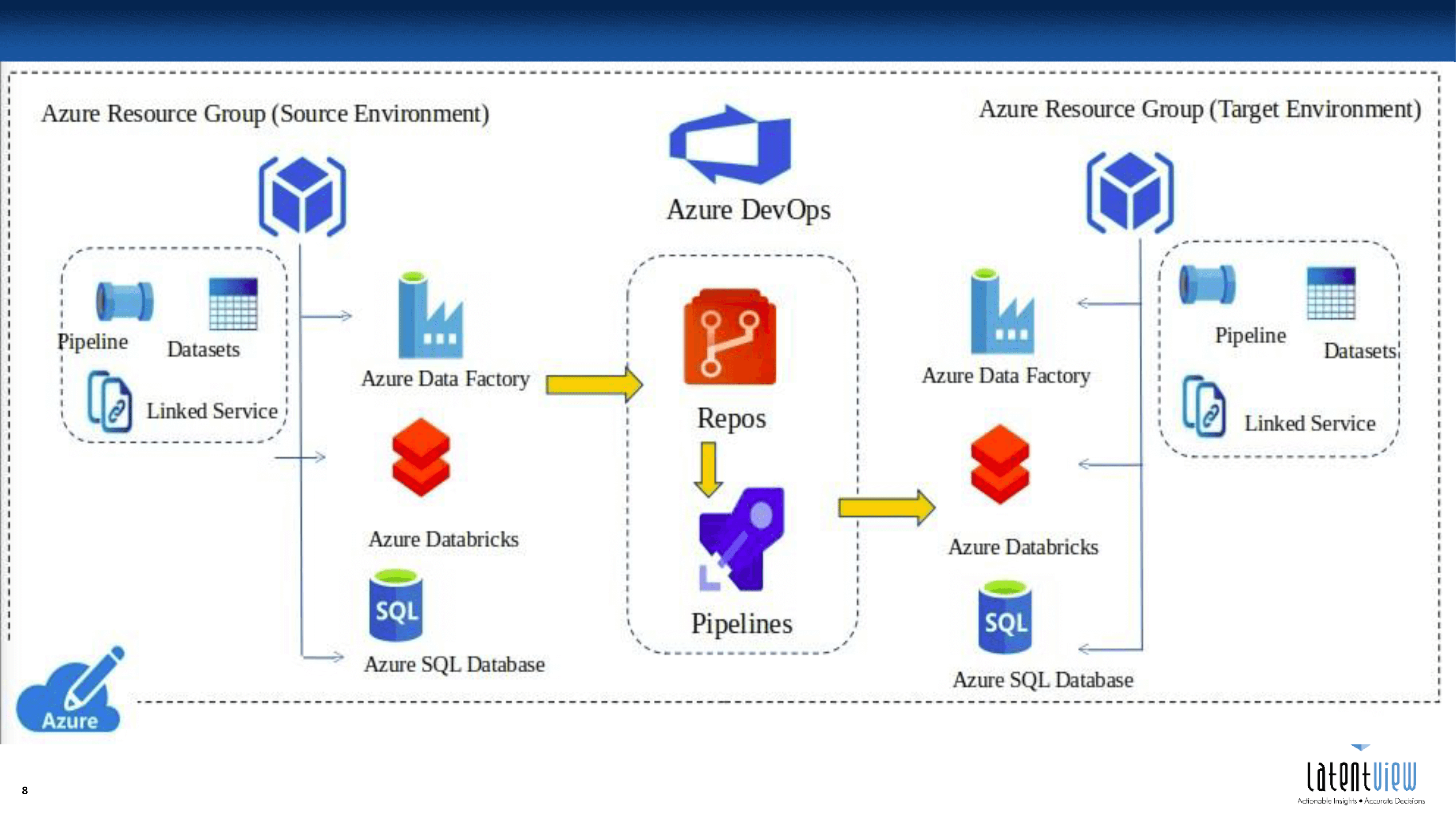
I Create a Git repository in Azure DevOps Open DevOps and choose the respective project From Repos click on Files and click on the
Under Other select Existing remote Provide the URL The URL can be found in the Repo instruction page in Azure DevOps Then click on Create
Navigate to the IT Ops repo we created earlier within Azure DevOps Repos Retrieve the repository HTTPS URL through the Clone Repository button Navigate back And a newly created Azure DevOps git project with an empty repository Now from Visual Studio 2022 I want to push my project into the DevOps
Create a remote repository on GitHub Create a username and entering an email address and password Verify you are not a robot Select a