Visual Studio Code Python Debug Doesn T Work Distroless base debug Doesn t Work On Apple M1 Issue 958 Visual Studio Code Python Debug Module Not Found Wildfte Procesando Caliente rgano Digestivo Instalar Librerias En Visual Debugging How To View Variables In Parent Scope While Using VS Code Visual Studio Code Python Debug With Arguments Renlog Start a New Python Program Entering Python Code Running Python Code Python Linting Support Editing an Existing Python Project Testing Support Debugging Support Git Integration Conclusion Remove ads Watch Now This tutorial has a related video course created by the Real Python team
To debug code in a standalone Python file open your file in Visual Studio and select Debug Start Debugging Visual Studio launches the script with the global default environment and no arguments You then have full debugging support for your code For more information see Python environments Explore basic debugging Appears in the Python Debug Console if you switch back to it and VS Code exits debugging mode once the program is complete If you restart the debugger the debugger again stops on the first breakpoint
Visual Studio Code Python Debug With Arguments Renlog Run And Debug Doesn t Work In 2022 10 Issue 19494 Microsoft CTDN Forum Debug Problem With Visual Studio 2017 And CTrader 4 4 23 Angular Debug Doesn t Work With Chrome IDEs Support IntelliJ Visual Studio Code Python Debug With Arguments Reviewbap Re Unable To Run Debug Monitor Command Not Supp NXP Community Debug Python In Visual Studio Awarelasopa Angular Debug Doesn t Work With Chrome IDEs Support IntelliJ Debug Python In Visual Studio Code Fakurt
Visual Studio Code Python Debug Doesn T Work
 Visual Studio Code Python Debug Doesn T Work
https://user-images.githubusercontent.com/12458706/153980893-0df4bd8d-94a6-4593-b747-a0099f85d14a.png
Open your Python project file py in the editor Replace the code in the file with the following code This version of the code expands the make dot string function so you can examine its discrete steps in the debugger It moves the for loop into a main function and runs it explicitly by calling the main function Python Copy
Pre-crafted templates provide a time-saving option for producing a diverse range of files and files. These pre-designed formats and layouts can be made use of for different individual and expert jobs, including resumes, invitations, leaflets, newsletters, reports, discussions, and more, simplifying the material creation procedure.
Visual Studio Code Python Debug Doesn T Work
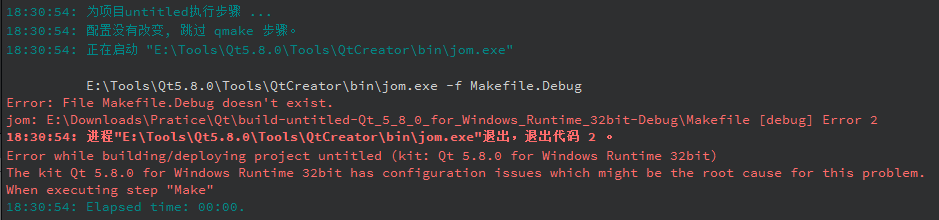
Qt5 8 File Makefile Debug Doesn t Exist CSDN
Run And Debug Doesn t Work In 2022 10 Issue 19494 Microsoft

CTDN Forum Debug Problem With Visual Studio 2017 And CTrader 4 4 23

Angular Debug Doesn t Work With Chrome IDEs Support IntelliJ
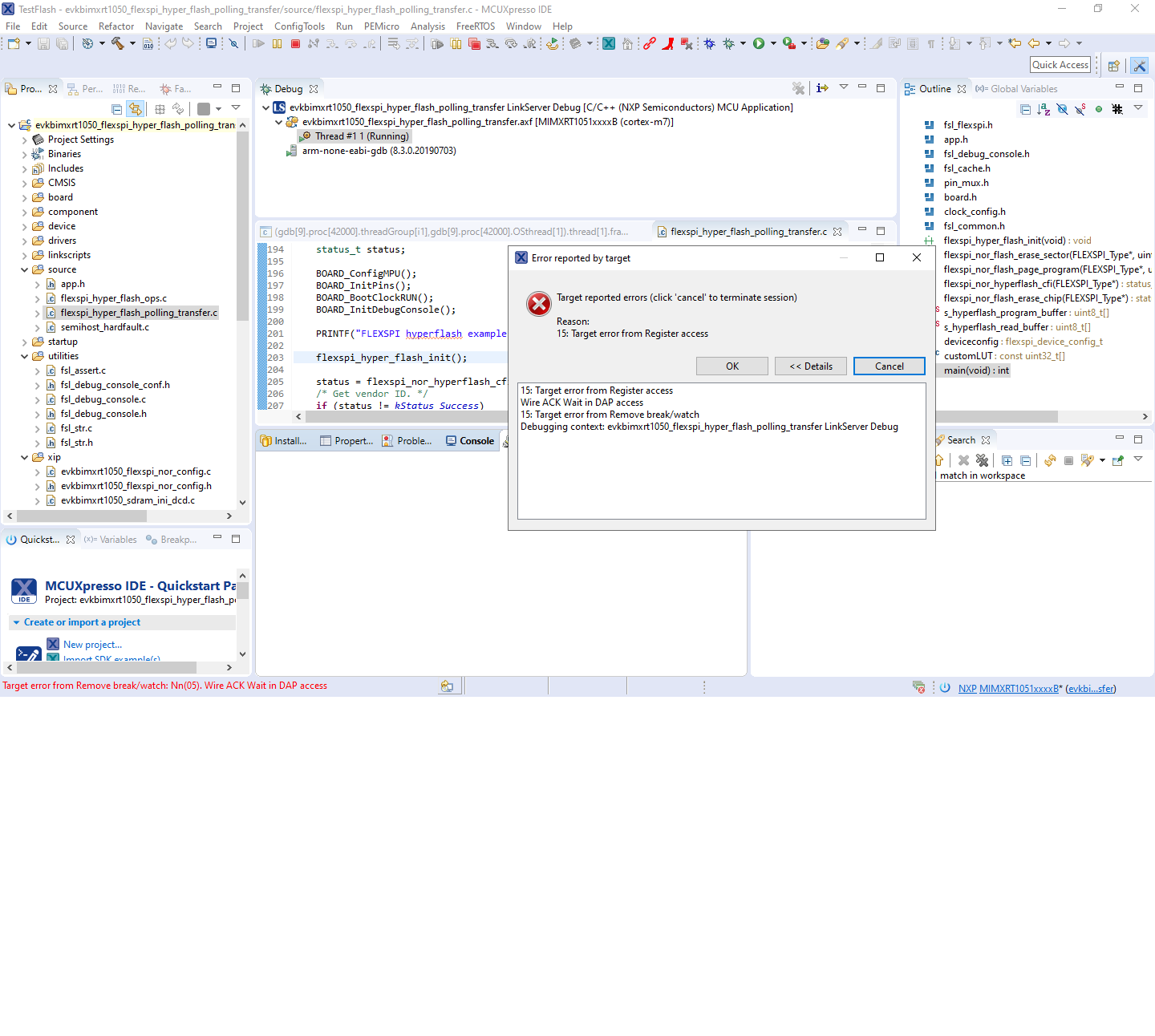
Re Unable To Run Debug Monitor Command Not Supp NXP Community

Debug Python In Visual Studio Awarelasopa
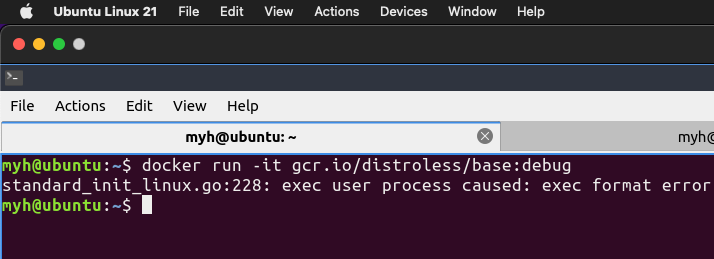
Make sure the Python Debugger extension is installed and enabled in VS Code by opening the Extensions view X Windows Linux Ctrl Shift X and searching for installed python debugger The path to the python executable is incorrect check the path of your selected interpreter by running the Python Select Interpreter command and looking
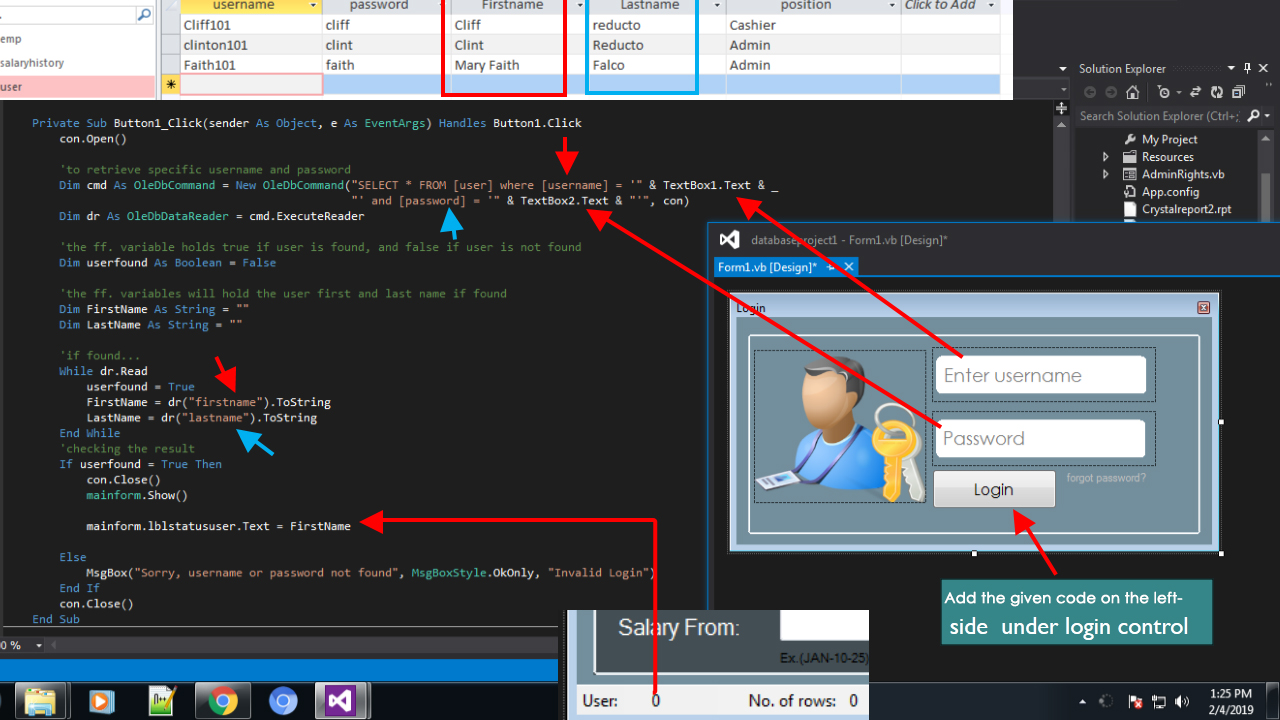
Feb 7 2022 6 03 AM I have the exact same issue When VS Code was updated to 1 64 0 it seems to have broken Python debugging Clicking on Run Python File works fine Clicking on Debug Python File now does nothing This worked fine before the update I might need to look at how to roll back this latest update Thanks
Open up your settings ctrl search for python path and change the python configuration python path to python3 From your debug tab click on settings icon and add the code below to your launch json file save it and make sure it is selected as your config in the debug tab

1 Answer Sorted by 4 By default VSCode s debugger will execute your file until it either encounters a breakpoint or exception or your program exits To change this behavior set stopOnEntry true your launch json configuration like so configurations name Python Current File type python request launch

VS Code comes with great debugging support for Python via the Python Debugger extension allowing you to set breakpoints inspect variables and use the debug console for an in depth look at how your program is executing step by step Debug a number of different types of Python applications including multi threaded web and remote applications
I ve just come across the same issue in VS Code I think in that I can run a one line python file from the terminal and it will work as expected python HelloWorld py However when I try to run it in the debugger nothing happens other than the Debug toolbar briefly appearing By default the debugger uses the same python pythonPath workspace setting as for other features of VS Code To use a different interpreter for debugging specifically set the value for pythonPath in launch json for the applicable debugger configuration as described in the next section
Downgrading the extension version to v2021 12 1559732655 solved the issue and now breakpoints works In order to downgrade the extension go to file preferences extension select the python package press the expend arrow near the uninstall button and select install a different version