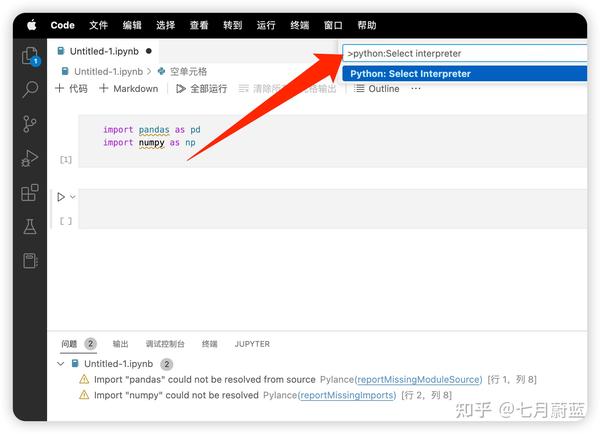
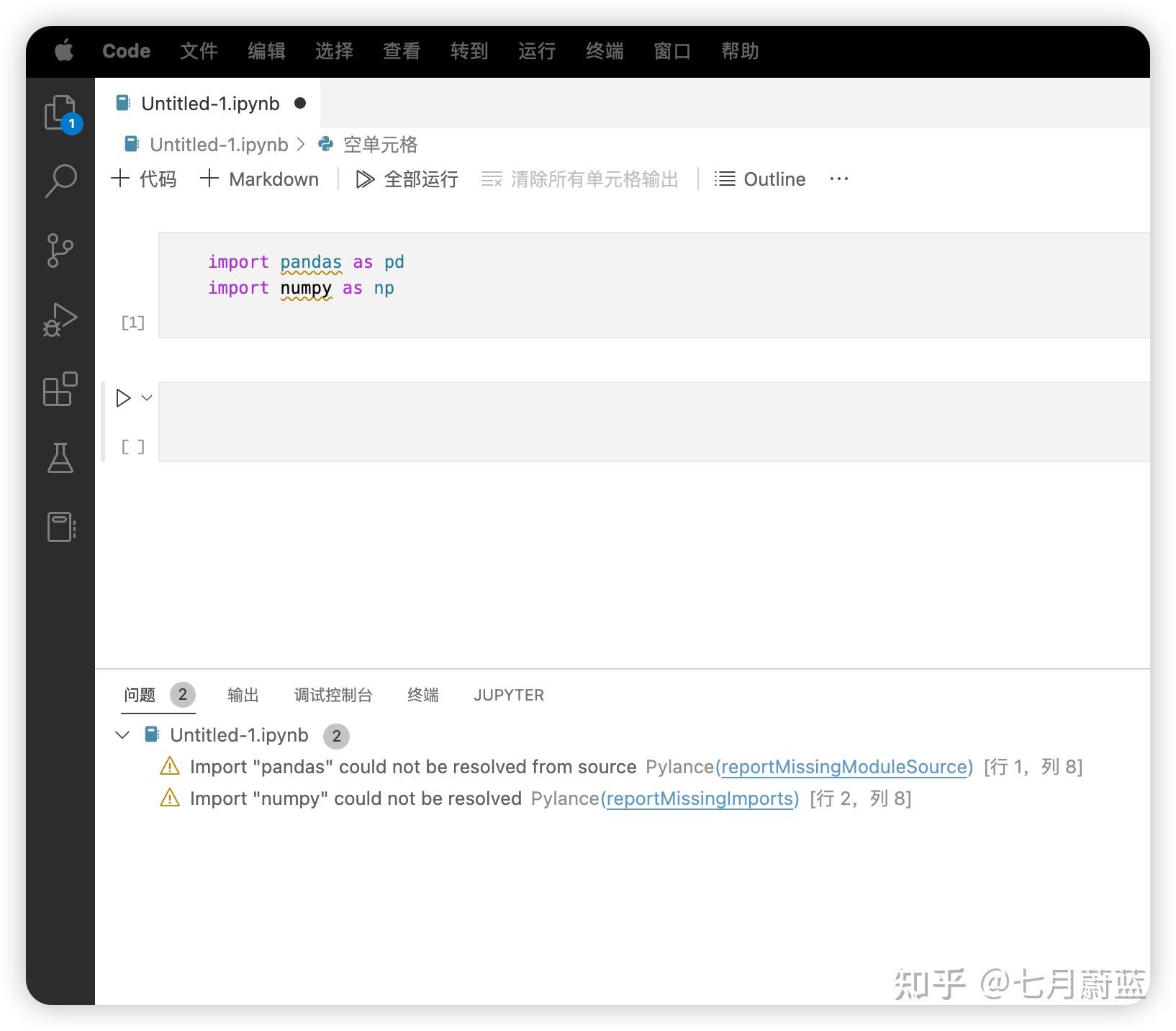
Visual Studio Code Import Pandas Could Not Be Resolved From Sourcepylance Vscode Thinks From Tkinter Import Is An Error Issue 3464 Pylance Import From Same Directory Could Not Be Resolved Issue 948 Import Could Not Be Resolved For Local Packages And Modules Issues Python Visual Studio Code Import pandas Could Not Be Resolved Python ModuleNotFoundError No Module Named Pandas Web Oct 31 2022 nbsp 0183 32 0 This is usually due to not having the correct Python interpreter selected in VsCode Press Cntrl Shift P search for Select Python Interpreter and try to change between the options Hope this helps answered Oct 31 2022 at 14 55 Yair Salvador
Web Apr 30 2023 nbsp 0183 32 87 10K views 9 months ago Python Tutorial In this video tutorial we will show you how to solve the quot Import pandas could not be resolved from source Pylance Web Dec 26 2023 nbsp 0183 32 1 Install the pandas package If you re missing the pandas package you can install it using pip pip install pandas 2 Use the correct version of pandas If you re using a different version of pandas than the one that your code is expecting you can fix it by updating your code to use the correct version of pandas 3
Python ModuleNotFoundError No Module Named Pandas Why Are Red Pandas Endangered WorldAtlas VS Code Import pandas Could Not Be Resolved From Source Pylance Climate Change Threatens Giant Panda Recovery HuffPost How To Install Pandas In Visual Studio Code On Windows 11 YouTube ReportMissingModuleSource Import py xml Could Not Be Resolved From VS Code Import pandas Could Not Be Resolved From Source Pylance vscode python Import xxx Could Not Be Resolved From Source Python Import pandas Could Not Be Resolved From Source Pylance
Visual Studio Code Import Pandas Could Not Be Resolved From Sourcepylance
 Visual Studio Code Import Pandas Could Not Be Resolved From Sourcepylance
https://user-images.githubusercontent.com/85747258/194573698-a5edb151-093e-4b32-b7bf-be657762c24c.png
Web Aug 11 2023 nbsp 0183 32 Open the settings file by typing and clicking on Preferences Open User Settings JSON in the Command Palette Ctrl Shift P Then add the following line to the settings file quot python autoComplete extraPaths quot quot path to pandas quot Replace path to pandas with the path to the Pandas package on your computer
Pre-crafted templates use a time-saving service for creating a varied series of documents and files. These pre-designed formats and layouts can be utilized for various individual and professional tasks, consisting of resumes, invites, flyers, newsletters, reports, discussions, and more, streamlining the content creation process.
Visual Studio Code Import Pandas Could Not Be Resolved From Sourcepylance

Import django shortcuts Could Not Be Resolved From SourcePylance

Why Are Red Pandas Endangered WorldAtlas
VS Code Import pandas Could Not Be Resolved From Source Pylance

Climate Change Threatens Giant Panda Recovery HuffPost
ReportMissingModuleSource Import py xml Could Not Be Resolved From
VS Code Import pandas Could Not Be Resolved From Source Pylance
Web Aug 13 2020 nbsp 0183 32 22 Tried to import pandas in VS Code with import pandas and got Traceback most recent call last File quot c Users xxxx hello sqltest py quot line 2 in lt module gt import pandas ModuleNotFoundError No module named pandas Tried to install pandas with pip install pandas pip3 install pandas python m pip install pandas
Web Jul 24 2021 nbsp 0183 32 visual studio code solution You can fix this by going into settings then resetting python defaultInterpreterPath
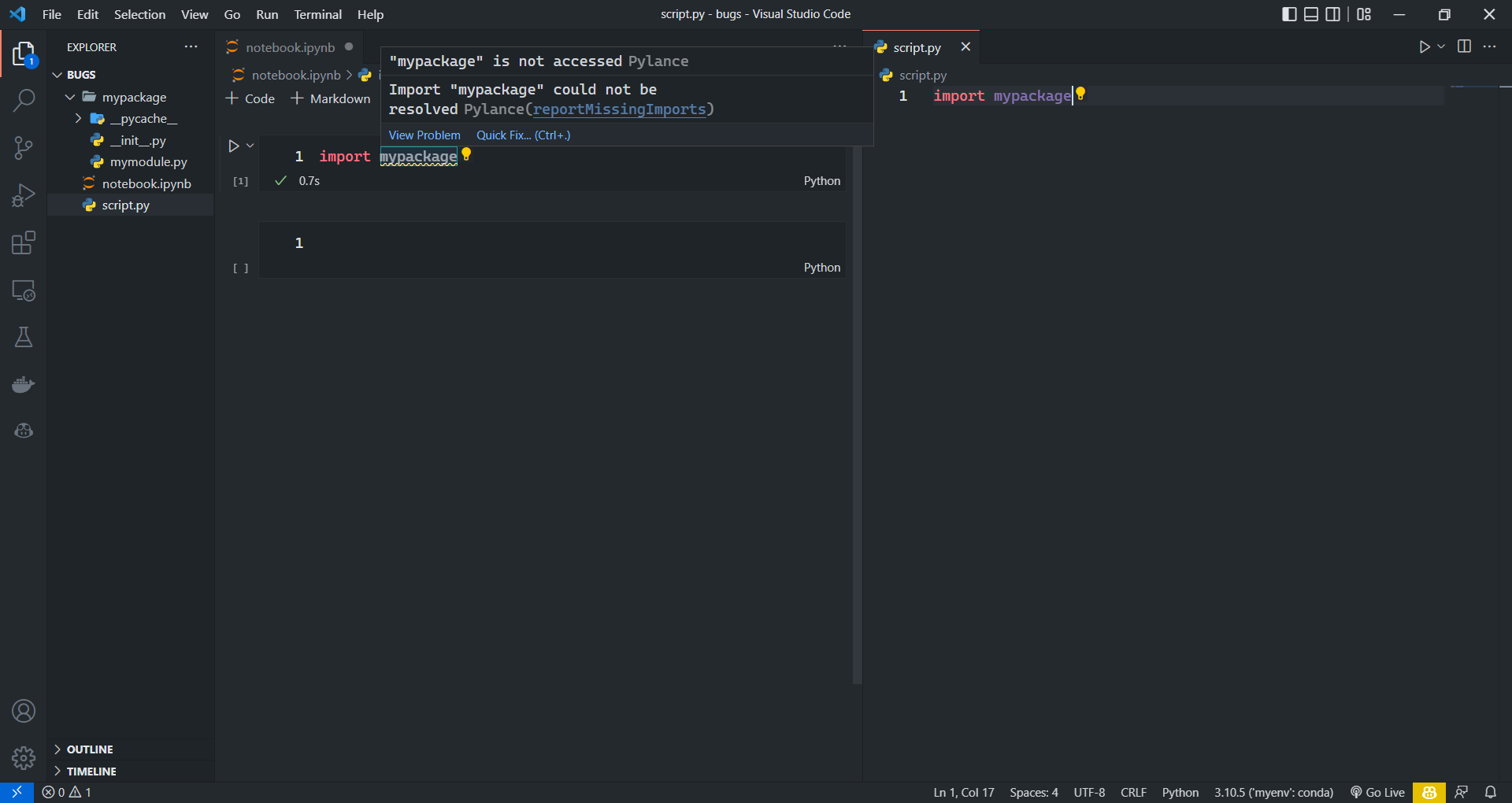
Web Nov 6 2022 nbsp 0183 32 vs code python Select interpreter anaconda3 python Anaconda vs code Import quot xxx quot could not be resolved from source Pylance

Web 2 days ago nbsp 0183 32 The error quot Import quot X quot could not be resolved from source Pylance quot occurs when the imported module is not installed or you have selected the incorrect Python interpreter in your IDE e g Visual Studio Code To solve the error install the module and select the correct Python interpreter in your IDE shell

Web Posted on Feb 3 2021 How to solve Pylance missing imports in vscode python vscode Here is how you can solve this issue Make sure you selected the right python interpreter for your project in case you are using virtualenv pipenv other When you run pipenv shell you will see which python interpreter is used
Web In case of the import x could not be resolved issue in Visual Studio Code with Pylance it typically means the Python extension does not know where x is located in your Python environment This issue frequently occurs when your Python path is not correctly defined or your Python virtual environment does not include the necessary packages Web Mar 21 2024 nbsp 0183 32 To eliminate the import pandas could not be resolved from source error verify and rectify the Python interpreter and virtual environment setup within Visual Studio Code as follows Initiate the command palette using Ctrl Shift P Windows Linux or Cmd Shift P Mac Select Python Select Interpreter and opt for the relevant interpreter
Web Mar 20 2023 nbsp 0183 32 Visual Studio 2022 keeps complaining about Python libraries set up in virtual environment The virtual environment was configured in Visual Studio 2019 and works in Visual Studio 2019 perfectly In general Visual Studio 2022 says import xyz could not be resolved from the source where xyz could be library such as pandas or