Visual Studio 2022 Breakpoint List How To Use Conditional Breakpoints In The Visual Studio 2022 Debugger Visual Studio Windows Microsoft Learn Using Temporary Breakpoint In Visual Studio 2022 Daily NET Tips Visual Studio 2022 New Breakpoint Types What s New For Visual Basic In Visual Studio 2022 NET Blog Web Mar 9 2023 nbsp 0183 32 Using Breakpoints Using the DebuggerDisplay Attribute Feedback Use When Breakpoint is Hit to specify an action on breaking You can specify that a message be
Web Mar 9 2023 nbsp 0183 32 Visual Studio Extensibility Create a breakpoint Article 03 09 2023 10 contributors Feedback In this article Methods in breakpoint creation See also Applies to Web Mar 9 2023 nbsp 0183 32 A breakpoint has three states Pending Bound and Error When you set a breakpoint it is Pending and it is represented by a solid red icon When the runtime has
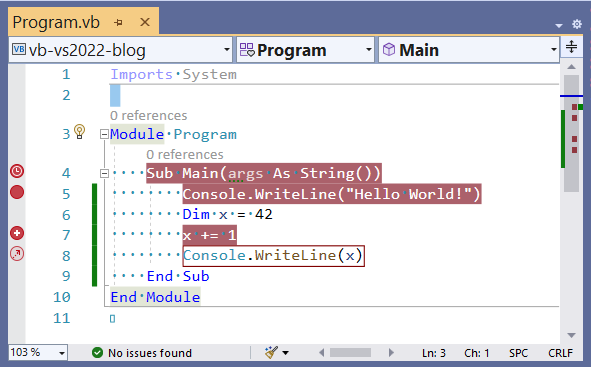
What s New For Visual Basic In Visual Studio 2022 NET Blog C Visual Studio 2022 Unable To Set Breakpoint On Function Header Due Use Breakpoints In The Debugger Visual Studio Windows Microsoft Learn Visual Studio 2022 Adds Breakpoint Groups Use Breakpoints In The Debugger Visual Studio Windows Microsoft Learn Visual Studio 2022 New Breakpoint Types Fast Track Debugging Using Dependent Breakpoint In Visual Studio 2022 Tutorial Debug C Code Visual Studio Windows Microsoft Learn Tips
Visual Studio 2022 Breakpoint List
 Visual Studio 2022 Breakpoint List
https://yarkul.com/wp-content/uploads/conditional-breakpoint-visual-studio.jpg
Web Mar 22 2023 nbsp 0183 32 Breakpoint groups are a feature in Visual Studio 17 6 preview which can be installed side by side with existing Visual Studio 2022 installs Of course breakpoint groups are not the only addition in
Templates are pre-designed files or files that can be utilized for different purposes. They can save effort and time by supplying a ready-made format and design for producing different sort of content. Templates can be used for individual or professional jobs, such as resumes, invites, flyers, newsletters, reports, presentations, and more.
Visual Studio 2022 Breakpoint List

Visual Studio 2022 New Breakpoint Types

C Visual Studio 2022 Unable To Set Breakpoint On Function Header Due
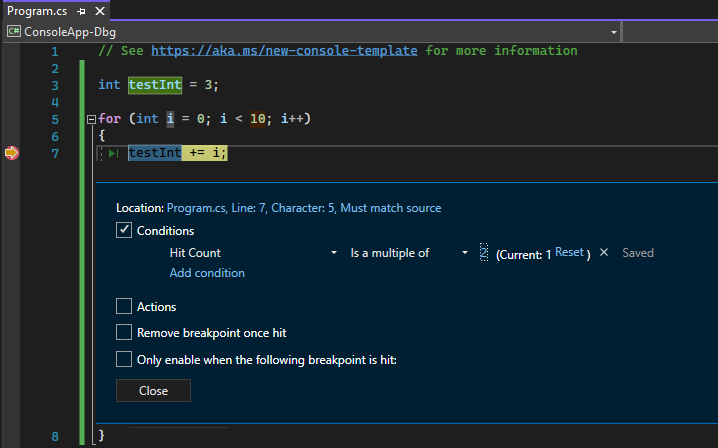
Use Breakpoints In The Debugger Visual Studio Windows Microsoft Learn
Visual Studio 2022 Adds Breakpoint Groups

Visual Studio 2022 New Breakpoint Types
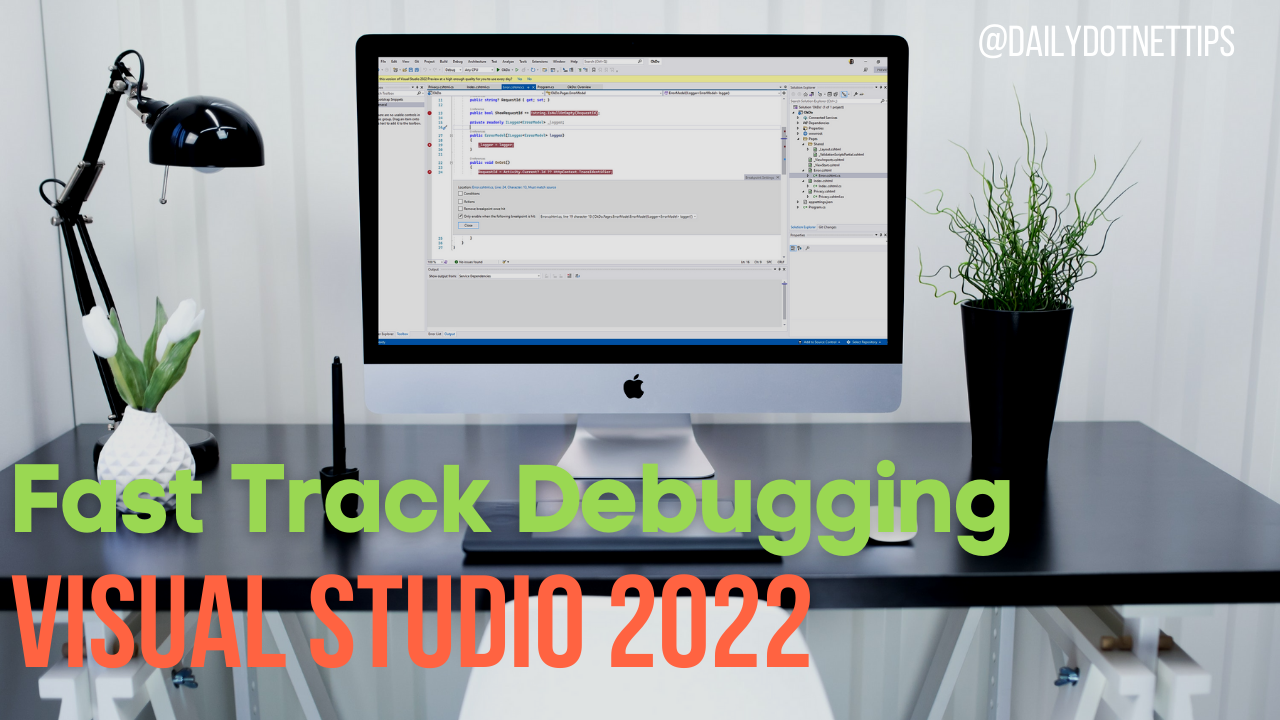
Fast Track Debugging Using Dependent Breakpoint In Visual Studio 2022

Web Jun 16 2023 nbsp 0183 32 Run to a breakpoint in code To set a simple breakpoint in your code select the far left margin next to the line of code where you want to suspend execution You can also select the line and then select F9

Web Mar 9 2023 nbsp 0183 32 Breakpoints Lists possible breakpoints that can be set based on the ambiguous input You can select one or more breakpoints to set All Selects all

Web Dec 22 2021 nbsp 0183 32 Visual Studio 2022 introduces 2 new breakpoint types temporary and dependent breakpoints The Temporary breakpoint is used to set a breakpoint that will

Web Mar 21 2023 nbsp 0183 32 Download Visual Studio 2022 Preview Breakpoint Groups Breakpoint groups can simplify and organize the debugging process by allowing you to create separate breakpoint groups that correspond to
Web Jul 11 2011 nbsp 0183 32 To set a breakpoint condition Right click the breakpoint symbol and select Conditions or press Alt F9 C Or hover over the breakpoint symbol select the Settings icon and then select Conditions
Web Instructor There s another new type of breakpoint available in Visual Studio 2022 it s called the dependent breakpoint And it s a conditional breakpoint Web Oct 19 2018 nbsp 0183 32 5 Answers Sorted by 30 For people wanting to see each breakpoint that ended up here Like me Try Debug gt Windows gt Breakpoints Share Follow edited
Web Mar 14 2023 nbsp 0183 32 Visual Studio 2022 v17 6 Preview 2 is now available March 14 2023 Marian Luparu Preview 2 for Visual Studio 17 6 is now available If you are a game developer a mobile developer or are interested in learning new tricks to better debug your code check out this latest release