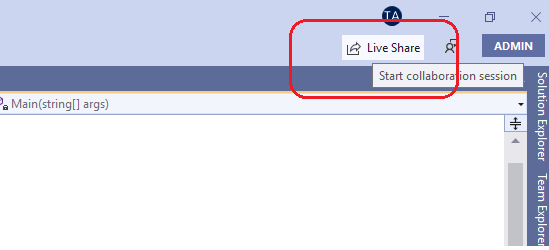
Visual Studio 2019 Select Line Shortcut Bricscad Line Shortcut Sitexaser How Do I Go To First Sheet In Excel Using Keyboard Worksheet TechCohere Microsoft Visual Studio 2019 IntelliCode Everyone Welcome The Mushroom Gorge Starting Line Shortcut Back To The Franchise After Its 11 TechCohere Live Share Feature In Microsoft Visual Studio 2019 WEB Delete Line without copying it Ctrl Shift L Paste from keyboard buffer ring Ctrl Shift V Move Code Up Down Alt Format Document Selection Ctrl K Ctrl D F Code Cleanup Ctrl K Ctrl E Surround with if try foreach Ctrl K Ctrl S Rename Ctrl R Ctrl R Encapsulate Field Ctrl R Ctrl E
WEB Ctrl Shift Enter Insert blank line below the current line Ctrl Space Autocomplete using IntelliSense Alt Shift arrow keys Select custom part of the code Ctrl Match curly braces brackets Ctrl Shift WEB Sep 25 2019 nbsp 0183 32 Visual Studio will select all the locations that match the selected text in the current document You can select just the next matching location by using Alt Shift This post is part of the series Visual Studio Tips and Tricks
TechCohere Live Share Feature In Microsoft Visual Studio 2019 TechCohere Live Share Feature In Microsoft Visual Studio 2019 Insert Line Shortcut In Excel Shortcut Insert Excel Command Line Parameters Visual Studio 2019 Shortcut Cheat Sheet Lmmzaer Using Entity Framework Core Implementation Of ASP NET Core Identity For SQLite Html Vs Code Visual Studio Format Document Shortcut Mac Sapjewestcoast How To Insert Line Visual Studio 2017 Shortcut Lobliss
Visual Studio 2019 Select Line Shortcut
 Visual Studio 2019 Select Line Shortcut
http://english.cogitosoft.com/f/image/20190719/20190719134629_8269.png
WEB Sep 29 2019 nbsp 0183 32 Copy line up down Windows Shift Alt Mac This shortcut allows the user to copy and paste lines of code very quickly above or below the selected line
Templates are pre-designed files or files that can be utilized for various functions. They can conserve time and effort by offering a ready-made format and layout for producing different kinds of material. Templates can be utilized for personal or expert jobs, such as resumes, invites, leaflets, newsletters, reports, presentations, and more.
Visual Studio 2019 Select Line Shortcut
D marrage Rapide Ouvrir Un Dossier De Code Python Visual Studio Windows Microsoft Learn
TechCohere Live Share Feature In Microsoft Visual Studio 2019
Insert Line Shortcut In Excel Shortcut Insert Excel

Command Line Parameters

Using Entity Framework Core Implementation Of ASP NET Core Identity For SQLite
Html Vs Code
WEB You can access a variety of commands and windows in Visual Studio by choosing the appropriate keyboard shortcut This page lists the default command shortcuts for the General profile which you might have chosen when you installed Visual Studio

WEB At least for Visual Studio 2022 there are now three commands usable in the context of a text editor Edit ExpandSelection default Shift Alt Edit ExpandSelectiontoContainingBlock default Shift Alt 180

WEB Jul 12 2022 nbsp 0183 32 These shortcuts include keyboard and mouse shortcuts as well as text you can enter to help accomplish a task more easily For a comprehensive list of command shortcuts and a printable keyboard shortcut cheat sheet see Keyboard shortcuts in

WEB Jan 8 2024 nbsp 0183 32 You can identify keyboard shortcuts for Visual Studio commands customize those shortcuts and export them for others to use Many shortcuts always invoke the same commands but the behavior of a shortcut might vary based on

WEB May 27 2017 nbsp 0183 32 Triple click to select the whole line Then do what you want You can press Home Shift End to select the whole line as well If you want to copy the whole line then just press Ctrl C It will copy the whole line if nothing is selected
WEB Apr 3 2019 nbsp 0183 32 You can select all lines in the code cell with Ctrl A Windows Linux or Cmd A Mac Then press Ctrl Windows Linux or Cmd Mac to uncomment Press again to comment WEB Jan 9 2023 nbsp 0183 32 Alt Up and Alt Down to move the current line or selected lines up or down are similarly great
WEB Toggle single line comment and toggle block comment commands have been added in VS 2019 for C You can change the shortcut for these commands to whatever you want in Tools gt Options gt Environment gt Keyboard search for Edit ToggleBlockComment or Edit ToggleLineComment Share