Visual Studio 2017 Comment Shortcut Visual Studio 2017 Hotkeys Profitsmokasin Visual Studio Code Python Comment Shortcut Chinesedax Visual Studio Comment Shortcut Ludanz Visual Studio Comment Shortcuts Make Yourself More Efficient SubMain Comment Shortcut In Visual Studio Code Visual studio The shortcut for this action is Ctrl K Ctrl C This is a single line comment in C int x 5 After the above code note that the line starting with is a comment and will not be executed This is a quick way to comment out a single line of code without affecting the rest of your program Block Commenting
Windows Shift Alt A Linux Shift Ctrl A Here you can find all the keyboard shortcuts Windows VSCode Shortcuts Linux VSCode Shortcuts The following table contains the keyboard shortcuts used most often in Visual Studio 2017 You can find a complete list of keyboard shortcuts online About This Article This article is from the book C 7 0 All in One For Dummies About the book authors
Comment Shortcut In Visual Studio Code Visual studio Visual Studio Shortcut Comment Code Likoswc Visual Studio Comment Shortcut Needsluda Cuk Converter Waveforms Psawesi Visual Studio Code Keyboard Shortcut For Windows In Visual Studio Shortcuts Coloradoascse Visual Studio Code Shortcuts For Windows And Mac GeeksforGeeks Visual studio code Qual La Scorciatoia Per Il Commento In Visual Comment Cr er Une Application Azure Functions Dans Visual Studio 2017
Visual Studio 2017 Comment Shortcut
 Visual Studio 2017 Comment Shortcut
https://i0.wp.com/weblogs.asp.net/blogs/scottgu/image_thumb_54553F10.png
To insert XML comments for a code element Place your text cursor above the element you want to document for example a method From the right click or context menu on or just above the code element choose Snippet Insert Comment The XML template is immediately generated above the code element For example when commenting a method it
Templates are pre-designed files or files that can be used for different purposes. They can save effort and time by supplying a ready-made format and layout for developing various kinds of content. Templates can be used for individual or professional projects, such as resumes, invitations, leaflets, newsletters, reports, presentations, and more.
Visual Studio 2017 Comment Shortcut

Camtasia Studio 9 Cracked Psawesi
Visual Studio Shortcut Comment Code Likoswc

Visual Studio Comment Shortcut Needsluda

Cuk Converter Waveforms Psawesi
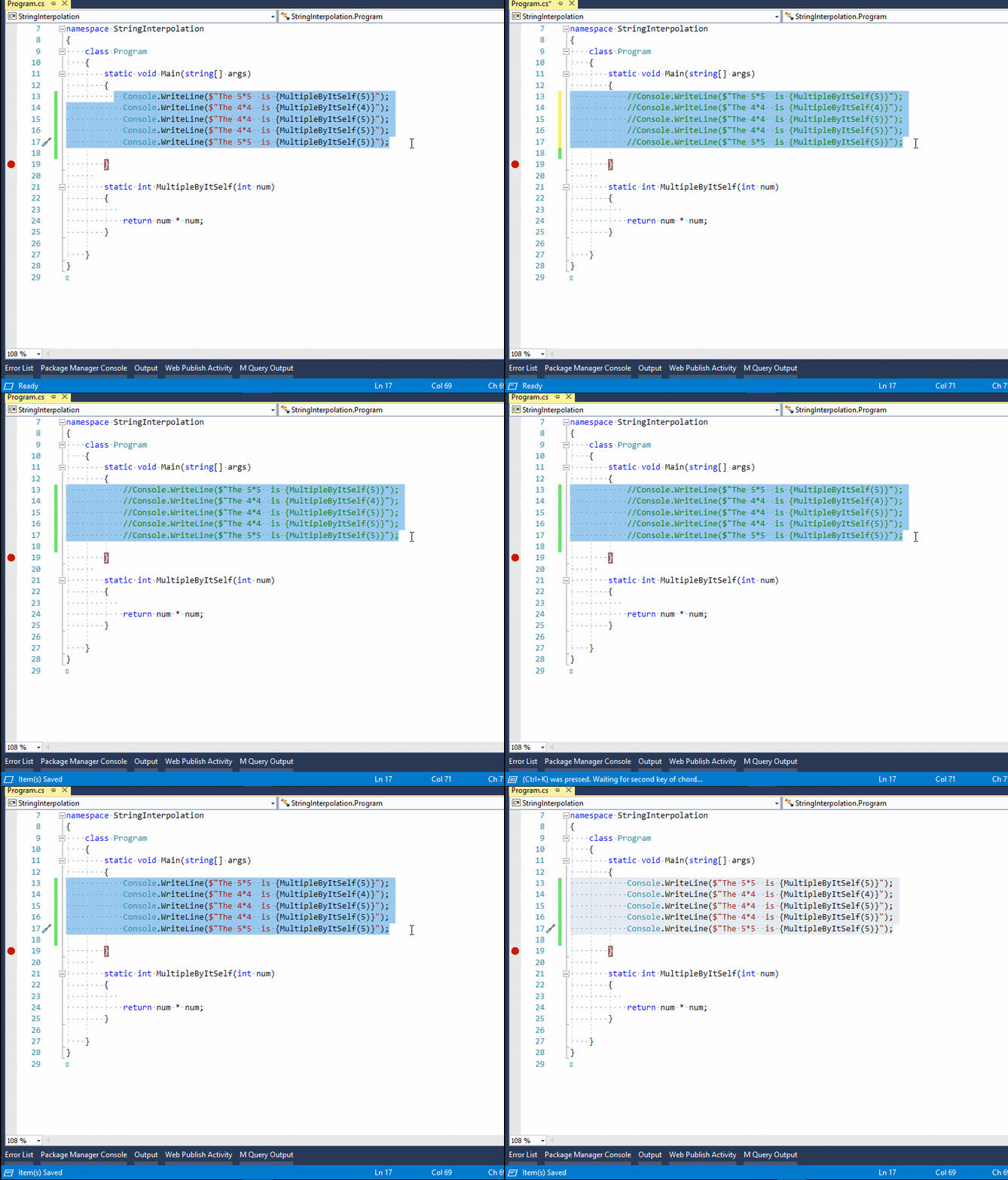
In Visual Studio Shortcuts Coloradoascse

Visual Studio Code Shortcuts For Windows And Mac GeeksforGeeks

Popular keyboard shortcuts for Visual Studio Global shortcuts Context specific shortcuts Applies to Visual Studio Visual Studio for Mac Visual Studio Code You can access a variety of commands and windows in Visual Studio by choosing the appropriate keyboard shortcut

Comment Ctrl K Ctrl C Uncomment Ctrl K Ctrl U Delete Line without copying it Ctrl Shift L Paste from Clipboard Ring Paste from buffer of previously copied items Ctrl Shift V Move Code Up Down Alt Up arrow Alt Down arrow Visual Studio 2017 keyboard shortcuts Created Date
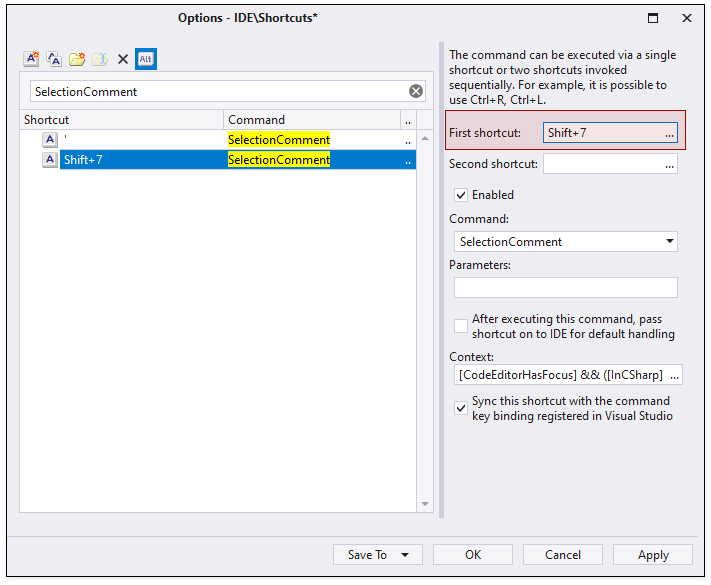
12 Answers Sorted by 42 Toggle single line comment and toggle block comment commands have been added in VS 2019 for C You can change the shortcut for these commands to whatever you want in Tools Options Environment Keyboard search for Edit ToggleBlockComment or Edit ToggleLineComment Share Improve this answer

The most basic shortcut for creating a comment is Ctrl K Ctrl C This of course is the default shortcut for Edit CommentSelection which can be mapped to whatever you d like I m going to stick to defaults but later in this post I ll show you how to change those And to round it out the mapping for uncommenting is Ctrl K Ctrl U

Default Keyboard Shortcuts Search and Navigation Visual Studio search Ctrl Q Go to All Ctrl T or Ctrl Go to Type File Member Symbol Ctrl 1 T F M S Comment Uncomment Ctrl K Ctrl C U Delete Line without copying it Ctrl Shift L
The complete list of Visual Studio 2017 keyboard shortcuts Visual Studio 2017 keyboard shortcuts Visual Studio 2017 TOP RESOURCES WPF Button with Image How to create a Grid in WPF Dynamically Automatically resize a Window to fit content in WPF How to read and write binary data files in C As a note all screenshots are taken with Visual Studio 2017 How to get to edit Visual Studio Shortcuts Click on Tools Options Under Environment go to Keyboard The highlighted section Show commands containing corresponds to the VS Mapping column in the table that you will see next If you press shortcut keys you can assign
Here you ll find all shortcuts available in VS 2017 Alternatively you can look at the frequently used shortcuts by clicking the link below Jump to section matches Download shortcuts Share Suggestion This program has lots of 813 shortcuts